
01Who this is for
- Marketing teams can fine tune engagement scores without navigating a cluttered interface, making segmentation more reliable.
- Sales operations staff benefit from the faster load time when handling large rule sets, allowing quicker adjustments.
- Agency administrators can share exact filtered views with teammates, reducing time spent re creating searches.
02Manage scoring, explained
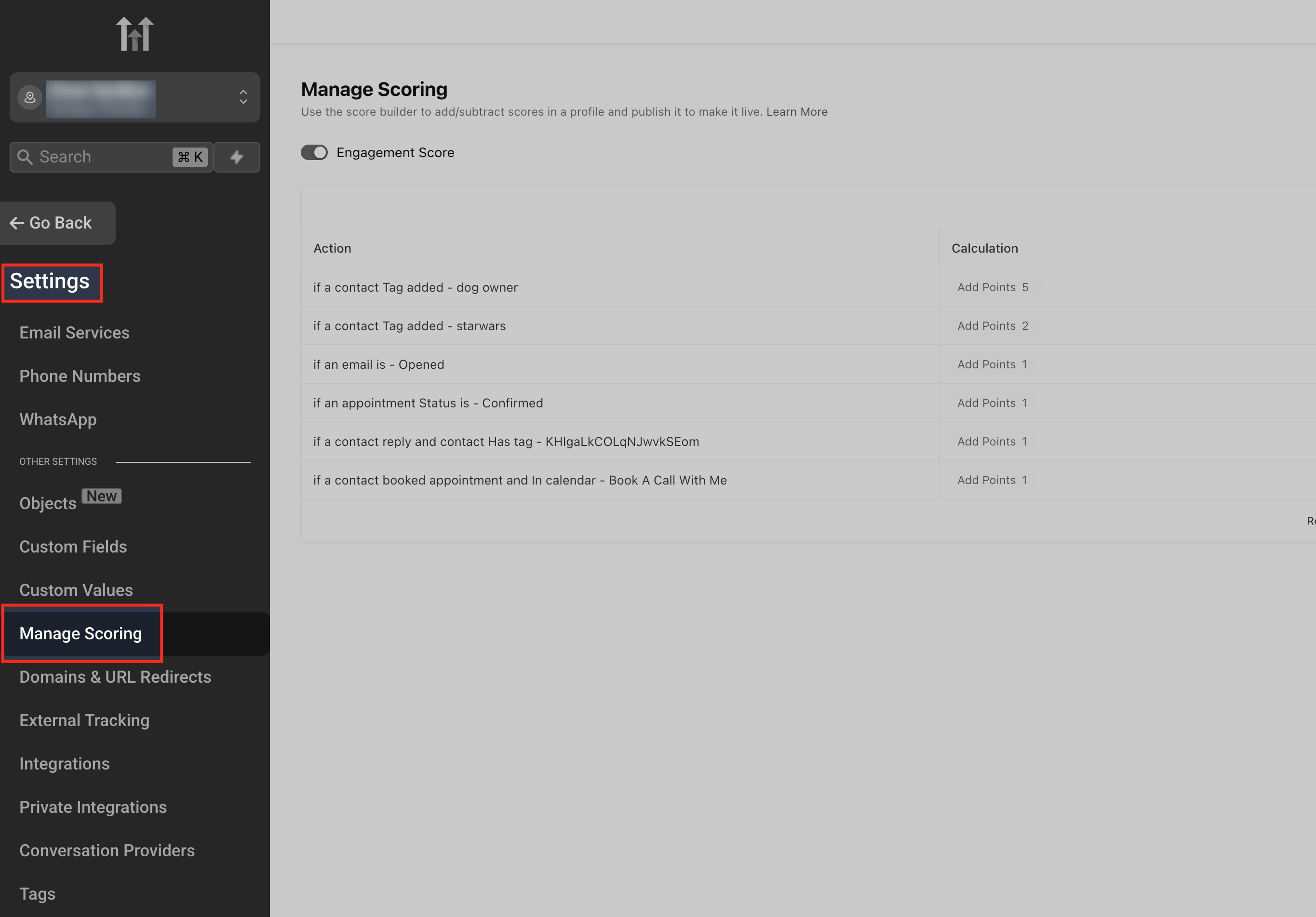
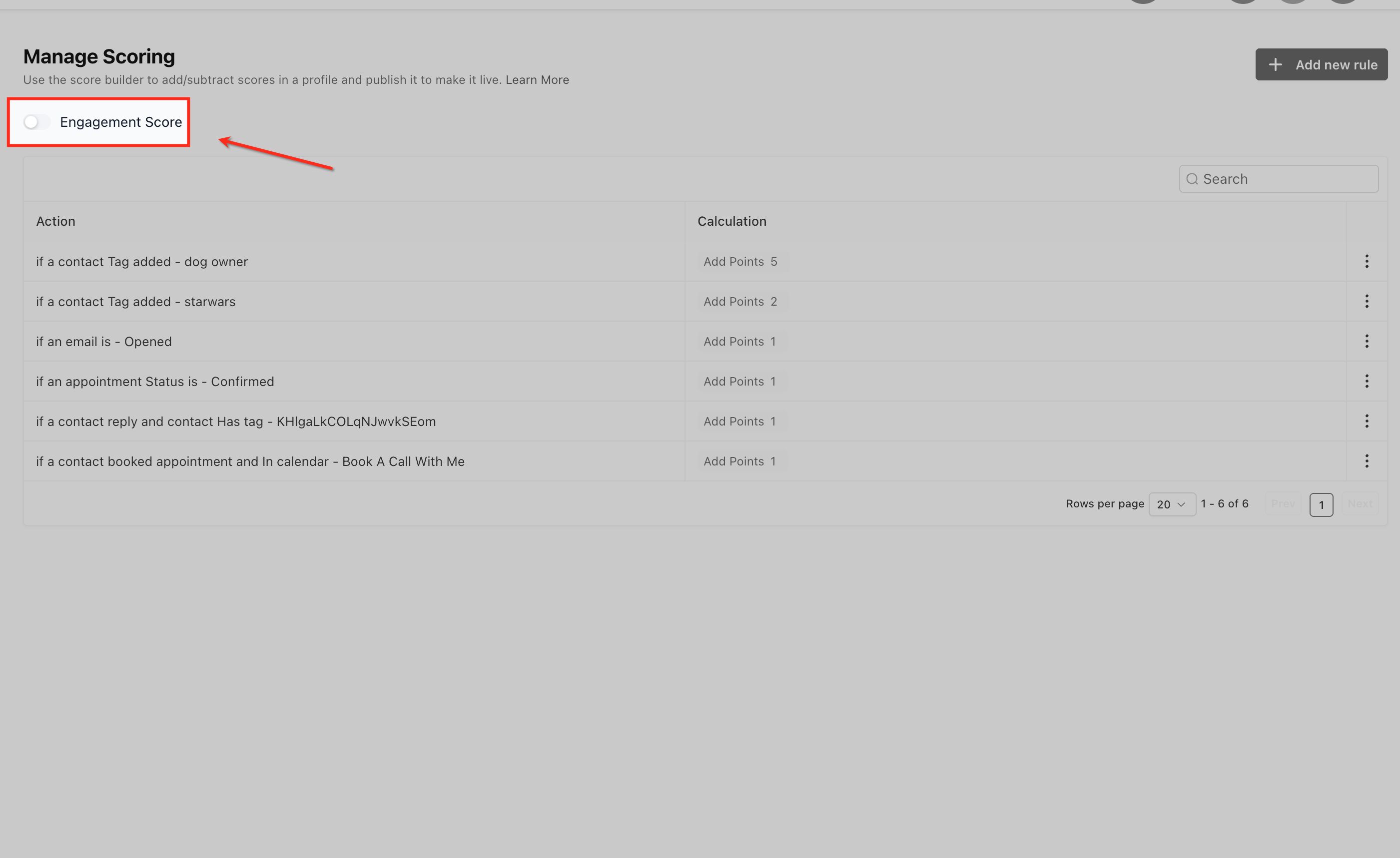
The Manage Scoring page lives under Settings for each subaccount. It displays all scoring rules in a wide, single column table where each rule shows its point value in color coded cells. A Draft Mode toggle at the top right lets you stage edits without affecting the live engagement score.
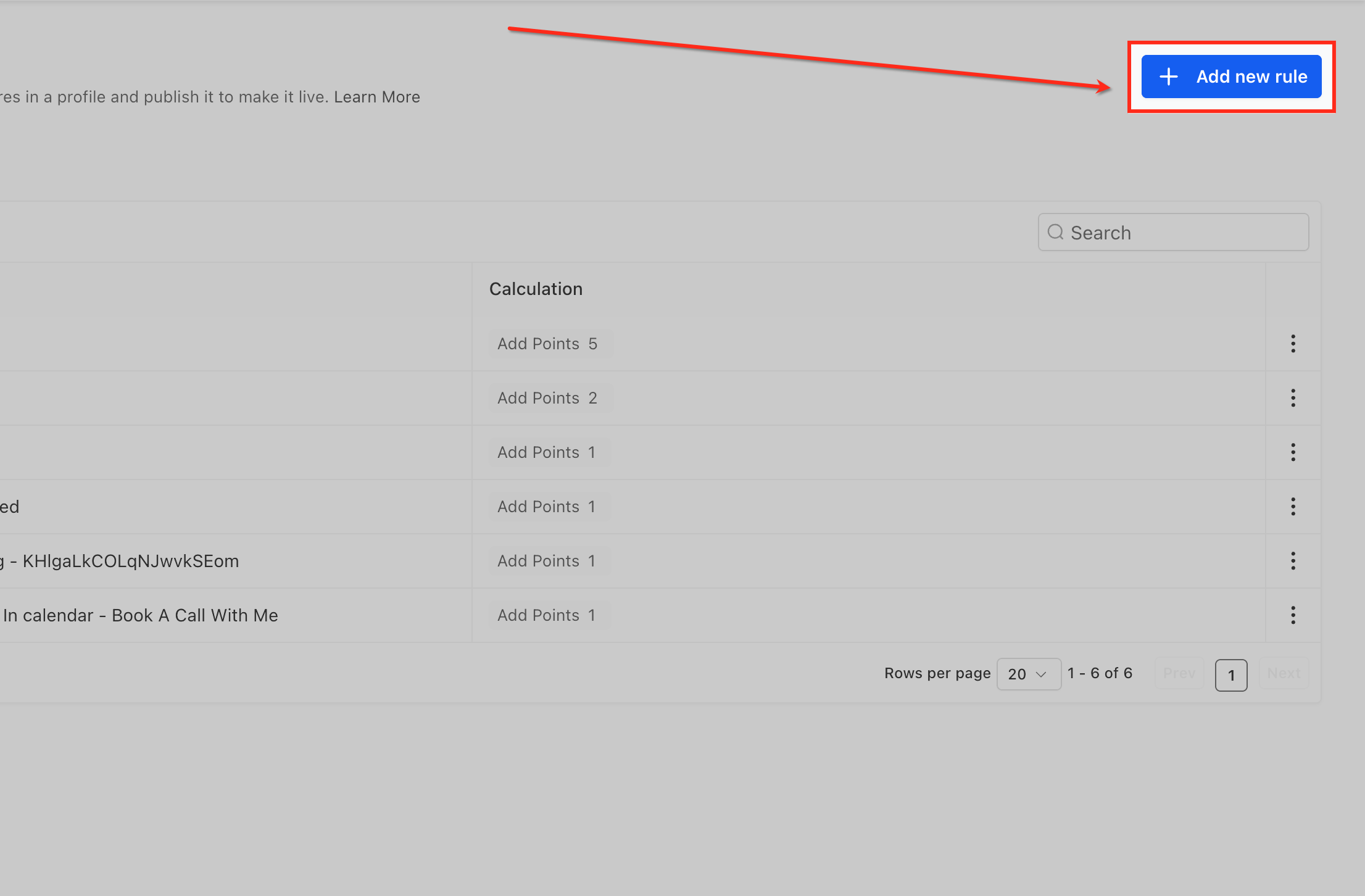
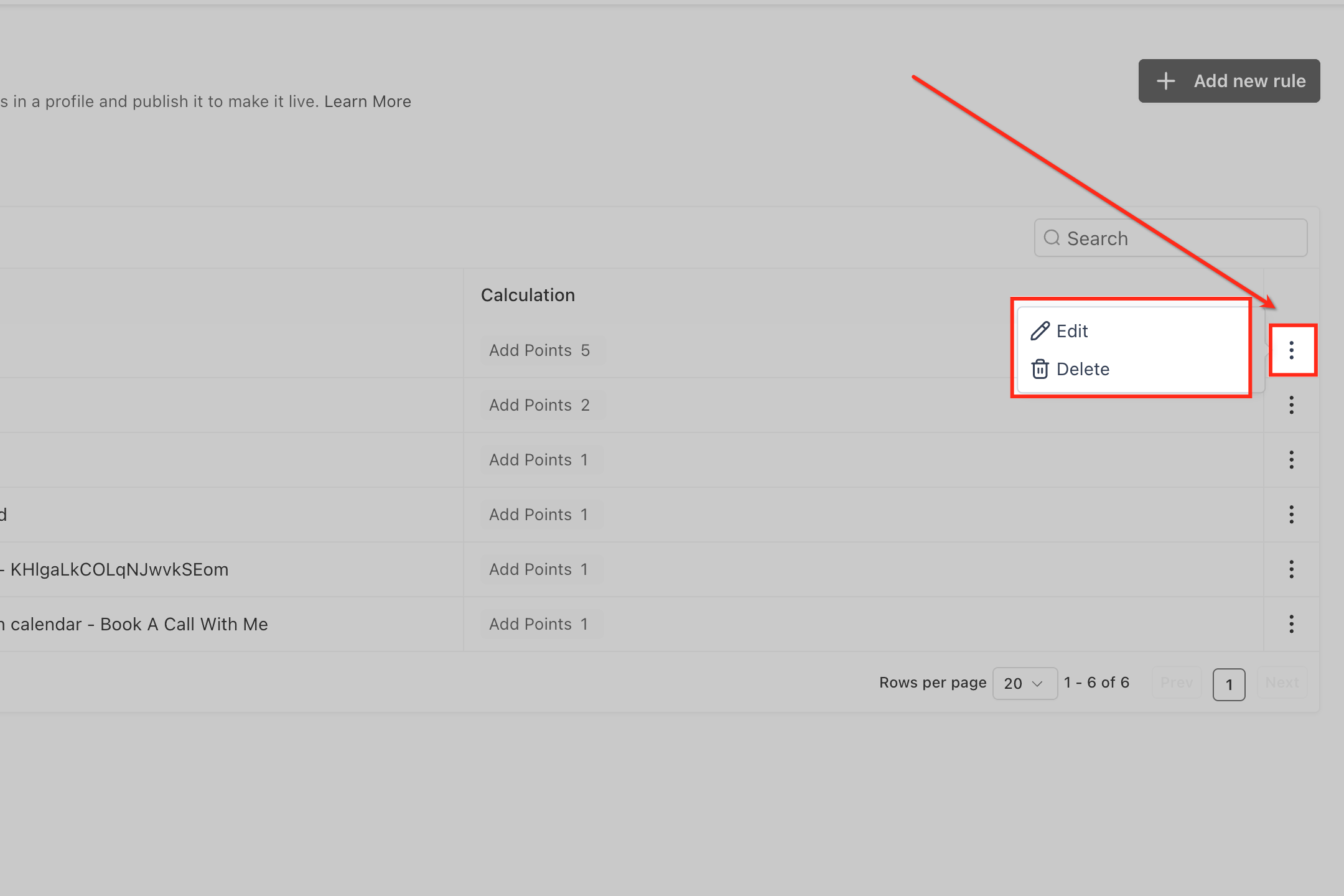
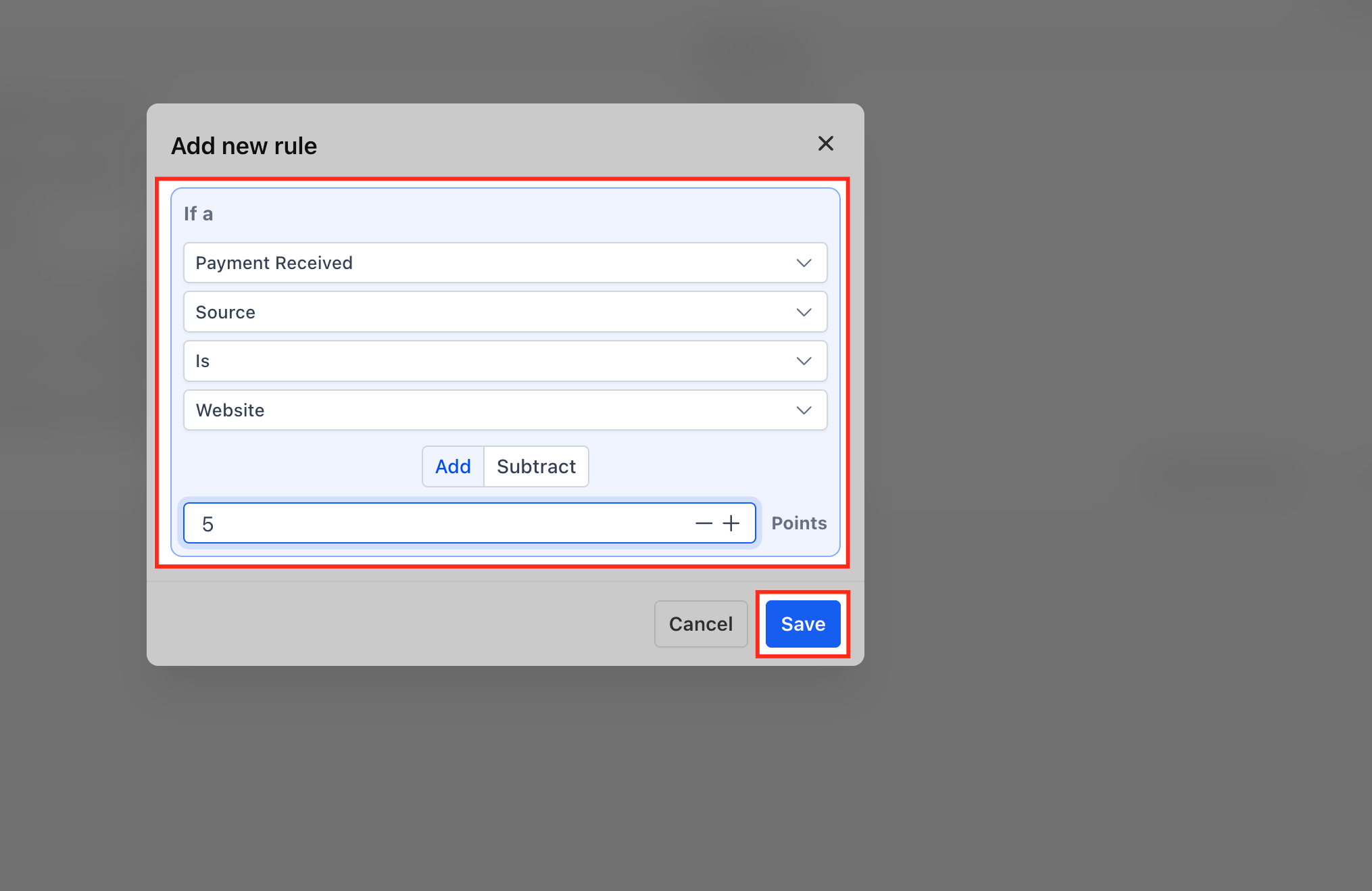
You can add a new rule by selecting an action type such as Email Opened and assigning positive or negative points. Editing or deleting a rule uses the three dot menu beside the rule row. When changes are ready, flip the Draft/Publish toggle to make the new logic active for contacts. The URL automatically records any search terms, pagination, or rows per page setting, so copying the link reproduces the exact view for anyone who opens it.
The redesign improves performance, especially in subaccounts that contain more than fifty scoring rules, delivering up to two times the previous load speed. Accessibility enhancements include better keyboard navigation, and the interface aligns with other HiRise styled pages across the platform.
03How businesses use manage scoring
- Digital marketing agency. The agency opens Manage Scoring from Settings, uses the + Add New Rule button to give points for webinar registrations, and toggles Draft Mode to test the impact before publishing. The team copies the URL to let a colleague review the same filtered rule set.
- Ecommerce store. Store staff edit a rule that subtracts points when a cart is abandoned by opening the three dot menu, adjusting the point value, and saving. They then publish the change to update the Contact Engagement Score used in automated recovery flows.
- Co working space operator. The operator deletes an outdated rule that rewarded event sign ups no longer offered. After confirming the deletion, they switch the Draft/Publish toggle to apply the updated scoring across all member contacts.
04The numbers and rules that matter
- Up to 2× faster load times on large rule sets.
- Shareable URLs keep search text, page number, and row limit preferences.
- Performance boost most noticeable in subaccounts with 50+ scoring rules.
05Before you start
- You must be logged into a subaccount where Manage Scoring is available.
06How to set up and use manage scoring in HighLevel
Add a new rule
- Open Settings and select Manage Scoring.
- Click the + Add New Rule button.
- Choose an Action Type and assign the desired point value.
Edit or delete a rule
- Open Settings and navigate to Manage Scoring.
- Locate the rule you want to change and click the three dot menu next to it.
- Select Edit to modify the rule or Delete to remove it, then confirm the action.
Publish changes and share view
- Review the updated rules in the Scoring Rules Table.
- Toggle the Draft/Publish switch to Publish when ready.
- Copy the page URL and share it; the link retains your filters and mode.
07What it looks like in HighLevel
08Settings that matter
- Draft Mode. Controls whether changes to scoring rules are applied immediately (Publish) or held as a draft for later activation.
09Things to know before you rely on it
- Load times are up to two times faster on large rule sets, especially when a subaccount contains more than fifty rules.
- Bulk editing of multiple rules is not available; each rule must be edited individually.
- Exporting scoring rules is not built into the page; users must rely on the API or manual copy to CSV.
- There is no audit log on the Manage Scoring page itself; activity is captured only in workspace logs.
- When two users edit simultaneously, the version saved last overwrites earlier changes.
10How it connects to the rest of HighLevel
- All Settings features overview Settings overview
- HighLevel pricing and plans information Pricing
- Start a 30 day HighLevel trial Trial
Michael's take

The Manage Scoring upgrade feels like a small convenience that can become a real shift for teams that tinker with engagement scores daily. The faster load and shareable URLs help reduce the back and forth that usually slows down rule tweaking.
A membership site that rewards members for completing lessons and penalizes inactivity fits this nicely. I’d pull up a filtered view of the “lesson completed” rules, copy the URL, and hand it to the content creator to review before publishing.