
01Who this is for
- Support agents, need the ID to identify the exact subaccount when troubleshooting.
- Agency owners, use the ID when communicating with HighLevel support about a client issue.
- Account managers, verify the correct subaccount before sharing details with internal teams.
02Client location IDs, explained
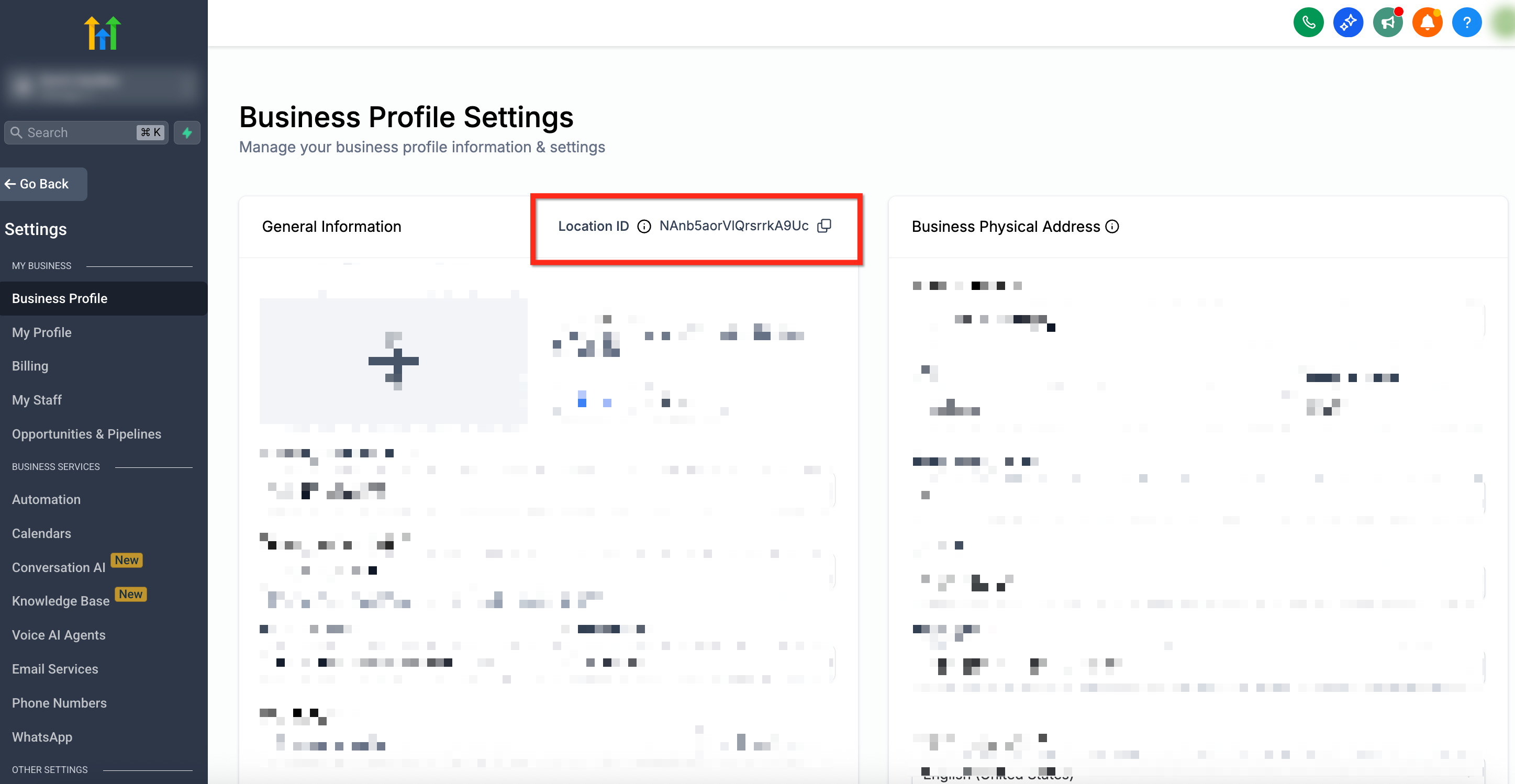
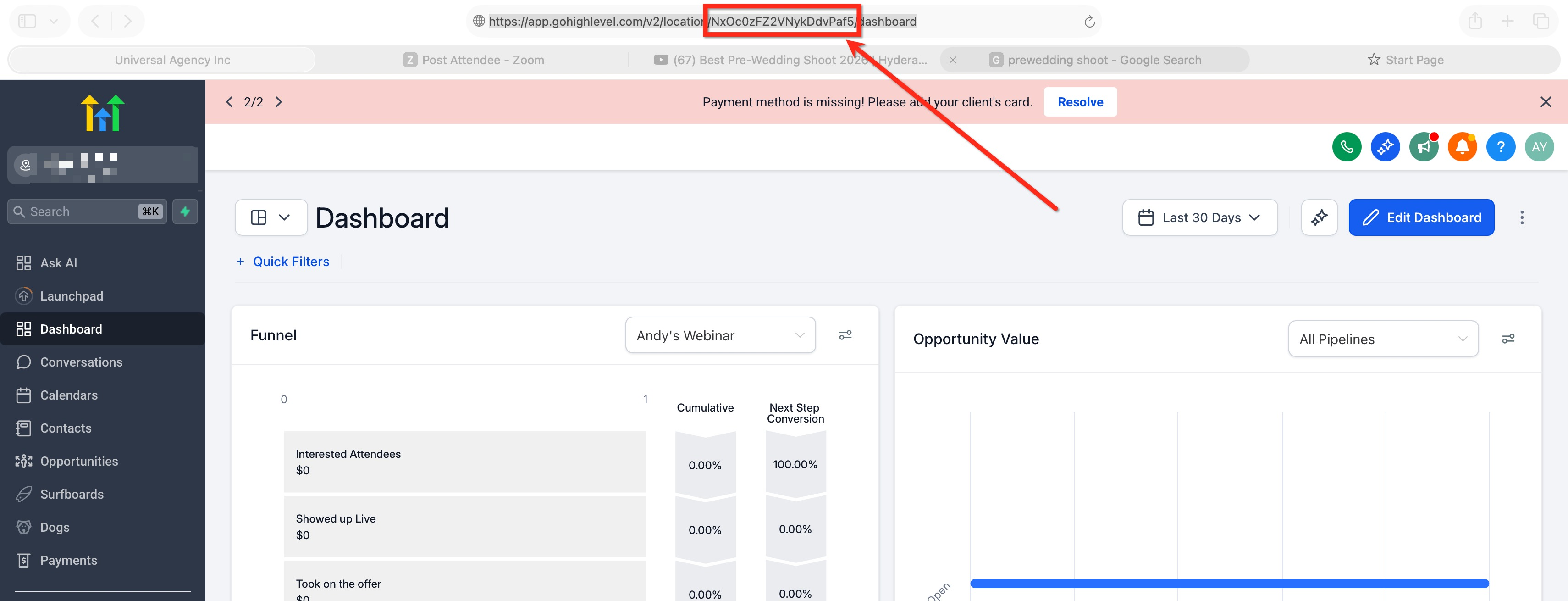
The Location ID uniquely marks every subaccount inside an agency account. It is displayed on the Business Profile page, which you can reach from the subaccount’s Settings. When you are inside a client’s subaccount, the ID may also appear in the URL after the /location/ segment or as a locationId= parameter.
You can retrieve the identifier by opening the subaccount, then either navigating to Settings > Business Profile or by inspecting the browser’s address bar. The ID is a string of characters that does not change unless the subaccount is recreated.
If a page’s URL does not contain the ID, you must fall back to the Business Profile method. This ensures you always have a reliable way to locate the correct identifier.
03How businesses use client location IDs
- Digital marketing agency. When a client reports an issue, the agency opens the client’s subaccount, goes to Settings > Business Profile, and copies the Location ID. The ID is then included in the support ticket submitted to HighLevel.
- SaaS integration partner. While testing an integration inside a client’s subaccount, the partner checks the browser URL for a /location/ segment. The displayed value is recorded to ensure API calls target the correct subaccount.
- Customer success team. The team accesses a client’s subaccount, looks at the address bar, and notes the locationId= parameter. This identifier is stored in internal documentation for quick reference during future support interactions.
04Before you start
- You must be logged into the client’s subaccount.
05How to set up and use client location IDs in HighLevel
Find Location ID via Business Profile
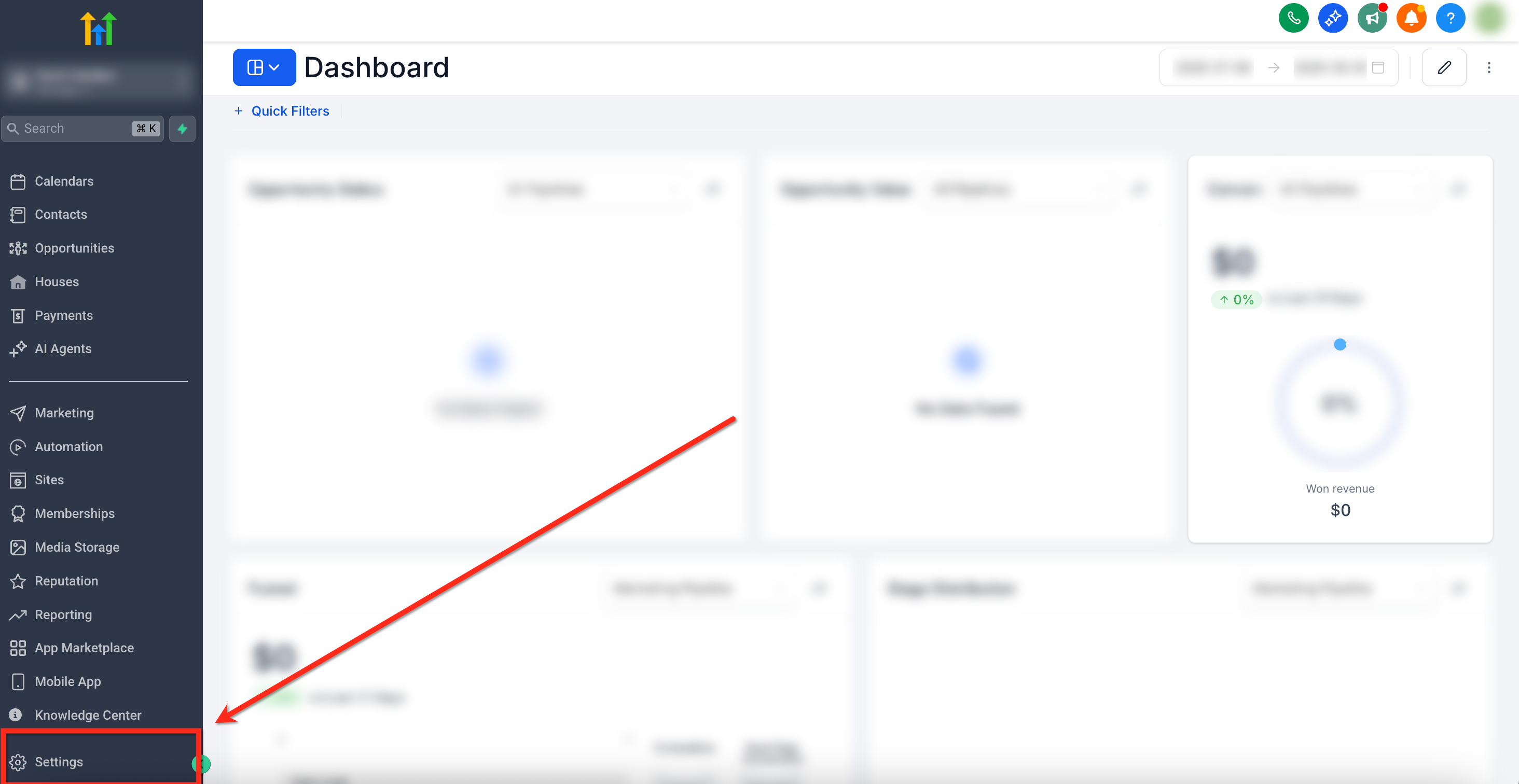
- From the Subaccount Dashboard, click the Settings icon in the lower right corner.
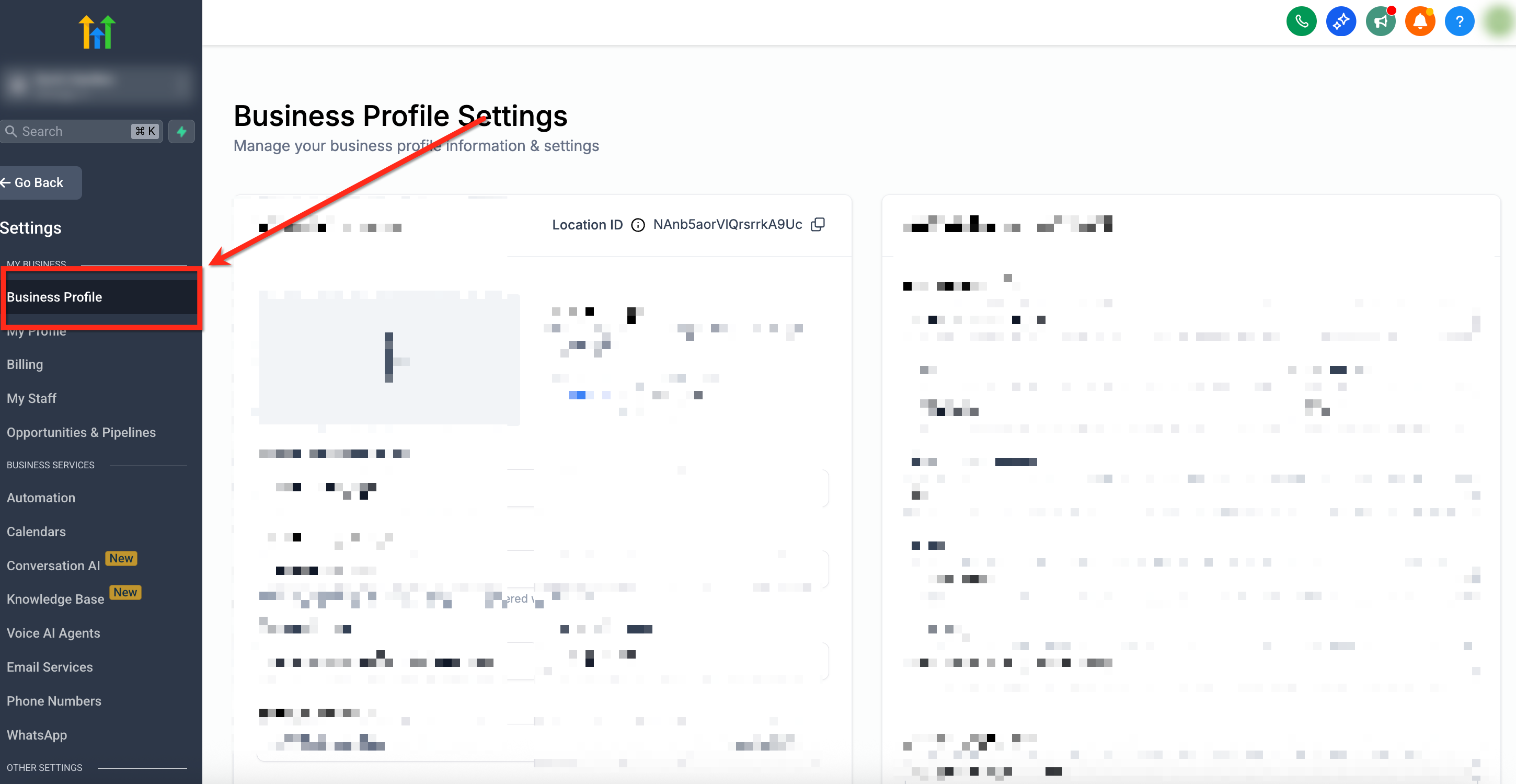
- Select Business Profile from the navigation menu on the left.
- Read the Location ID shown on the Business Profile page.
Find Location ID via URL
- Open the client’s subaccount in the browser.
- Look at the full web address in the browser’s address bar.
- Locate the segment that follows /location/ or the value after the locationId= parameter.
- Copy that string; it is the Location ID.
06What it looks like in HighLevel
07Settings that matter
- Business Profile. Displays the unique Location ID for the current subaccount and other profile details.
08Things to know before you rely on it
- Only share the Location ID within your organization; do not expose it externally.
- Some HighLevel pages do not include the Location ID in the URL, requiring you to use the Business Profile view.
09If something goes wrong
- Location ID is not visible in the browser URL. Confirm you are viewing the correct subaccount, then go to Settings > Business Profile to locate the ID.
10How it connects to the rest of HighLevel
- Explore all Settings features to see where Business Profile fits in the platform. All Settings features
- Review HighLevel pricing and plan options if you need additional support access. HighLevel pricing and plans
- Start a 30 day trial to test subaccount management and Location ID retrieval. Start a trial
Michael's take

This is a basic lookup you only need if support asks for it.