
01Who this is for
- Agency owners who manage multiple client locations and need to keep the account list tidy.
- Founders who want to stop billing for unused or duplicate subaccounts.
- Compliance officers who must remove client data that is no longer required.
02Subaccounts, explained
The delete function removes a subaccount permanently after a 24 hour grace period. Once the period ends, contacts, messages, campaigns and settings disappear and cannot be recovered. Integrations linked to the subaccount stop working as soon as the deletion is scheduled.
The feature lives in the Agency view under the Subaccounts menu. From there you open the three dot menu for a specific location, use the Actions dropdown and choose Delete. The platform then shows a series of warnings that must be acknowledged before the process is queued.
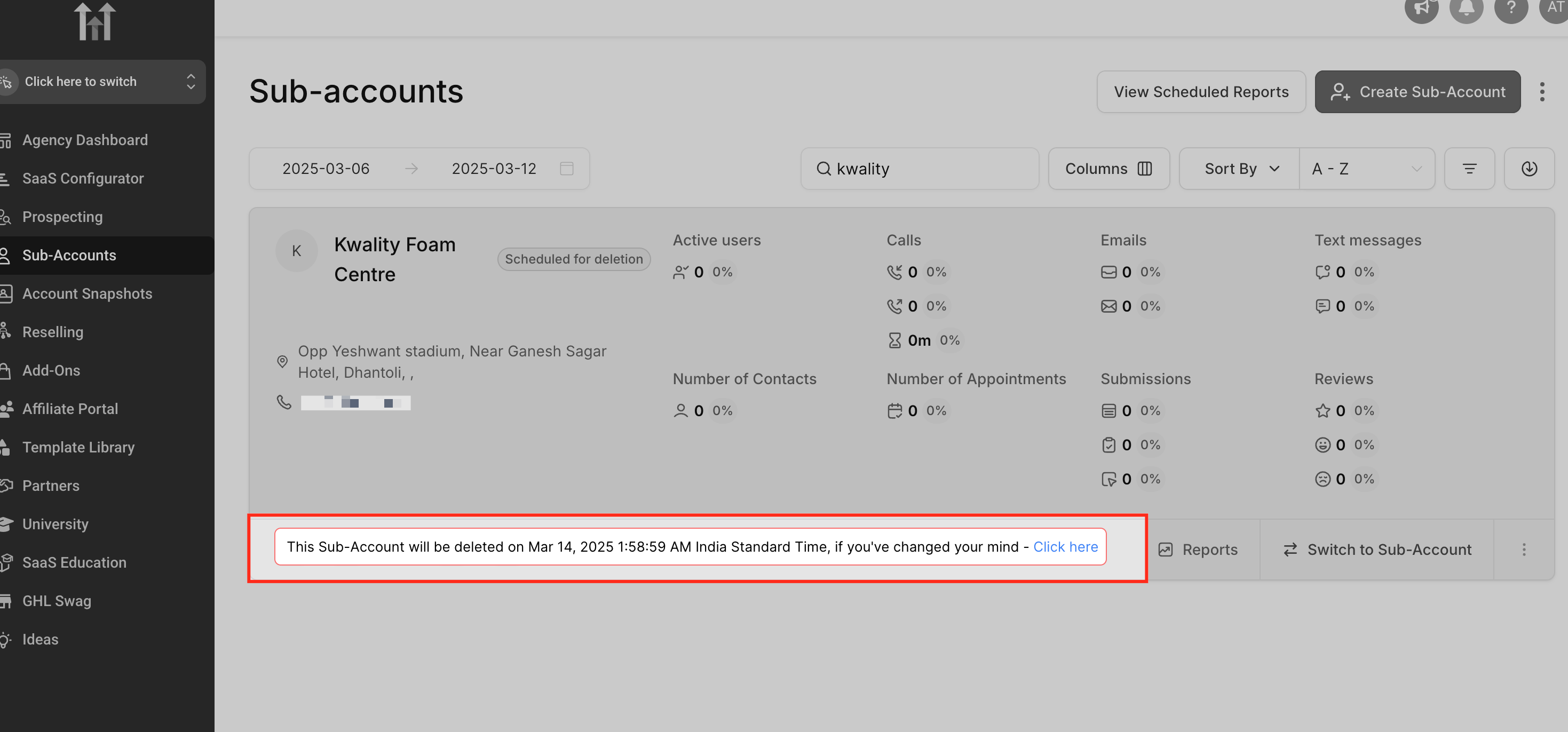
If you change your mind within the next day, a notification appears on the Subaccounts page with an “undo” link. Clicking the link restores the subaccount and its data.
03How businesses use deleting a subaccount
- Marketing agency. The agency selects a client location that is no longer active, follows the five step deletion process, and relies on the 24 hour window to ensure the client approves the removal before data disappears.
- SaaS startup with multiple product lines. When a product line is discontinued, the startup deletes the associated subaccount, confirming the required acknowledgments and using the undo period if the decision is reconsidered.
- Local service provider with duplicate locations. The provider identifies the duplicate location entry, runs the deletion steps, and ensures all third party integrations are disconnected beforehand to avoid immediate failures.
04The numbers and rules that matter
- Deletion becomes permanent after 24 hours.
- All contacts, messages, campaigns and settings are lost after the 24 hour window.
- LC Phone numbers and A2P campaigns are deleted and cannot be retrieved.
05Before you start
- Disconnect all third party integrations such as Twilio, Mailgun, Facebook and Google.
- Confirm the authority to delete with the client.
- Consider pausing the subaccount instead of deleting if you might need it later.
06How to set up and use deleting a subaccount in HighLevel
Delete a subaccount (location)
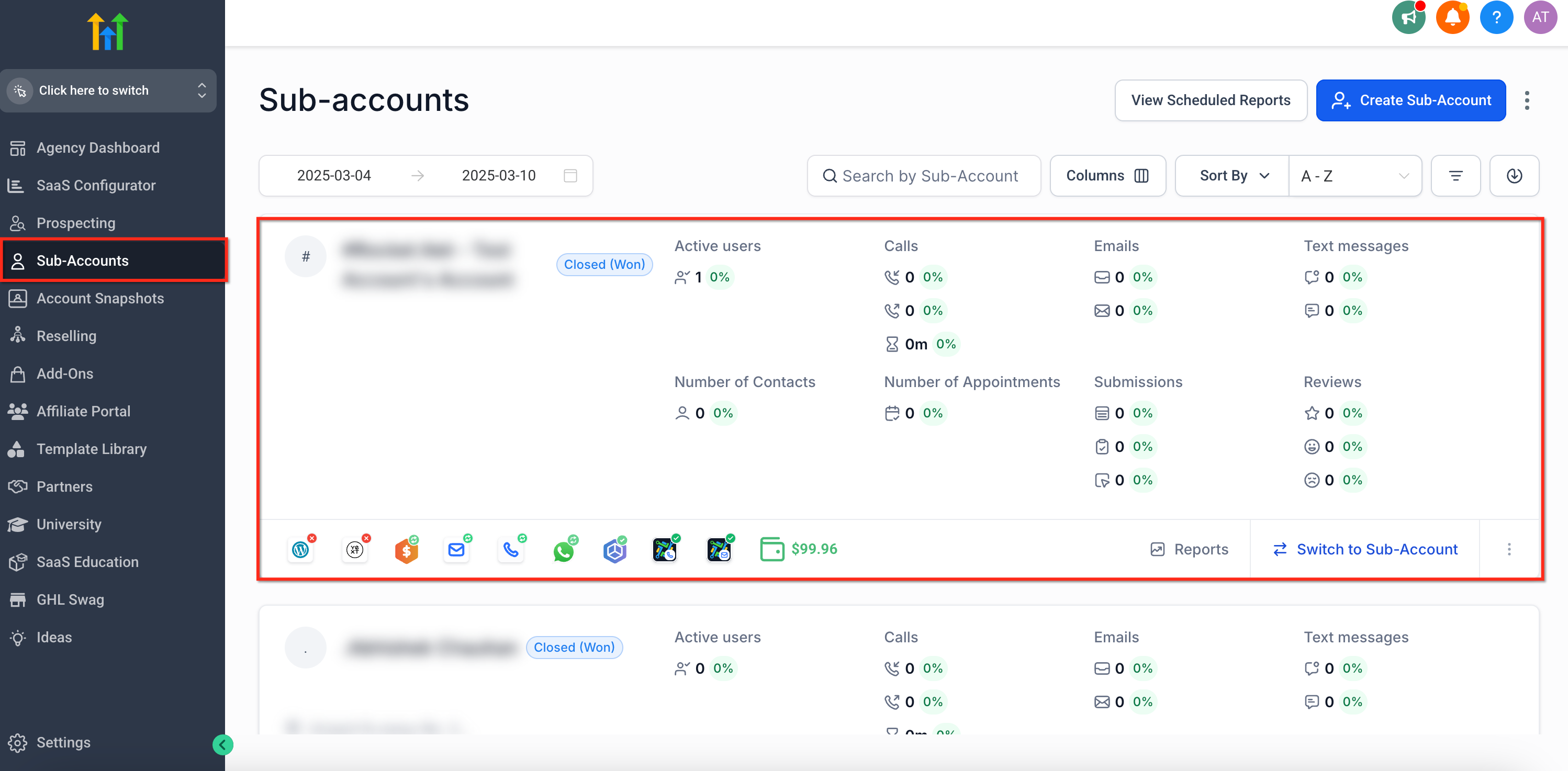
- Click Subaccounts in the left side menu of the Agency view and select the subaccount you wish to delete.
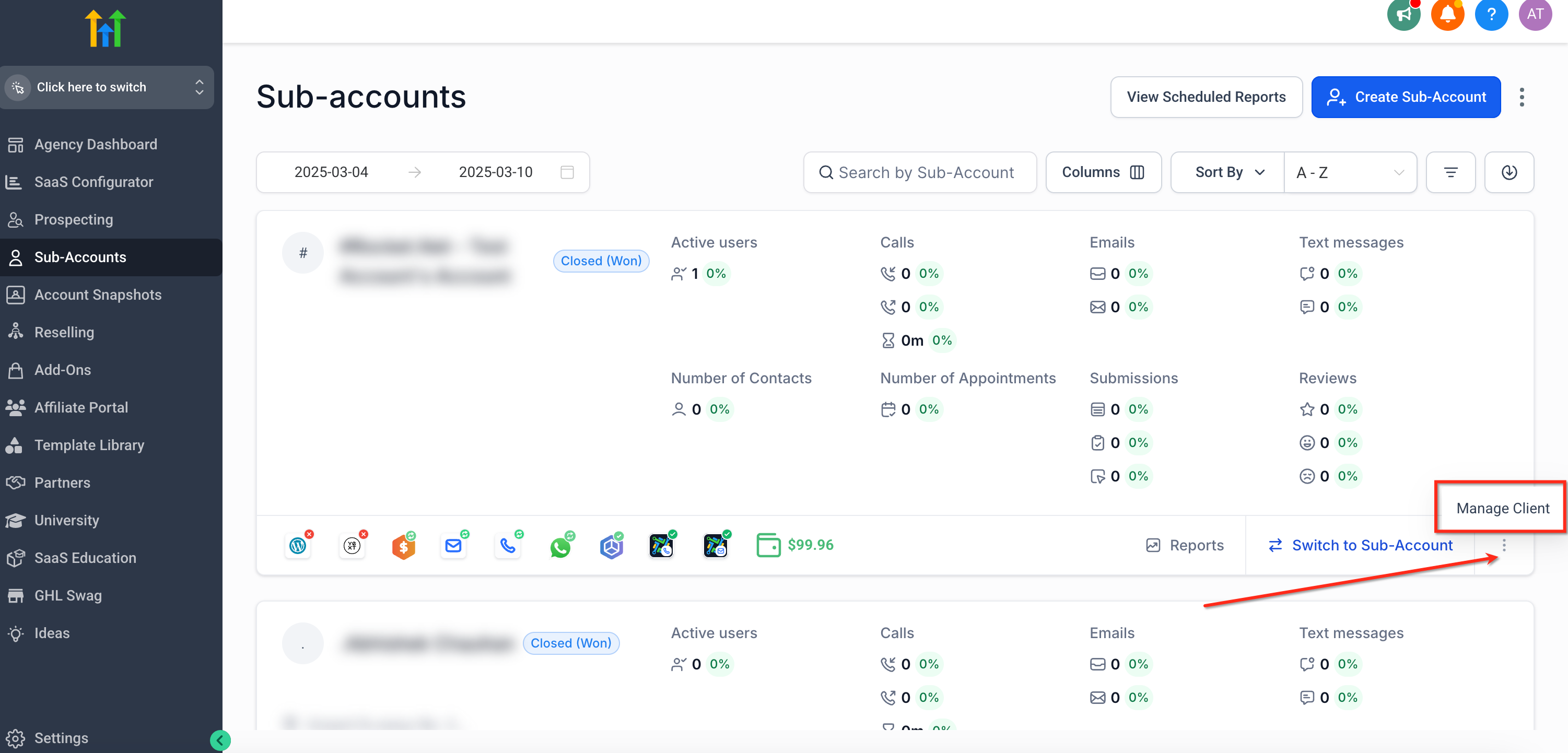
- Open the three dot menu next to that subaccount and choose Manage Client.
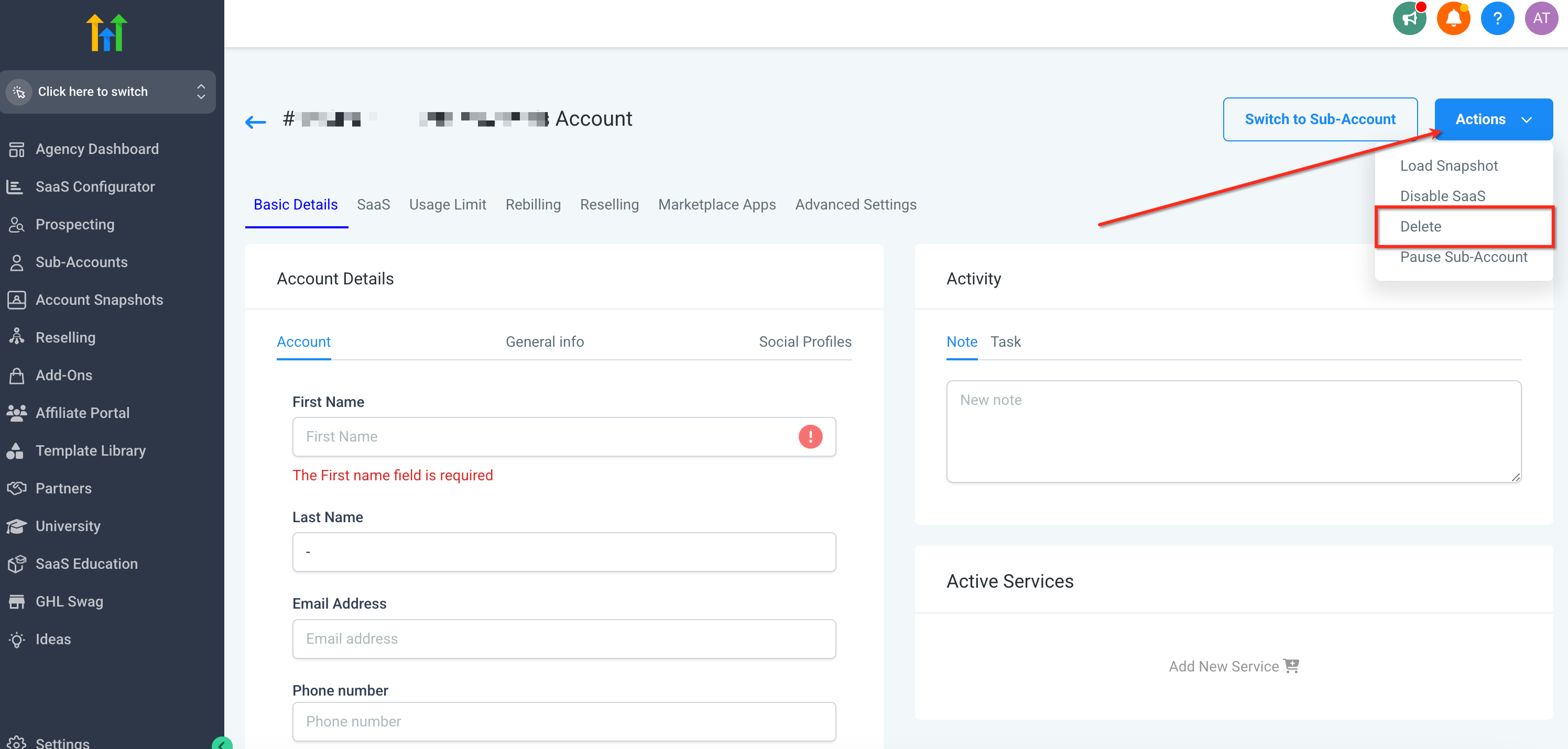
- Click Actions in the top right corner of the Subaccounts section and select Delete from the dropdown.
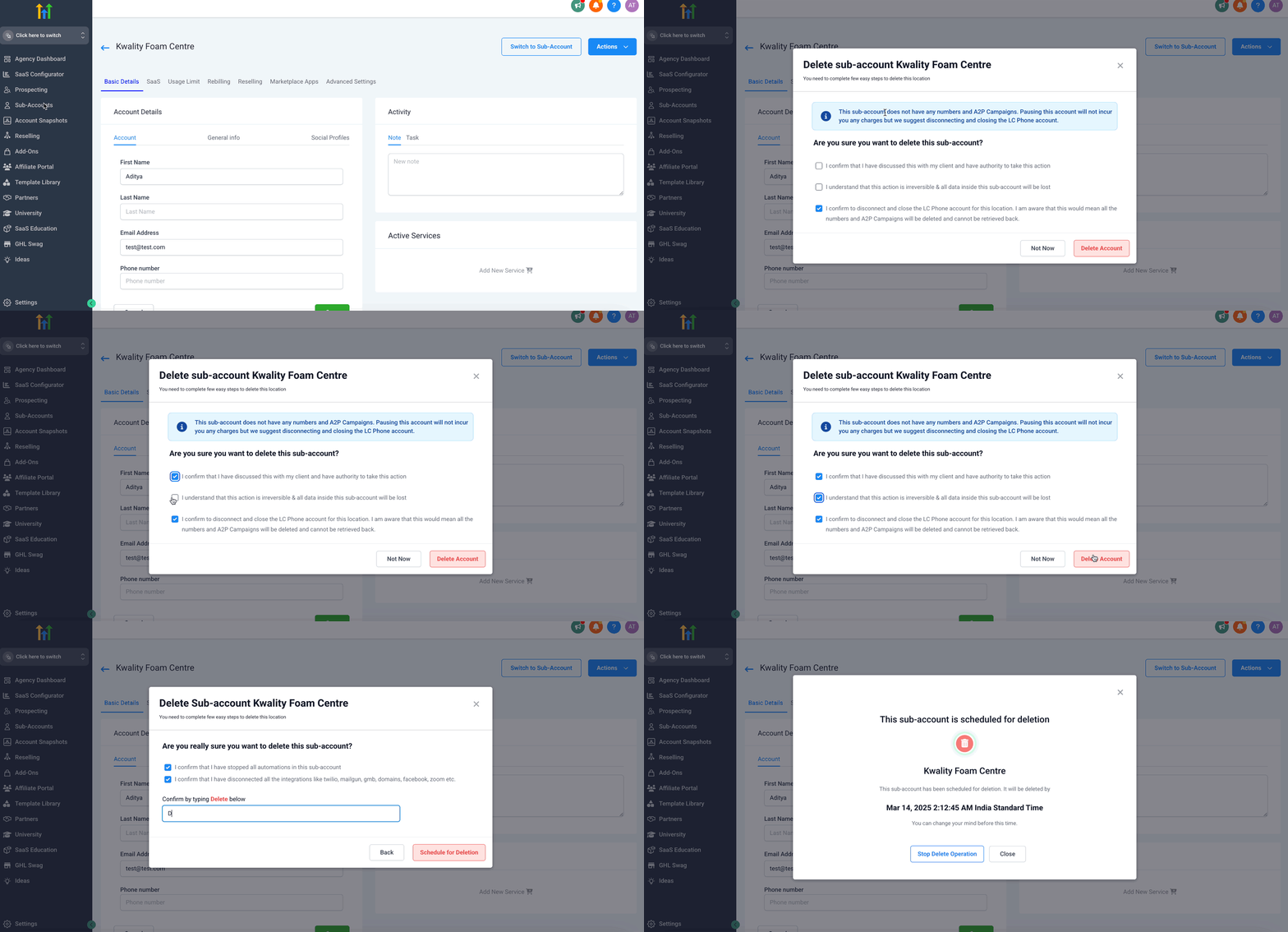
- Read the displayed warnings, acknowledge each required statement, and confirm the deletion.
- Notice the notification with an undo link; you have 24 hours to click it before the removal becomes permanent.
07What it looks like in HighLevel
08Things to know before you rely on it
- Deletion becomes permanent after a 24 hour grace period; it cannot be recovered afterward.
- All data inside the subaccount, including contacts and campaigns, is lost when the period ends.
- The client portal linked to the subaccount stops opening once deletion is scheduled.
09How it connects to the rest of HighLevel
- Learn how the Founder Plan controls subaccount features. Founder Plan details
- Review HighLevel pricing and plan options. Pricing page
- Start a free 30 day trial of HighLevel. Start trial
Michael's take

Removing a subaccount is a small convenience when you need to clean up an agency’s roster. The 24 hour undo window gives you a safety net, so you can act confidently without worrying about an instant wipe.
A boutique marketing agency that runs separate locations for each client will find this useful. When a client drops the service or a duplicate location was created, you can pause first, then delete once you’re sure it’s no longer needed.