
01Who this is for
- Founders launching a new business benefit from personalized setup guidance that speeds early onboarding.
- Marketing agencies gain faster account configuration, allowing them to serve clients sooner.
- Small service based businesses receive tailored recommendations that match their specific workflow needs.
02Free implementation calls, explained
The offer provides a complimentary 45 to 60 minute live call with a HighLevel specialist. During the call the specialist walks the user through key account setup tasks and answers onboarding questions. After the call the user also receives up to 90 days of follow up support.
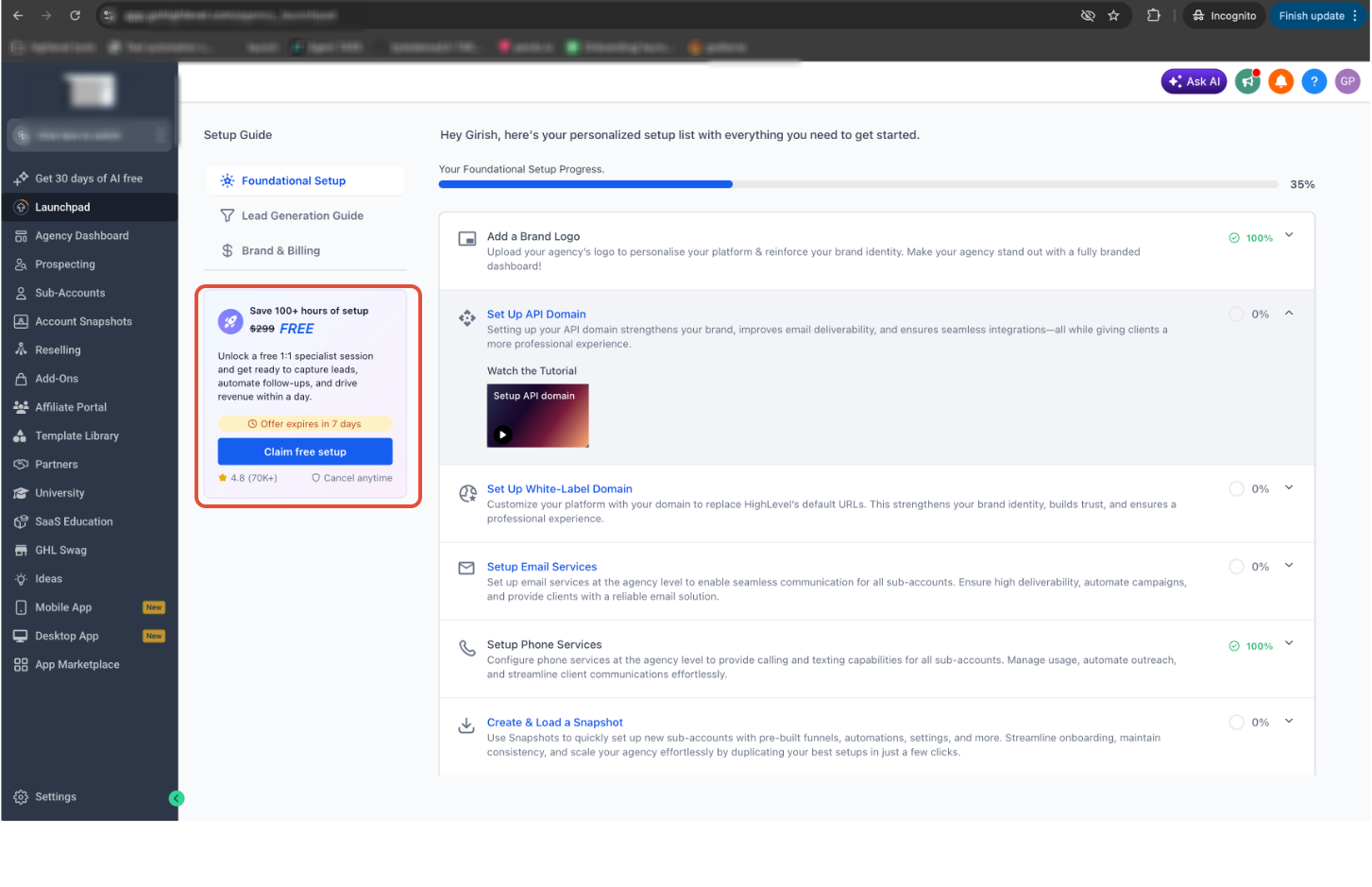
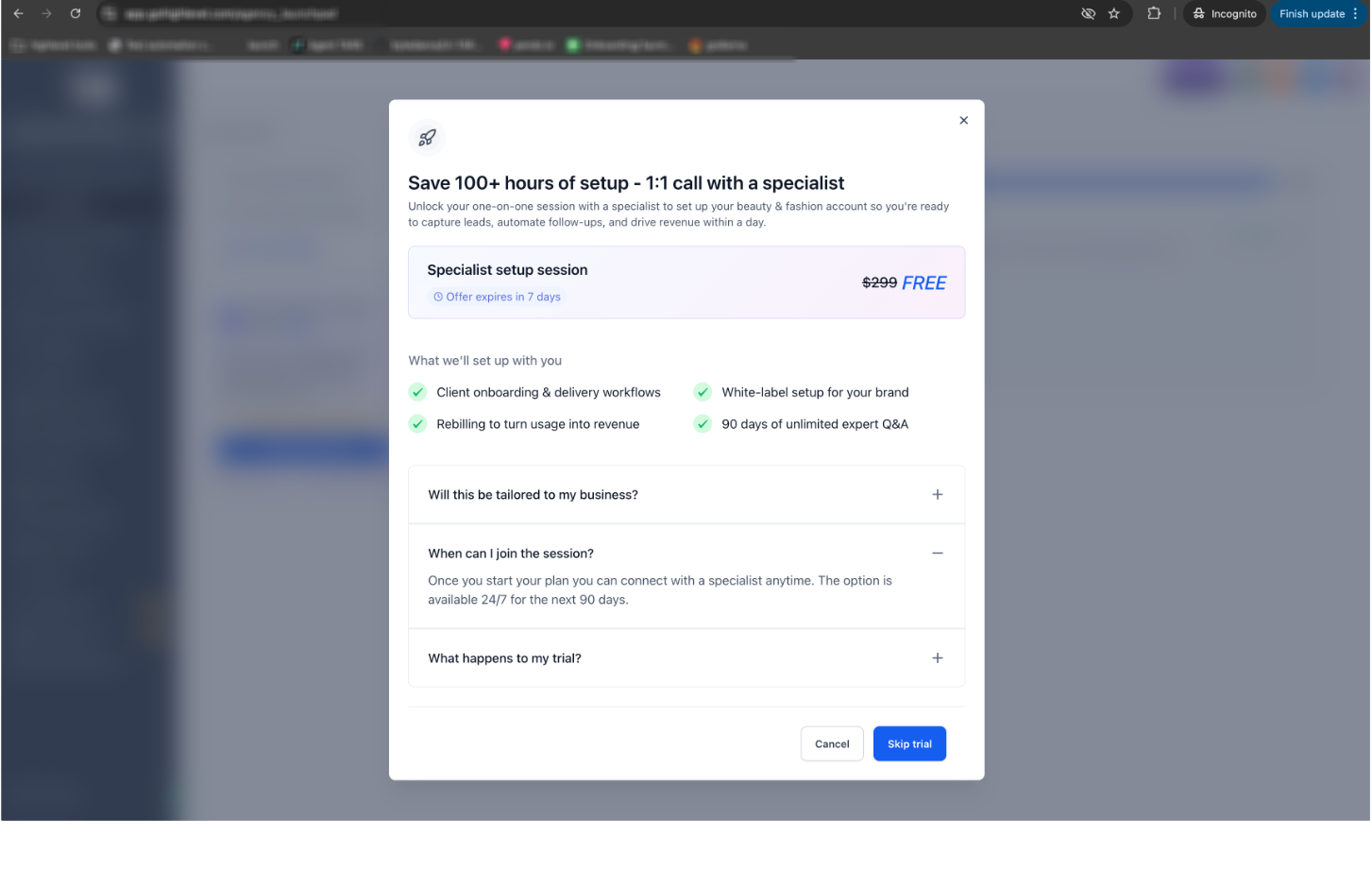
The promotion appears only for selected trial accounts. It is visible as a persistent widget on LaunchPad, a banner on the dashboard, or as a modal reminder after certain LaunchPad actions. The offer is valid only during the first seven days after the trial begins and disappears once that window closes.
03How businesses use free implementation call
- Real estate agency. After upgrading, the agency locates the implementation call widget on the LaunchPad, schedules the session, and works with the specialist to set up lead capture forms and pipeline stages that match their property sales process.
- Fitness studio. The studio upgrades within the seven day window, clicks the dashboard banner to schedule the call, and uses the specialist’s guidance to configure class booking automations and client communication flows.
- SaaS startup. The startup upgrades early, accesses the implementation call widget, and collaborates with the specialist to integrate email sequences and set up user roles that support their product rollout.
04The numbers and rules that matter
- $299 expert setup service at no additional cost (per HighLevel's help center, checked November 2026).
- 45, 60 minute live session.
- 90 days of follow up support.
05Before you start
- The trial account must be eligible for the promotion.
- The user must upgrade to a paid subscription within the first seven days of the trial.
- The implementation call offer must be visible in the account (widget, banner, or modal).
06How to set up and use free implementation call in HighLevel
Access your free implementation call
- Log in to HighLevel and open your trial account.
- Locate the implementation call widget or the promotional banner on LaunchPad or the dashboard.
- Check the countdown timer to confirm you are still within the seven day eligibility period.
- Upgrade your subscription to a paid HighLevel plan before the countdown ends.
- After upgrading, use the implementation call widget on LaunchPad or the dashboard to schedule the session.
- Join the scheduled call and discuss your setup priorities with the HighLevel specialist.
07What it looks like in HighLevel
08Things to know before you rely on it
- The promotional offer is shown only to selected trial users; it may not appear in every account.
- Eligibility expires after the first seven days of the trial; the offer disappears once that period ends.
- The free session is presented as a $299 implementation service but is provided at no additional cost during the promotional window (per HighLevel's help center, checked November 2026).
09If something goes wrong
- The implementation call offer is not visible.. Confirm that your trial account is eligible for the promotion and that you are within the first seven days.
- You missed the seven day upgrade deadline.. Upgrade after the deadline will not display the free offer; the standard kickoff call widget will appear instead.
10How it connects to the rest of HighLevel
- View HighLevel pricing and plans Pricing
- Start a 30 day HighLevel trial Start trial
- Learn about managing user roles and permissions User roles
Michael's take

The free implementation call provides personalized guidance that can make onboarding smoother for a new small business.
Don’t wait until the seven day countdown expires before upgrading.