
01ACH direct debit, explained
ACH Direct Debit is a bank to bank transfer that moves funds from a US bank account into the agency’s HighLevel wallet. The method is only available at the agency level and requires a minimum deposit of $1,000. After you authorize the transfer, the money settles in 3, 10 business days.
The main advantage is cost. ACH fees are 0.8% per transaction, capped at $5, compared with approximately 3% for credit or debit cards. Because the fee is capped, larger deposits (for example a $10,000 deposit) save about $295 in processing fees.
02How businesses use ACH direct debit
- Cost effective large deposits. An agency that adds $10,000 to its wallet pays only $5 in fees with ACH, saving approximately $295 versus a card payment.
- Secure bank integration. The agency links its US bank account through a secure, encrypted connection. Once the ACH authorization is completed, the funds move directly from the bank to the HighLevel wallet without exposing credit card details.
- Budget planning for high value spends. Because ACH takes several business days, agencies can schedule top ups in advance, ensuring the wallet has enough balance for upcoming campaigns while avoiding the higher instant card fees.
03The numbers and rules that matter
- Minimum deposit $1,000.
- ACH fee 0.8%, capped at $5 per transaction.
- Card fee approximately 3% with no cap.
- Settlement time 3, 10 business days.
04Before you start
- US based agency account.
- Access to agency level wallet.
- Deposit amount of at least $1,000.
05How to set up and use ACH direct debit in HighLevel
Add funds using ACH direct debit
- Navigate to Settings > Billing and click the Wallet & Transactions tab.
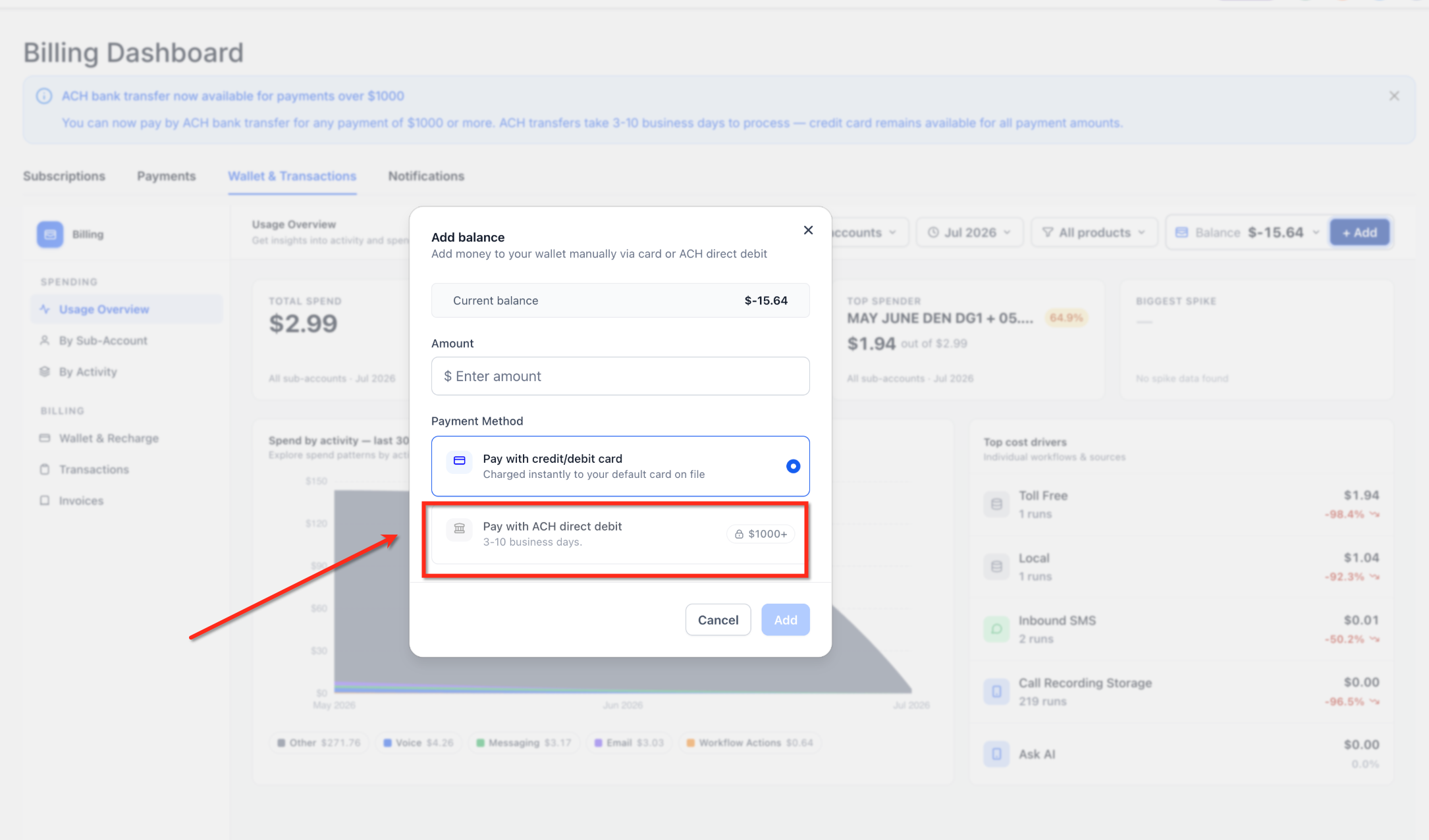
- Click the "+ Add" button to open the Add balance modal.
- Enter an amount of $1,000 or more in the Amount field.
- Select the Pay with ACH direct debit radio button.
- Click Add and follow the secure bank connection flow to authorize the withdrawal.
- Wait 3, 10 business days for the transfer to settle; monitor status in the Wallet & Transactions tab.
06What it looks like in HighLevel
07Settings that matter
- Payment Method selection. Two radio button options appear: Pay with credit/debit card (instant) and Pay with ACH direct debit (3, 10 business days). The ACH option only appears when the deposit amount meets the $1,000 minimum.
08Things to know before you rely on it
- Processing time 3, 10 business days.
- Fee 0.8% capped at $5 per transaction.
- Only agency level wallets can use ACH.
- Only US based agencies are eligible.
09If something goes wrong
- ACH payment option does not appear in the Add Balance modal. Make sure the agency is US based, you are using the agency wallet (not a location wallet), and the amount entered is at least $1,000.
- ACH transfer fails. Check that the bank account has sufficient funds, is active, and that the bank details are correct. Resolve any insufficient funds or closed account issues, then retry the transfer.
Michael's take

People often try to use ACH for a quick top up, not realizing the method is built for larger, planned deposits and takes several business days to clear. That expectation leads to surprise when funds aren’t fast available and they scramble for a credit card instead.
If I were setting up a new campaign budget, I’d schedule the ACH transfer at least a week ahead, load enough to cover the spend, and keep a modest card buffer for any urgent needs. That way the agency captures the fee savings without risking a cash shortfall.