
01WhatsApp template errors, explained
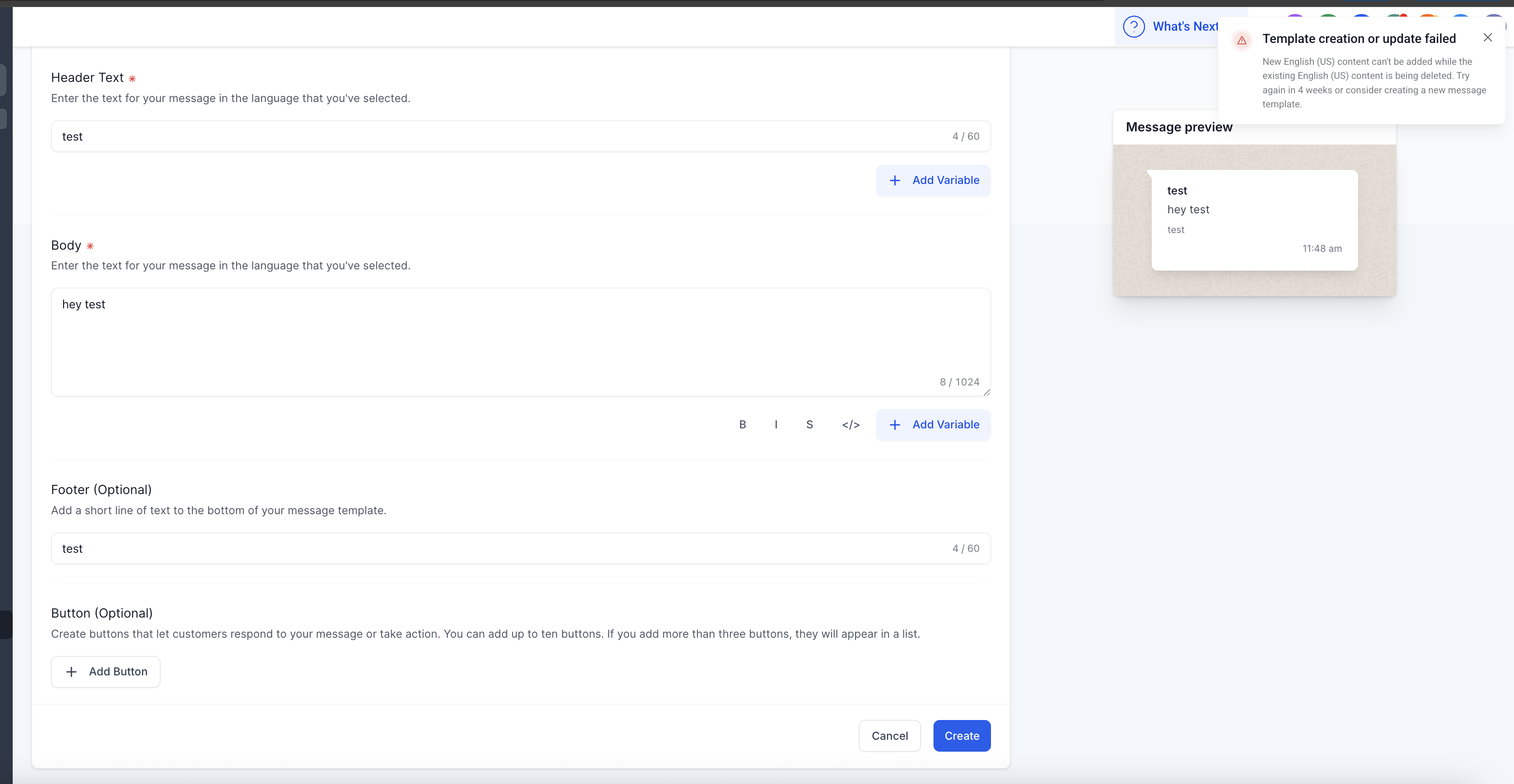
When you edit a WhatsApp Message Template in HighLevel and delete the English (US) version, Meta blocks any new English (US) content from being added right away. The system shows an error that tells you to wait up to four weeks before you can add back the language.
The restriction is part of Meta’s compliance checks. It ensures that a template’s language stays consistent during the review process.
02How businesses use WhatsApp template errors
- Wait for cool down. After you delete English (US) content, count four weeks from the deletion date. Then edit the same template name and add the new English (US) text. Meta will allow the addition after the cool down ends.
- Create a new template. Instead of waiting, copy the original template’s purpose into a new template with a different name. Add the English (US) content to the new template right away. Meta will review the new name as a fresh submission.
03The numbers and rules that matter
- Meta enforces a cool down period of up to 4 weeks after deleting English (US) content.
- The error message advises either waiting 4 weeks or creating a new template.
04How to set up and use WhatsApp template errors in HighLevel
Wait for the cool down period
- Delete the English (US) content from the template.
- Wait for 4 weeks.
- Edit the same template name and add the new English (US) content.
Create a new template
- Open the WhatsApp Message Template section.
- Select to create a new template.
- Enter a unique template name (for example, promo_offer_v2).
- Add the desired English (US) content.
- Submit the template for Meta review.
05What it looks like in HighLevel
06Things to know before you rely on it
- New English (US) content can't be added while the existing English (US) content is being deleted.
- Cool down period can be up to 4 weeks.
07If something goes wrong
- Error shows when trying to add English (US) content after deletion. Wait the required 4 week period or create a new template with a different name.
Michael's take

Running a WhatsApp campaign means you need fluid template changes, but Meta blocks you from adding back English (US) text right after you delete it. That cool down can stall a promotion if you’re waiting on a single template name.
The first setting I’d get right is the template name. Give each version a distinct name so you can roll out the new English (US) content without waiting the four week window. It keeps the flow moving and avoids the dreaded error.