
01Who this is for
- Marketing agencies that send client campaigns via WhatsApp and need to know if messages reach contacts.
- Ecommerce businesses that rely on order confirmations through WhatsApp and want to trigger follow ups only when delivery succeeds.
- Service providers such as gyms or clinics that use WhatsApp reminders and require a backup channel if a message fails.
02WhatsApp delivery statuses, explained
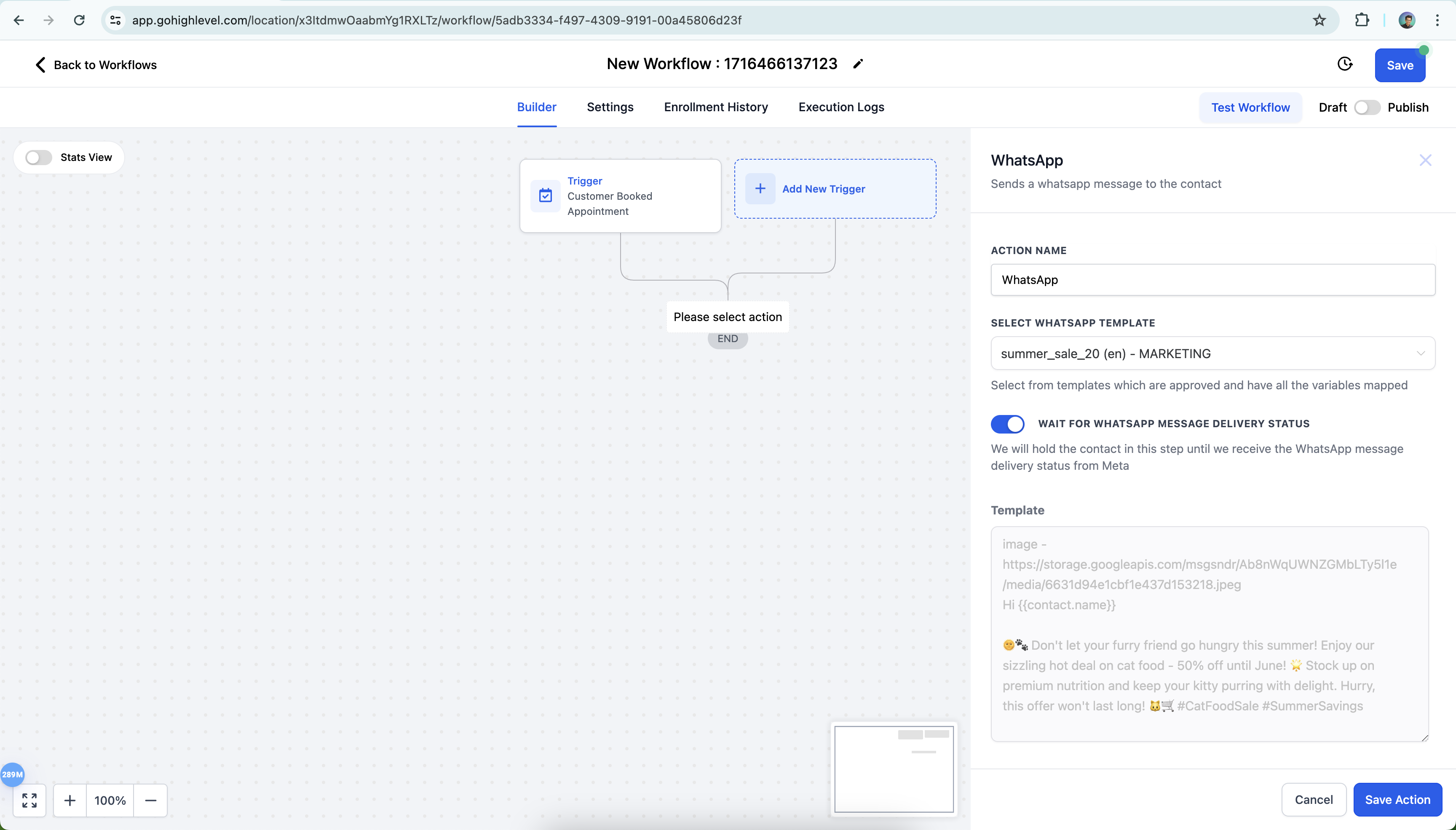
The feature adds a toggle to a WhatsApp action inside a workflow. When turned on, the platform holds the contact until Meta returns a delivery status for the sent message.
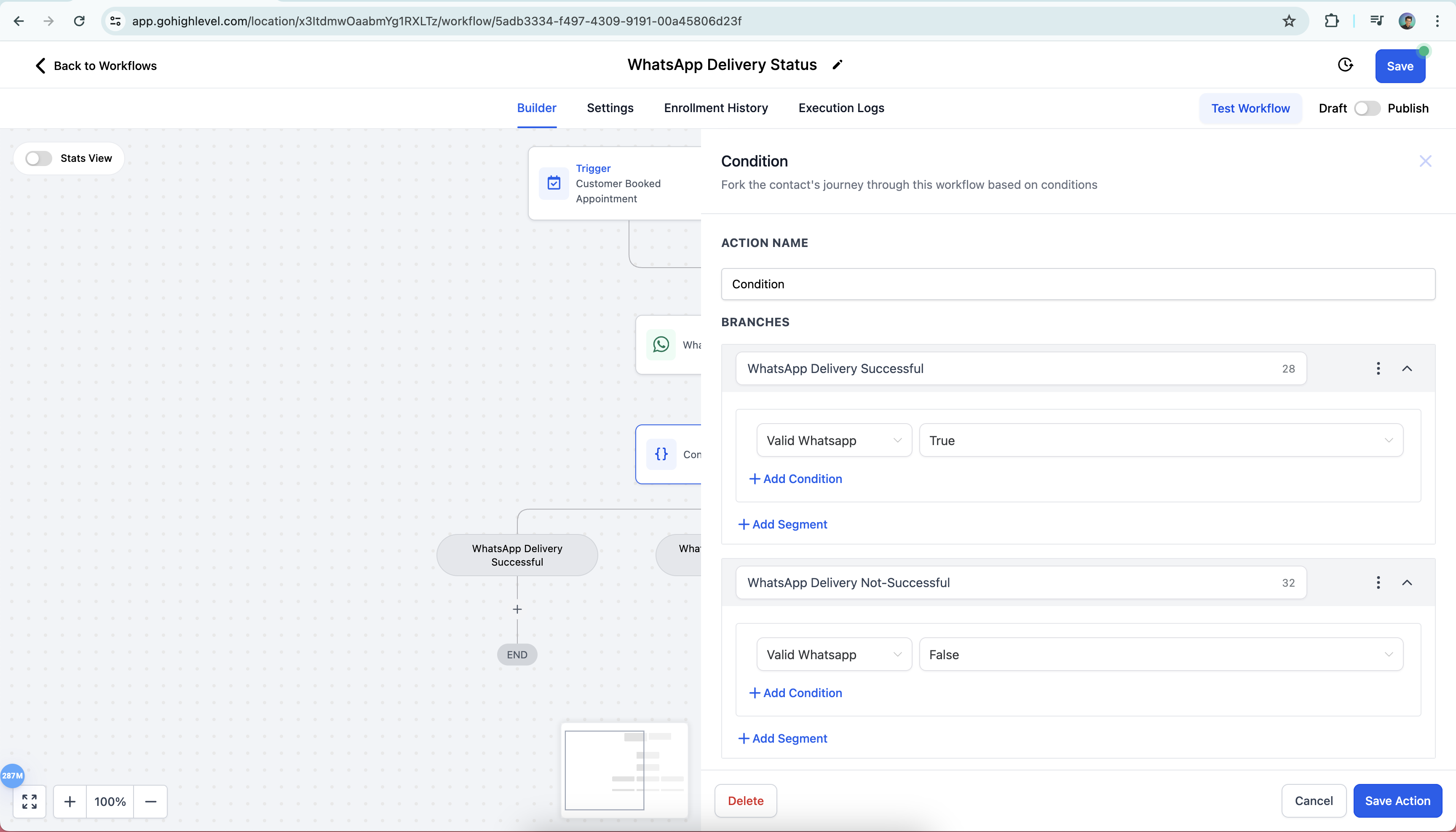
After the status is received, the workflow can evaluate the result with an If/Else block. A true condition indicates a valid WhatsApp delivery, while false or no status lets you route the contact to alternative SMS or email actions.
The toggle and conditional logic are accessed via Automation > Create Workflow.
03How businesses use WhatsApp delivery status
- Marketing agency. The agency creates a workflow that sends a templated WhatsApp broadcast, enables the wait toggle, and adds an If/Else step. Contacts with a valid delivery continue to the next campaign step, while others receive a fallback SMS.
- Online retailer. The retailer builds an order confirmation workflow that sends a WhatsApp message with the delivery status toggle. If the message fails, the workflow automatically sends an email with the order details.
- Health clinic. The clinic sets up appointment reminders through WhatsApp. The toggle holds the patient in the workflow until delivery is confirmed; if not confirmed, an SMS reminder is sent as a backup.
04Before you start
- WhatsApp must be subscribed and enabled on the location account.
- An approved WhatsApp template is required for business initiated conversations.
05How to set up and use WhatsApp delivery status in HighLevel
Add WhatsApp delivery status to a workflow
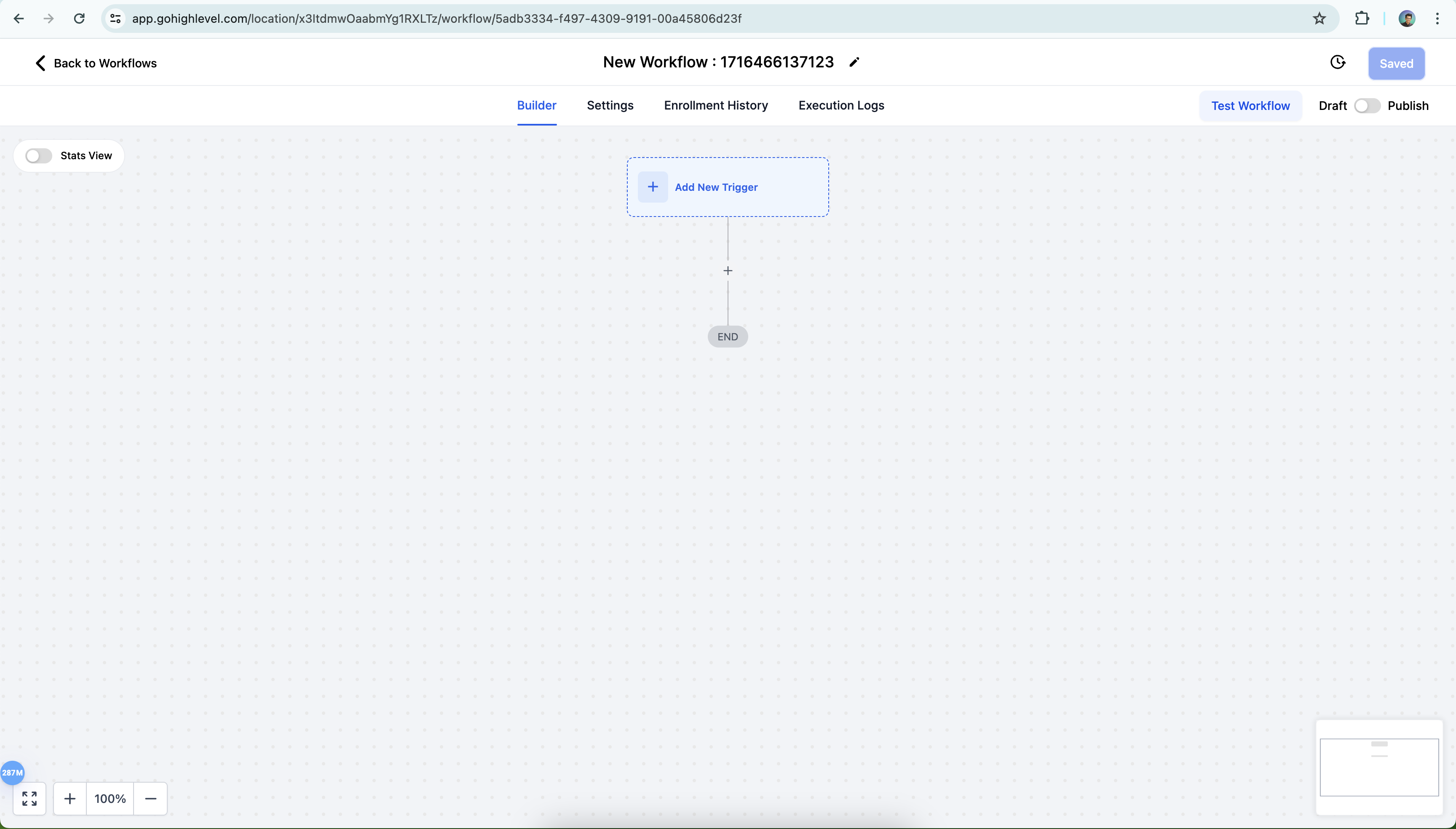
- Open Automation, choose Create Workflow, and start from scratch.
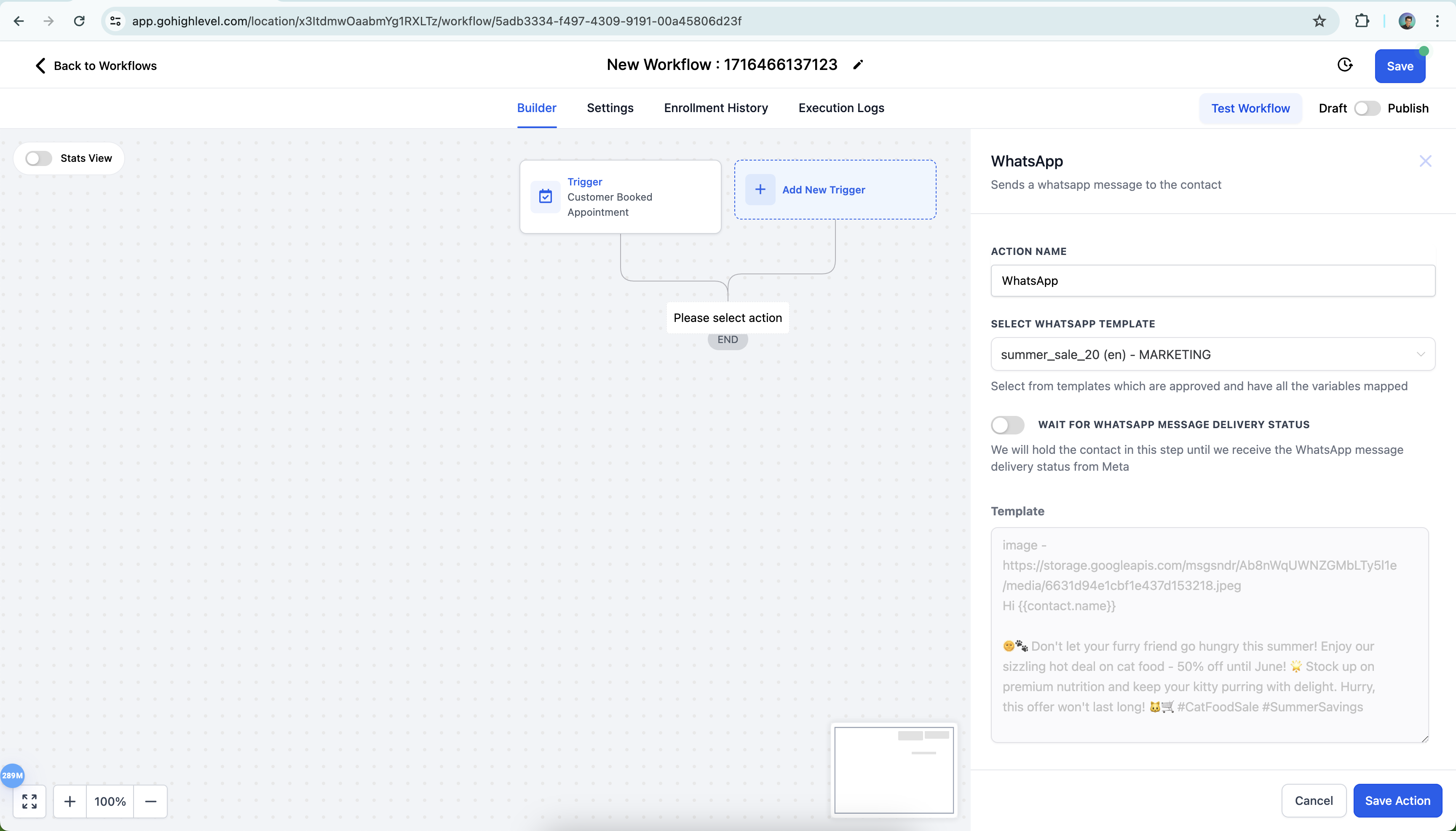
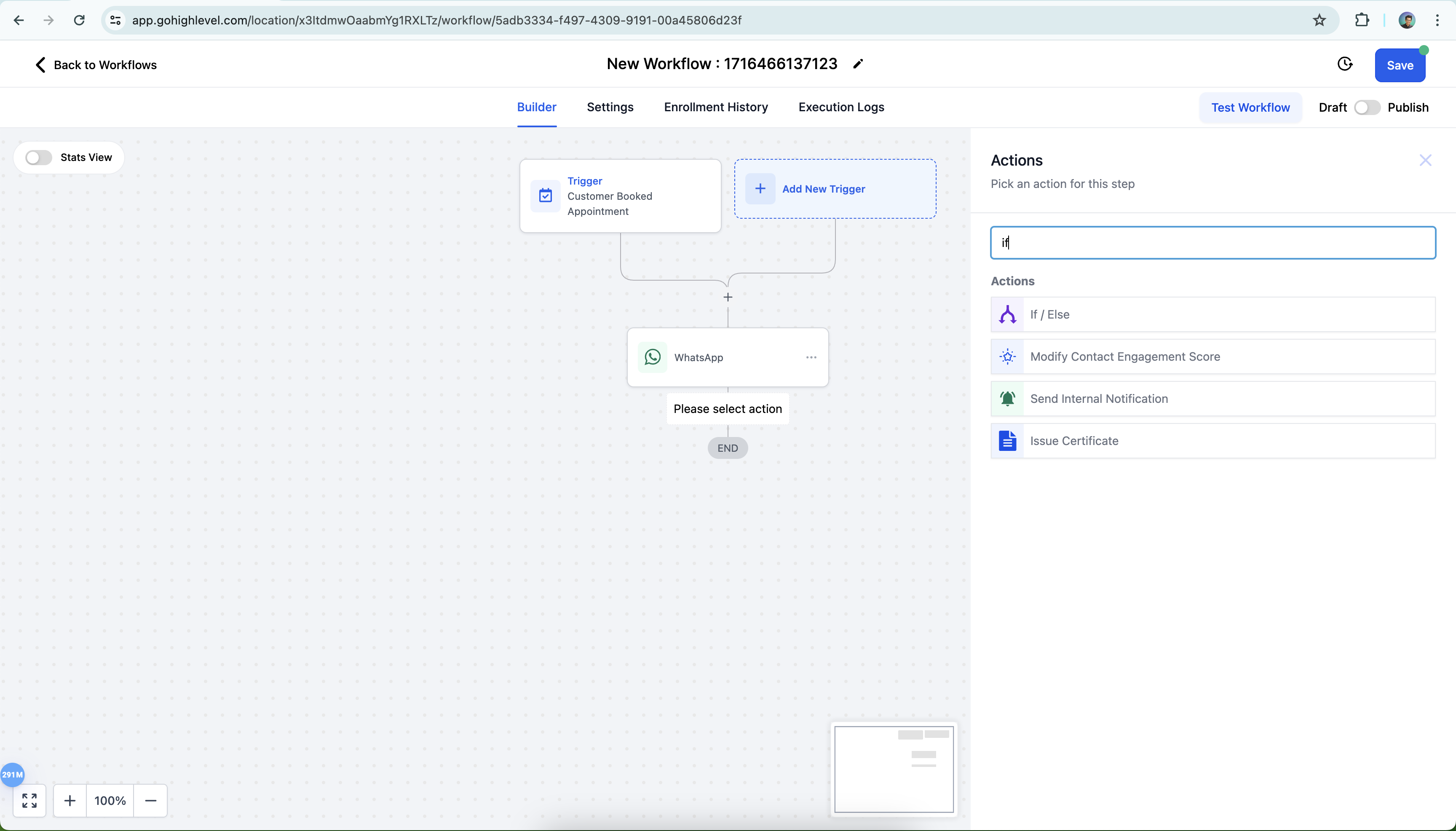
- Add a Trigger, then select WhatsApp Action and choose a WhatsApp template.
- Turn on the "Wait for WhatsApp Message Delivery Status" toggle and save the action.
- Insert an If/Else action after the WhatsApp step.
- In the If/Else condition, pick Contact Details, then Valid WhatsApp, and set conditions for True and False branches.
- Add failover actions such as SMS or Email to the False and None branches.
06What it looks like in HighLevel
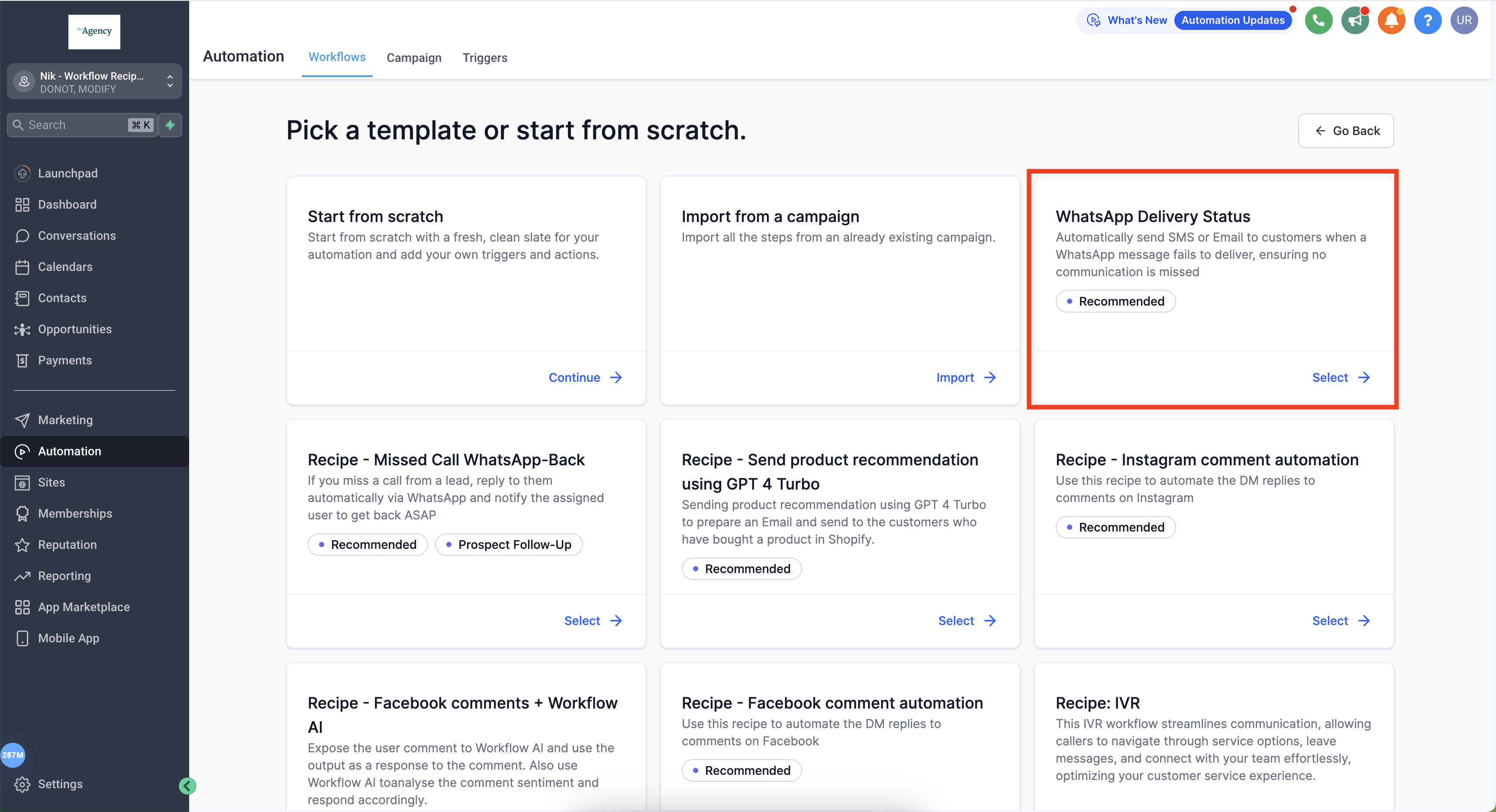
07Settings that matter
- Wait for WhatsApp Message Delivery Status. When enabled, the workflow pauses the contact until Meta sends back the delivery status of the WhatsApp message.
08Things to know before you rely on it
- The toggle holds the contact until Meta returns a delivery status.
09How it connects to the rest of HighLevel
- Set up WhatsApp on a subaccount before using this feature. WhatsApp subaccount setup
- Create an approved WhatsApp template needed for business initiated messages. WhatsApp template guide
- Learn how to add WhatsApp actions inside a workflow. WhatsApp workflow integration
Michael's take

Michael ReimerFounder of CRM Pros, HighLevel Commander and Certified Admin
Running a workflow that depends on a WhatsApp message reaching a contact can feel risky if you don’t know whether the message actually arrives.
The delivery status toggle lets the workflow wait for Meta’s response, so you can decide what to do next.
Get More InformationOpens on HighLevelPublished November 2, 2026 · Updated November 16, 2026