
01Who this is for
- Agency partners who share credit lines to client WABAs because they are responsible for billing the usage.
- Businesses that prefer direct billing through Meta, allowing them to use their own payment method and avoid partner liability.
02WhatsApp credit lines, explained
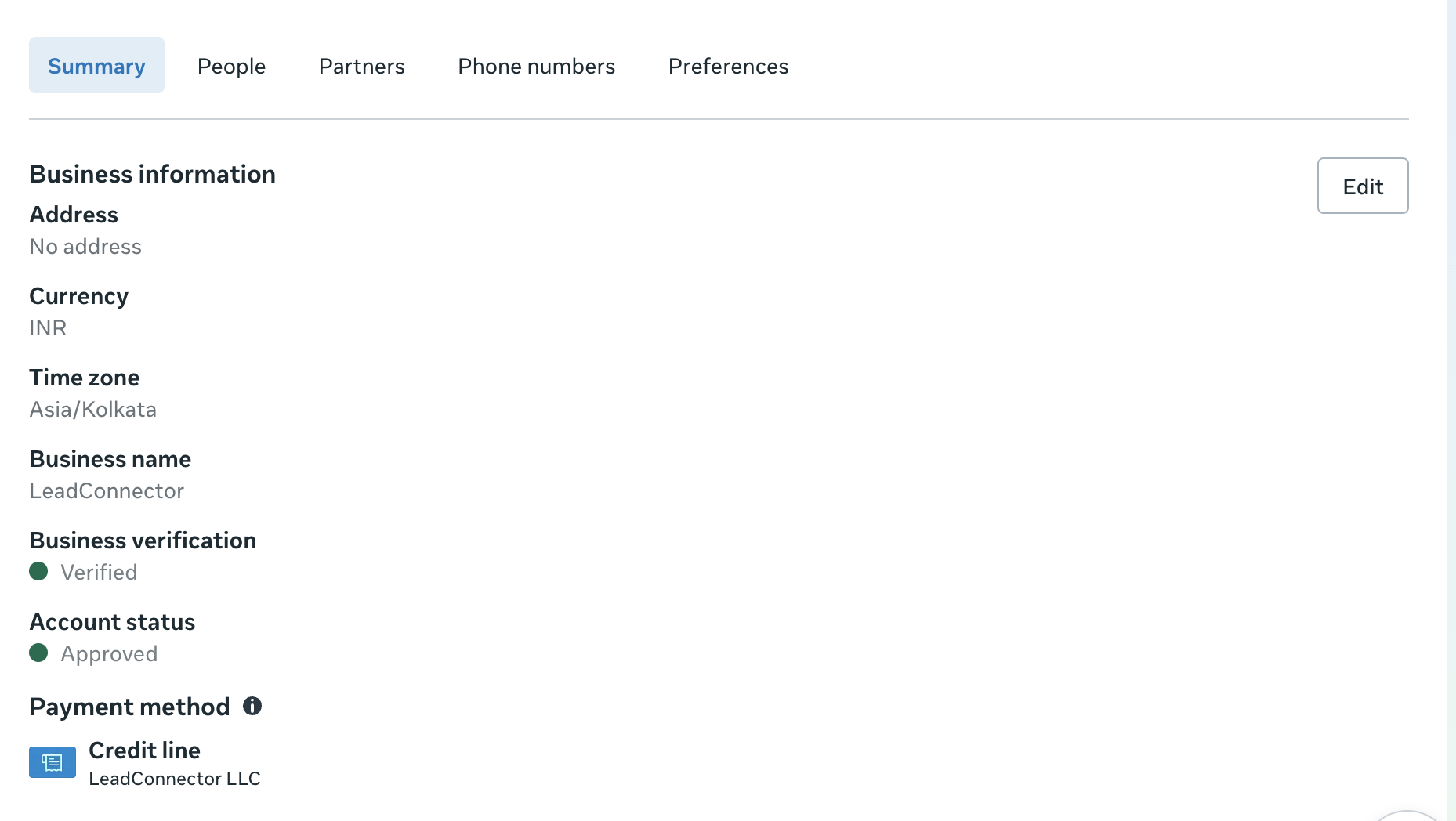
The feature lets a Solution Partner assign a payment source, called a credit line, to a WhatsApp Business Account (WABA) so that Meta can invoice the partner for API usage. Two billing models exist: Direct Billing, where the business adds its own payment method in Meta Business Suite, and Credit Line Billing, where the partner’s credit line covers the cost and the partner receives a single invoice from Meta.
Once a credit line is attached, Meta’s platform enforces a permanent attachment rule: the line cannot be altered, detached, or swapped on that WABA. The partner cannot remove it; the only way to use a different credit line is to create a new WABA and attach the desired line during its initial setup. Revoking a credit line ends the sharing relationship, stops future billing against that line, and halts messaging for all the partner shared WABAs belonging to that customer.
03How businesses use WhatsApp credit lines
- Digital marketing agency. The agency shares its credit line with each client’s WABA during onboarding, allowing the clients to send messages while the agency receives one combined invoice from Meta. If a client later needs a separate line, the agency creates a new WABA for that client and attaches a different line.
- SaaS platform reseller. The reseller provides credit line billing to its hosted businesses, revoking the line when a partnership ends. Revocation right away stops messaging for those businesses, prompting them to set up direct billing if they wish to continue.
- Local retailer using WhatsApp for orders. The retailer opts for direct billing by adding its own payment method in Meta Business Suite, bypassing any shared credit line and eliminating the partner’s liability for usage charges.
04Before you start
- A WhatsApp Business Account must be created for the customer.
- A billing agreement with the customer must be in place before sharing a credit line.
05How to set up and use WhatsApp credit lines in HighLevel
Share a credit line with a customer
- During the WABA setup, attach your credit line so the customer’s messages are billed to your account.
Revoke a shared credit line
- Remove the partner’s credit line access, which stops future billing and disables messaging for all of the customer’s WABAs that used that line.
Change a credit line by creating a new WABA
- Create a brand new WhatsApp Business Account for the client and attach the desired credit line at the initial attachment step.
06What it looks like in HighLevel
07Settings that matter
- Credit line. Specifies the payment source that Meta will bill for WhatsApp API usage associated with a WABA.
08Things to know before you rely on it
- A credit line cannot be altered or removed after it is attached to a WhatsApp Business Account.
- The restriction is enforced by Meta’s platform, not by HighLevel.
- Revoking a credit line applies to every WABA that shares that line; selective revocation is not possible.
- To use a different credit line, a completely new WhatsApp Business Account must be created.
09If something goes wrong
- Customer asks to remove the attached credit line. Explain that removal is not possible; advise creating a new WhatsApp Business Account and attaching the new credit line during its setup.
- Messaging stops after a credit line is revoked. Inform the client that they need to add a direct payment method in Meta Business Suite or obtain a new credit line to resume messaging.
10How it connects to the rest of HighLevel
- Full guide for agencies reselling WhatsApp through HighLevel WhatsApp reselling guide
- How to set up WhatsApp for a subaccount in HighLevel Subaccount setup
- Activate WhatsApp rebilling for agencies in HighLevel Rebilling activation
Michael's take

WhatsApp credit lines are a strict, permanent billing link that can’t be altered once set.
Solution Partners who need flexible credit arrangements or cannot create new WABAs for each client should skip this feature.