
01Who this is for
- Businesses that send WhatsApp messages, because they need to know which contacts can receive messages.
- Agencies that manage client outreach, because the field helps separate active numbers from inactive ones.
02Valid WhatsApp fields, explained
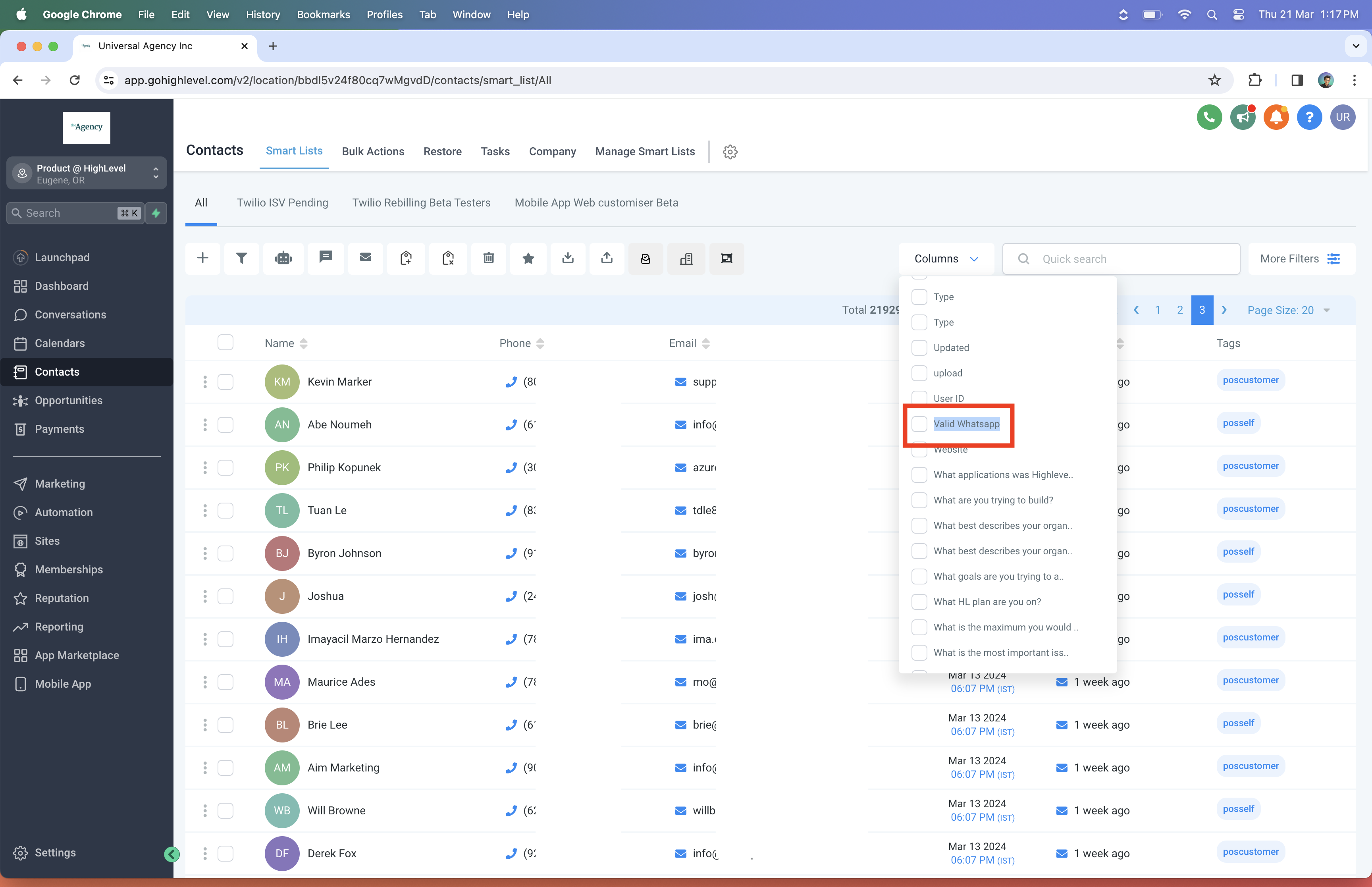
HighLevel adds a contact level field called Valid WhatsApp. The field automatically switches between three values, Is Valid, Is Invalid, and Is Not Validated, based on message delivery success, failures, or inbound messages from the contact. The status updates in real time as interactions occur.
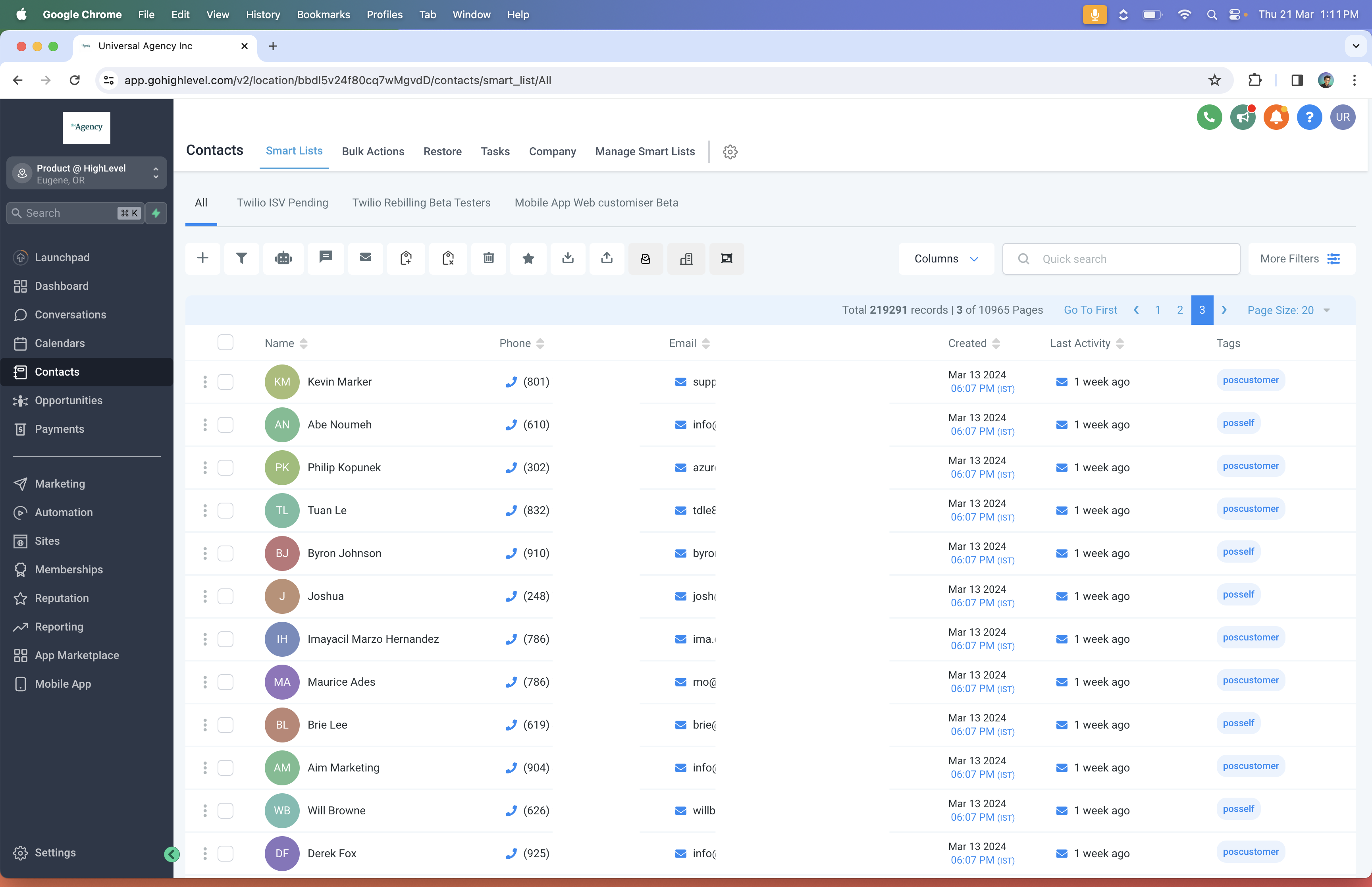
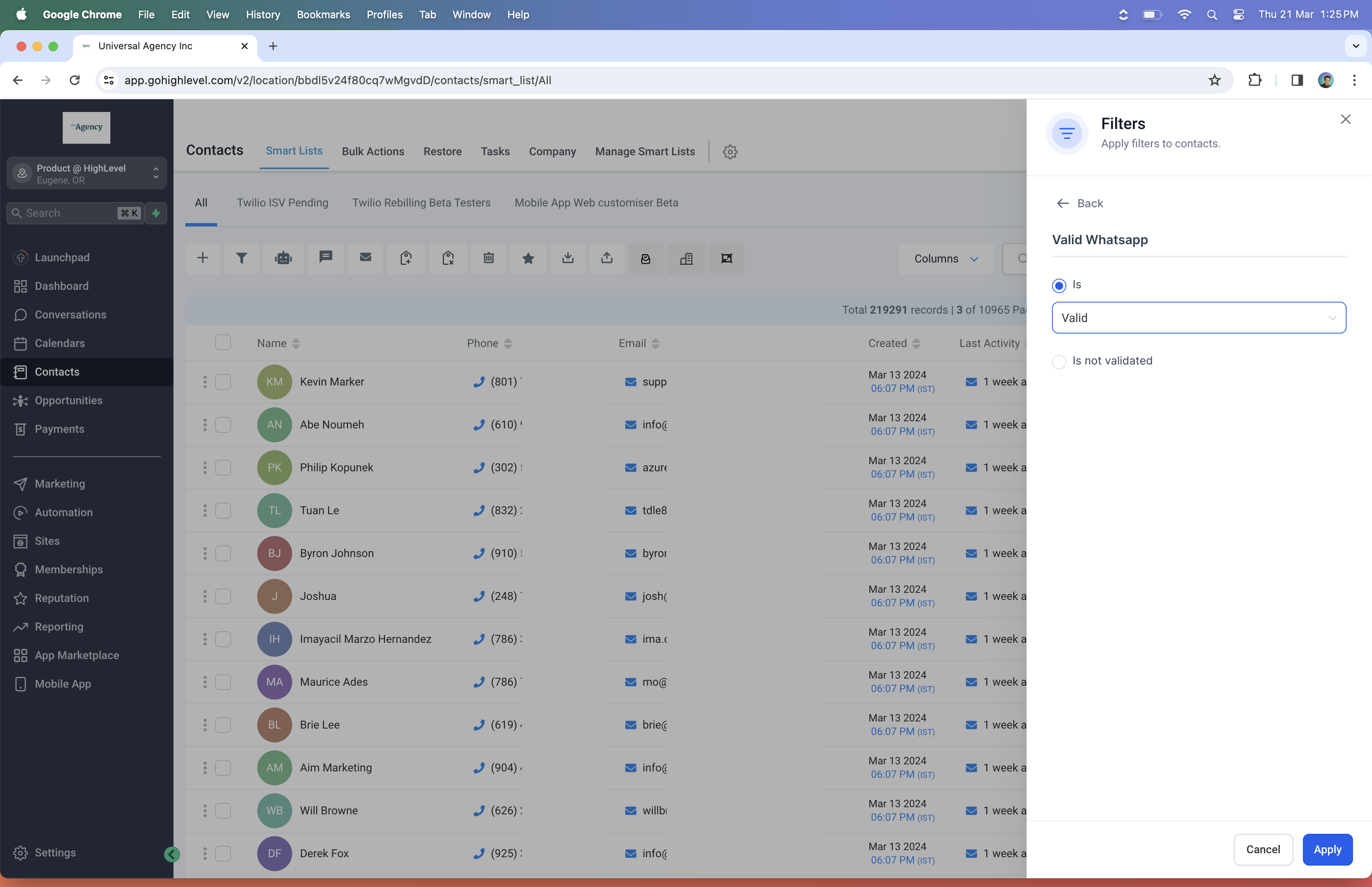
The field appears as a column on the Contacts page and can be used in the filter panel. By selecting the appropriate status you can segment contacts, create smart lists, and run WhatsApp campaigns that only target contacts confirmed to have an active WhatsApp account.
03How businesses use the Valid WhatsApp field
- Digital marketing agency. The agency adds the Valid WhatsApp column, filters for Is Valid contacts, and saves the view as a smart list. This list is then used for client WhatsApp broadcast campaigns, ensuring messages reach only reachable numbers.
- Fitness coach. The coach includes the Valid WhatsApp filter in the client onboarding workflow, creating a smart list of members who have confirmed WhatsApp numbers. The list feeds into automated reminder sequences.
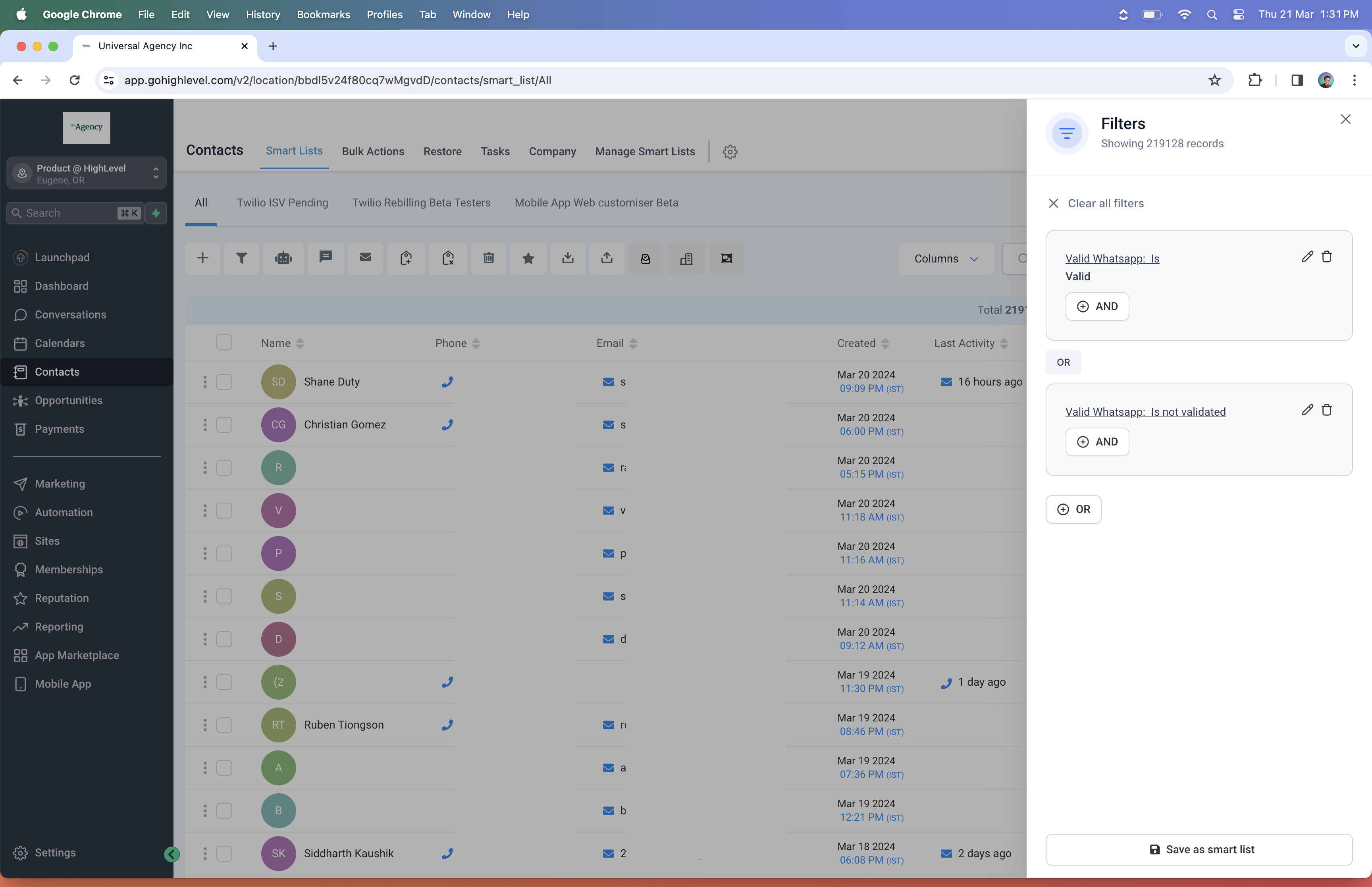
- Real estate office. The office sets up a smart list that includes Is Valid and Is Not Validated contacts, using it to send property alerts. Contacts that later become invalid are automatically removed from future sends.
04How to set up and use the Valid WhatsApp field in HighLevel
Create a smart list excluding invalid WhatsApp contacts
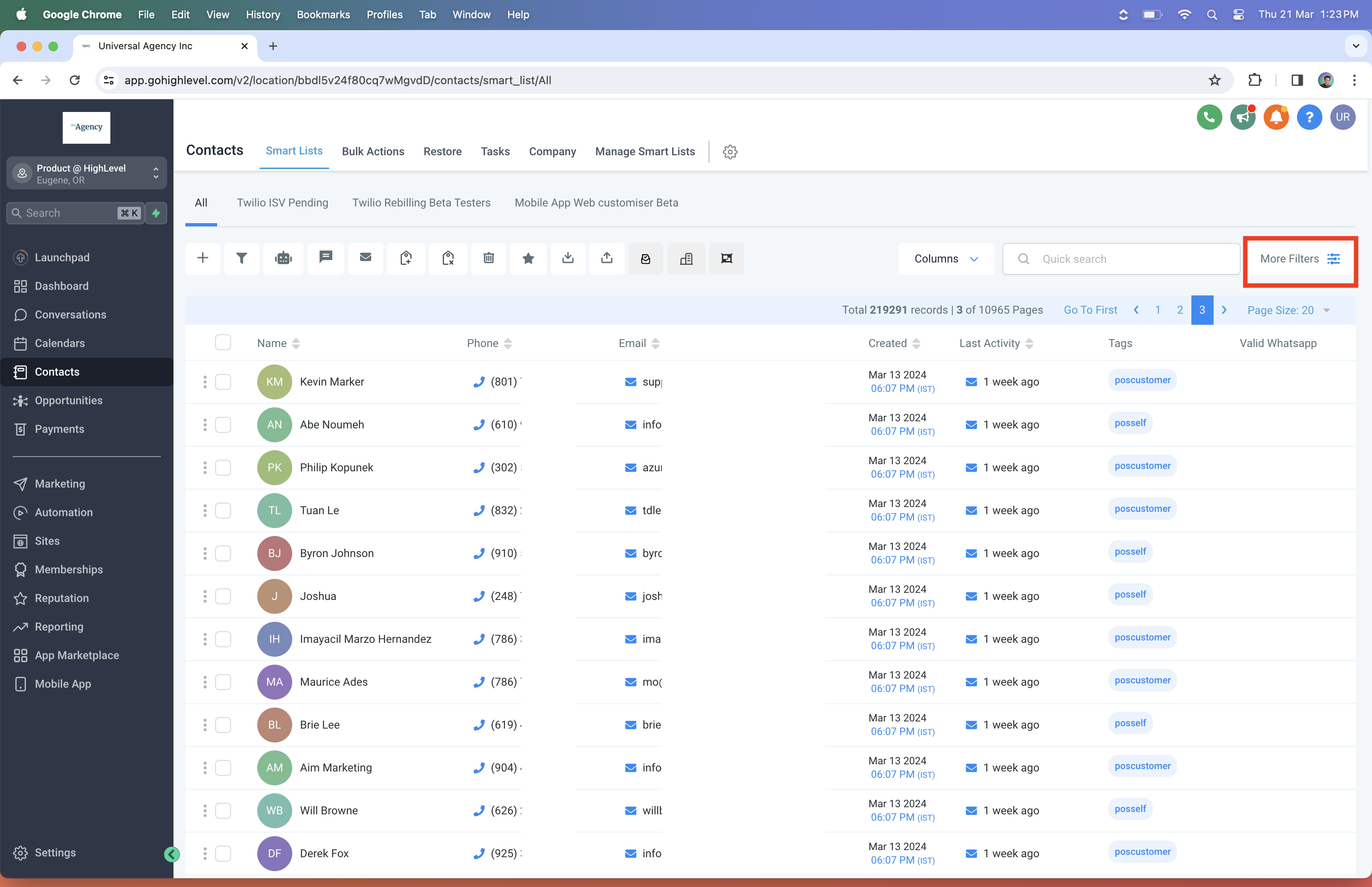
- Open the Contacts page and choose More Filters.
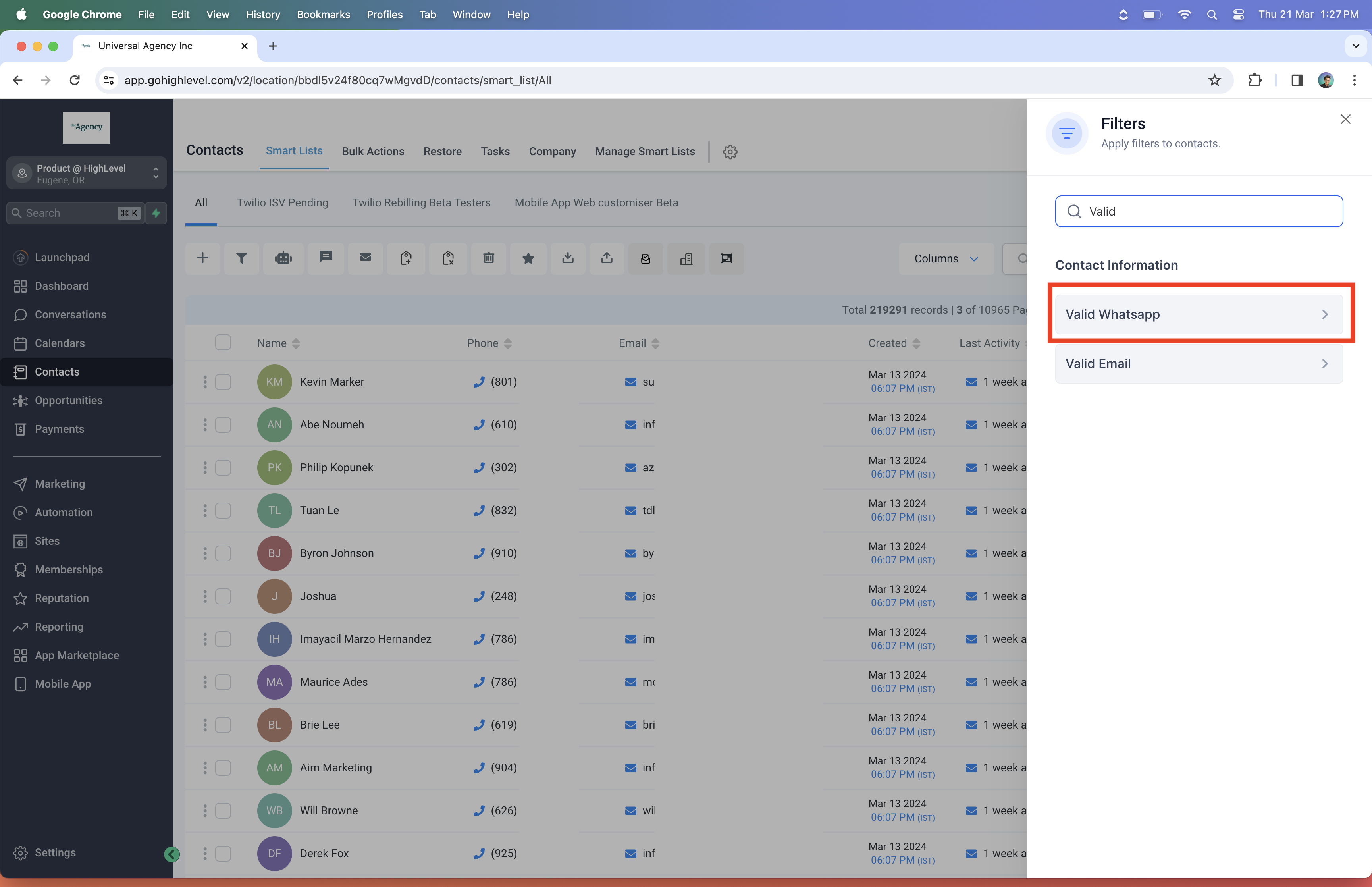
- Enter Valid WhatsApp in the search box.
- Pick Is Valid and click Apply.
- Add an OR condition and choose Is Not Validated.
- Select Save as Smart List, give it a name, and confirm.
05What it looks like in HighLevel
06Settings that matter
- Valid WhatsApp. Shows whether a contact’s phone number is active on WhatsApp, invalid, or not yet validated, and is used for filtering and smart list creation.
07How it connects to the rest of HighLevel
- Set up WhatsApp automation workflows WhatsApp workflow integration
- Create and manage WhatsApp templates WhatsApp templates guide
- Activate WhatsApp rebilling for agencies WhatsApp rebilling guide
Michael's take

When contacts can’t receive WhatsApp messages, campaigns flop. The first thing I get right is turning on the Valid WhatsApp column so I can see at a glance who is reachable.
From there I build a smart list that pulls in only Is Valid and Is Not Validated contacts. It keeps the list fresh as soon as a number becomes active.