
01Who this is for
- Agency owners can monitor team edits to phone numbers, templates, and flows, ensuring accountability across managed client accounts.
- Support managers gain quick insight into configuration changes, reducing time spent locating the source of WhatsApp issues.
02WhatsApp audit logs, explained
WhatsApp audit logs capture every modification made to WhatsApp entities such as phone numbers, templates, and flows within a subaccount. Each log entry records the user, the specific action, the timestamp, and the affected asset.
The logs are stored only at the subaccount level and remain available for 60 days before automatic removal. Users can search the records and filter by the WhatsApp module to focus on relevant activity.
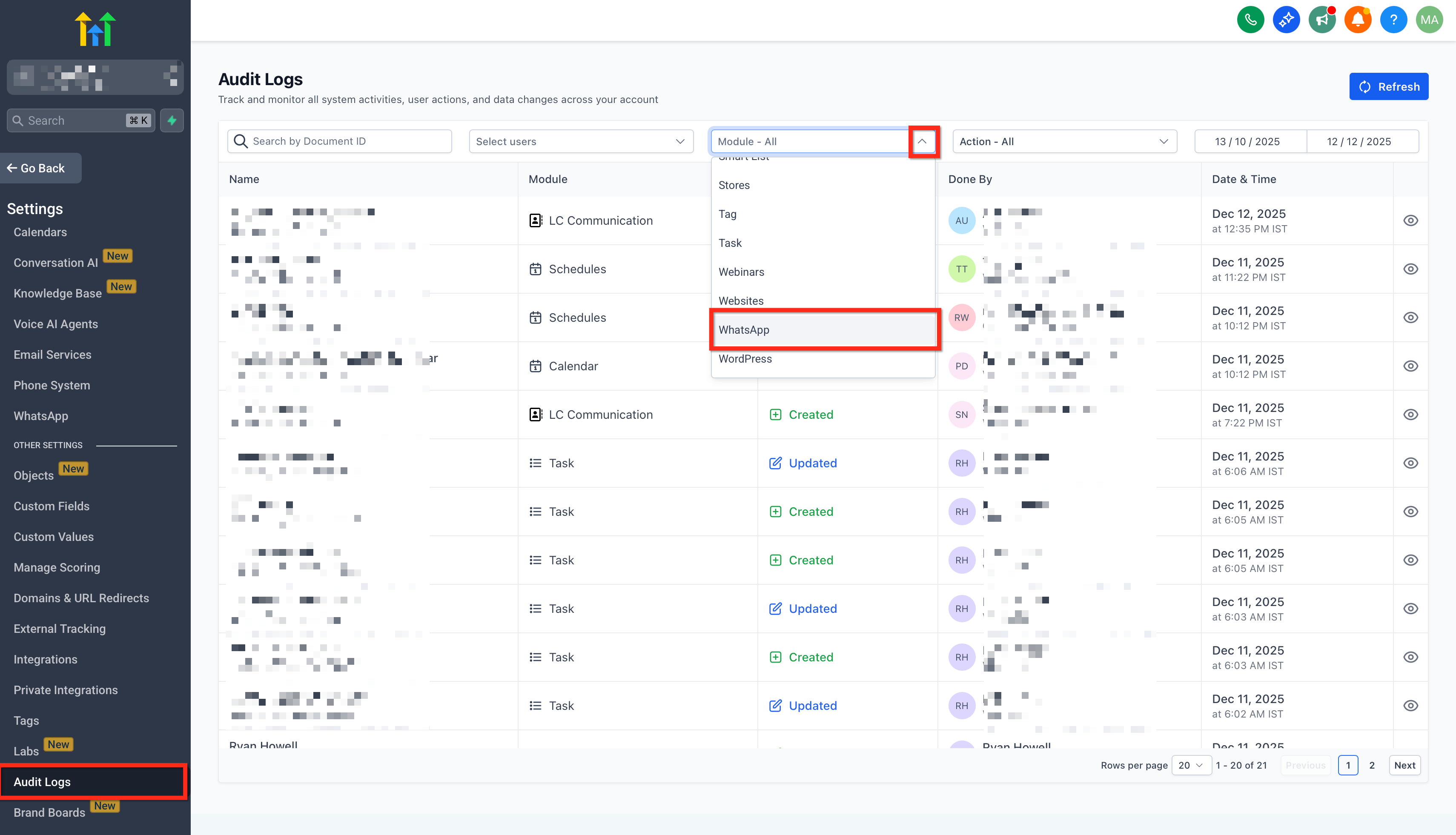
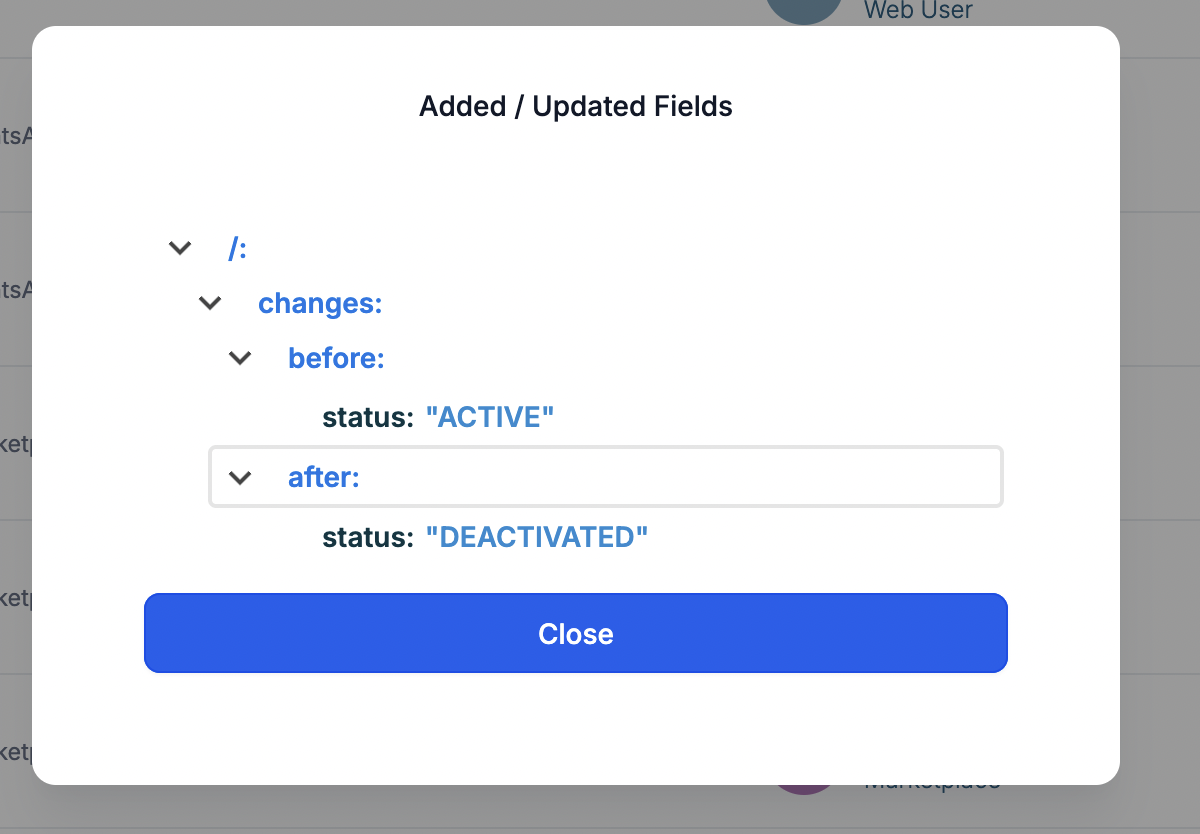
To reach the logs, open the desired subaccount, navigate to Settings > Audit Logs, use the search box or the Module filter to select WhatsApp, and click any line to open a drawer that displays full details of the change.
03How businesses use WhatsApp audit logs
- Marketing agency. The agency opens the client subaccount, goes to Settings > Audit Logs, filters for WhatsApp, and reviews entries to see which team member modified a template before a campaign launch.
- Ecommerce store. Store staff accesses the subaccount, selects Settings > Audit Logs, applies the WhatsApp module filter, and checks for any recent changes to the phone number that could affect order notifications.
- Health clinic. Clinic administrators open their subaccount, navigate to Settings > Audit Logs, filter for WhatsApp flows, and confirm who published a new flow that handles appointment reminders.
04The numbers and rules that matter
- Audit Log entries are retained for 60 days and then automatically removed.
05Before you start
- Access to the subaccount where WhatsApp is configured.
- A role or permission that allows viewing Settings > Audit Logs.
06How to set up and use WhatsApp audit logs in HighLevel
Open and view WhatsApp audit logs
- Open the subaccount that contains the WhatsApp setup.
- Select Settings and then choose Audit Logs.
- Use the search field or the Module filter to isolate WhatsApp activity and click a row to see the details.
07What it looks like in HighLevel
08Things to know before you rely on it
- Logs are saved only for subaccounts, not at the agency level.
- Entries are kept for 60 days and then deleted automatically.
- Built in notifications for specific events are not available.
09If something goes wrong
- WhatsApp events are not appearing in the audit log. Make sure you are looking in the correct subaccount, expand the date range, and remove any restrictive filters such as a particular user or entity.
- Cannot view audit logs at all. Verify that your role includes permission to access Settings > Audit Logs; if not, ask a subaccount admin to grant the needed rights.
10How it connects to the rest of HighLevel
- Full WhatsApp setup guide for agencies Agency setup guide
- How to set up WhatsApp for a subaccount Subaccount setup
- WhatsApp coexistence feature for dual platform messaging Dual platform messaging
Michael's take

WhatsApp audit logs give a small business a clear record of changes to its messaging setup, so you can stop guessing who broke a flow or template and fix it fast.
Don't forget to check you’re looking at the right subaccount before assuming the logs are empty.