
01Who this is for
- Digital agency owners, need to restore client WhatsApp Business access quickly.
- Ecommerce Founders, rely on Meta ads and messaging to drive sales and must keep accounts active.
- Service based startups, use WhatsApp for client communication and cannot afford prolonged bans.
02Meta account appeals, explained
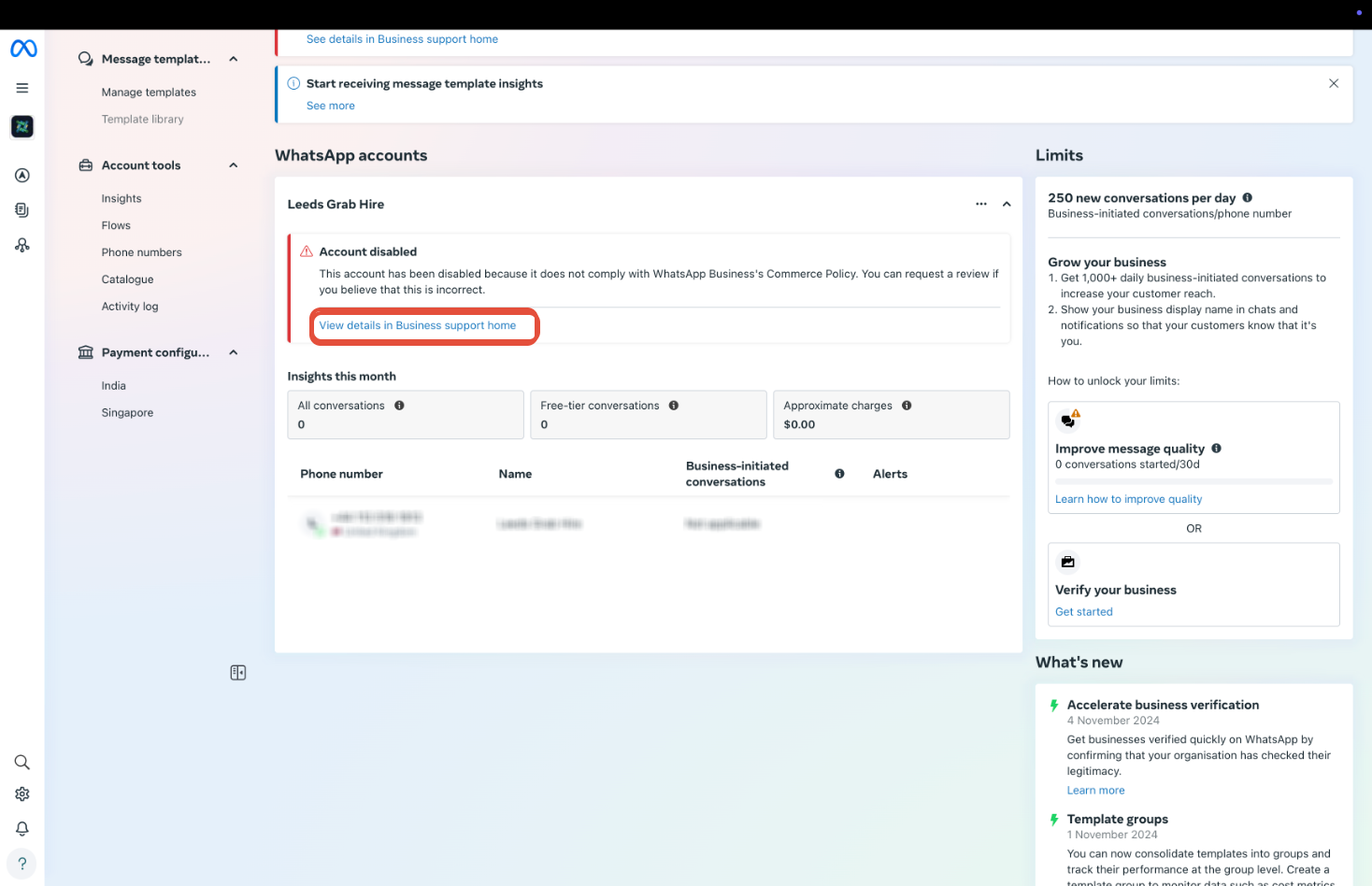
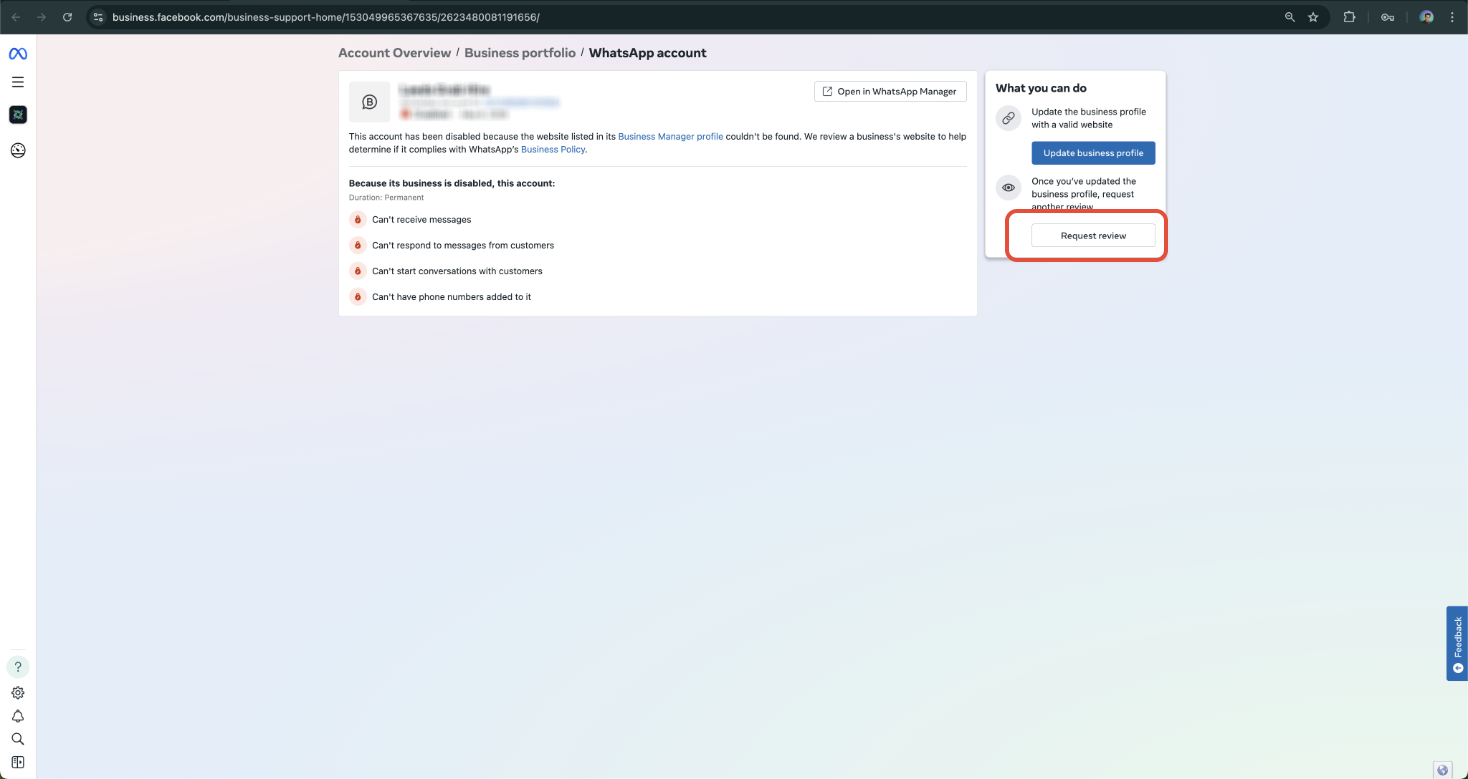
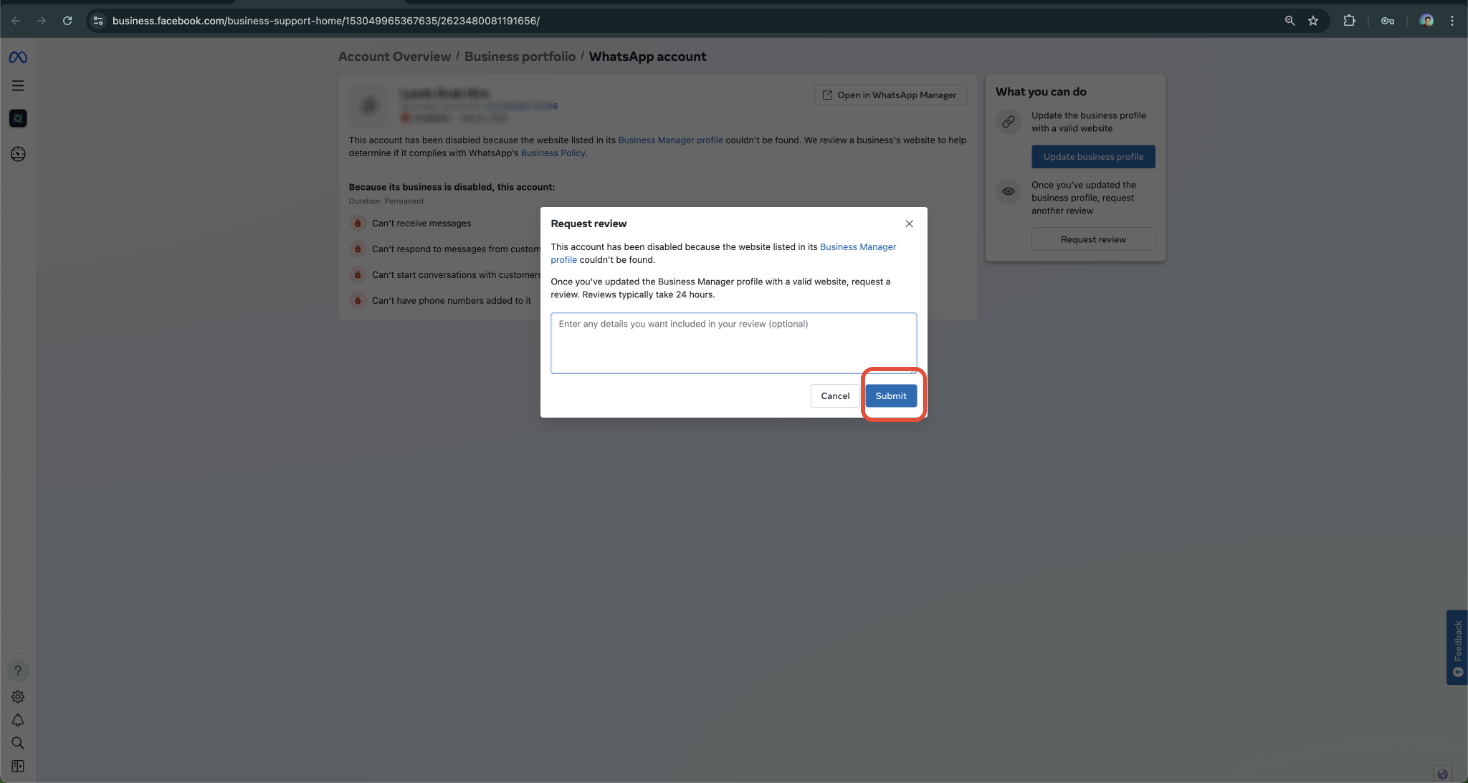
The appeal process is performed in Meta Business Manager. You open the Account Quality Dashboard, select the flagged asset, view details and click Request Review (or Request View), then upload required business verification documents and a clear use case explanation. After submitting, you wait for Meta’s response, typically a few business days, and avoid submitting multiple appeals.
03How businesses use Meta account appeals
- Digital marketing agency. The agency opens the Account Quality Dashboard, selects a client’s blocked WhatsApp Business asset, clicks Request Review, uploads the client’s business license and explains the messaging strategy, then waits for the decision.
- Online retailer. The retailer accesses the dashboard, finds the disabled Facebook ad account, requests a review, provides tax ID and domain proof, and monitors the response to resume ad spend.
- Consulting firm. The firm navigates to the account quality page, selects the locked Meta Business Page, submits a review request with a utility bill and a description of client communication practices, and awaits reinstatement.
04Before you start
- A Meta (Facebook or WhatsApp Business) account that has been disabled or locked.
05How to set up and use Meta account appeals in HighLevel
Appeal a banned Meta asset
- Open the Account Quality Dashboard at https://business.facebook.com/accountquality, select the banned account or asset, and click "View Details" then "Request Review" if available.
- Click the Request View button to open the appeal form.
- Upload required documentation such as valid business verification documents, proof of domain or phone number ownership, and a clear business use case statement.
- Wait for Meta’s response, typically a few business days, and do not submit multiple appeals.
06What it looks like in HighLevel
07Things to know before you rely on it
- Submitting multiple appeals can delay the review process.
08How it connects to the rest of HighLevel
- How to create and manage WhatsApp templates in HighLevel WhatsApp templates guide
- How to set up WhatsApp automation workflows in HighLevel WhatsApp workflow integration
- HighLevel pricing and plans Pricing page
Michael's take

Michael ReimerFounder of CRM Pros, HighLevel Commander and Certified Admin
In my experience, filing an appeal can be worthwhile when the account is important to your business communications.
Get More InformationOpens on HighLevelPublished November 2, 2026 · Updated November 16, 2026