
01Who this is for
- Agency owners who manage client WhatsApp accounts and need to recover access quickly.
- Founders using the WhatsApp API for customer communication who must stay compliant.
- Resellers handling multiple business accounts and want a clear process to address blocks.
02Business account locks, explained
The appeal process lets you request Meta to unlock a Business Account that was restricted because of a policy breach, verification issue, or suspicious activity. You start in the Meta Business Manager, locate the flagged asset, and submit a review request. During the review you may be asked for official documents such as a business license, tax ID, or proof of domain ownership, plus a brief description of how you use Meta services.
The procedure is performed outside of the HighLevel platform, using Meta’s Account Quality Dashboard. Successful appeals restore access while keeping all existing WhatsApp numbers, templates, and data intact.
03How businesses use business account locks
- Digital marketing agency. The agency submits an appeal when a client’s WhatsApp Business number is blocked, attaching the client’s business license and explaining the campaign purpose to satisfy Meta’s verification.
- Ecommerce store. The store provides utility bills and domain proof during the appeal to confirm ownership, allowing it to resume order notifications through the WhatsApp API.
- Service based consultancy. The consultancy includes a clear use case statement in the appeal to demonstrate legitimate client communication, helping Meta lift the restriction.
04Before you start
- Access to Meta Business Manager and the Account Quality Dashboard.
- Gather official business verification documents before starting the appeal.
05How to set up and use business account locks in HighLevel
Appeal a locked Meta Business Account
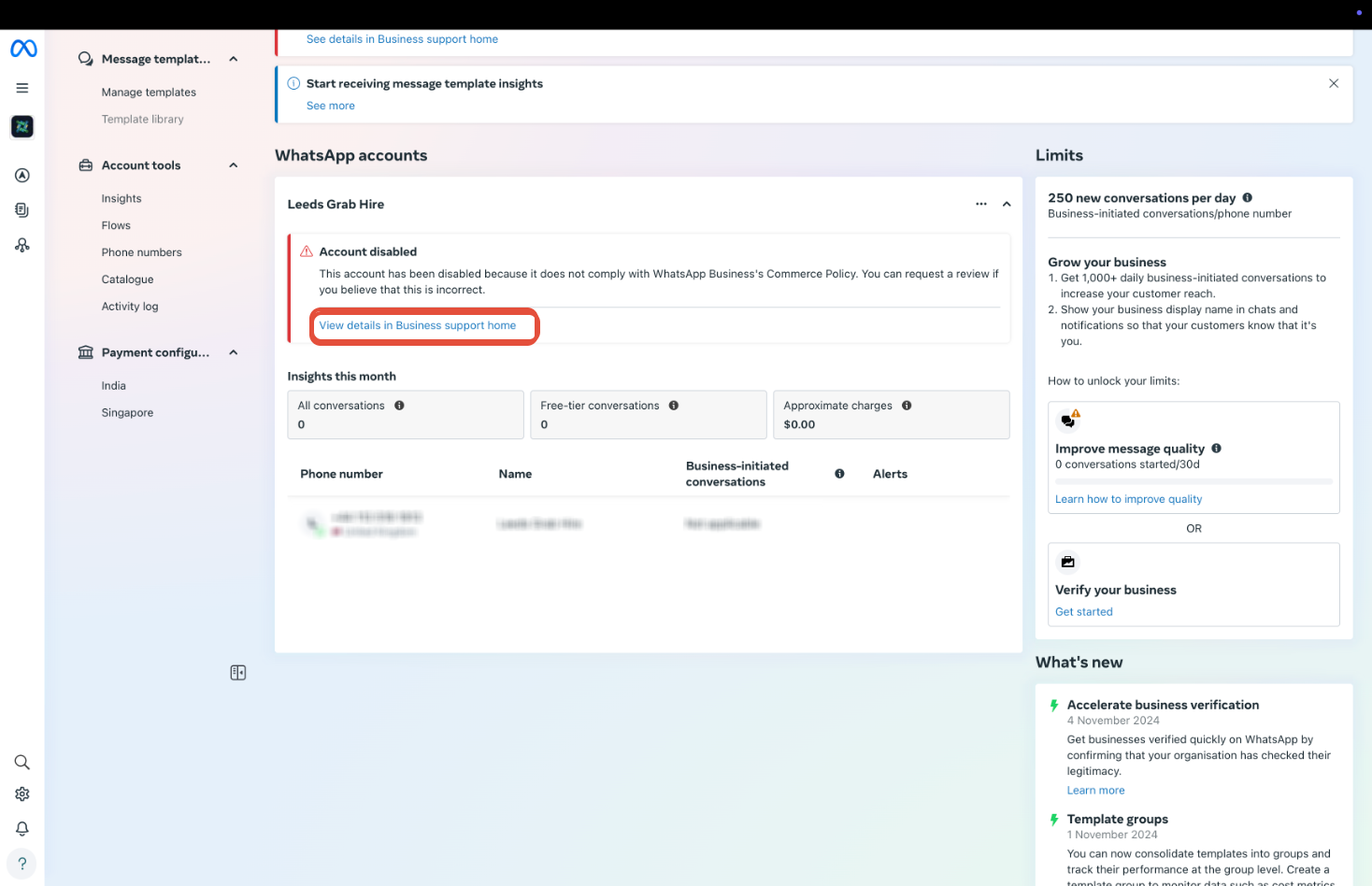
- Open the Account Quality Dashboard in Meta Business Manager and select the locked asset.
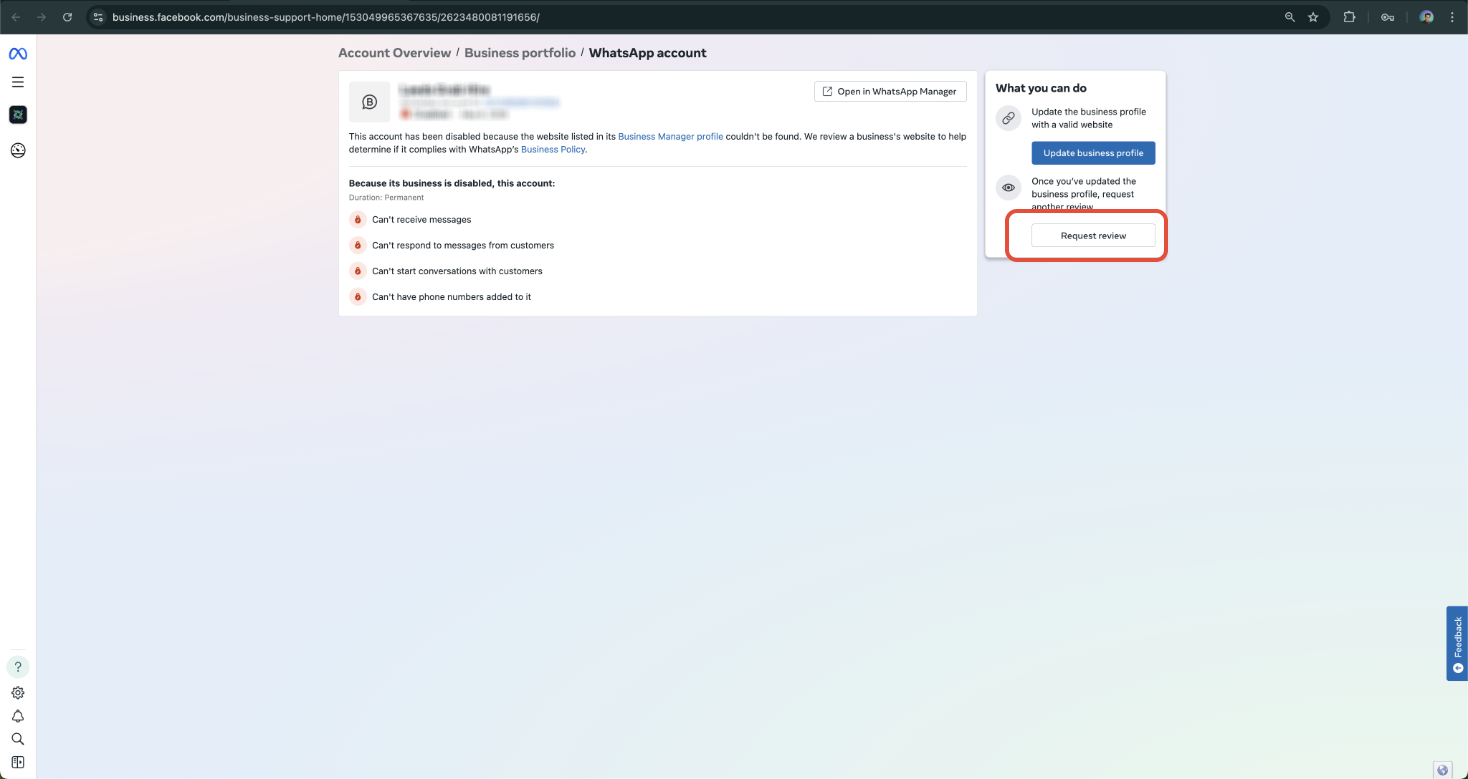
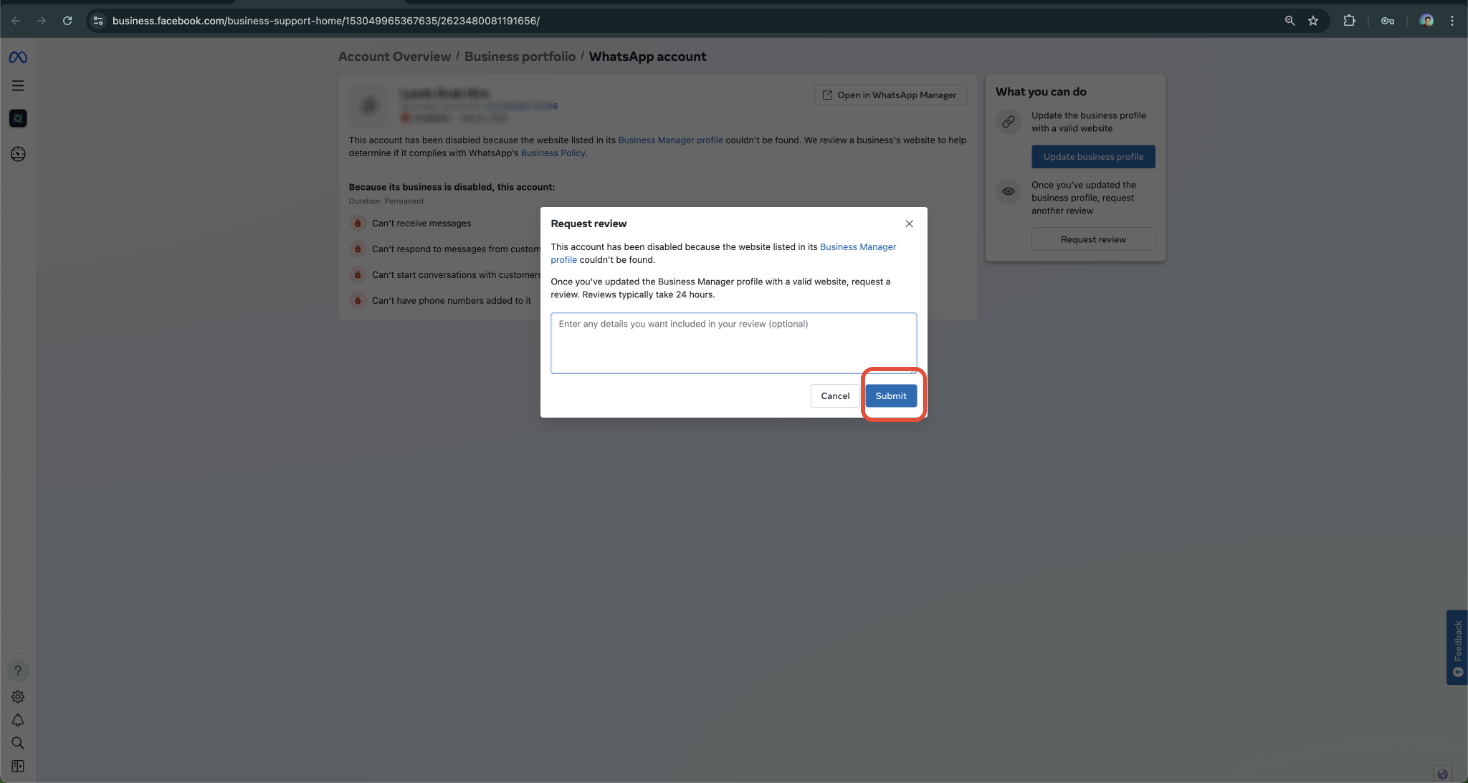
- Click the “View Details” button and then choose “Request Review” if the option appears.
- Upload the required documents such as a government issued license, tax ID, or proof of domain ownership, and add a brief business use case explanation.
- Wait for Meta’s response, typically within a few business days, and avoid sending additional appeals during this time.
06What it looks like in HighLevel
07Things to know before you rely on it
- The article does not specify any hard limits on appeal submissions; however, sending multiple appeals can delay the review process.
08If something goes wrong
- Submitting more than one appeal slows down the review.. Send only a single appeal and wait for Meta’s response before considering any follow up.
09How it connects to the rest of HighLevel
- Create approved message templates for WhatsApp in HighLevel. WhatsApp templates guide
- Add WhatsApp messaging to automated workflows in HighLevel. Workflow automation
- Set up WhatsApp subaccounts for each client within HighLevel. Subaccount setup
Michael's take

The appeal process can require time to gather documentation and wait for a response, so consider how essential Meta platforms are to your business before deciding how much effort to invest.