
01Who this is for
- Digital marketing agencies need to test campaigns without hitting the error, so they must use distinct sender and recipient numbers.
- Real estate brokerages using WhatsApp for client outreach must avoid the same number to keep communications flowing.
- Healthcare clinics that rely on WhatsApp reminders must confirm numbers differ to prevent message blocks.
02Invalid parameter errors, explained
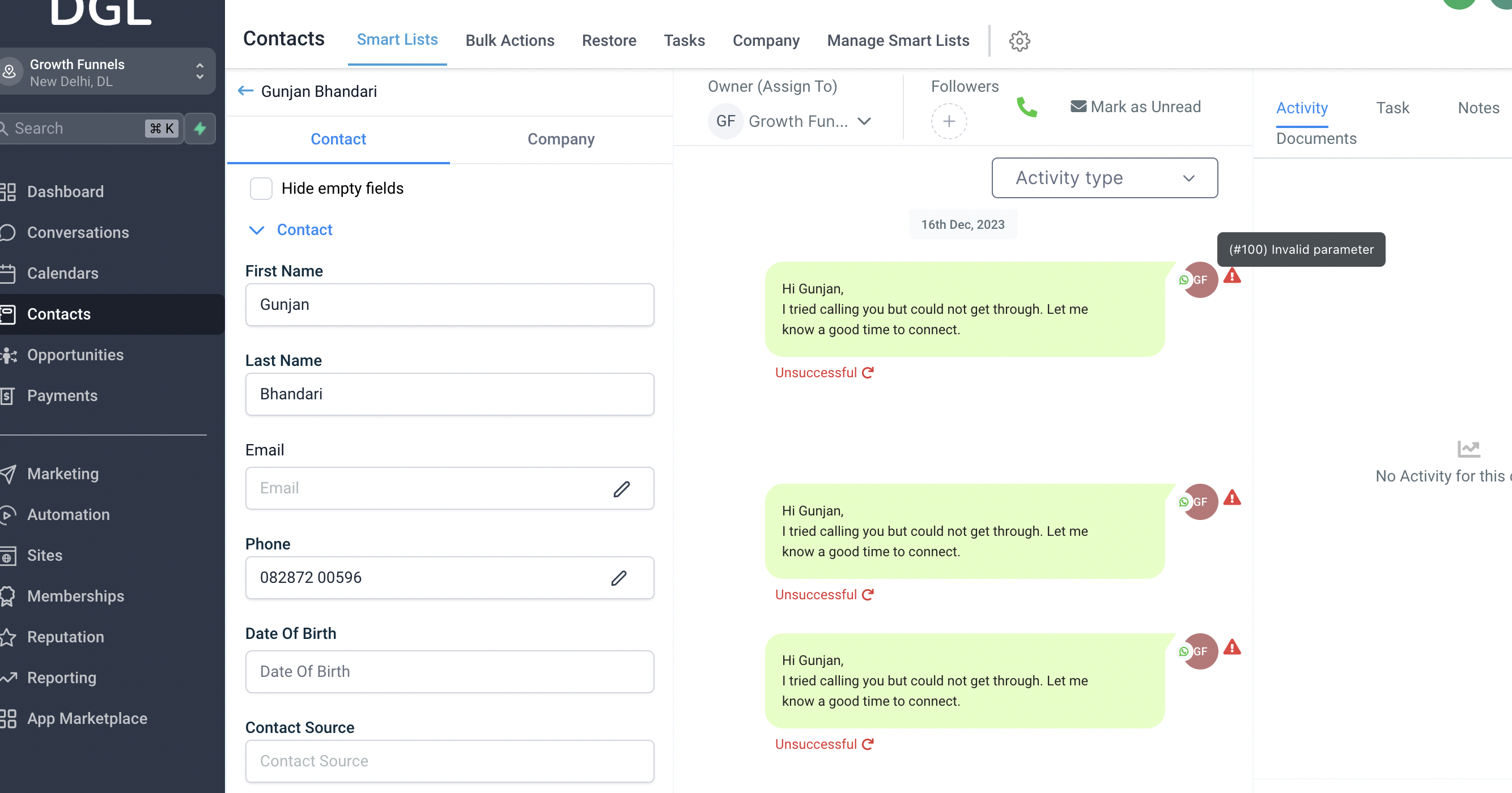
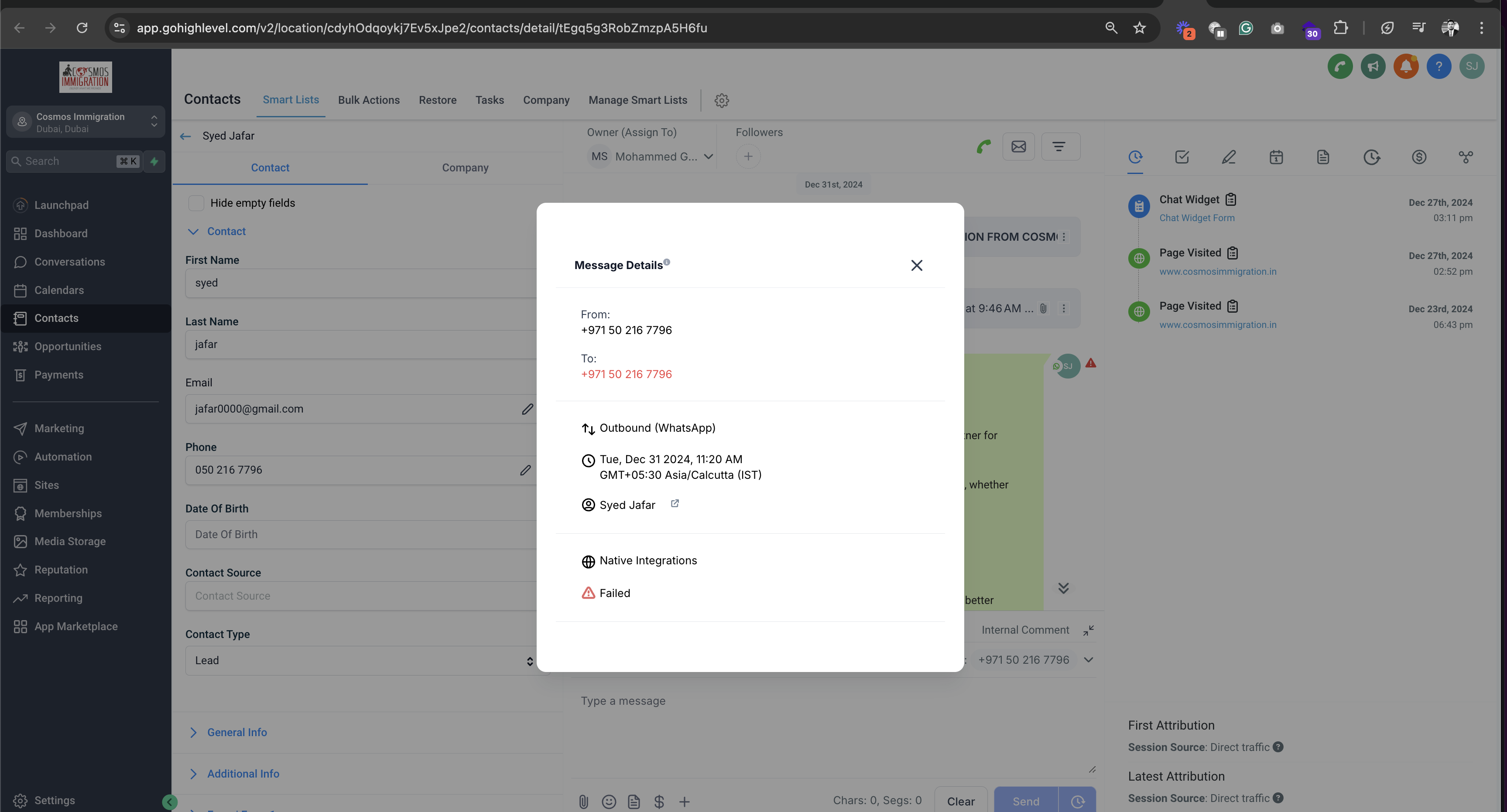
HighLevel returns an "Invalid Parameter" error when the From and To numbers are identical, because sending a WhatsApp message to the same number is not supported.
03How businesses use invalid parameter errors
- Digital marketing agency. The agency creates a WhatsApp broadcast in HighLevel. Before sending, it looks at the From and To numbers displayed, confirms they are different, and then proceeds. This prevents the Invalid Parameter error during client outreach.
- Real estate brokerage. Agents draft property updates via WhatsApp in HighLevel. They verify the sender's business number and the client's phone number are not the same, ensuring the message is accepted by the platform.
- Healthcare clinic. Clinic staff schedule appointment reminders in HighLevel. They check that the clinic's WhatsApp number (From) differs from each patient’s number (To) before queuing the reminder.
04How to set up and use invalid parameter errors in HighLevel
Check from and to numbers
- Locate the From number displayed for the WhatsApp message.
- Locate the To number displayed for the same message.
- Compare the two numbers side by side.
- Confirm that the numbers are not identical.
- If they match, change either the From or To number before sending.
05What it looks like in HighLevel
06Things to know before you rely on it
- Sending a WhatsApp message to the same number that is used as the sender is not supported.
07If something goes wrong
- Invalid Parameter error when sending a WhatsApp message. Verify that the From and To numbers are different and adjust one of them before retrying.
08How it connects to the rest of HighLevel
- WhatsApp subaccount setup and migration guide WhatsApp subaccount guide
- How to set up WhatsApp automation workflows in HighLevel WhatsApp workflow guide
- How to create and manage WhatsApp templates in HighLevel WhatsApp template guide
Michael's take

Michael ReimerFounder of CRM Pros, HighLevel Commander and Certified Admin
A small convenience change can save a lot of back and forth with clients. The invalid parameter error is just HighLevel telling you it can’t send a message to itself, so swapping in a second phone number clears it right away.
A local restaurant that uses WhatsApp for order confirmations will hit this snag if they try to test on the same line they send from. Give them a spare number for testing and the workflow runs smooth.
Get More InformationOpens on HighLevelPublished November 2, 2026 · Updated November 17, 2026