
Home/HighLevel/Features/Reselling Products/Old WhatsApp Voice Notes Appearing Blank in Conversations

Payments and Sales

Old WhatsApp Voice Notes Appearing Blank in Conversations

In short

Older WhatsApp voice notes appear as blank messages because Meta does not store media shared in conversations for more than 30 days.

AreaReselling Products · WhatsApp
Used forReselling Products
Guide typeOverview
Last updatedNovember 3, 2026

01Old WhatsApp voice notes, explained

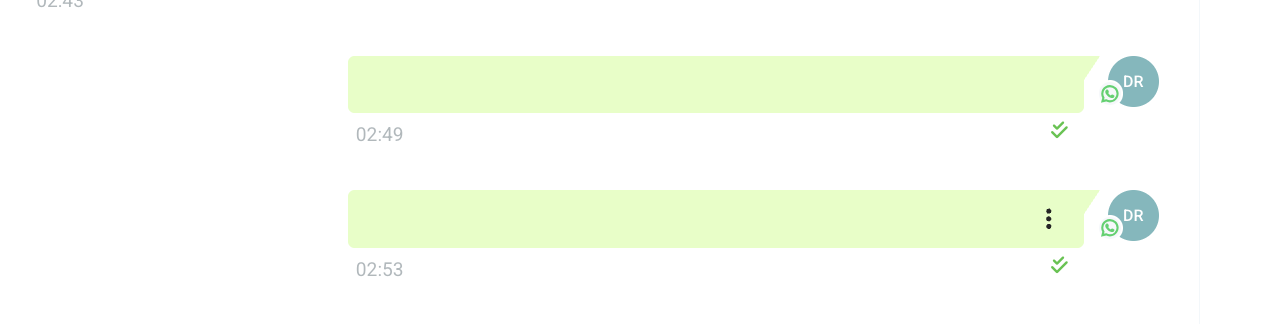
When a voice note is sent or received on WhatsApp and it is older than 30 days, the media is no longer stored by Meta, so it appears as a blank message in the conversation view.

The issue is limited to voice notes that are older than the retention period.

02The numbers and rules that matter

  • Meta does not store media shared in conversations for more than 30 days.

03What it looks like in HighLevel
04Things to know before you rely on it

  • Media older than 30 days will no longer be visible in the conversation.

05If something goes wrong

  • Voice notes appear blank in a conversation. The blank note is due to Meta's 30 day media retention policy; the media cannot be recovered.

Michael's take

Michael Reimer
Michael ReimerFounder of CRM Pros, HighLevel Commander and Certified Admin

Most people assume a blank voice note is a glitch, but the file is gone at the source after Meta’s 30 day retention period.

If I were advising a client, I’d check the date of the voice note first. If it’s older than 30 days, I’d simply explain the retention rule and suggest rerecording if the content is still needed.

Get More InformationOpens on HighLevelPublished November 2, 2026 · Updated November 3, 2026

Common questions

Common questions about Old WhatsApp voice notes.

Why do old WhatsApp voice notes appear blank?

Meta does not store media shared in conversations for more than 30 days, so after that period the media is no longer visible.

Can I retrieve a voice note after it has become blank?

No. Once the 30 day window has passed, the media is no longer stored by Meta and cannot be recovered.

Will there be any UI changes related to this?

Meta is working on a feature to display media availability information in the user interface.

Next step

Pick the features that matter. Then get the plan that unlocks them.

Explore the features you want, start with the five at the top, and upgrade through my link when you are ready. The bonuses and the team come with it.

The features directory explains every HighLevel feature in plain English. Browse it to see what the platform can do.

Back to the FeaturesSee the full details
⌃

Site preview

Explore the next page

This destination is reserved in the page inventory and is not built yet.