
01Who this is for
- Founders of service based businesses who need a fast way to re engage callers after a missed call.
- Agency owners managing multiple client accounts who require a simple no code solution for WhatsApp follow ups.
- Customer support managers seeking to keep response times low while keeping messaging consistent with brand voice.
02Missed Call WhatsApp Back, explained
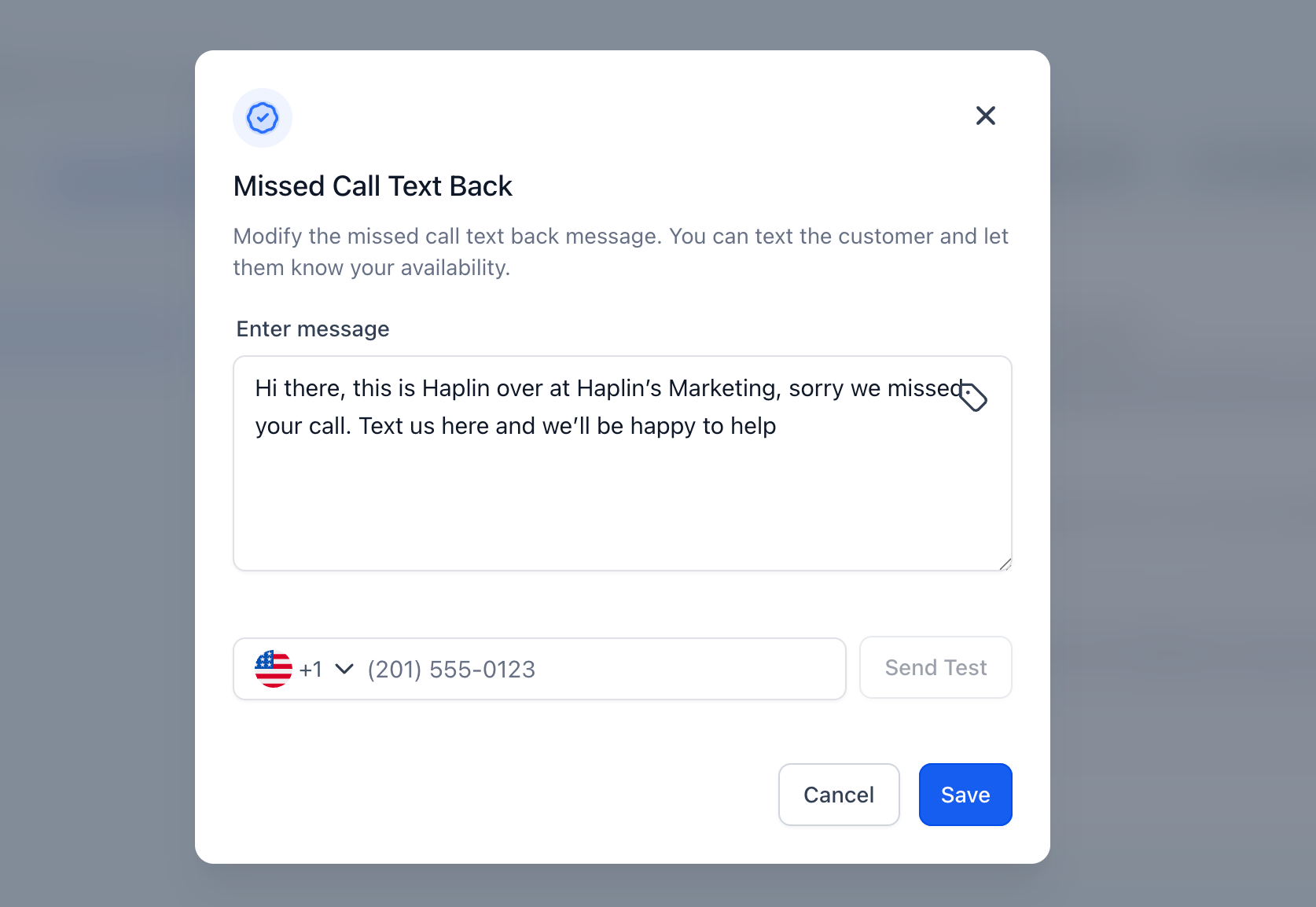
The feature lives inside Settings under Phone System > Voice > Voicemail & Missed Call TextBack. When a call is marked as missed the platform checks if the caller’s number can receive WhatsApp messages and, if so, sends the configured text. The message can be edited directly in the Missed Call TextBack area and may include dynamic placeholders such as {location_name} or {booking_link}. No automation or extra workflow is required; the system handles the send out automatically. If the contact does not use WhatsApp or has opted out, the message is not delivered. The toggle can be turned on without enabling the SMS version, allowing a single channel to be used for missed call follow up.
03How businesses use missed call WhatsApp back
- Dental practice. The office enables the toggle, edits the default text to include a link to their online appointment scheduler, and tests by calling the practice line. When a patient’s call is missed, they receive the WhatsApp note with the scheduling link.
- Real estate agency. Agents turn on the feature, add a variable for the agent’s name, and place a test call. Prospective buyers who call after hours get a WhatsApp message naming the agent and a link to available property tours.
- Fitness studio. The studio activates the setting, customizes the message to show class hours using {business_hours}, and confirms delivery with a test call. Missed callers receive a WhatsApp reply confirming hours and a link to book a session.
04The numbers and rules that matter
- Supported variables: {agent_name}, {booking_link}, {business_hours}, {location_name} or {{location.name}}.
05Before you start
- A WhatsApp enabled phone number must be linked to the subaccount.
- The user configuring the option needs access to Settings > Phone System.
- Contacts must be reachable on WhatsApp for delivery to succeed.
- Appropriate consent to message contacts via WhatsApp must be in place.
06How to set up and use missed call WhatsApp back in HighLevel
Enable missed call WhatsApp back
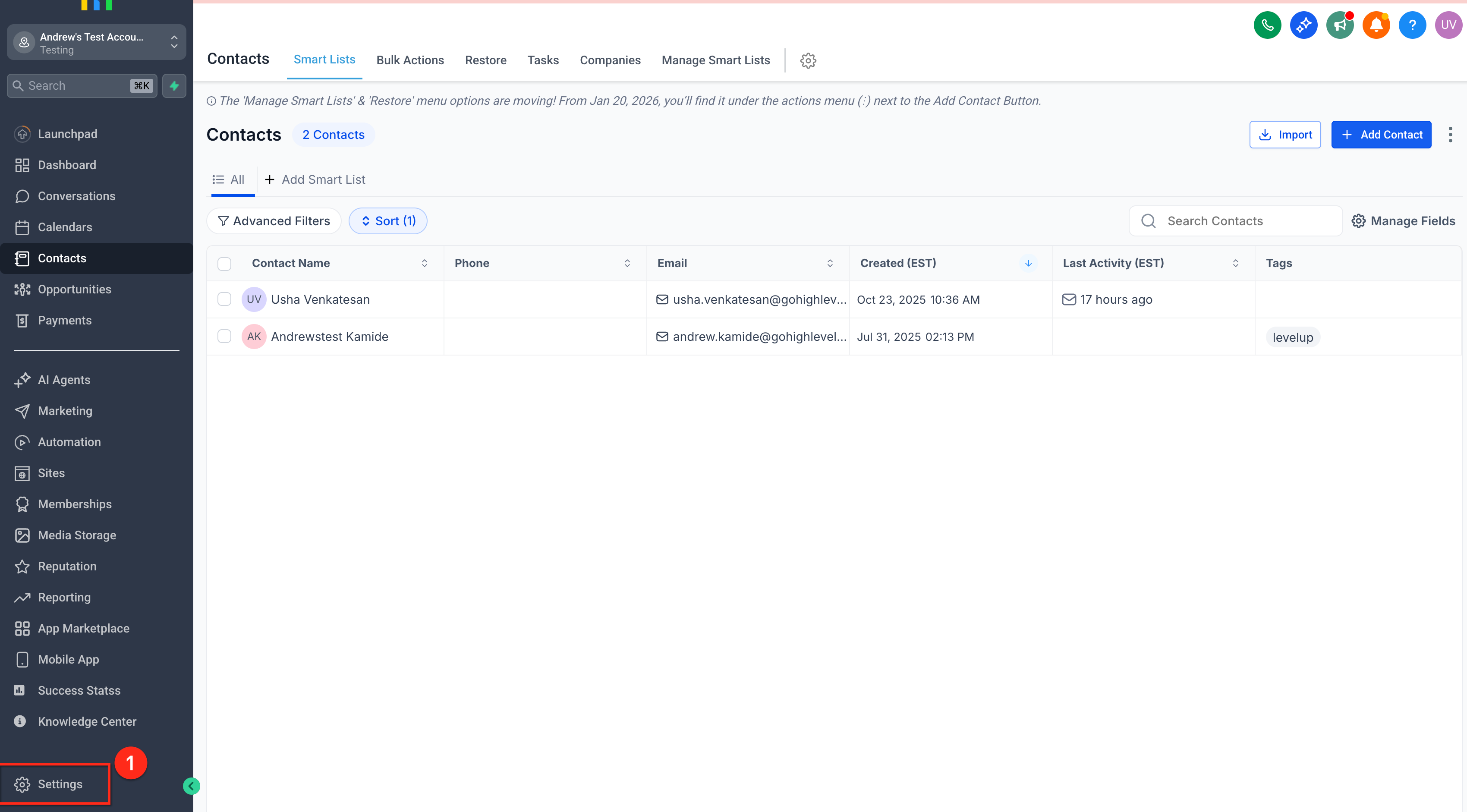
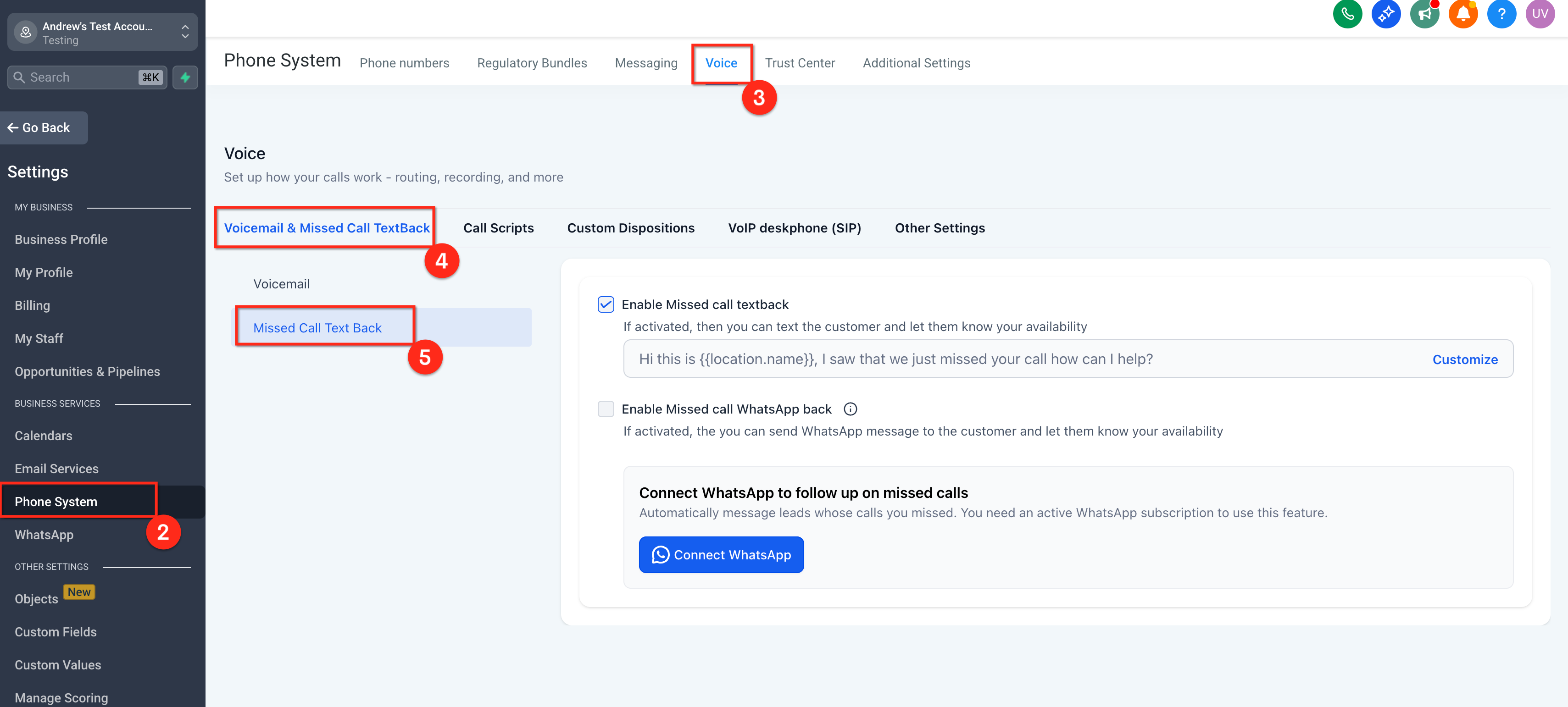
- Open Settings, go to Phone System, then Voice, and select Voicemail & Missed Call TextBack.
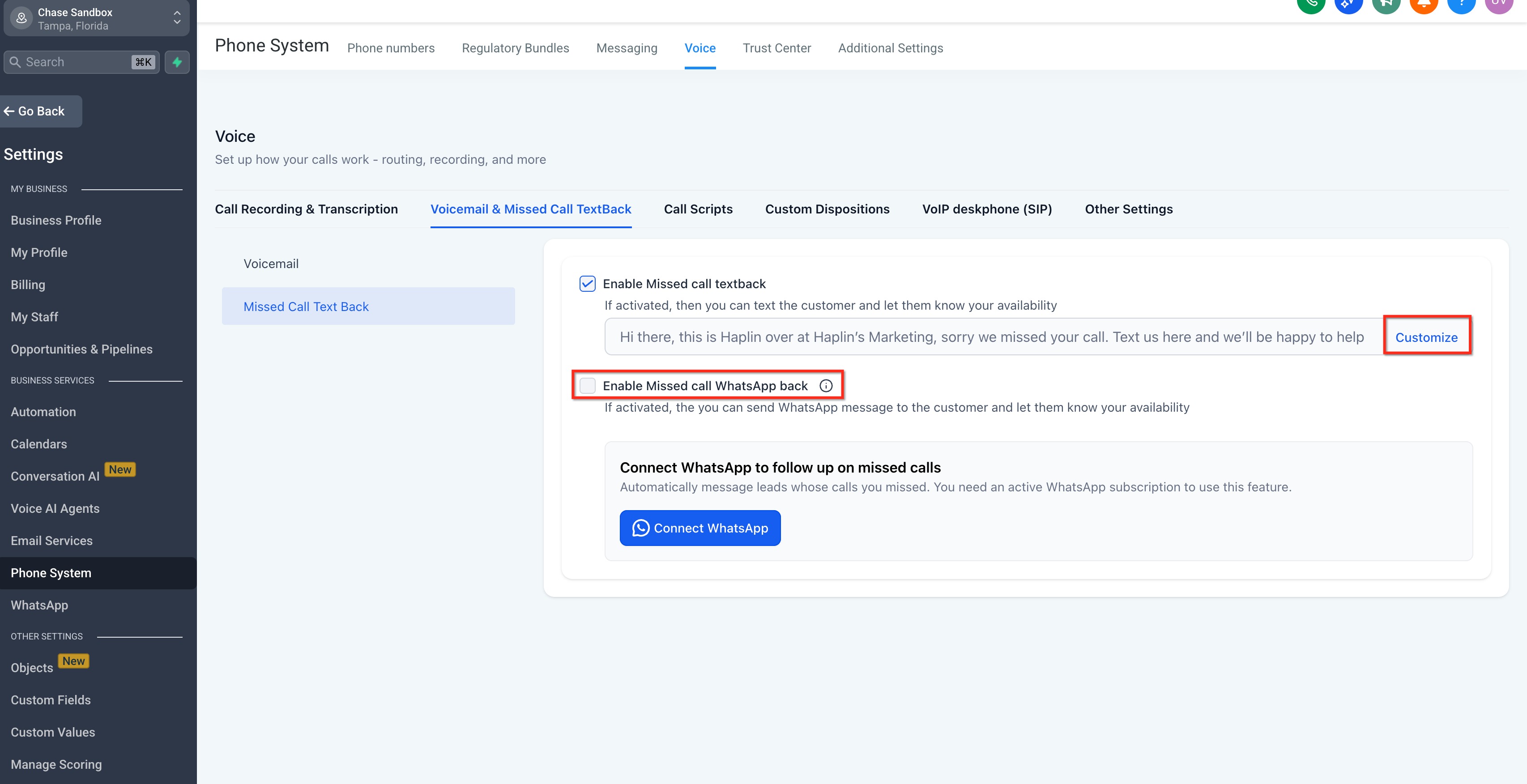
- Find the Missed Call WhatsApp Back toggle and switch it on.
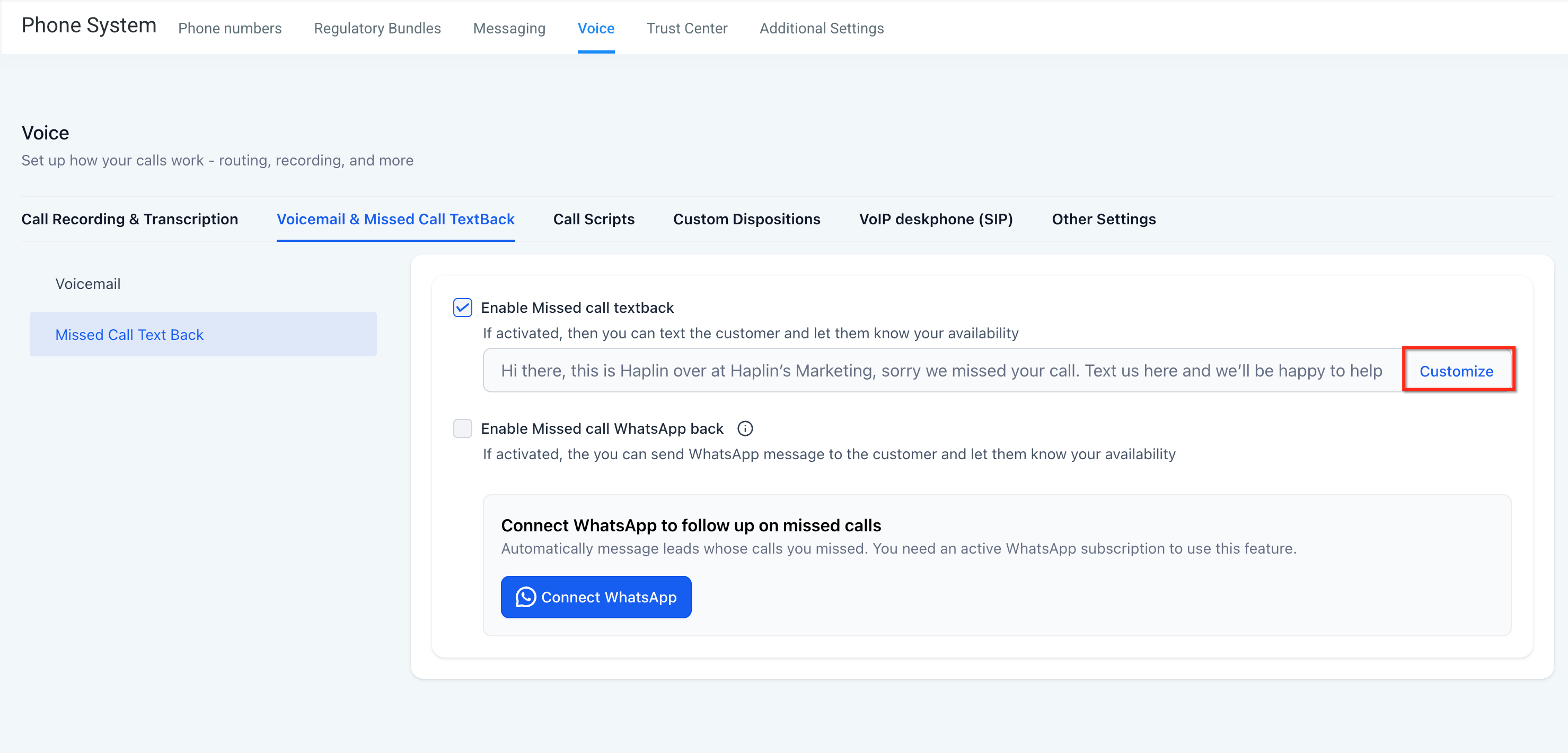
- Press the Customize button to open the prefilled message editor.
- Add any desired variables such as {location_name} or {booking_link}, keeping the text brief.
- Save the edited message.
- Make a test call to verify that the WhatsApp message is sent and appears correctly.
07What it looks like in HighLevel
08Settings that matter
- Missed Call WhatsApp Back. Controls whether the platform sends an automatic WhatsApp message after a call is classified as missed.
- Missed Call Textback message. Defines the content of the WhatsApp follow up, allowing edits and insertion of dynamic variables.
09Things to know before you rely on it
- Messages are only sent if the sending number has an active WhatsApp connection.
- If the contact does not have WhatsApp, no message is delivered.
- Enabling both SMS and WhatsApp textbacks can cause duplicate outbound messages.
- The feature sends whenever a call is missed; it does not respect business hour settings unless call routing is altered.
10If something goes wrong
- No Message Sent. Verify the WhatsApp number is connected and the toggle is turned on.
- Variables Unresolved. Check the variable syntax and confirm the referenced data such as a booking link exists.
- Duplicate Messages. Look for overlapping SMS textbacks or existing workflows that also trigger on missed calls.
- Contact Did Not Receive. Confirm the contact uses WhatsApp, has not opted out, and that the phone number includes the correct country code.
- After Hours Messaging Concerns. Disable the feature during off hours or manage call routing and schedules to control when messages are sent.
11How it connects to the rest of HighLevel
- Guide to set up WhatsApp for a subaccount Subaccount setup
- Activate WhatsApp rebilling for agencies Rebilling guide
- How to set up WhatsApp automation workflows in HighLevel Automation workflows
Michael's take

Most people assume the WhatsApp message will fire automatically just by turning the toggle on, but they forget the number must be WhatsApp enabled and in good standing. Without that, the feature looks like it’s broken and contacts never receive anything.
I would double check the WhatsApp connection, confirm consent, and then send a test call before announcing the new follow up to the team. That way you know the message lands, the variables resolve, and you avoid any surprise gaps in communication.