
01Who this is for
- Agency owners who manage client messaging can reach contacts that only share a WhatsApp username, expanding outreach without extra data entry.
- Small business Founders with limited contact information can still reply to inquiries that arrive via username only WhatsApp chats.
- Resellers handling multiple client accounts benefit from a unified recipient list, reducing duplicate selections when usernames and numbers overlap.
02WhatsApp username messaging, explained
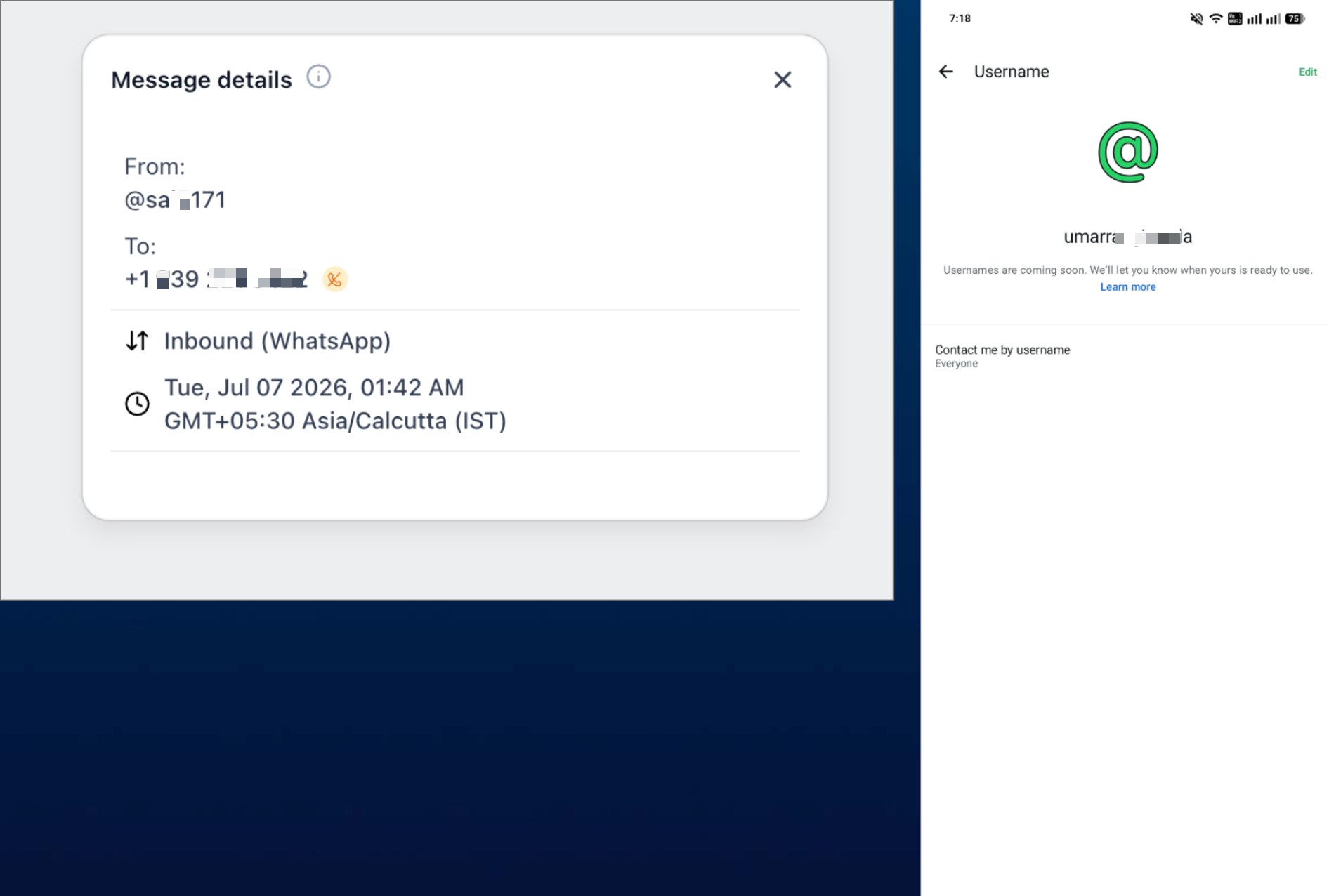
The feature adds a recipient option for contacts that have an @username stored in HighLevel but no phone number. When you open a conversation on the mobile app, the To selector shows the username as the primary destination. If the same contact also has a phone number, the app displays the number underneath the username, merging them into one row.
Messaging follows the same WhatsApp rules as before. The 24 hour customer service window, template requirements and scheduling limits are evaluated against the selected username. No separate configuration is required; the behavior is built into the Conversations section of the HighLevel, LeadConnector and white label mobile apps.
03How businesses use WhatsApp username messaging
- Real estate agency. Agents can reply to leads who initially sent a WhatsApp message using only their @username. They open Conversations, select the username in the To field, compose a response or approved template, and send or schedule it directly from the mobile app.
- Fitness studio. When a member contacts the studio through a username only WhatsApp chat, the trainer opens the mobile app, picks the username from the To selector, writes a free form reminder if the service window is open, or uses a template for class updates, then sends or schedules the message.
- Online coaching business. Coaches can follow up with clients who share only their WhatsApp username. They locate the username in the To selector, confirm the correct contact, draft a personalized note or approved template, and schedule it for a later time while respecting the messaging window.
04The numbers and rules that matter
- Minimum mobile version: 4.23.0 or higher.
- Supported apps: HighLevel mobile app, LeadConnector mobile app, white label mobile apps.
05Before you start
- Install HighLevel mobile app version 4.23.0 or higher.
- Ensure the contact is already known in the account as a WhatsApp username through prior activity.
06How to set up and use WhatsApp username messaging in HighLevel
Message a WhatsApp contact by username from the mobile app
- Check that the installed mobile app version is 4.23.0 or later and update if it is older.
- Open the required subaccount in the mobile app and go to Conversations.
- Tap the To selector, then search for the contact’s @username.
- Tap the listed @username entry to choose it as the recipient.
- Write a free form message if the 24 hour window is open, or select an approved template when required.
- Send the message now or schedule it, making sure any scheduled free form text stays within the open window.
07What it looks like in HighLevel
08Things to know before you rely on it
- The feature only works for contacts whose @username is already stored in the account; it does not allow searching for arbitrary usernames.
- A phone number is not required for username only contacts, but the contact must be known through prior WhatsApp activity.
- All normal WhatsApp rules apply: the 24 hour customer service window, template approval and scheduling limits are still enforced.
- The update is available in mobile app version 4.23.0 or higher and is supported in HighLevel, LeadConnector and white label mobile apps.
09If something goes wrong
- The username only contact appears unavailable. Confirm the mobile app is version 4.23.0 or higher and that the contact is already recognized as a WhatsApp username contact.
- The username does not appear in the To selector. Verify that earlier WhatsApp activity captured or identified the username for the contact.
- The phone and username still appear separately. Update the mobile app and ensure the phone number and username belong to the same known WhatsApp contact.
- A free form message cannot be sent. Check whether the contact’s 24 hour WhatsApp customer service window is still open.
- A scheduled message cannot be sent at the selected time. Confirm the intended send remains inside the permitted WhatsApp window or use an approved template.
- A template is unavailable. Verify that the appropriate WhatsApp template is approved and available for the account.
- Mobile behavior differs from web. Confirm the mobile app is version 4.23.0 or higher, then reopen the conversation.
- A white label app still shows the previous behavior. Confirm the installed white label app build includes the applicable release.
10How it connects to the rest of HighLevel
- Set up WhatsApp for a subaccount WhatsApp subaccount guide
- Create and manage WhatsApp templates WhatsApp template guide
- Integrate WhatsApp automation workflows WhatsApp workflow guide
Michael's take

Being able to reach those people from the mobile app removes a friction point and keeps your outreach flow intact without needing a phone number.
It doesn’t make sense to enable it if you never have contacts that provide a username without a phone number. Without that scenario, the extra steps to verify the version and confirm the contact’s username add little value.