
01Who this is for
- Digital marketing agencies that manage multiple client WhatsApp campaigns, they gain better delivery rates for promotional blasts.
- Ecommerce brands that run frequent offers and re engagement messages, MM Lite helps reach the most responsive customers.
- Service businesses that send scheduled product announcements, the TTL feature avoids sending stale promotions.
02Marketing messages lite, explained
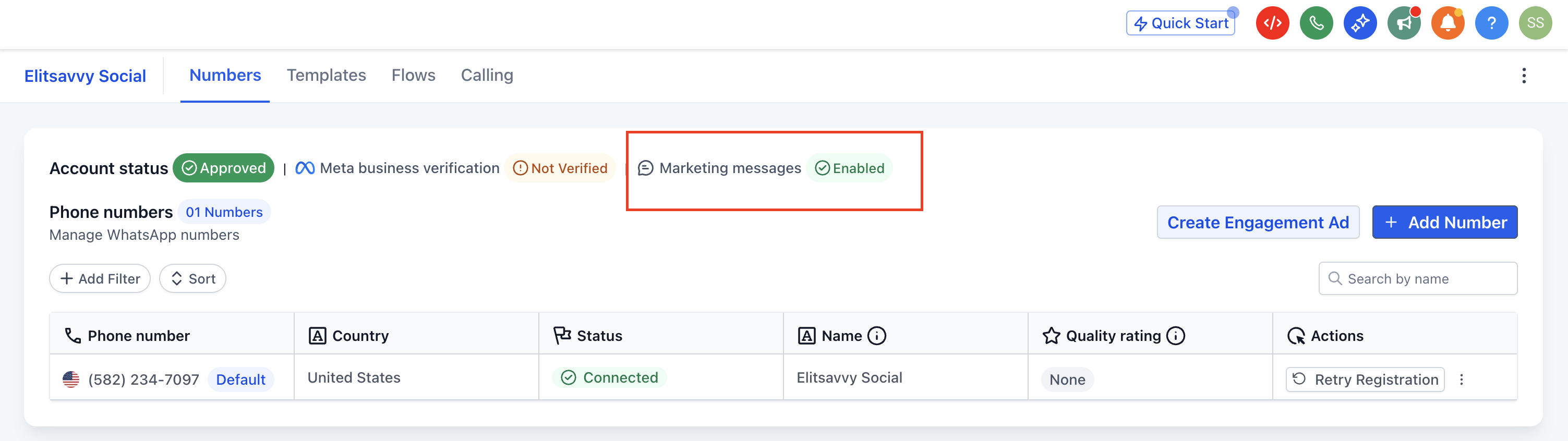
MM Lite is an add on inside HighLevel that changes how eligible marketing messages are sent through the WhatsApp Cloud API. Instead of broadcasting to every contact, the system evaluates engagement signals and delivers messages to the audience most likely to act. The feature lives under Settings > WhatsApp, where a banner prompts activation.
When MM Lite is active, any WhatsApp template marked for marketing follows the optimized delivery logic. Existing templates, automations, and workflows continue to run unchanged. The platform still supports standard WhatsApp messaging for support, transactional, and authentication use cases.
The upgrade does not require code changes. It only needs an active WhatsApp setup, access to the Facebook Business Manager linked to the WhatsApp Business Account, and approved marketing templates.
03How businesses use marketing messages lite
- Ecommerce store. The store enables MM Lite, then schedules a broadcast of a limited time discount using approved templates. The TTL setting ensures the offer is not delivered after the promotion expires, keeping the message relevant.
- Marketing agency. The agency activates MM Lite for each client subaccount, allowing campaign automations to send promotional follow ups. The platform automatically prioritises contacts with higher past engagement, improving delivery without altering existing workflows.
- Fitness studio. The studio turns on MM Lite and uses it for re engagement reminders about upcoming classes. Approved templates remain unchanged, and the optimized delivery logic ensures reminders reach members who are most likely to respond.
04Before you start
- An active WhatsApp integration must already be configured in HighLevel.
- You need access to the Facebook Business Manager that controls the WhatsApp Business Account.
- A WhatsApp Business Account must be linked to the correct business portfolio.
- Permission to approve business level access requests is required.
- All marketing templates intended for use must be approved in Settings > WhatsApp > Templates.
05How to set up and use marketing messages lite in HighLevel
Upgrade to Marketing Messages Lite
- Log in to the subaccount and open Settings > WhatsApp.
- Locate the MM Lite banner on the dashboard and click Enable MM Lite.
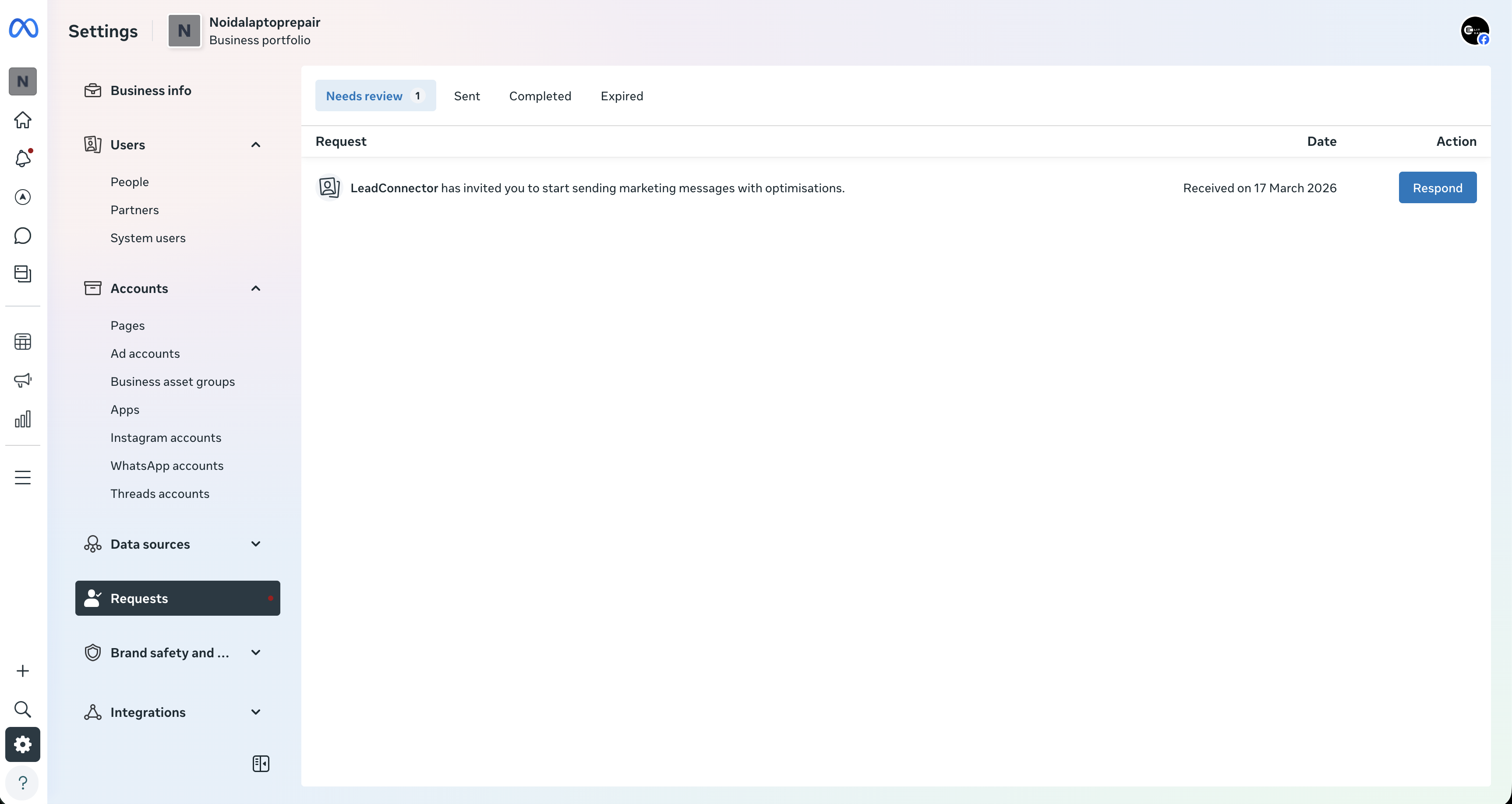
- When redirected, open the Request tab on the WhatsApp account page.
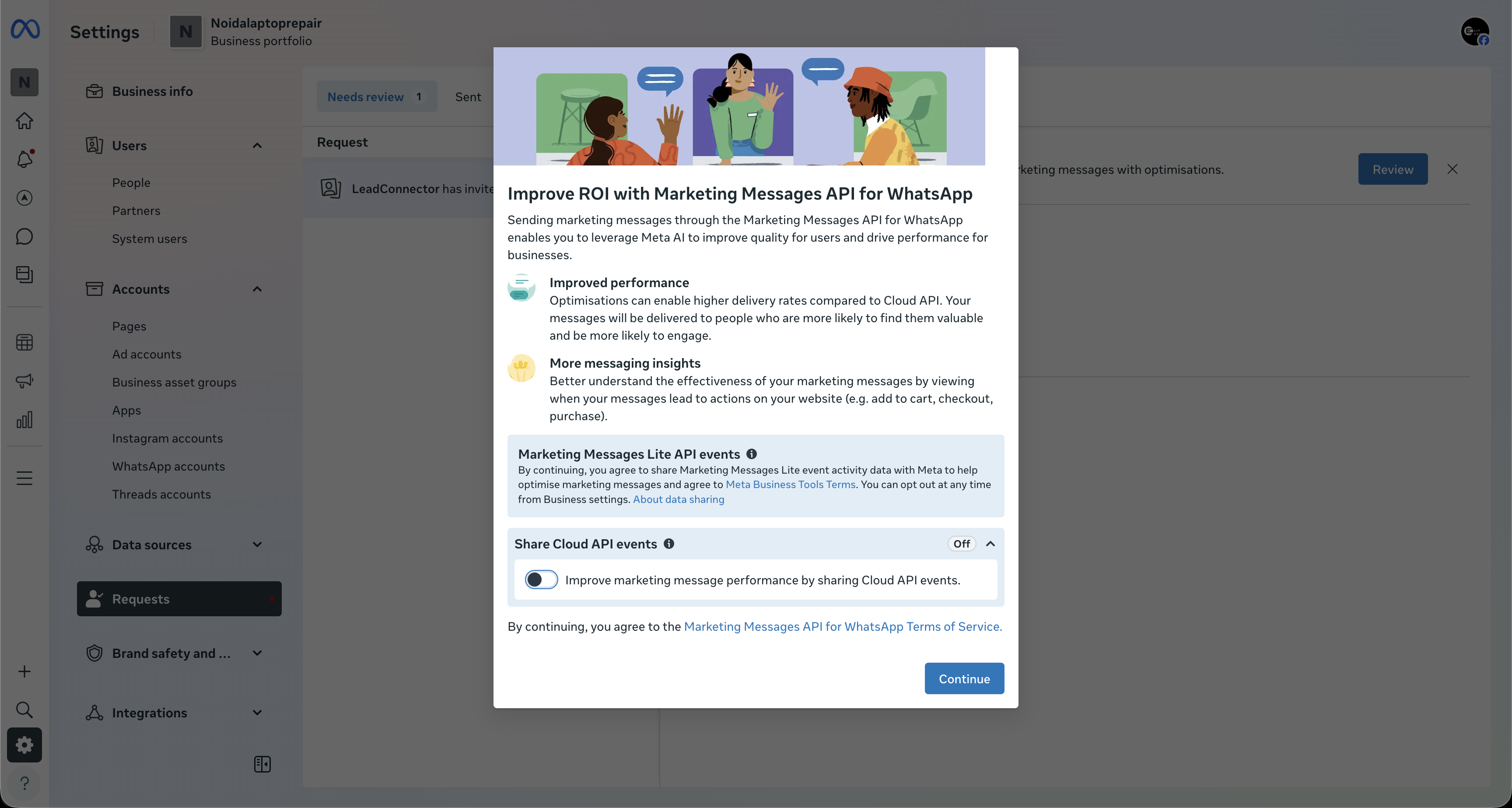
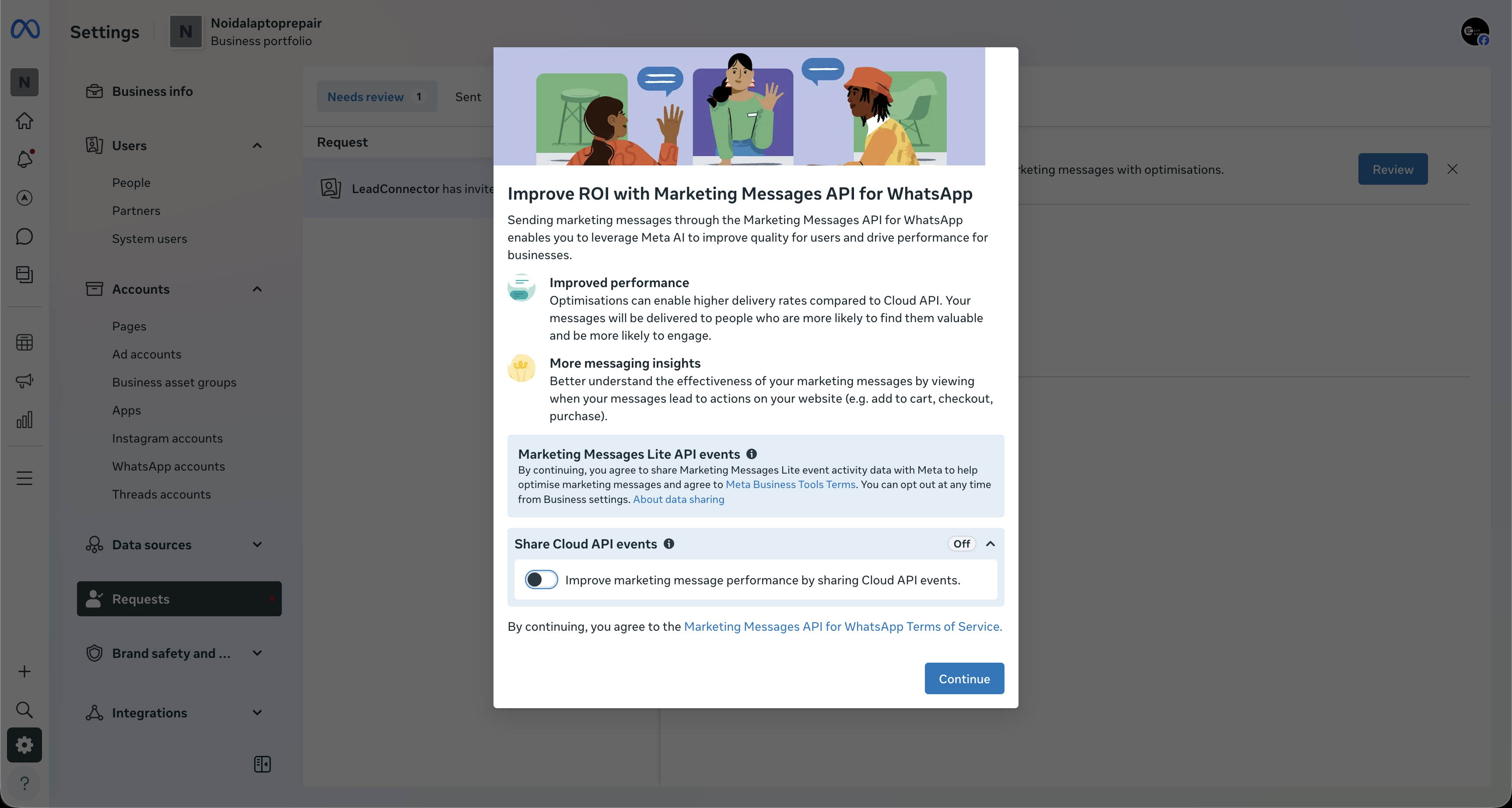
- Select Review Request, then click Continue after reading the prompt.
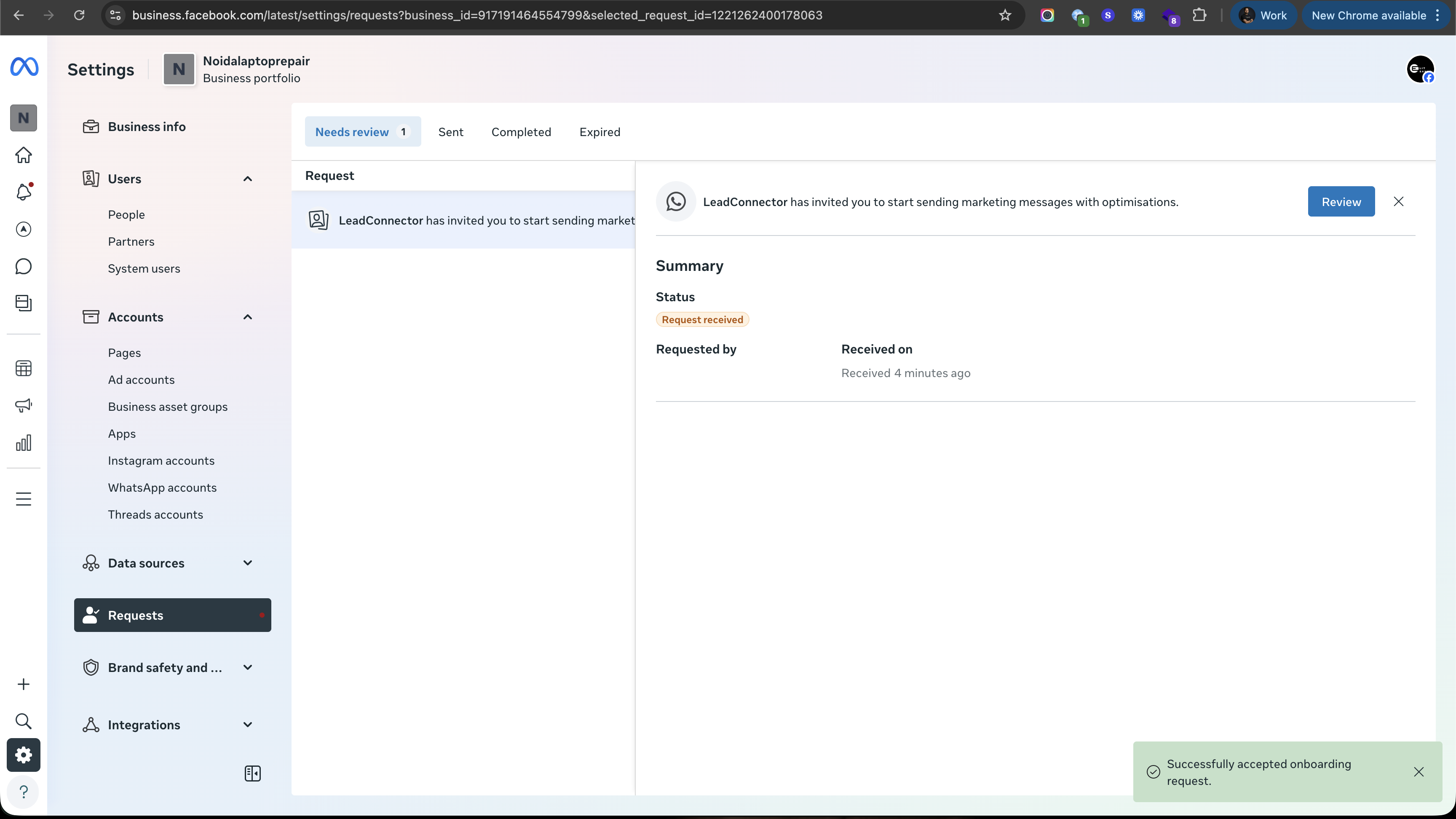
- On the final screen, click Finish to approve LeadConnector’s access request.
06What it looks like in HighLevel
07Settings that matter
- WhatsApp. Opens the configuration area where the MM Lite activation banner appears.
- Templates. Manages the list of approved WhatsApp message templates that can be used after MM Lite is enabled.
08Things to know before you rely on it
- Meta has introduced stricter messaging limits that depend on engagement quality; MM Lite is designed to work within those limits.
- Time to Live (TTL) prevents delivery of marketing messages after a defined relevance period.
- MM Lite applies only to eligible marketing messages such as promotions, offers, and re engagement campaigns.
09How it connects to the rest of HighLevel
- WhatsApp reselling guide for agencies Reselling guide
- HighLevel WhatsApp subaccount setup and migration guide Subaccount setup
- WhatsApp pricing, billing, and rebilling guide Pricing guide
Michael's take

Marketing messages lite feels like a modest upgrade that can shift how you reach customers on WhatsApp. It adds a layer of intelligence that helps promotions land in front of the people most likely to act, without forcing you to rebuild what you already have.
If I were running a boutique that sends weekly sales offers, I’d flip MM Lite on, keep my approved templates, and watch the delivery metrics settle over a few campaigns. A quick check of the TTL setting makes sure an expired discount never shows up in a customer’s inbox.