
01Who this is for
- Customer support teams, they can reply from the department’s specific WhatsApp number, keeping customers aware of who is responding.
- Marketing departments, they can ensure brand specific numbers are used for campaign messages, avoiding mixed identities.
- Agency managers, they can supervise multiple client WhatsApp numbers from a single dashboard, reducing mistakes.
02WhatsApp sender numbers, explained
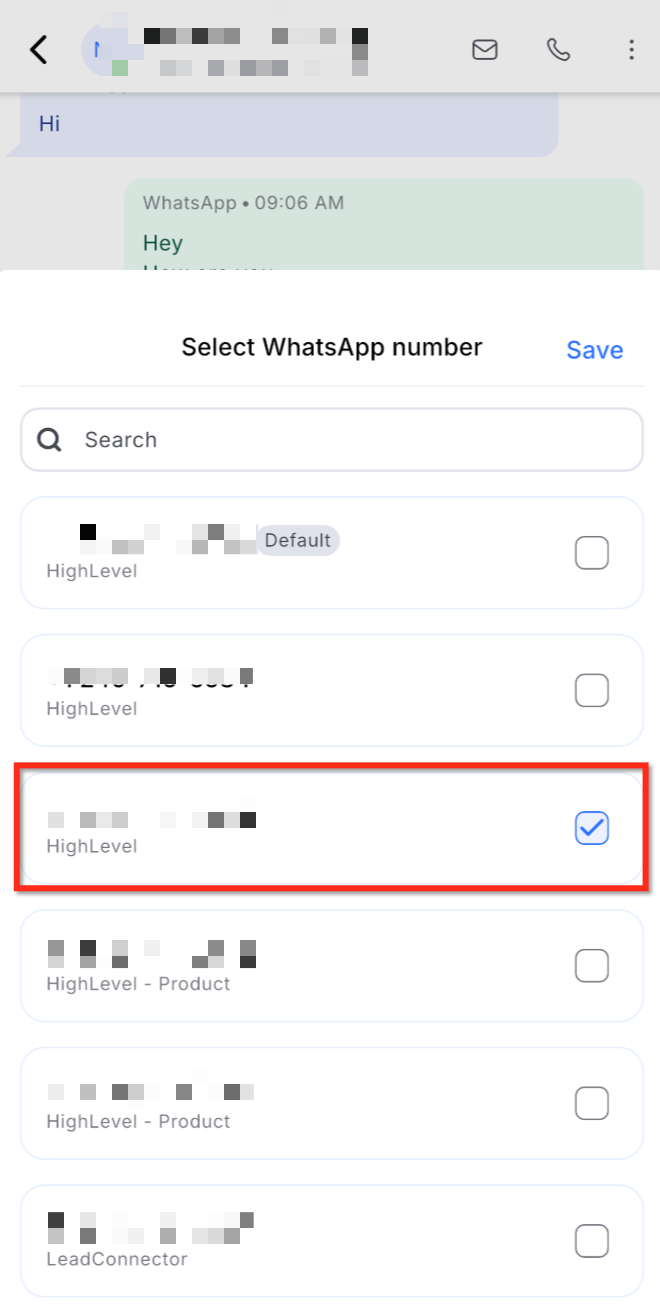
The feature adds a sender number dropdown to the message composer in Conversations. When a contact has interacted with more than one WhatsApp number, HighLevel shows the eligible numbers and may pre select or lock one to preserve context. Selecting a number is required before sending a free form reply or an approved template.
The picker is available on both the web and mobile versions of Conversations, but the numbers themselves must be added and activated from the web app under Settings > WhatsApp. The system also checks the 24 hour customer service window; if the chosen number is outside that window, only approved templates can be sent.
All number configuration, status checks, and template management live in the WhatsApp Settings area of the platform. The picker does not affect WhatsApp actions that run from Workflows, which have their own From number settings.
03How businesses use WhatsApp sender numbers
- Dental practice. The office adds a dedicated WhatsApp number for appointment reminders and another for patient support. In Conversations, staff select the appropriate number when replying, ensuring reminders come from the reminder line and support replies use the support line.
- Ecommerce retailer. The retailer connects separate WhatsApp numbers for sales and returns. When handling a customer inquiry, an agent picks the sales number for order questions or the returns number for after sale issues, keeping communications organized.
- Digital marketing agency. The agency configures distinct WhatsApp numbers for each client brand. While managing conversations, the account manager chooses the brand specific number, so each client receives messages from its own identity.
04The numbers and rules that matter
- Free form replies are allowed only within a 24 hour customer service window.
05Before you start
- At least one WhatsApp number must be connected and active in the location.
- WhatsApp numbers must be configured from the web app’s Settings > WhatsApp area before the picker appears.
06How to set up and use WhatsApp sender numbers in HighLevel
Set up and use WhatsApp sender number selection
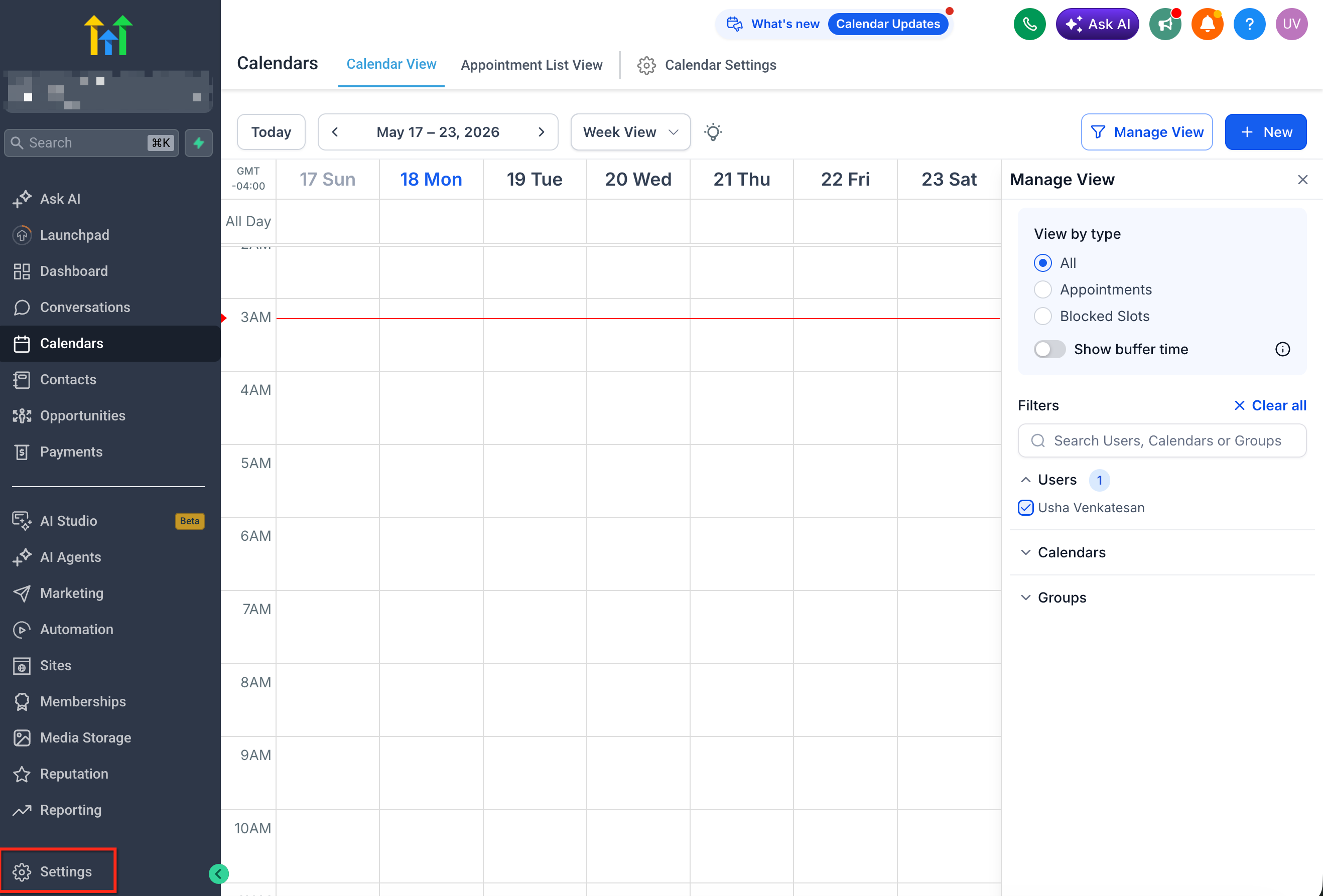
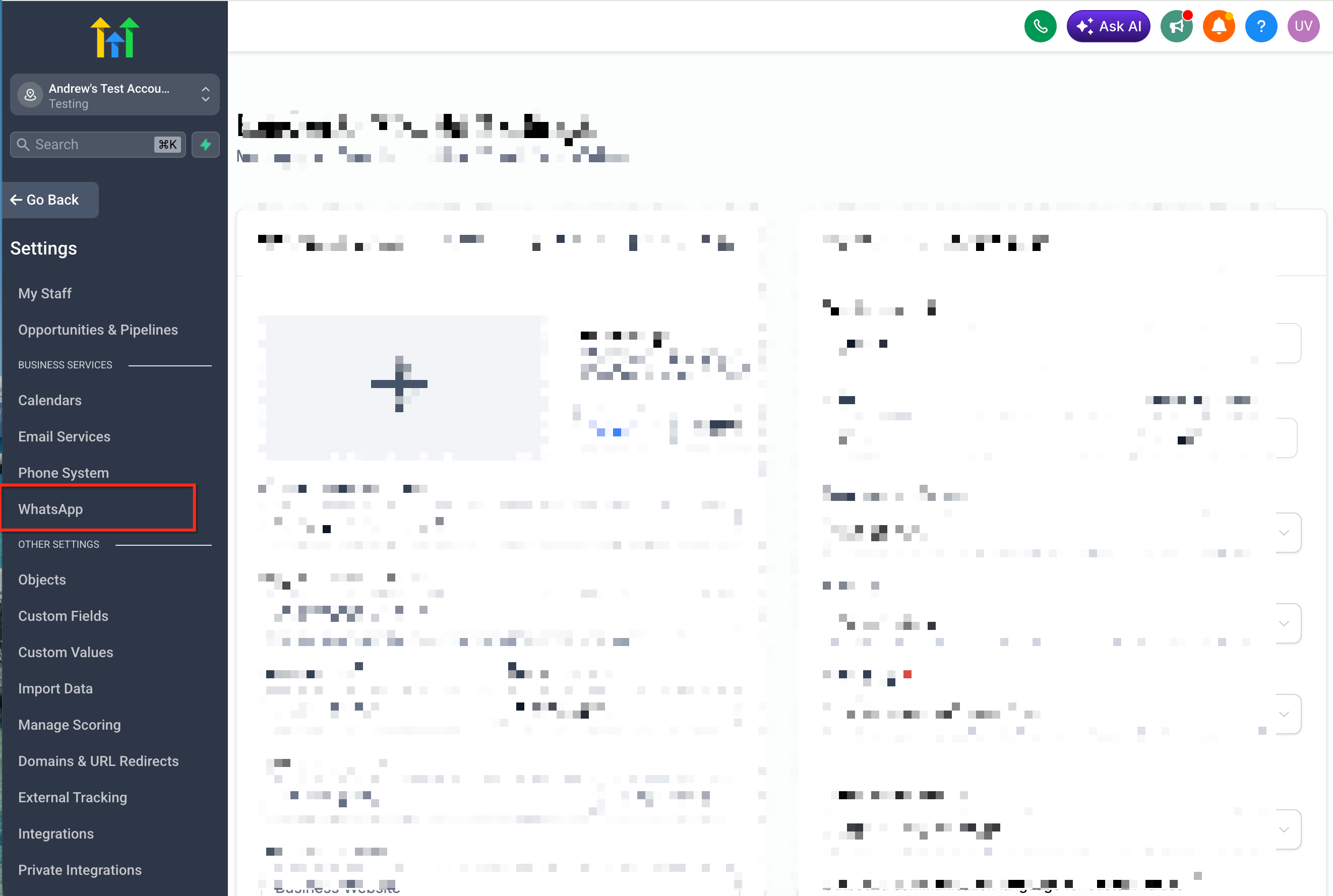
- Open Settings in the web application and choose WhatsApp.
- Verify that the WhatsApp account shows as connected and active.
- Enter the Numbers section to view all connected WhatsApp numbers.
- Add any missing numbers or adjust existing number settings as needed.
- Make sure each listed number is marked as connected and available.
- Go to the Conversations screen.
- Open a conversation with a contact that uses WhatsApp.
- Find the WhatsApp sender number picker inside the message composer.
- Pick the desired From number when the picker allows selection.
- Compose your message or select an approved template if required.
- Press Send to deliver the message.
07What it looks like in HighLevel
08Settings that matter
- WhatsApp. Controls the connection status of WhatsApp numbers, lets you add or edit numbers, and provides access to template management.
09Things to know before you rely on it
- The picker only shows when more than one WhatsApp number is connected and eligible for the conversation.
- If a conversation is tied to a specific number, the From field may be locked to preserve context.
- When the 24 hour service window is closed for the selected number, the platform requires an approved template before sending.
10If something goes wrong
- The WhatsApp sender number picker does not appear.. Confirm that at least two eligible WhatsApp numbers are connected and active, and that the current thread is a WhatsApp conversation.
- Unable to change the sender number.. Check if the conversation is locked to a specific number due to context or service window rules.
11How it connects to the rest of HighLevel
- Learn how to add and configure WhatsApp numbers for a subaccount. WhatsApp subaccount setup
- Create and manage approved WhatsApp templates for outbound messages. WhatsApp templates guide
- Start a 30 day trial to explore WhatsApp messaging features. 30 day trial
Michael's take

WhatsApp sender numbers are useful but not essential for teams that only use a single business line.
If you run multiple departments or brands with separate WhatsApp numbers, this picker saves you from sending from the wrong identity.