
01WhatsApp templates, explained
A Snapshot is a saved template that allows agencies to copy workflows, templates, settings, and automations from one subaccount to another.
The process works only if the agency has an active CRM subscription and the target subaccount already has WhatsApp integrated. After loading, the templates are submitted to Meta for approval before they can be used.
02How businesses use WhatsApp templates
- Duplicate templates across clients. Create a Snapshot from a subaccount that contains the desired WhatsApp templates. Load the Snapshot into each client subaccount to copy the templates.
- Ensure consistent messaging. Select the same set of templates and workflows in a Snapshot and apply it to multiple subaccounts. This helps keep messaging consistent across clients.
03Before you start
- Active CRM subscription.
- WhatsApp integrated in the target subaccount.
04How to set up and use WhatsApp templates in HighLevel
Create snapshot
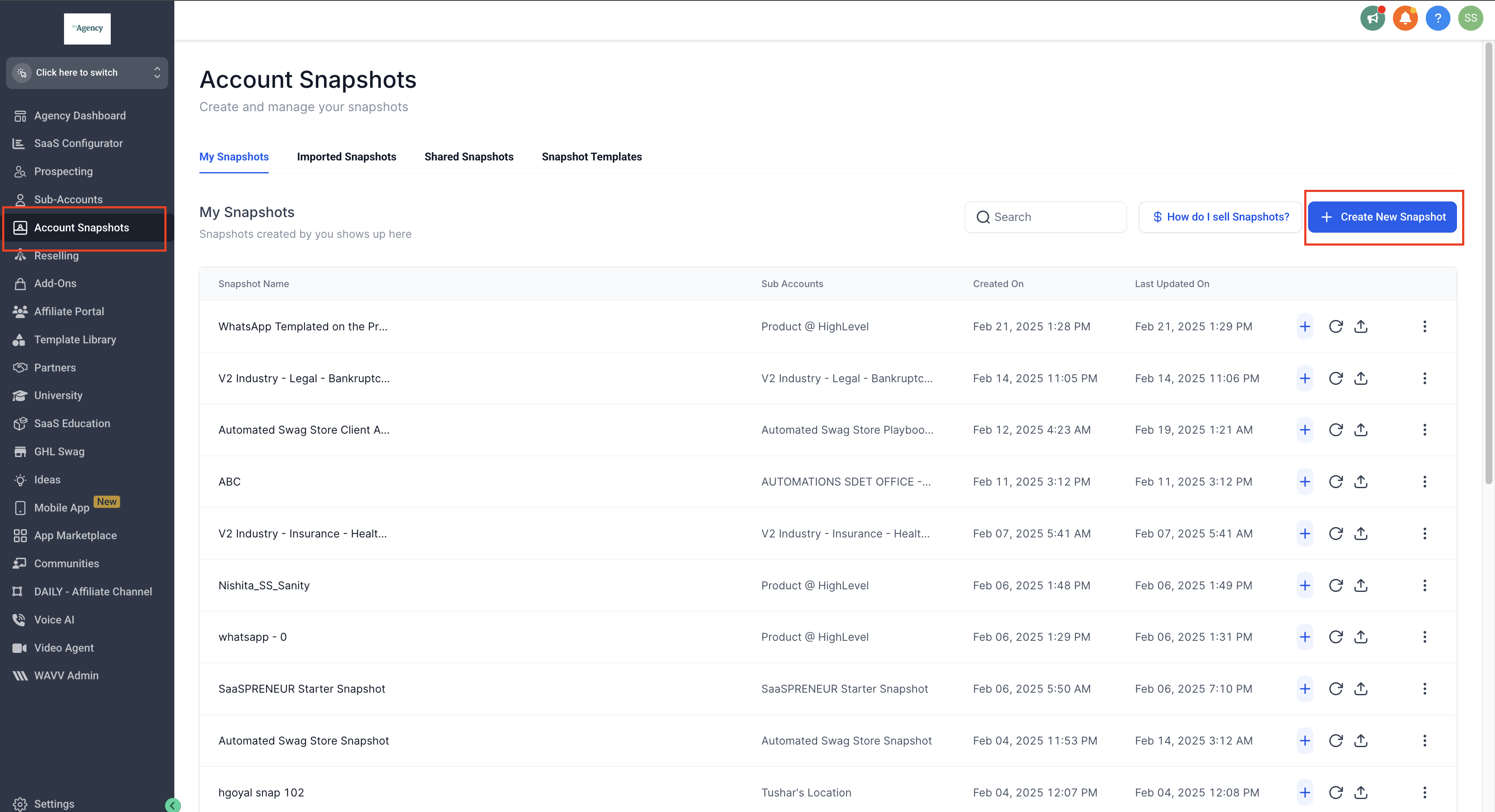
- Log in to Agency Dashboard.
- Navigate to Account Snapshots.
- Click Create New Snapshot.
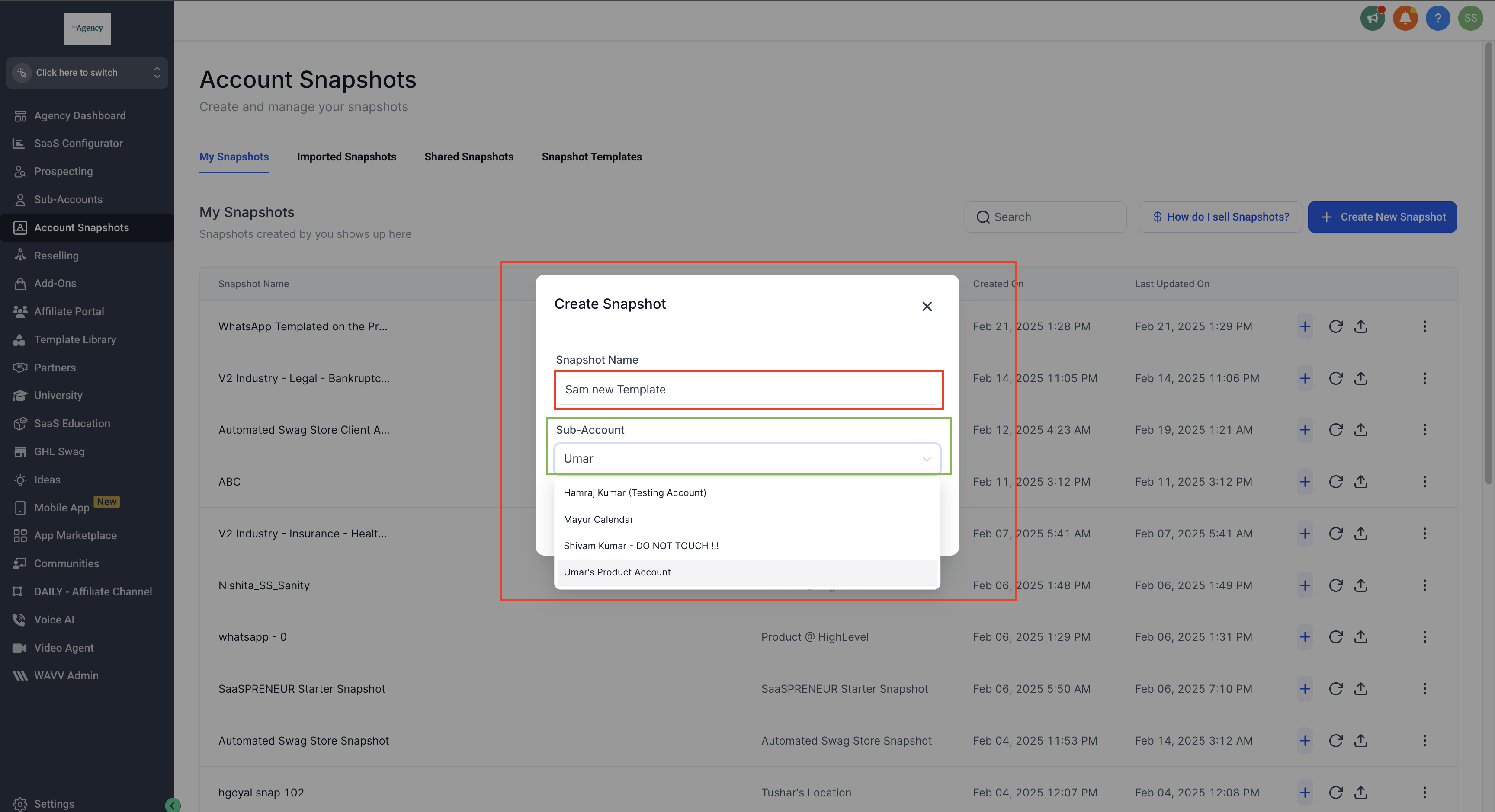
- Enter the Snapshot Name.
- Select the SubAccount you want to copy templates from.
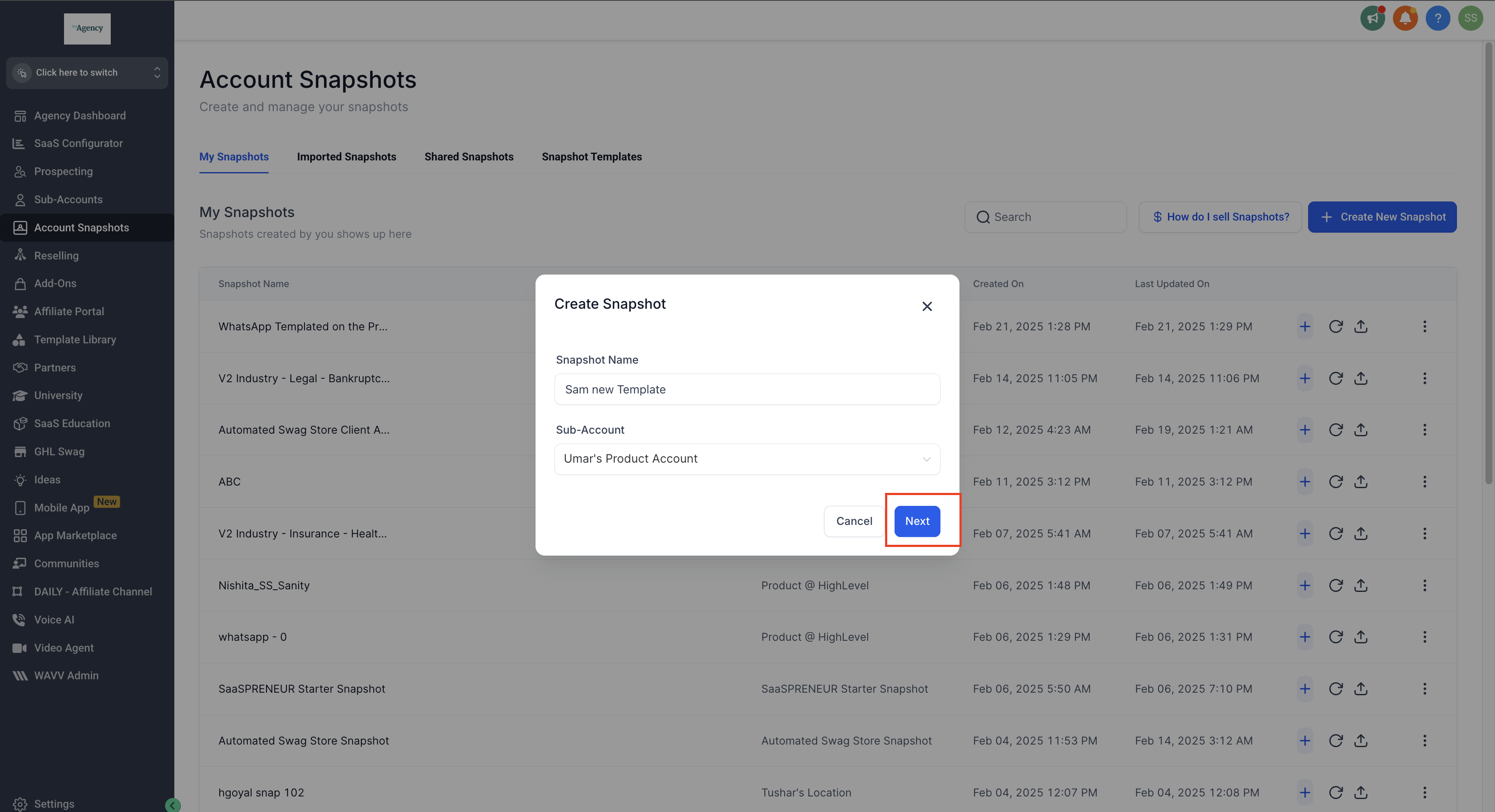
- Click Next.
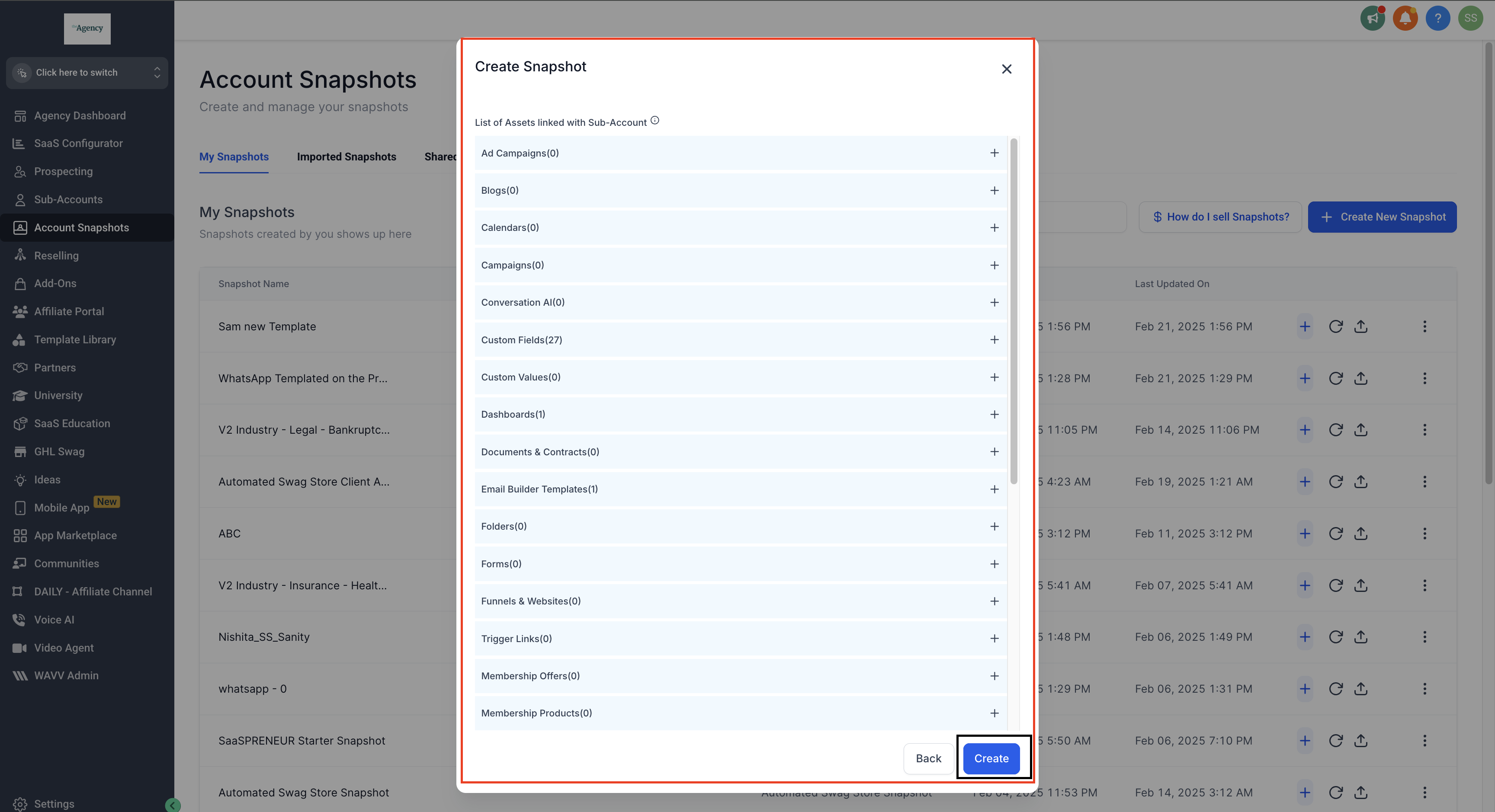
- Select the assets you want to include.
- Click Create to finalize the Snapshot.
Load snapshot into subaccount
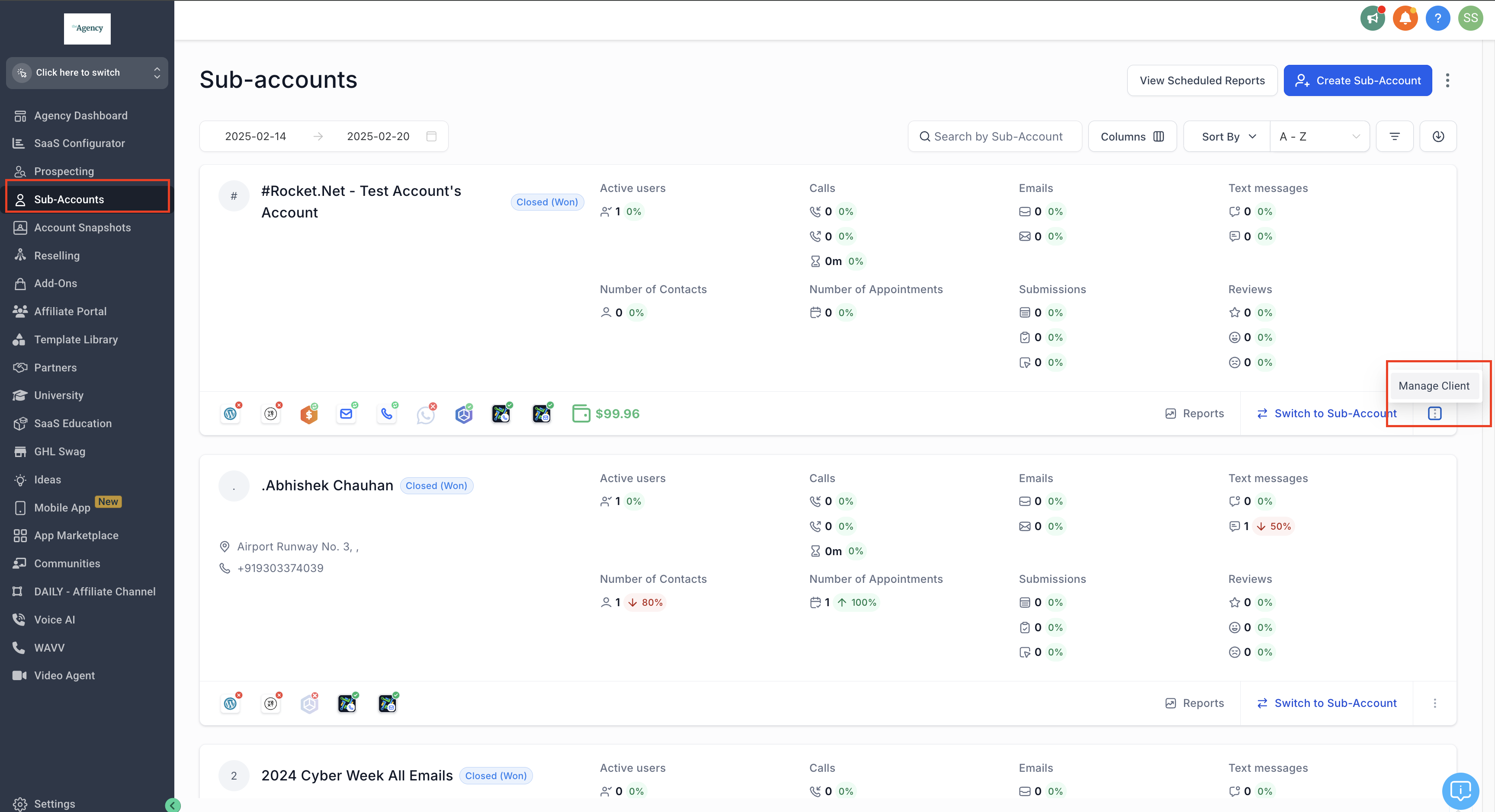
- Navigate to SubAccounts in the Agency Dashboard.
- Select the SubAccount where you want to copy the Snapshot.
- Click the three dots and select Manage Client.
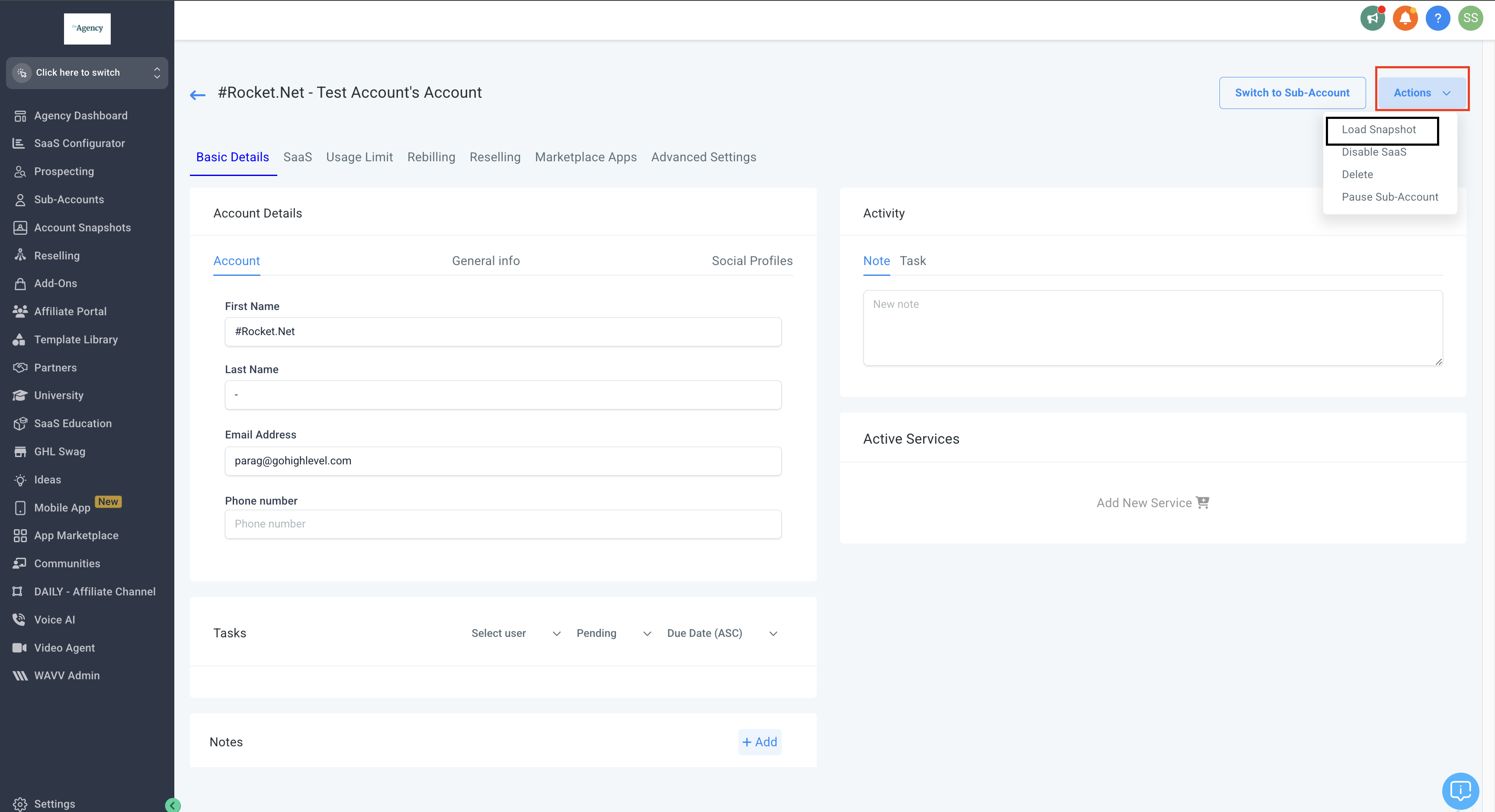
- Click Actions and select Load Snapshot.
- Choose the Snapshot Name from the list and click Proceed.
- Select the assets (templates, workflows, etc.) to transfer and click Proceed.
- Click Proceed again to start the import.
- When the process completes, click OK.
05What it looks like in HighLevel
06Things to know before you rely on it
- Templates must be approved by Meta before use.
07If something goes wrong
- WhatsApp templates are not appearing in the subaccount. Double check that the correct Snapshot was selected during the import, confirm all assets were selected, refresh the subaccount and look under Automations > Templates.
Michael's take

When you have a library of WhatsApp templates that you need to roll out to many client accounts, Snapshots let you move every template, workflow and setting in one go, keeping your messaging consistent and reducing repetitive manual entry.
If you only have a handful of clients or you rarely change your templates, the effort to maintain Snapshots may outweigh the benefit. In those cases a direct manual setup might be simpler, especially when you don’t need the repeatable process across many accounts.