
01Who this is for
- Agency owners who manage client WhatsApp campaigns and need to keep messages flowing.
- Founders of ecommerce businesses that send order confirmations and promotional alerts.
- Marketing managers in service firms who rely on WhatsApp for client outreach.
02Message not delivered due to high quality user experience error, explained
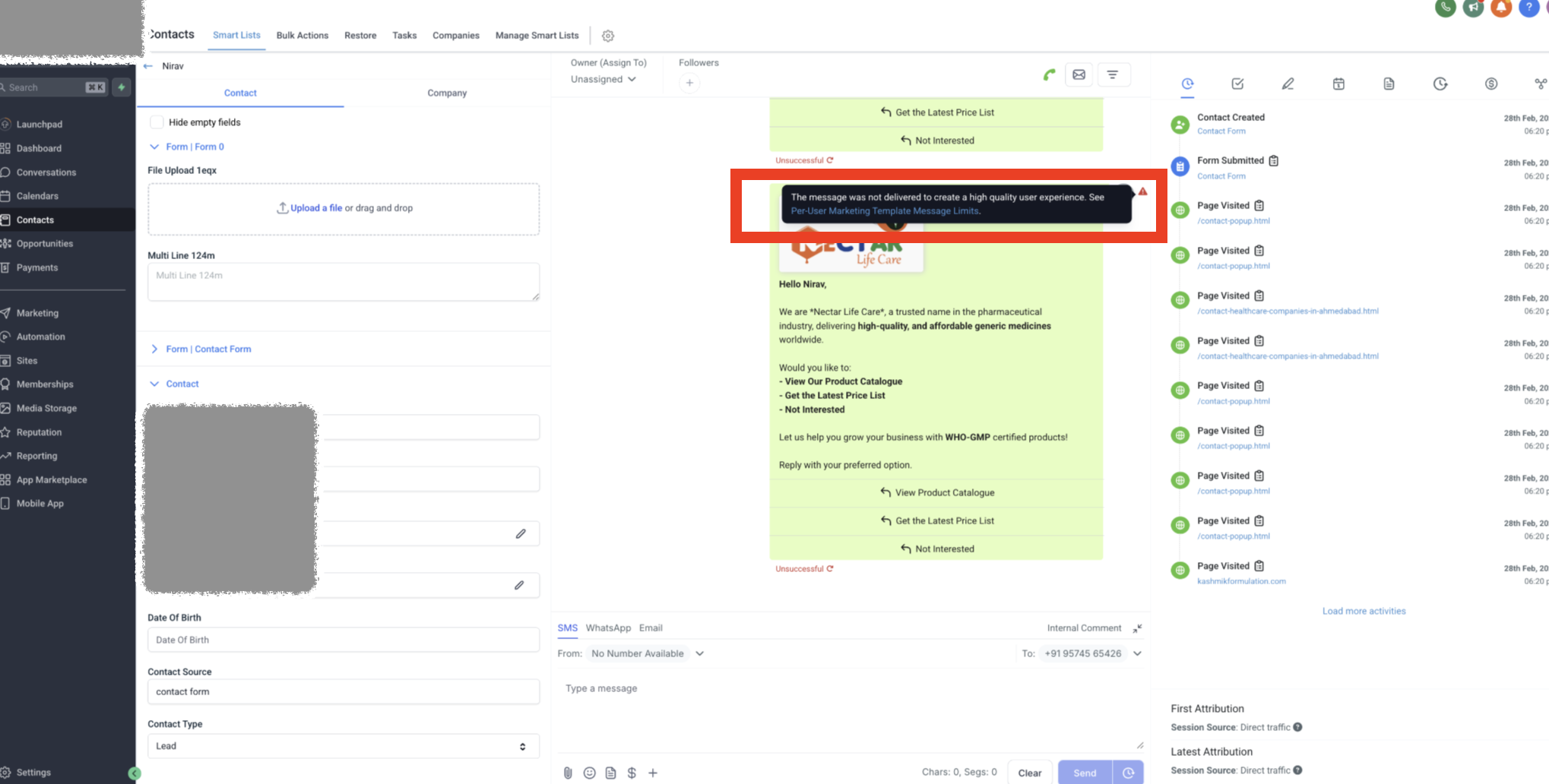
When a WhatsApp message is sent from HighLevel, Meta checks its daily limit for marketing templates. If the limit is reached for a recipient, Meta temporarily blocks additional marketing templates and returns the ‘high quality user experience’ error. Utility type templates such as order confirmations, payment reminders, or account updates are not subject to this restriction and are delivered normally. The error appears in the HighLevel messaging interface after a send attempt fails and offers two resolution paths.
03How businesses use message not delivered due to high quality user experience error
- Promotional campaign. If a marketing template is blocked, switch to a utility template such as an order confirmation to keep communication flowing.
- Order confirmation. Send an order confirmation utility template, which Meta delivers without the marketing block.
- Payment reminder. Use a payment reminder utility template to bypass the block while waiting to resend the original marketing message.
04How to set up and use message not delivered due to high quality user experience error in HighLevel
Send a utility template to bypass the block
- Select a utility template such as an order confirmation, payment reminder, or account update.
- Send the selected template to the contact.
Retry the marketing template after the block lifts
- Wait until Meta’s temporary restriction ends.
- Resend the original marketing template.
05What it looks like in HighLevel
06Things to know before you rely on it
- Meta temporarily blocks additional marketing templates after a recipient receives certain marketing messages in a single day.
- Utility templates are not subject to this daily limit.
07If something goes wrong
- Message blocked with ‘high quality user experience’ error. Send a utility template instead, or wait and resend the marketing template later.
08How it connects to the rest of HighLevel
- Create and manage WhatsApp templates in HighLevel WhatsApp template guide
- Set up WhatsApp automation workflows Workflow integration
- WhatsApp pricing and client controls for agencies Pricing guide
Michael's take

When the block shows up, I switch to a utility template so the conversation can keep moving.
If I’m planning a promotion, I schedule the utility message first and the marketing follow up for later, just in case the block appears.