
01Who this is for
- Founders who need a quick view of their online presence to keep branding consistent.
- Marketing managers of local service businesses that rely on accurate listings for customer discovery.
02Profile progress tracker & health score, explained
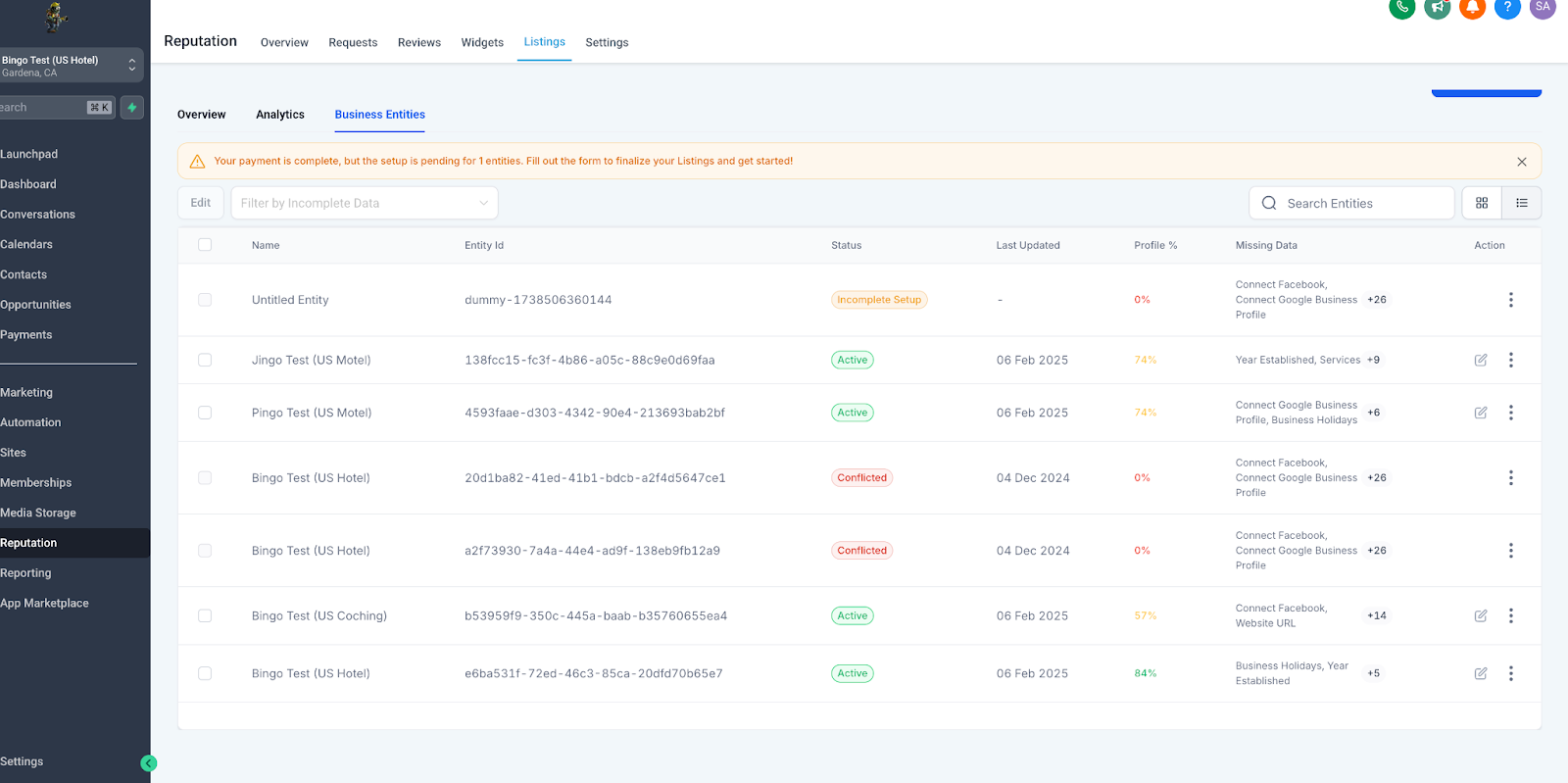
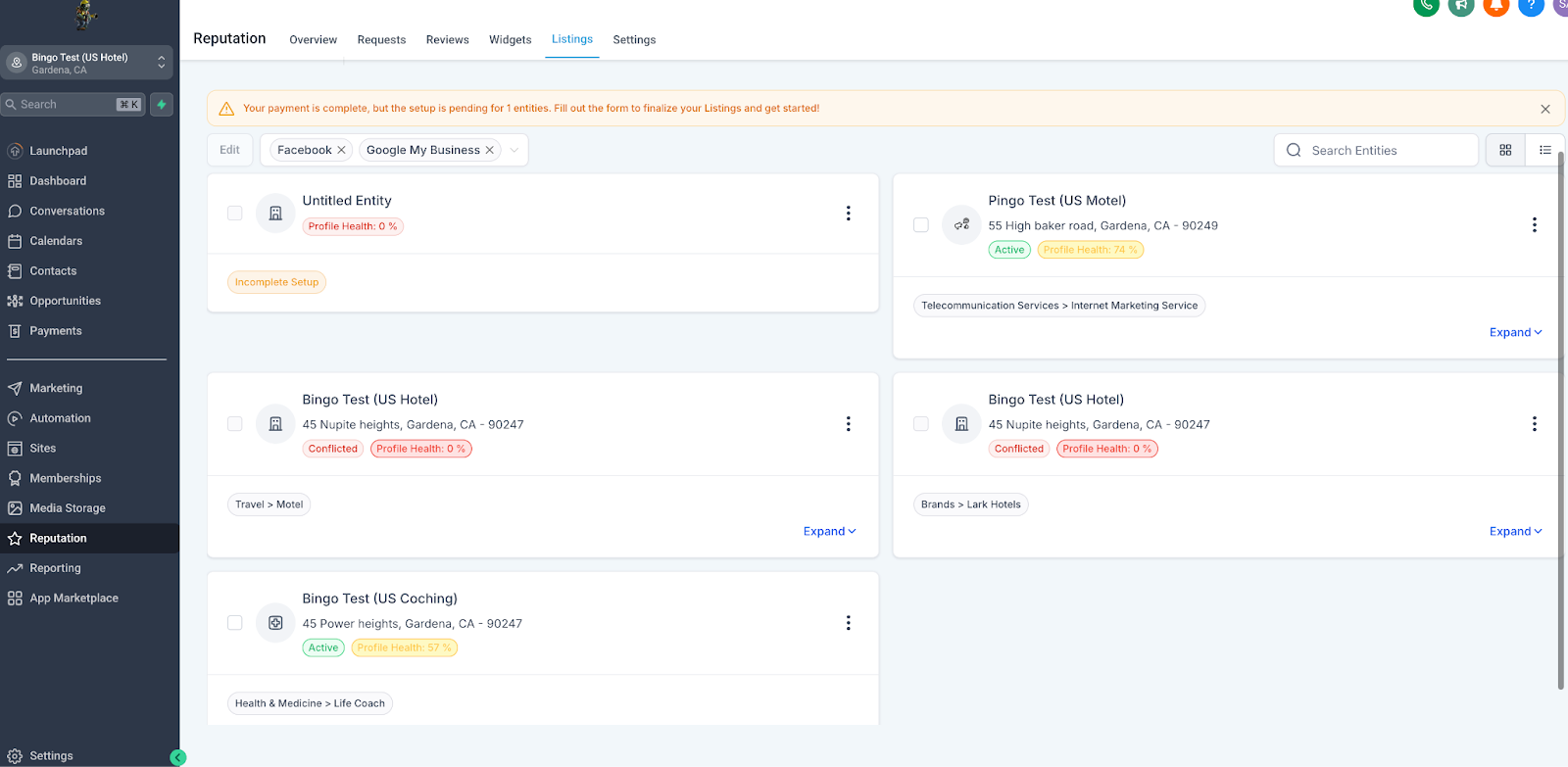
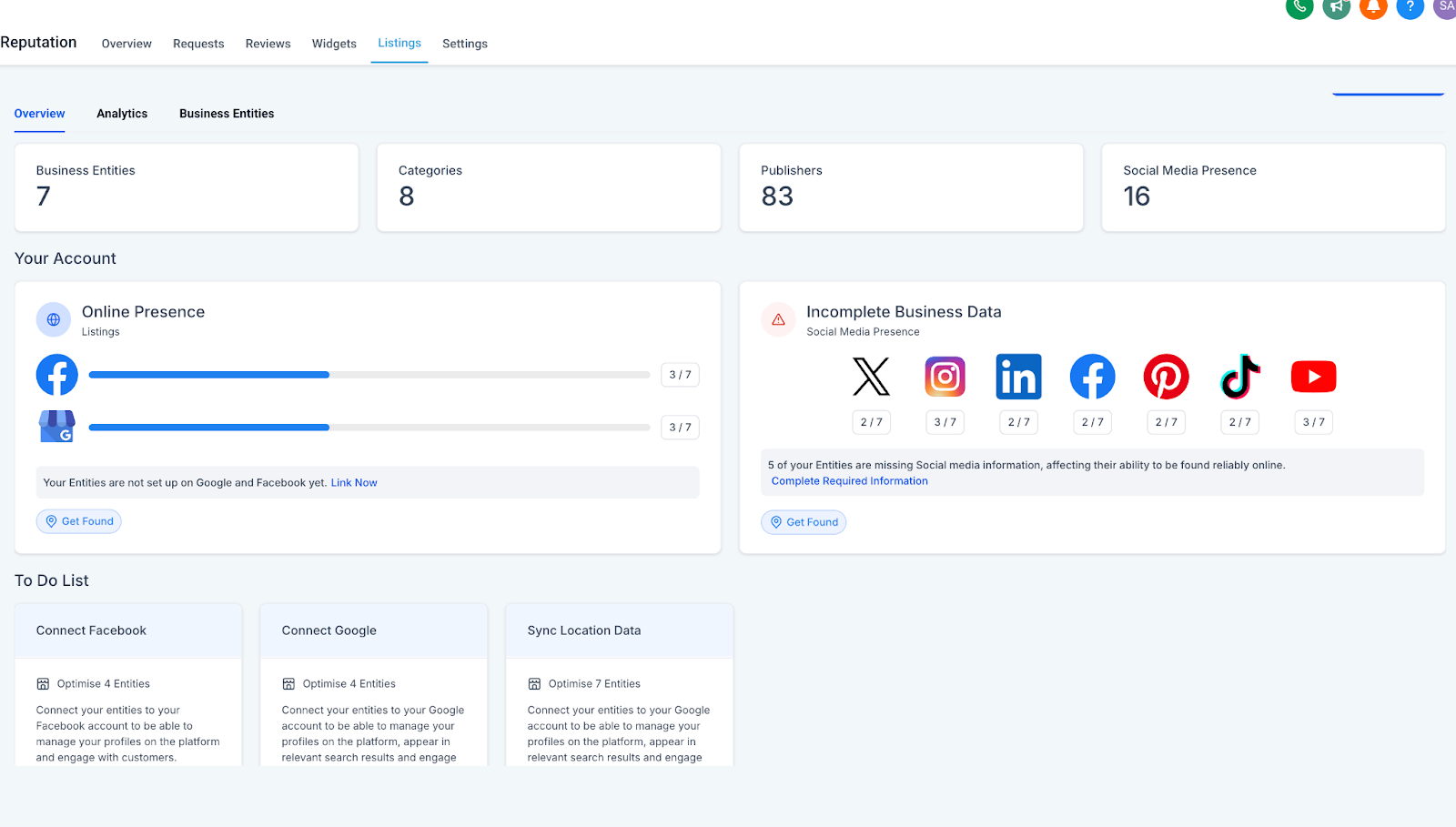
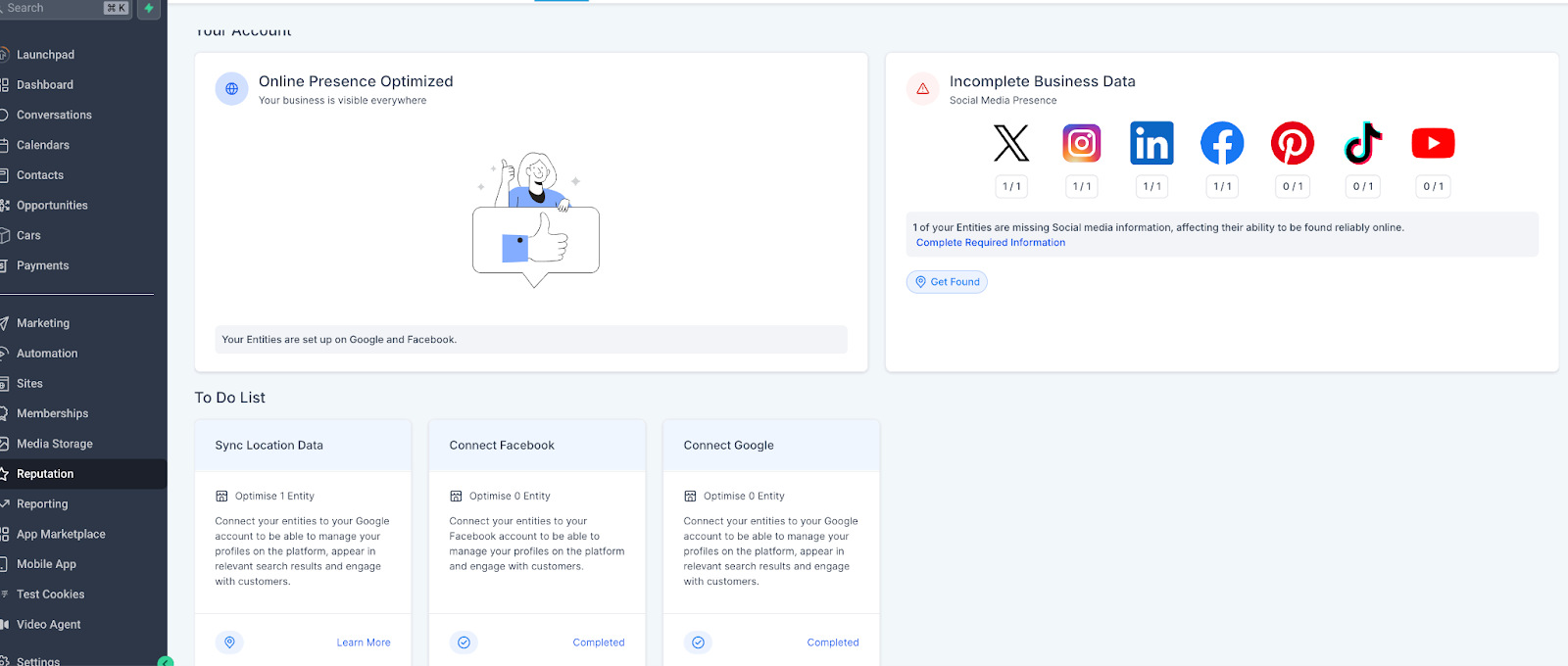
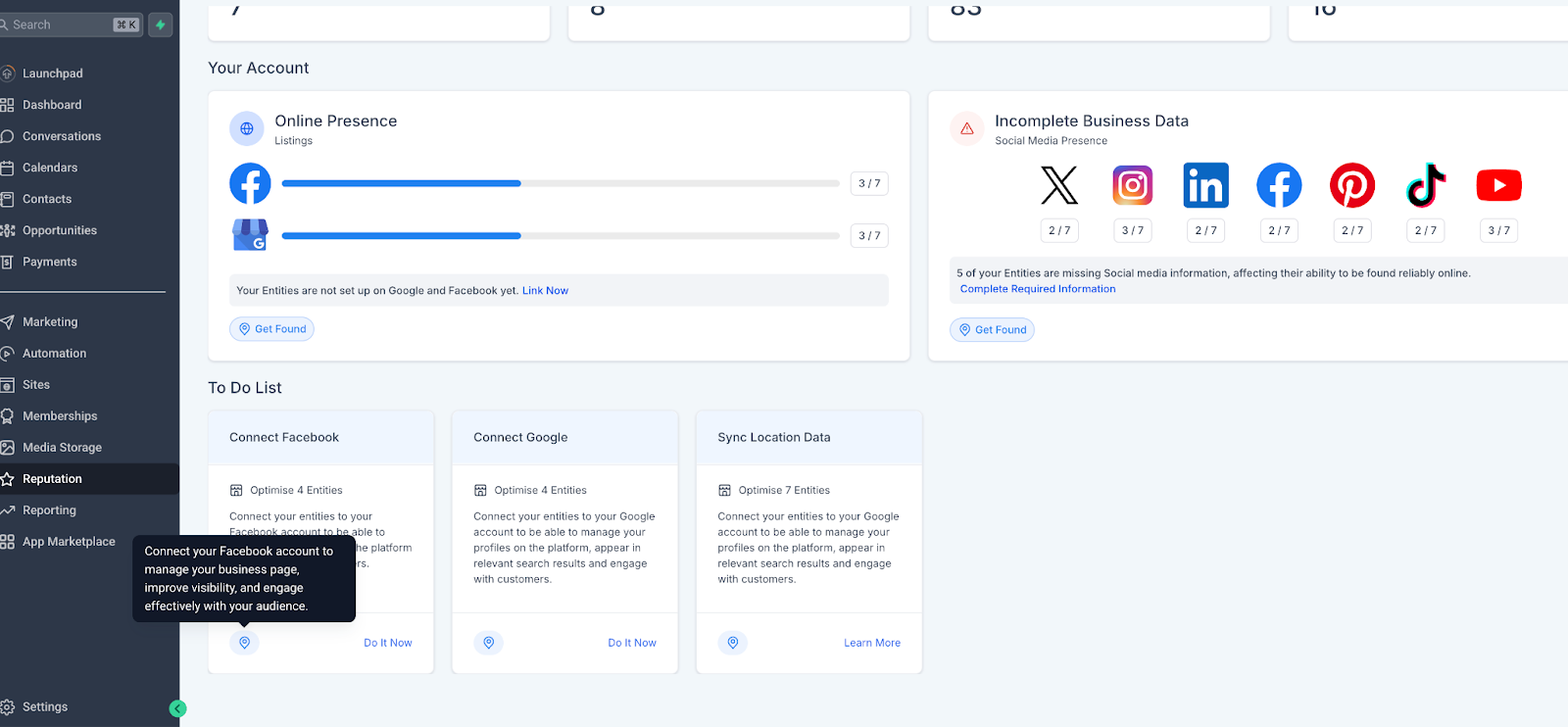
The Profile Progress Tracker appears on the main HighLevel dashboard as a percentage bar. It updates right away whenever profile data changes, letting users see at a glance how complete their online listings are. Below the bar, a Smart To Do List shows each missing element, sorted by urgency.
Actionable recommendations accompany each task. Examples include syncing location data, connecting social media accounts, and entering essential details like address, hours and contact information. The dashboard breaks down incomplete sections so users can address them directly from the tracker.
03How businesses use profile progress tracker & health score
- Dental practice. The dentist opens the HighLevel dashboard to view the profile completion bar. The Smart To Do List flags missing office hours and address details. The practice updates those fields directly in HighLevel, causing the health score to improve in real time.
- Real estate agency. The agency checks the tracker to see that social media accounts are not linked. Using the recommended step, the agent connects the agency’s Facebook and Instagram pages, right away updating the profile health score.
- Restaurant. The restaurant manager reviews the progress bar and notices the location sync is pending. They sync the venue’s GPS coordinates within HighLevel, which removes the task from the Smart To Do List and raises the visibility score.
04How to set up and use profile progress tracker & health score in HighLevel
Check and improve your profile completeness
- Open the main dashboard to locate the Profile Progress Tracker.
- Read the percentage indicator to understand current completeness.
- Review the Smart To Do List for highlighted missing items and follow the provided recommendations.
05What it looks like in HighLevel
06How it connects to the rest of HighLevel
- Customize how review requests appear in SMS and email Customize review request messages
- Review plan options and eligibility for the tracker feature HighLevel pricing and plans
Michael's take

In my experience, the Profile Progress Tracker gives a clear view of profile completeness and offers actionable steps, which can be handy for businesses that want to keep their listings up to date.
For businesses that already maintain detailed profiles, the tool may serve as a quick checklist to verify that nothing has been missed.