
01Who this is for
- Marketing managers can keep their brand’s public image clean by filtering out fake reviews quickly.
- Customer support teams can focus on genuine feedback, reducing time spent handling spam comments.
02Spam detection of reviews, explained
The feature adds a visual marker to any review that the system identifies as spam. It also places a Mark as Spam option in the actions menu of each review, letting users flag content manually. A filter lets you display only spam reviews, and an Undo Spam command removes an incorrect label. Spam detection lives under the Reputation module. After enabling it, the platform automatically tags likely spam, while still allowing users to adjust the classification. AI responders ignore reviews marked as spam, preventing automated replies to unwanted content.
03How businesses use spam detection of reviews
- Dental practice. The office enables spam detection, then uses the filter to view only flagged reviews. Staff can quickly undo any mistaken spam labels before responding to patients.
- Home services company. Technicians mark suspicious reviews as spam directly from the Reviews list. The automatic filter keeps the dashboard focused on authentic client comments.
- Online retailer. The ecommerce team activates automatic spam detection, reviews the spam only view each week, and uses Undo Spam when a legitimate review is misidentified.
04How to set up and use spam detection of reviews in HighLevel
Enable spam detection for reviews
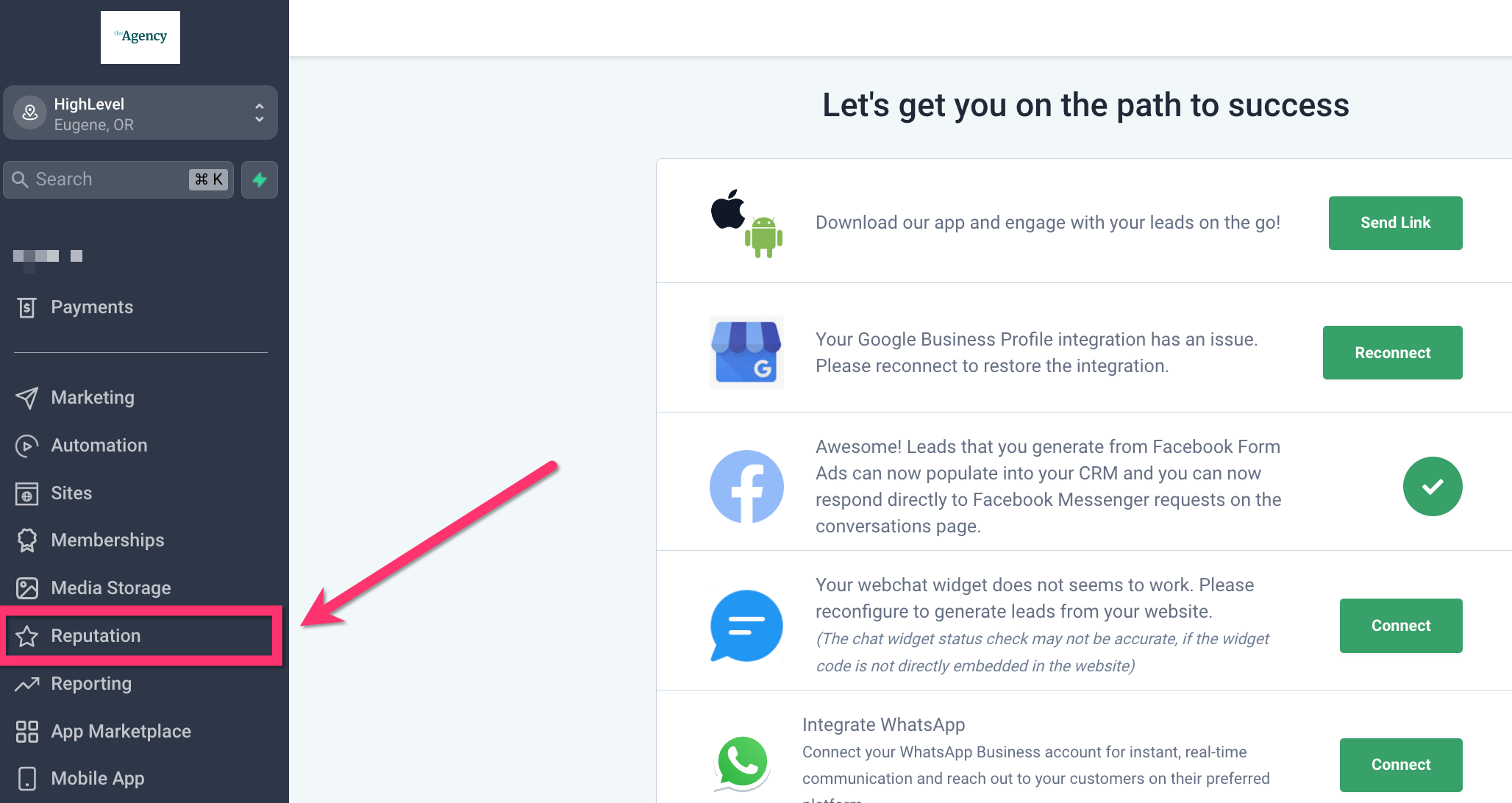
- Open the side menu and click Reputation.
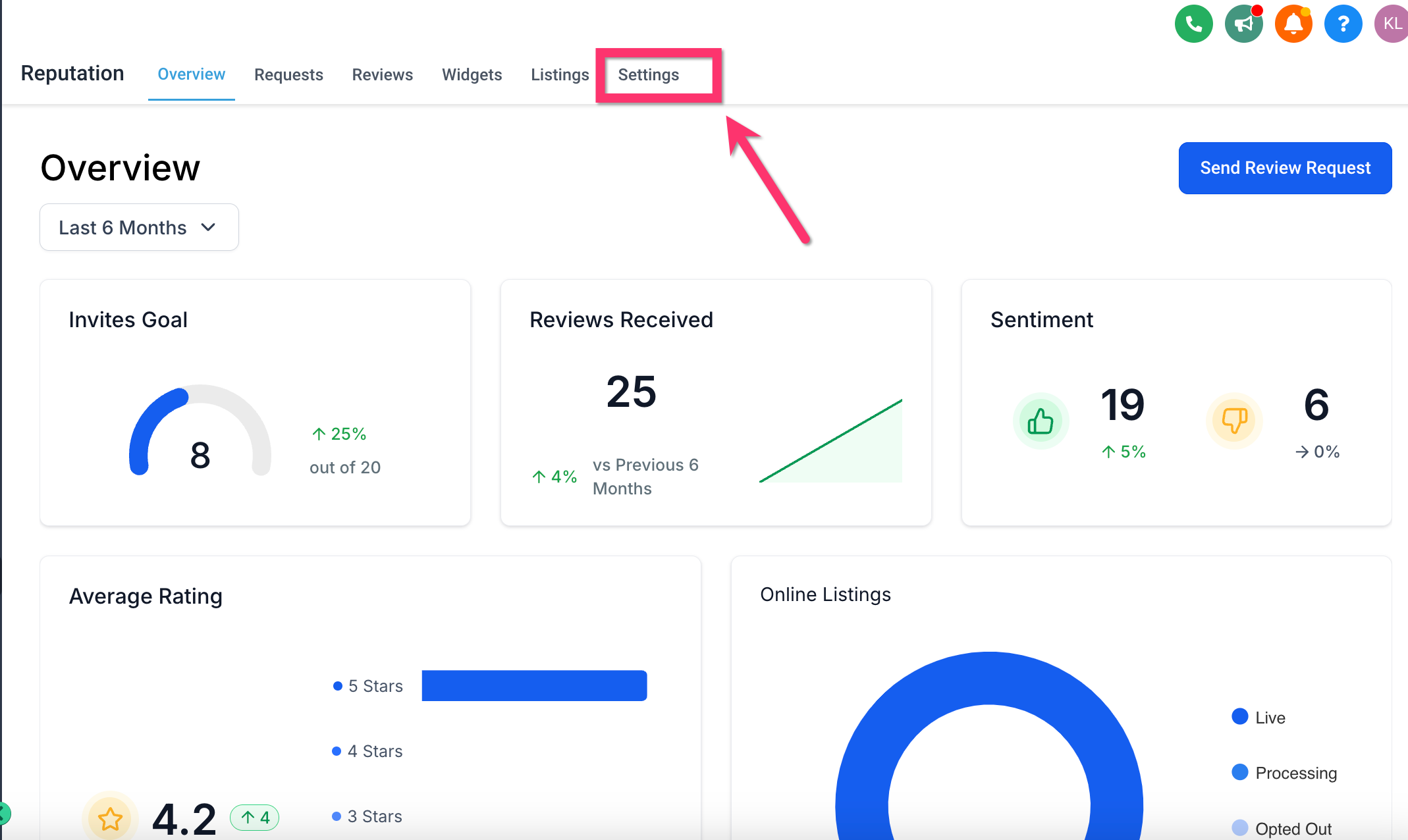
- In the top menu, select Settings.
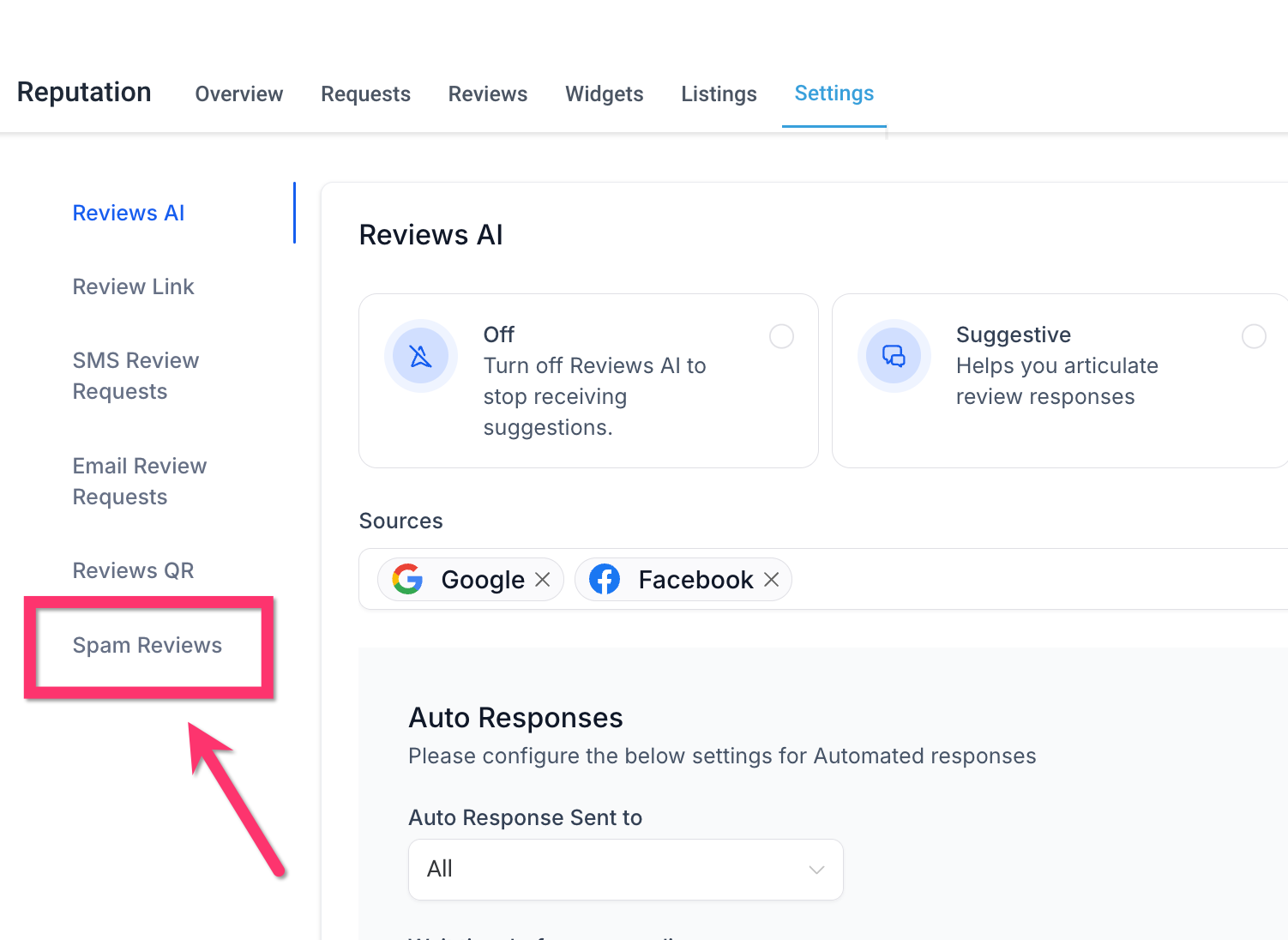
- From the left hand menu, choose Spam Reviews.
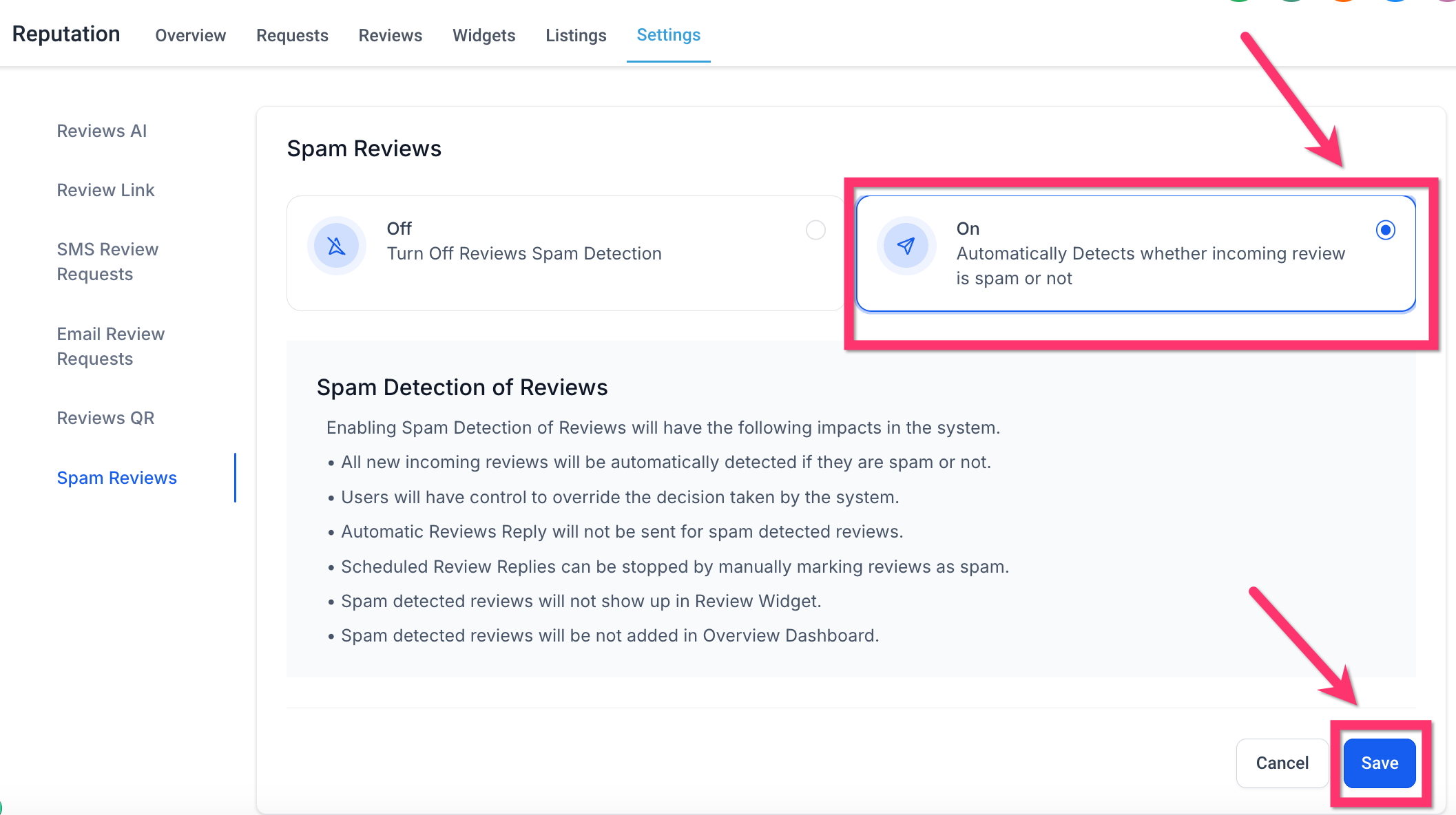
- Toggle the option to On and click Save.
05What it looks like in HighLevel
06Settings that matter
- Spam Reviews. Controls whether the platform automatically flags reviews it believes are spam.
07How it connects to the rest of HighLevel
- View overall reputation metrics in the dashboard. Reputation dashboard
- Learn how to send review requests manually or via workflows. Send review requests
- Check plan options and pricing for access to reputation tools. Pricing
Michael's take

Spam detection of reviews feels like a small convenience that can become a real shift for anyone juggling a flood of feedback. It clears the noise so you can actually read what your customers are saying, and it stops your automation from replying to junk.
A local restaurant that gets a lot of anonymous, copy pasted five star posts would benefit. Turn the feature on, let the automatic filter catch the obvious spam, then quickly review any flagged items.