
01Who this is for
- Marketing managers can automate alerts for new reviews, reducing manual monitoring.
- Customer support teams gain instant visibility of low rating reviews to address concerns quickly.
- Business owners can ensure consistent thank you messages for positive reviews without extra effort.
02New review received triggers, explained
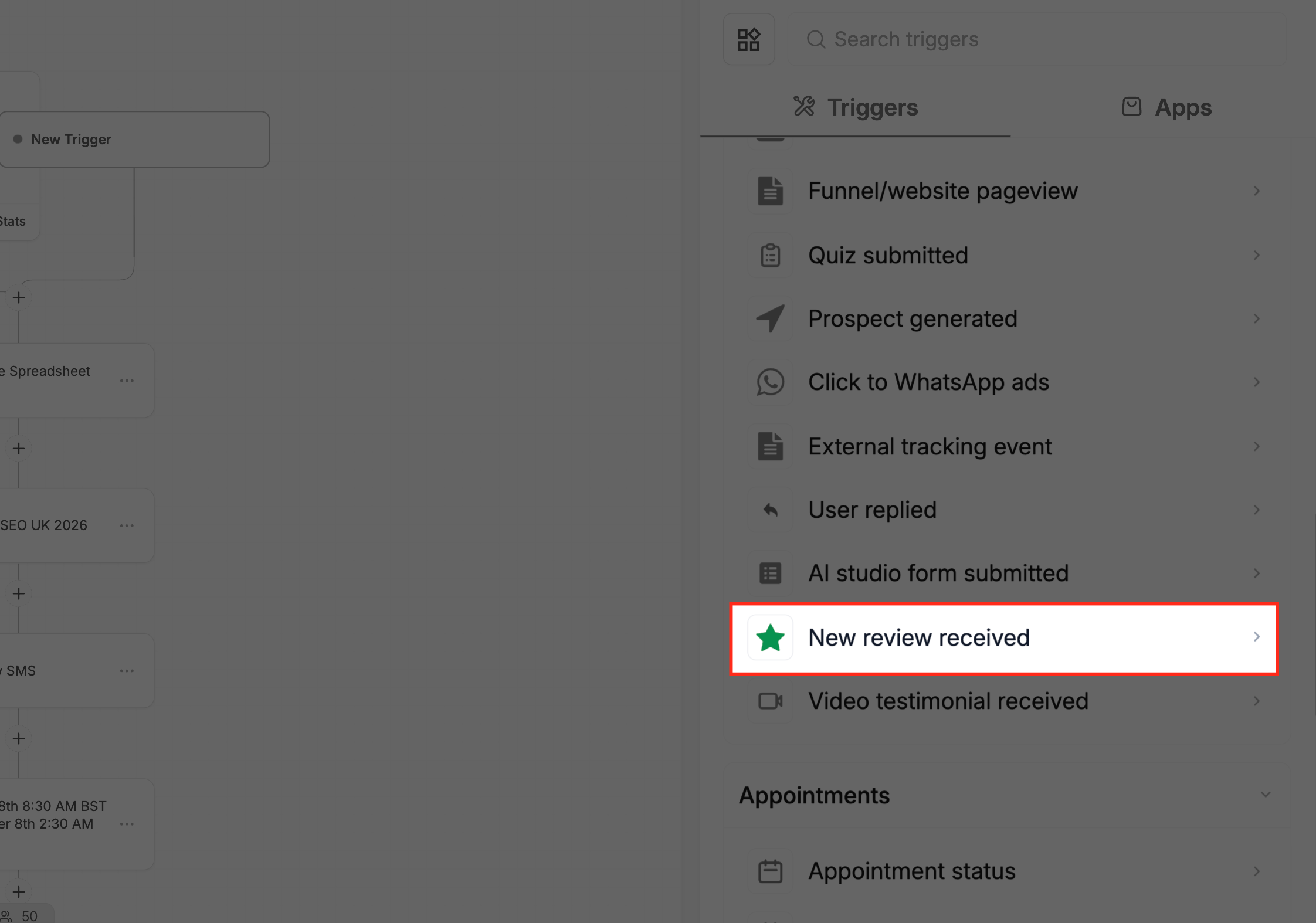
The trigger resides in the Workflow area of HighLevel and fires each time a review is posted on a connected platform. It operates without linking the review to a specific contact, making it a contactless automation point.
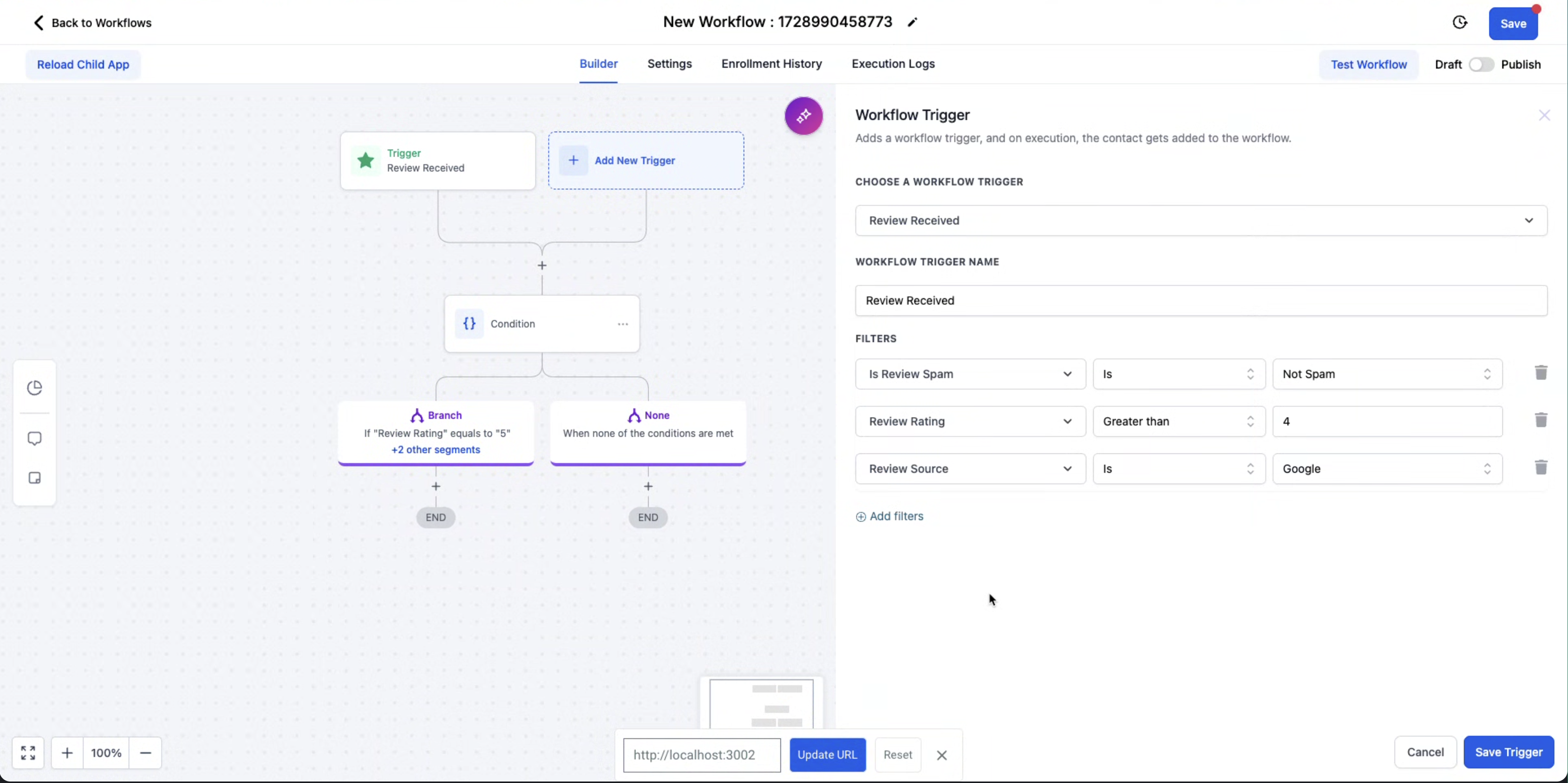
After selecting the trigger, you can apply three filters, spam status, review source, and star rating, to narrow which reviews start the workflow. The filtered data can be used in any subsequent action, including sending messages, creating tasks, or calling a webhook.
All configuration happens inside the workflow builder, where you map review details to actions, save the workflow, and then test it by submitting a real or simulated review.
03How businesses use new review received workflow trigger
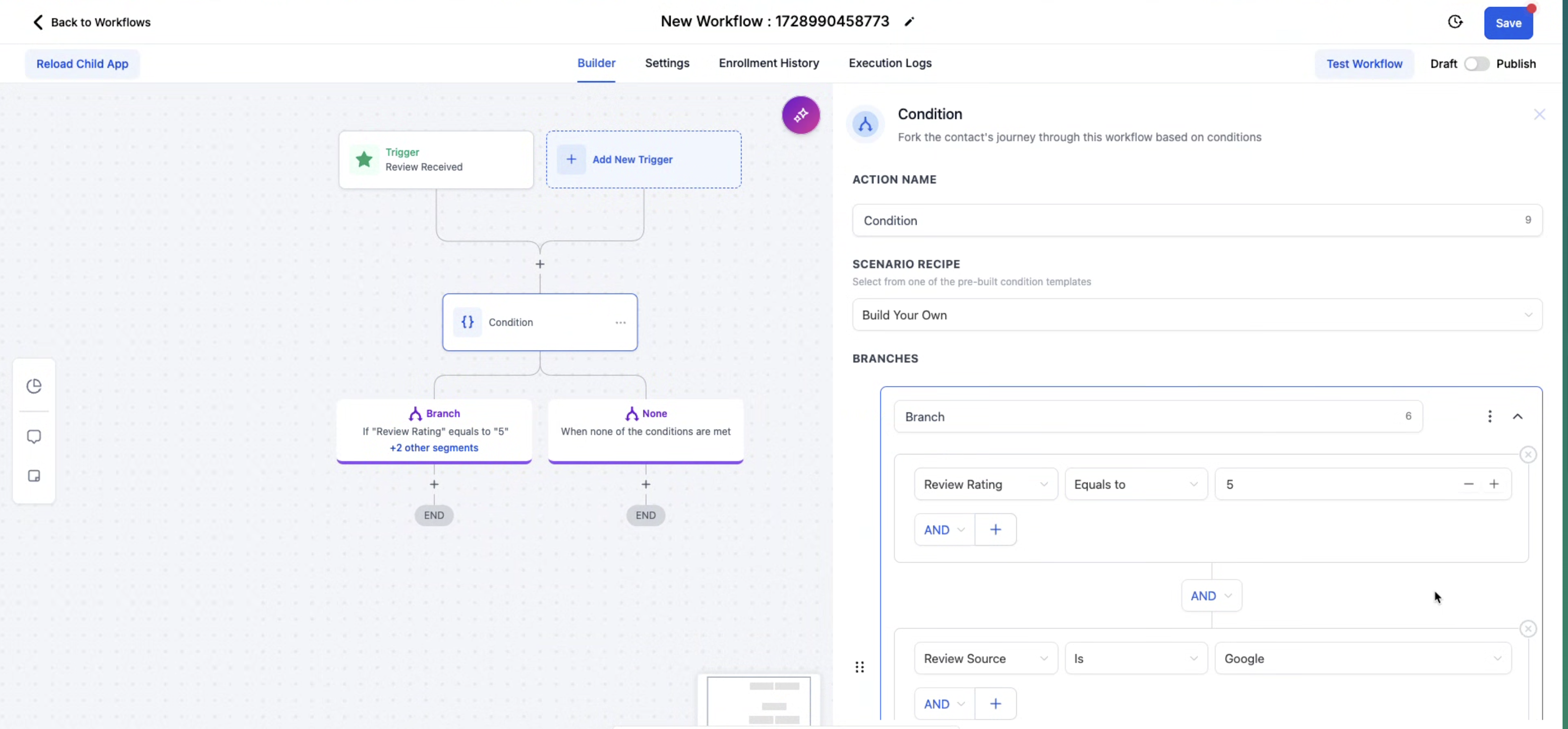
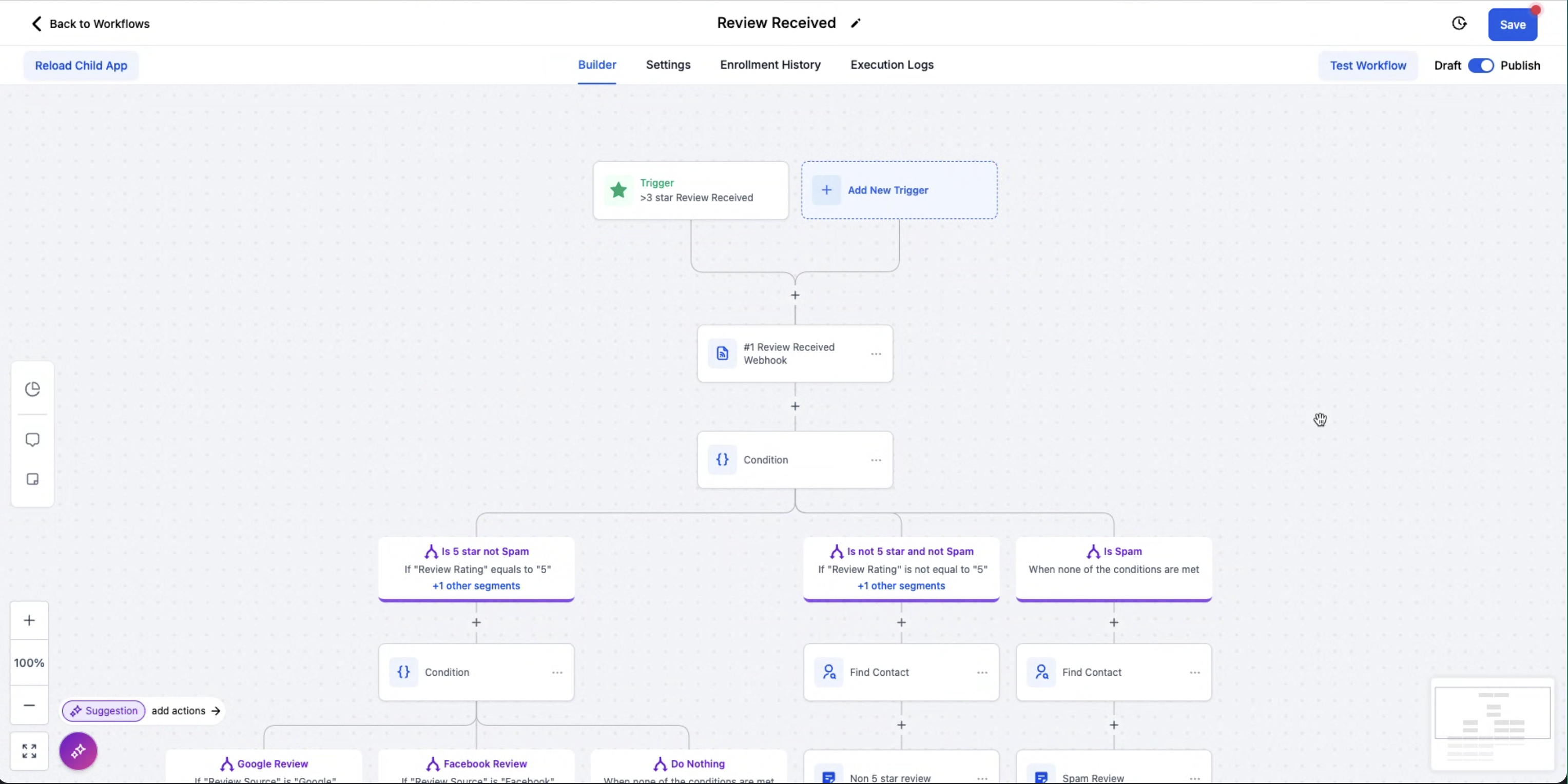
- General workflow routing. Configure the trigger to filter non spam, five star reviews and send a notification to the team.
- Alert low ratings. Set the rating filter to 1 to 2 stars and trigger an SMS alert to a manager.
- Webhook integration. Map review text to a webhook action to push data into an external system.
04The numbers and rules that matter
- Review Rating filter: Star rating from 1 to 5.
05Before you start
- Review platforms (e.g., Google, Facebook) must be integrated with your HighLevel account.
06How to set up and use new review received workflow trigger in HighLevel
Set up New Review Received trigger
- Navigate to the Workflow section in HighLevel.
- Click “Create New Workflow” or open an existing workflow to edit.
- Select “New Review Received” from the list of available triggers.
- Add filters for spam status, review source, and star rating as needed.
- Map the review details to the desired automated actions such as notifications or webhooks.
- Save the workflow to apply the configuration.
- Test the workflow by leaving a real or simulated review and verify that the automation runs.
07What it looks like in HighLevel
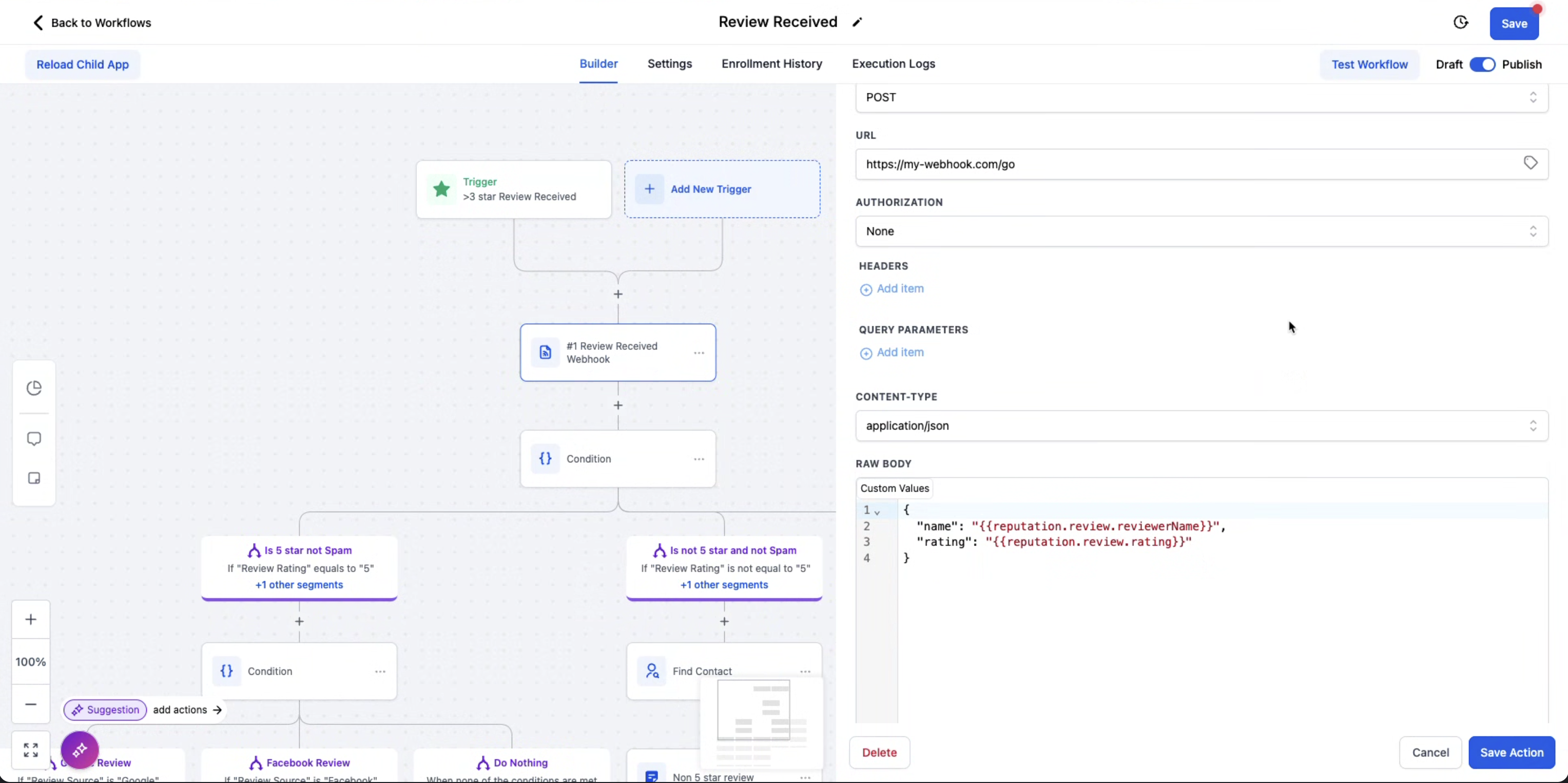
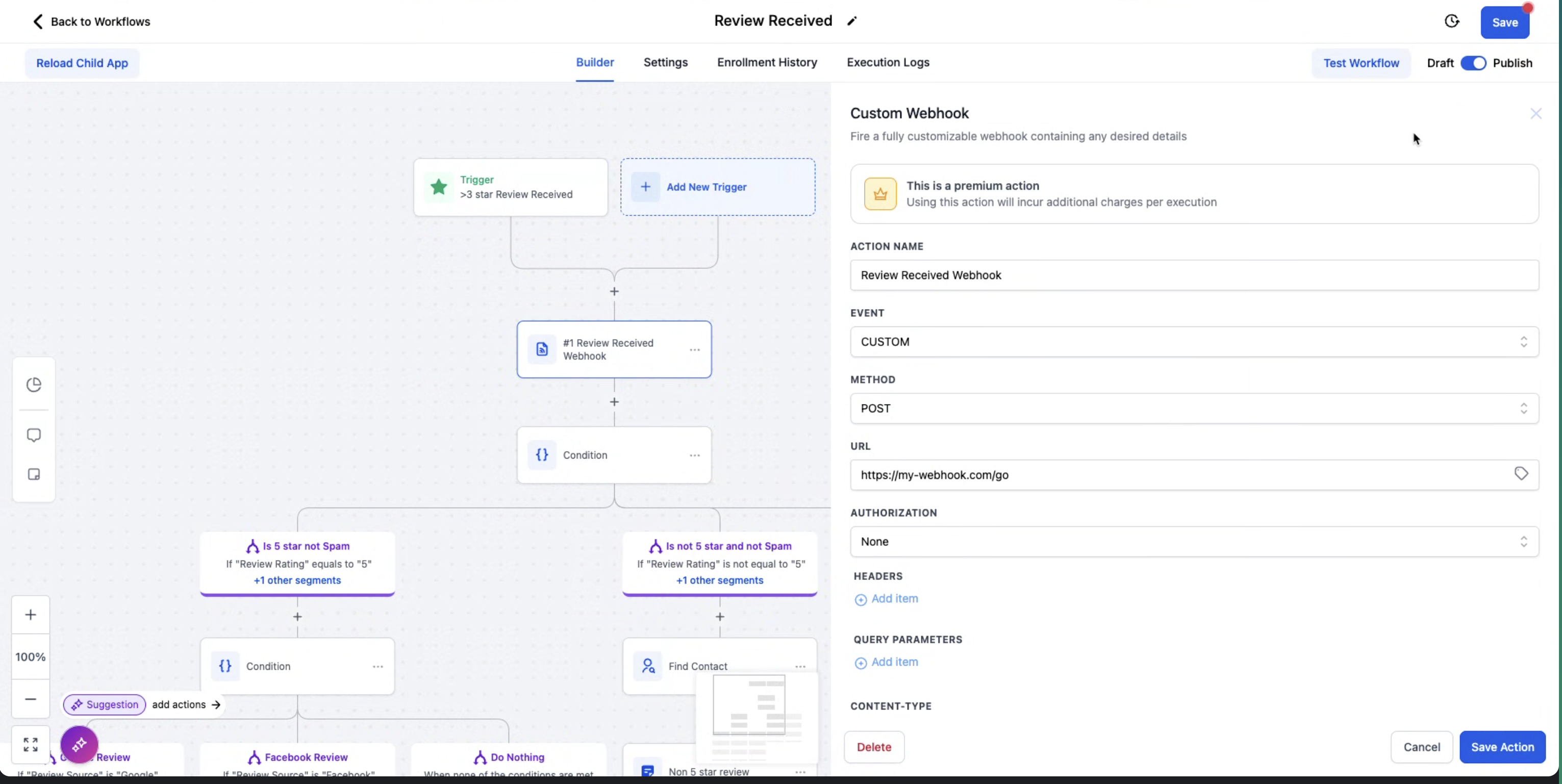
08Settings that matter
- Review SPAM. Determines whether the workflow should act on reviews marked as spam (Yes) or ignore them (No).
- Review Source. Specifies which integrated review platform (e.g., Google, Facebook, or others) the workflow should respond to.
- Review Rating. Filters reviews based on their star rating from 1 to 5, allowing different actions for each rating level.
09Things to know before you rely on it
- The trigger does not associate a review with any contact record; it functions contactlessly.
- Existing workflows that use Google or Facebook as the Review Source continue to operate without changes.
- Only review platforms that are already integrated with the account can be selected as sources.
10How it connects to the rest of HighLevel
- Learn how to send review requests manually or via workflows. Review request options
- Customize SMS and email messages used for review requests. Customize request messages
- Set up and embed a review widget to display collected reviews. Review widget guide
Michael's take

The trigger works without a contact, so you can act on the review itself.
Make sure your Google and Facebook accounts are properly integrated so the reviews flow into HighLevel. A quick test review confirms the trigger fires, after which you can layer on the spam and rating filters.