
01Who this is for
- Agency owners who need a quick view of client listing health to guide outreach and onboarding.
- Local marketing managers who must verify that their business appears consistently across regional publishers.
- Consultants who prepare client ready reports and need exportable PDFs with clear visual summaries.
02Listings audits, explained
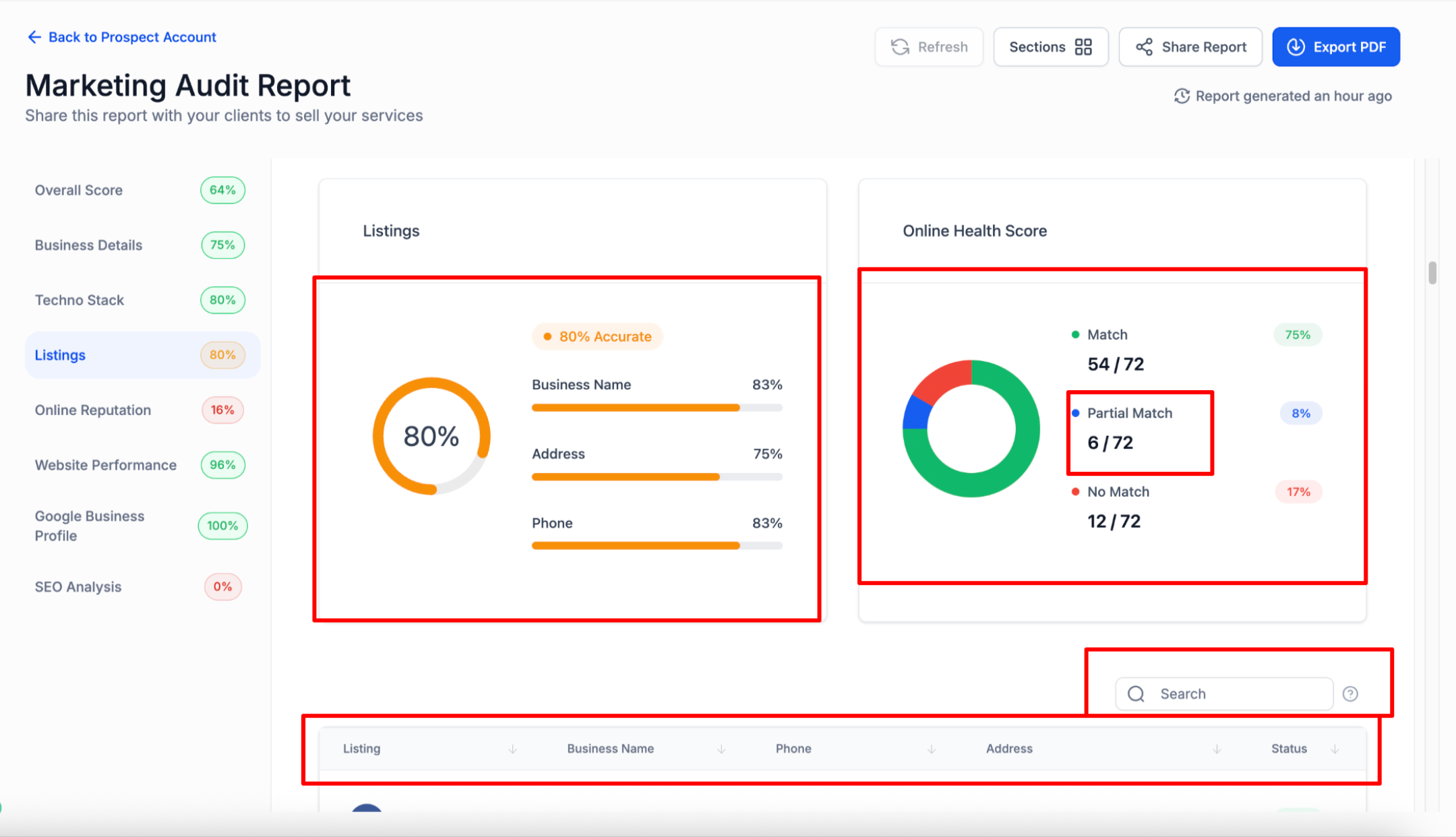
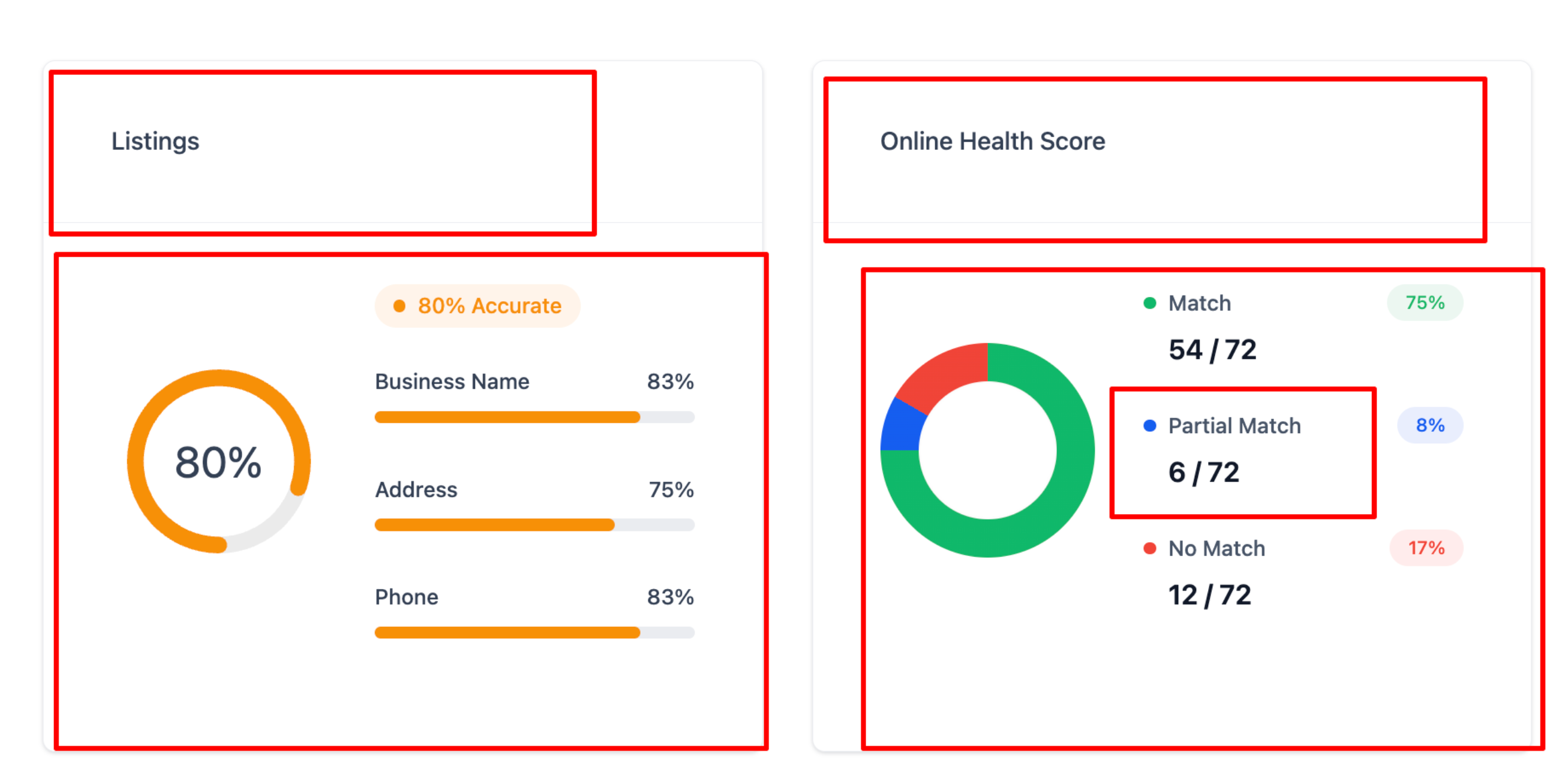
The audit reviews a business’s listings on top publishers and groups results into three categories: Match, Partial Match, and No Match. It pulls data from Yext, Uberall and an internal Yext Entity Search, then creates a Listings Accuracy gauge, field level bars for name, address and phone, and a donut chart that shows the overall distribution.
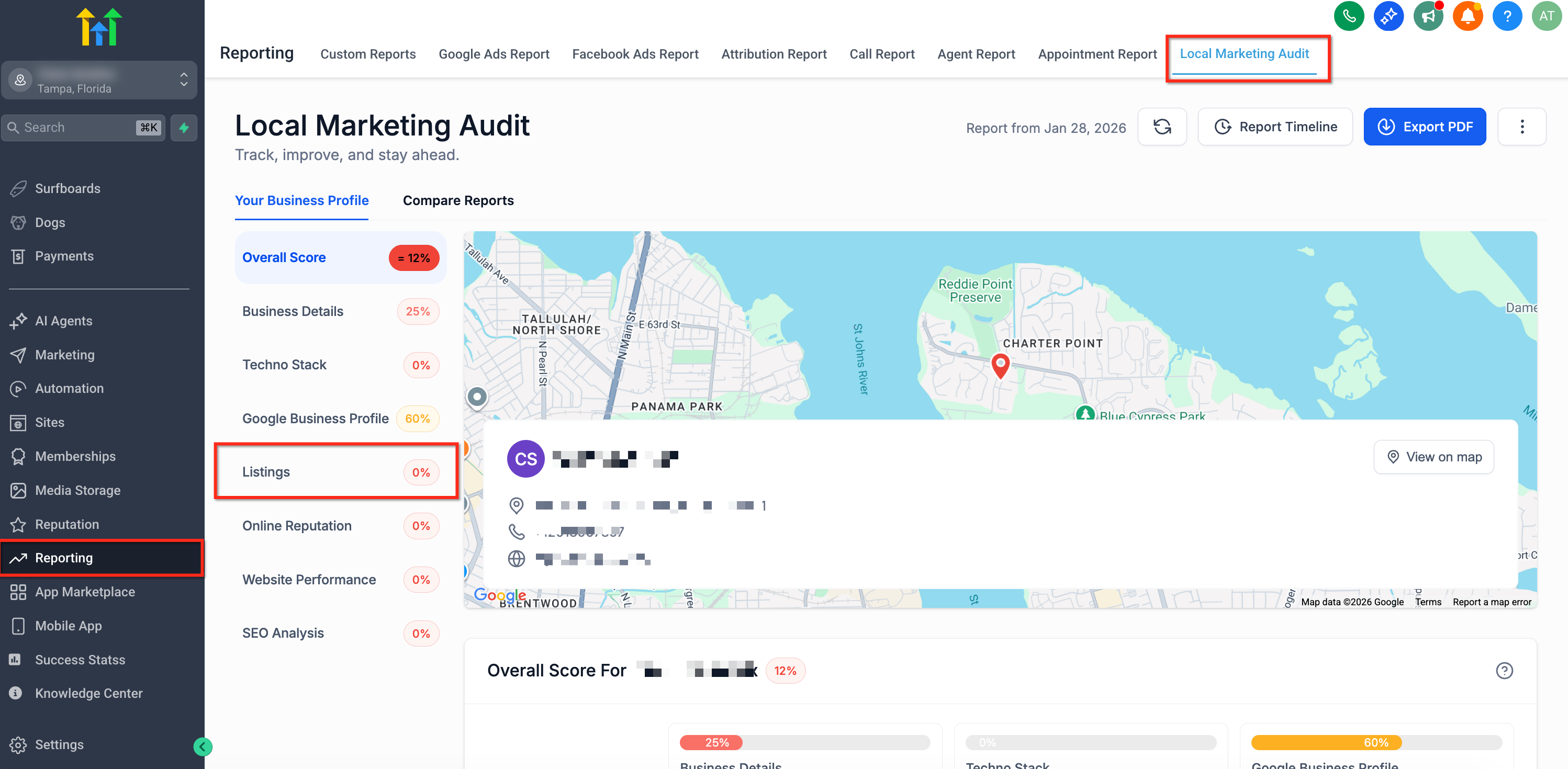
You find the feature inside Marketing Audit Reports (Subaccount > Reporting > Local Marketing Audit) and within Prospecting Reports on the Agency dashboard or Subaccount > Marketing. The audit automatically selects publishers based on the business’s country, so the list adapts when you audit a location in a new region.
03How businesses use the listings audit
- Real estate agency. The agency opens a Marketing Audit Report, looks at the Listings Accuracy gauge to spot mismatched address data, filters for Partial Match status, and exports a PDF to share with the brokerage owner.
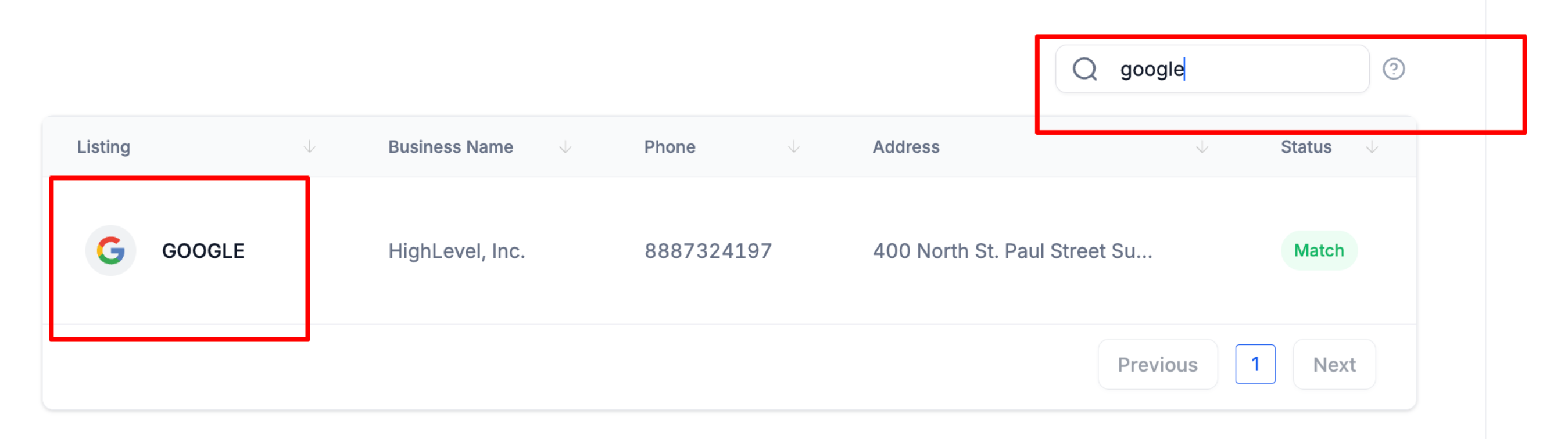
- Dental practice. The practice runs the audit, uses the search box to find the Google My Business publisher, checks the field bars for phone inconsistencies, and then updates the listing directly on the publisher’s portal.
- Local restaurant. The restaurant manager opens a Prospecting Report, sorts the table by status to see all No Match entries, and uses the Share Report function to send findings to the marketing consultant.
04Before you start
- Access to a Marketing Audit Report or Prospecting Report is required.
- The business’s country must be set correctly in the report inputs to ensure appropriate publisher selection.
- A Free or Premium report subscription is needed for the enhancements.
05How to set up and use the listings audit in HighLevel
Run listings audit
- Open a Marketing Audit Report via Subaccount > Reporting > Local Marketing Audit.
- Select Listings from the left sidebar to view the audit overview.
- Review the Listings Accuracy gauge and the field bars for Business Name, Address, and Phone.
- Check the Online Health Score donut to see the proportion of Match, Partial Match, and No Match listings.
- Enter a publisher name in the Search box or apply a status filter to focus on specific results.
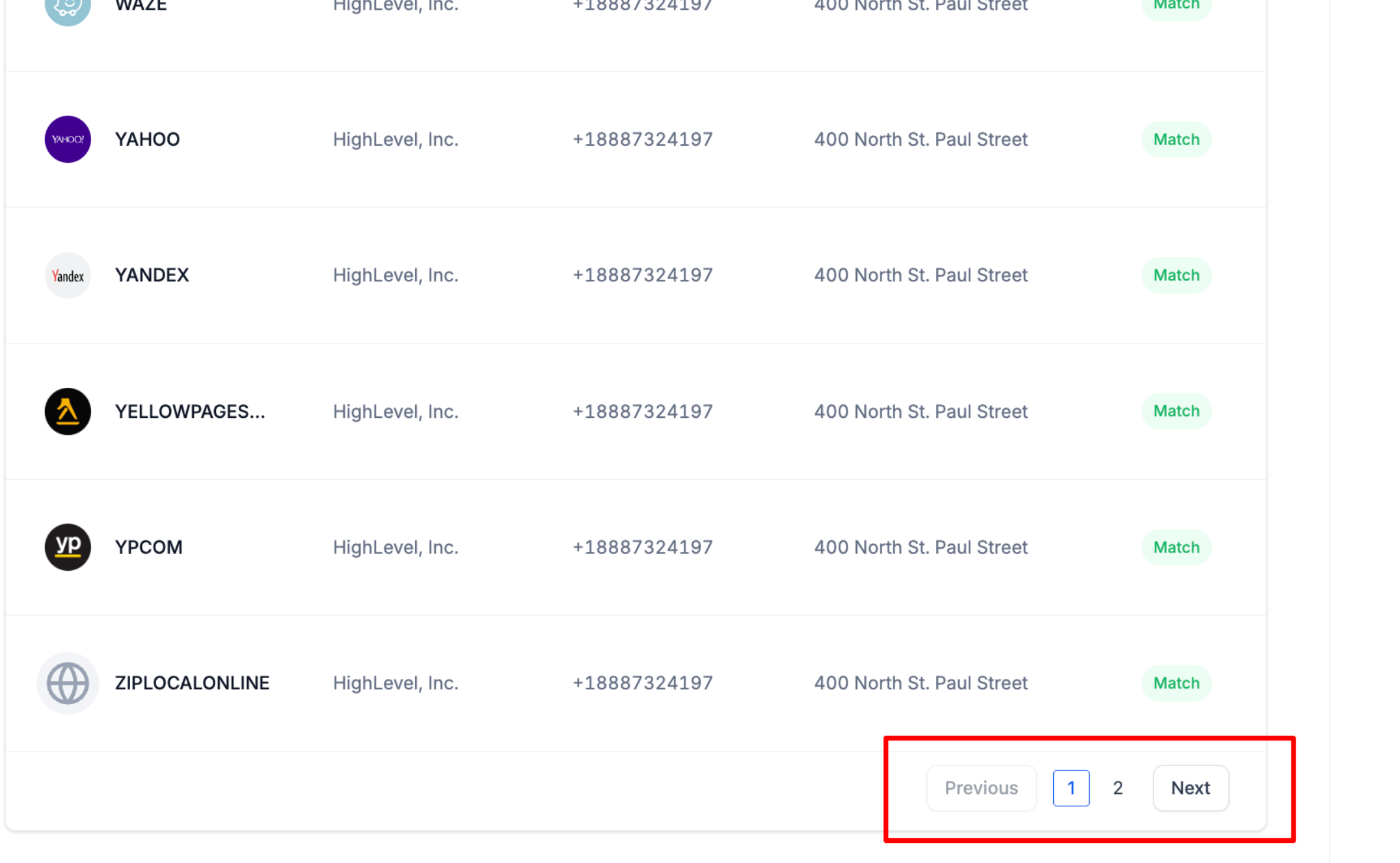
- Click any column header to sort the table and use the pagination controls to move through large result sets.
- Choose Share Report or Export PDF to create a client ready document.
06What it looks like in HighLevel
07Things to know before you rely on it
- Partial Match status indicates at least one core NAP field differs; exact logic may vary by publisher.
- Publisher sets are auto selected by country and cannot be manually overridden.
- Data refresh timing depends on each publisher’s scan cadence, so recent changes may not appear immediately.
- The enhancements are live by default for both Free and Premium report experiences.
08If something goes wrong
- Recent listing changes are not reflected in the audit.. Wait for the next refresh cycle and re run the report; persistent differences may require manual correction on the source listing.
- A expected publisher is missing from the results.. Confirm that the business’s country is correctly set in the report inputs, then re run the audit.
09How it connects to the rest of HighLevel
- Learn how to build, schedule, and export custom reports in HighLevel Custom report export
- Understand attribution sources used in HighLevel reports Attribution sources
- View all reporting features available in HighLevel Reporting overview
Michael's take

It gives you a quick snapshot of where a client’s business shows up online and flags any mismatches. The visual gauges and donut chart let you explain the issue in plain language.
If I were setting up a new client, I’d run the audit first, look for Partial Matches, and prioritize fixing those core details. A quick check of the country selected publishers helps confirm you’re covering the right platforms before you start any outreach.