
01Who this is for
- Course creators who need to see which sections keep learners engaged, so they can refine content.
- Coaches offering membership sites who want to track video consumption across their client base.
- Education providers that host training modules and require metrics to assess learner progress.
02Course video analytics, explained
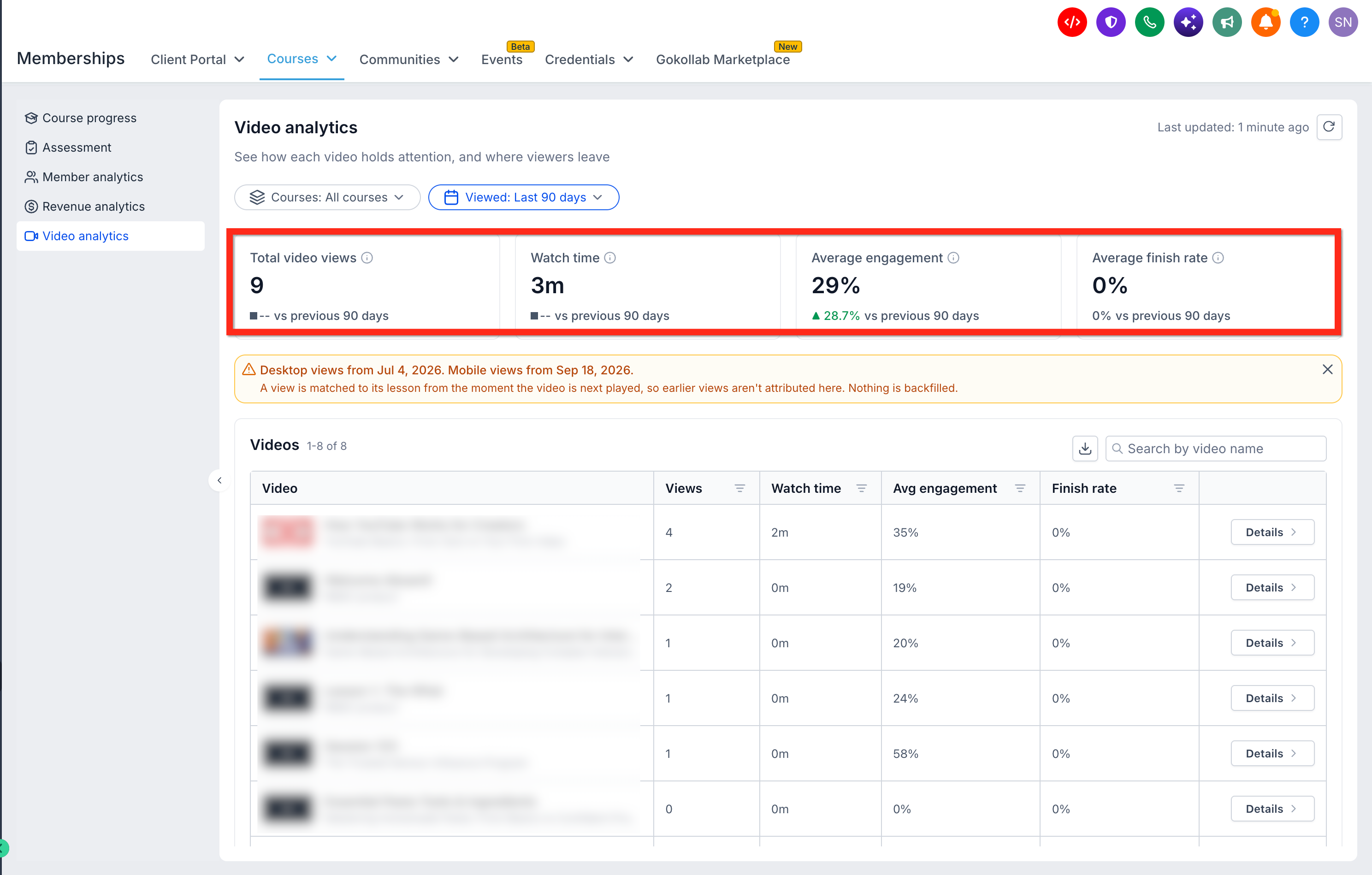
Course Video Analytics records interactions with videos that are uploaded directly to HighLevel Courses. It aggregates totals such as view count, watch time, average engagement, and finish rate, and compares them to the prior period when possible.
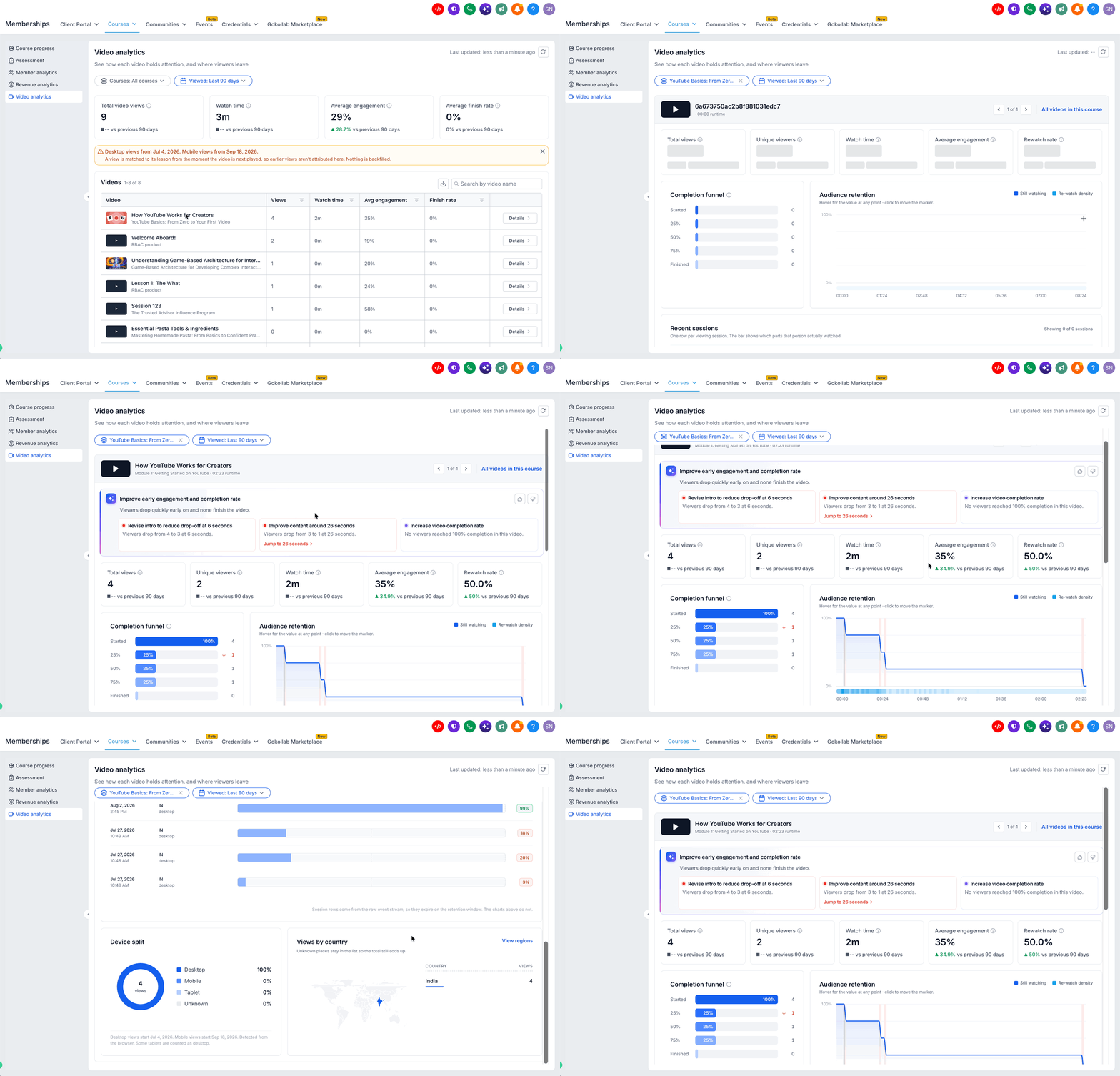
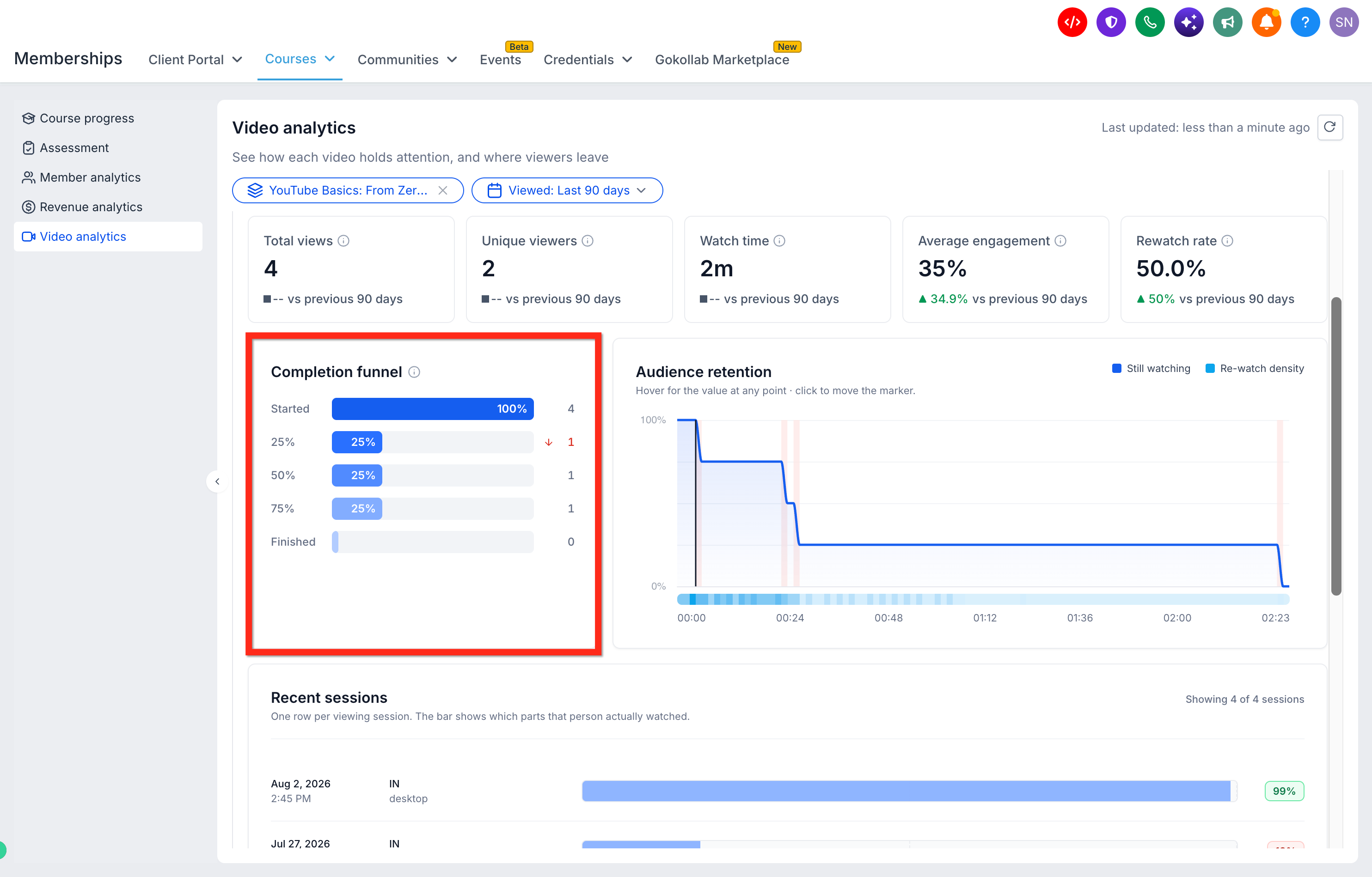
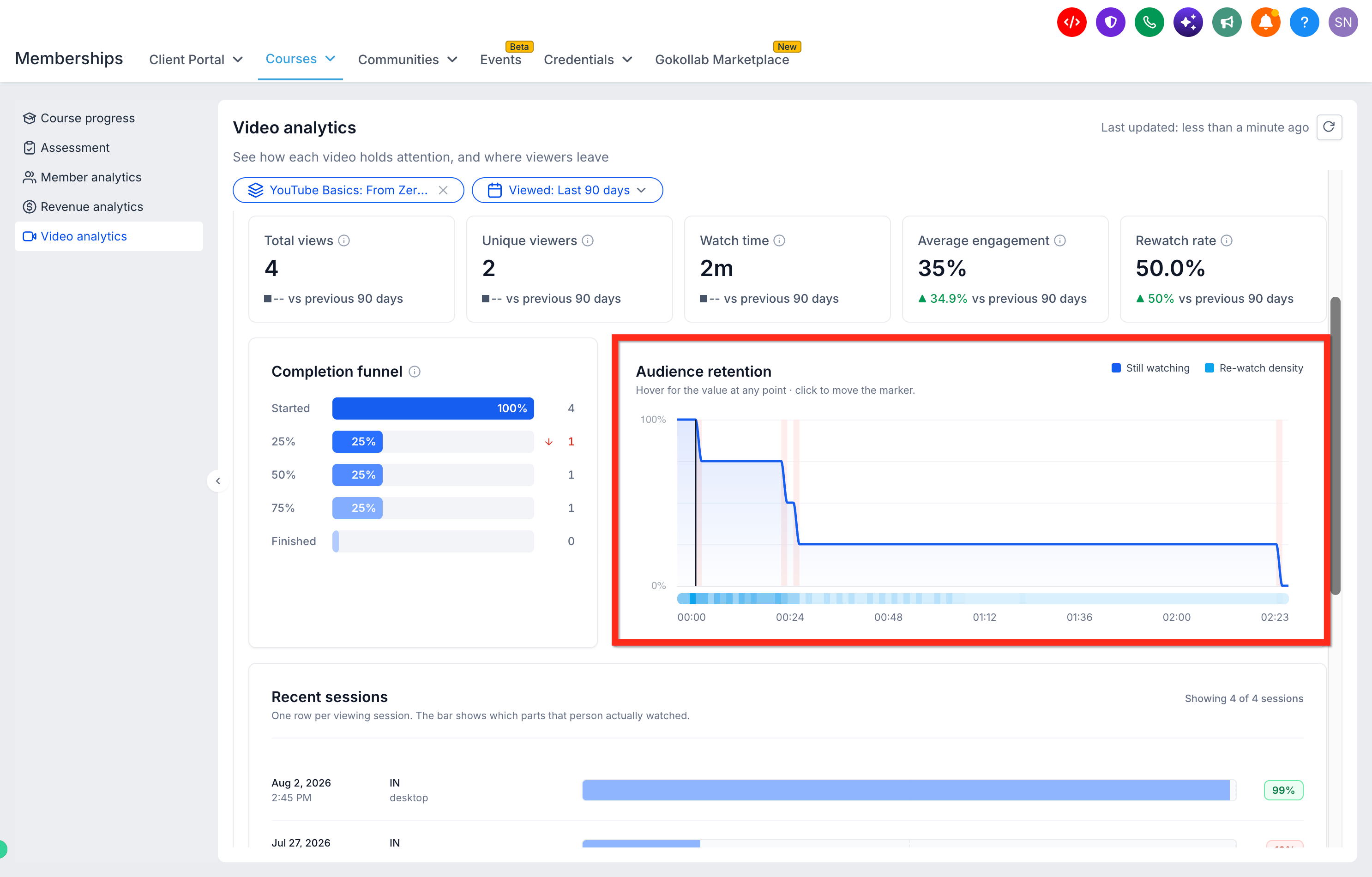
The dashboard appears under Memberships > Courses > Analytics > Video analytics. Filters let you narrow the view by specific course and by date range, including preset periods and a custom range. Individual video reports show detailed metrics, a completion funnel, audience retention chart, rewatch heatmap, recent sessions, device split and geographic breakdowns.
AI insights can be accessed from the same report, offering suggestions to improve video performance. Exporting the displayed data creates a file that contains the same metrics shown in the table.
03How businesses use course video analytics
- Online fitness coaching program. The coach opens the Video analytics page, selects the fitness course, and reviews the completion funnel to see where members stop watching workouts. They export the data to compare engagement across different exercise videos and adjust length or intensity accordingly.
- Digital marketing academy. The academy filters the analytics by the SEO masterclass, then inspects the audience retention chart to identify timestamps with high rewatch rates. Using the AI suggestions, they add clarifying slides to improve comprehension.
- Software training subscription. The trainer checks the device split within the video report to understand whether users watch tutorials on desktop or mobile. They download the analytics file to include the metrics in a quarterly performance review.
04The numbers and rules that matter
- Desktop viewing data collection began July 4, 2026.
- Mobile viewing data collection began September 18, 2026.
05Before you start
- Videos must be uploaded natively to HighLevel Courses.
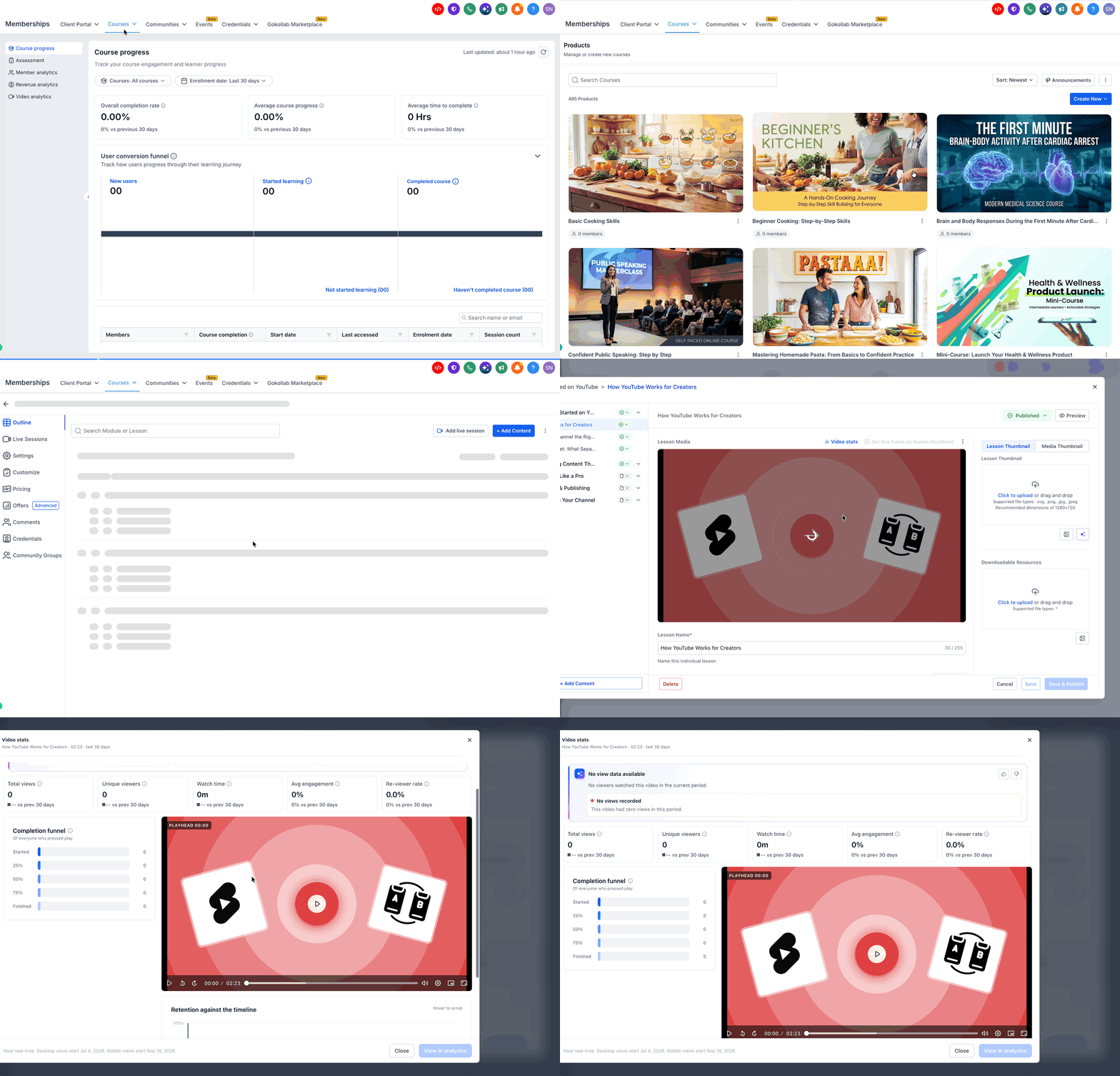
- The video must finish processing before the Video stats option appears.
- At least one view of the video is required for the "View in analytics" link to be active.
06How to set up and use course video analytics in HighLevel
Access video analytics
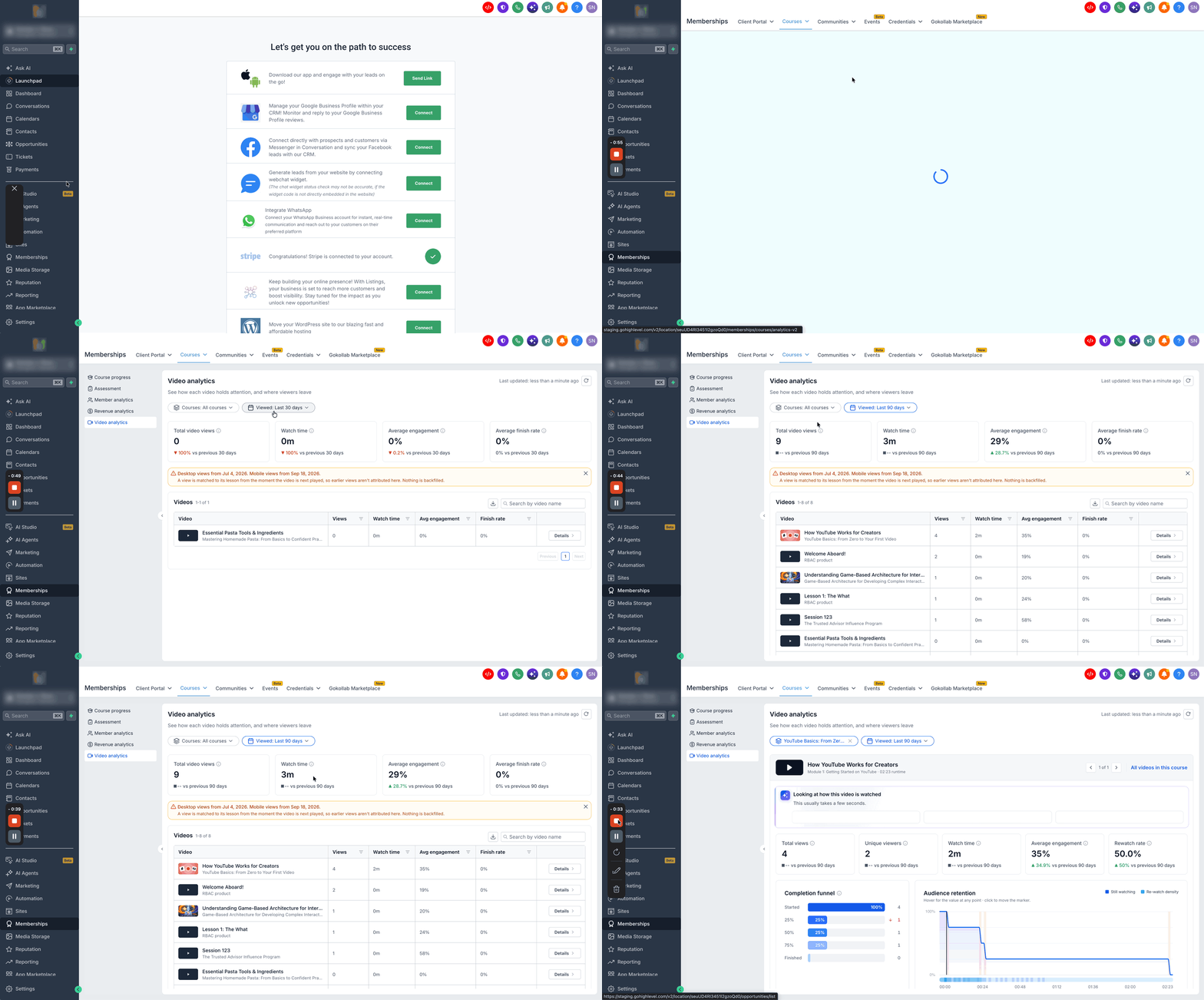
- Open the Memberships section, then choose Courses, then Analytics, and finally Video analytics.
- Select the desired course using the Courses filter or leave it on all courses.
- Pick a date range with the Viewed filter, such as Last 30 days or a custom range.
View individual video analytics
- Find the video you want in the Videos table.
- Click the Details button next to that video.
- Read the performance metrics and viewing behavior shown on the detail screen.
Export video analytics
- Navigate again to Memberships > Courses > Analytics > Video analytics.
- Apply any course or date filters you need for the export.
- Press the Download icon above the Videos table to save the report.
07What it looks like in HighLevel
08Settings that matter
- Courses filter. Limits the analytics view to a single selected course or includes all courses.
- Viewed filter. Sets the time period for which video metrics are calculated, offering preset and custom ranges.
09Things to know before you rely on it
- Analytics only work for videos uploaded directly to HighLevel Courses; embedded third party videos are not supported.
- Desktop viewing data collection began on July 4, 2026, and mobile data collection began on September 18, 2026; earlier views are not backfilled.
- Recent session records may be removed after the platform’s data retention window, while summary charts remain available.
10How it connects to the rest of HighLevel
- Explore all reporting capabilities in HighLevel All Reporting features
- Add GA4 tracking to a workflow for deeper insights GA4 tracking guide
- Review HighLevel pricing and plan options Pricing page
Michael's take

Want to know why learners stop watching your videos halfway through? Course video analytics lets you see where viewers stop watching, so you can consider adjusting the content.
If I were setting up a new course, I'd look at the completion funnel right after the first launch. It shows where viewers stop, and the AI insights provide suggestions.