
01Who this is for
- Founders who need quick call answering for sales lines, because any team member can pick up.
- Customer support managers who want to reduce missed support calls by sharing them across agents.
- Agency owners who want equal call distribution among staff without building complex call menus.
02Ring groups, explained
Multiple User Ring, also called a ring group, makes a HighLevel phone number ring several users simultaneously. When a call arrives, all selected users’ devices ring together; the first answer connects and the others stop. The feature works inside the phone number’s Call Forwarding settings.
Ring groups are created per phone number. You enable the Ring More Team Members toggle, pick up to six additional users, set an Incoming Call Timeout, and define a backup destination such as Voicemail or Voice AI. The configuration lives under Settings > Phone Numbers.
03How businesses use ring groups
- Dental practice. The office adds the receptionist, front desk assistant, and the dentist to a ring group. When a patient calls, any of them can answer, ensuring no appointment calls are missed. The practice sets a timeout that forwards to voicemail if no one is free.
- SaaS support team. Support leads set up a ring group with three engineers. An incoming help request rings all three devices at once, so the first available engineer takes the call. Unanswered calls after the timeout go to the support Voice AI for triage.
- Real estate agency. The sales line includes five agents in a ring group. Prospective buyers hear a single ring tone, and whichever agent answers connects the call. The agency configures voicemail as the backup for after hours inquiries.
04The numbers and rules that matter
- Add up to six additional team members to the phone number.
05Before you start
- A phone number must already exist in the HighLevel account.
- Team members need enabled calling devices so they appear with device indicators.
06How to set up and use ring groups in HighLevel
Configure a ring group for a phone number
- Open Settings > Phone Numbers, find the desired number, and click Edit Configuration.
- In the Call Forwarding tab, turn on the Ring More Team Members option.
- Select up to six additional users with the selector and verify each user’s device indicator before saving.
- Confirm Ring More Team Members is active and the chosen recipients show device icons; note that no separate ring strategy needs to be selected.
- Check the Incoming Call Timeout value in the call settings.
- Review the backup destination (Voicemail or Voice AI) for calls that remain unanswered.
- Click Save, then place a test call to verify simultaneous ringing and the backup behavior.
07What it looks like in HighLevel
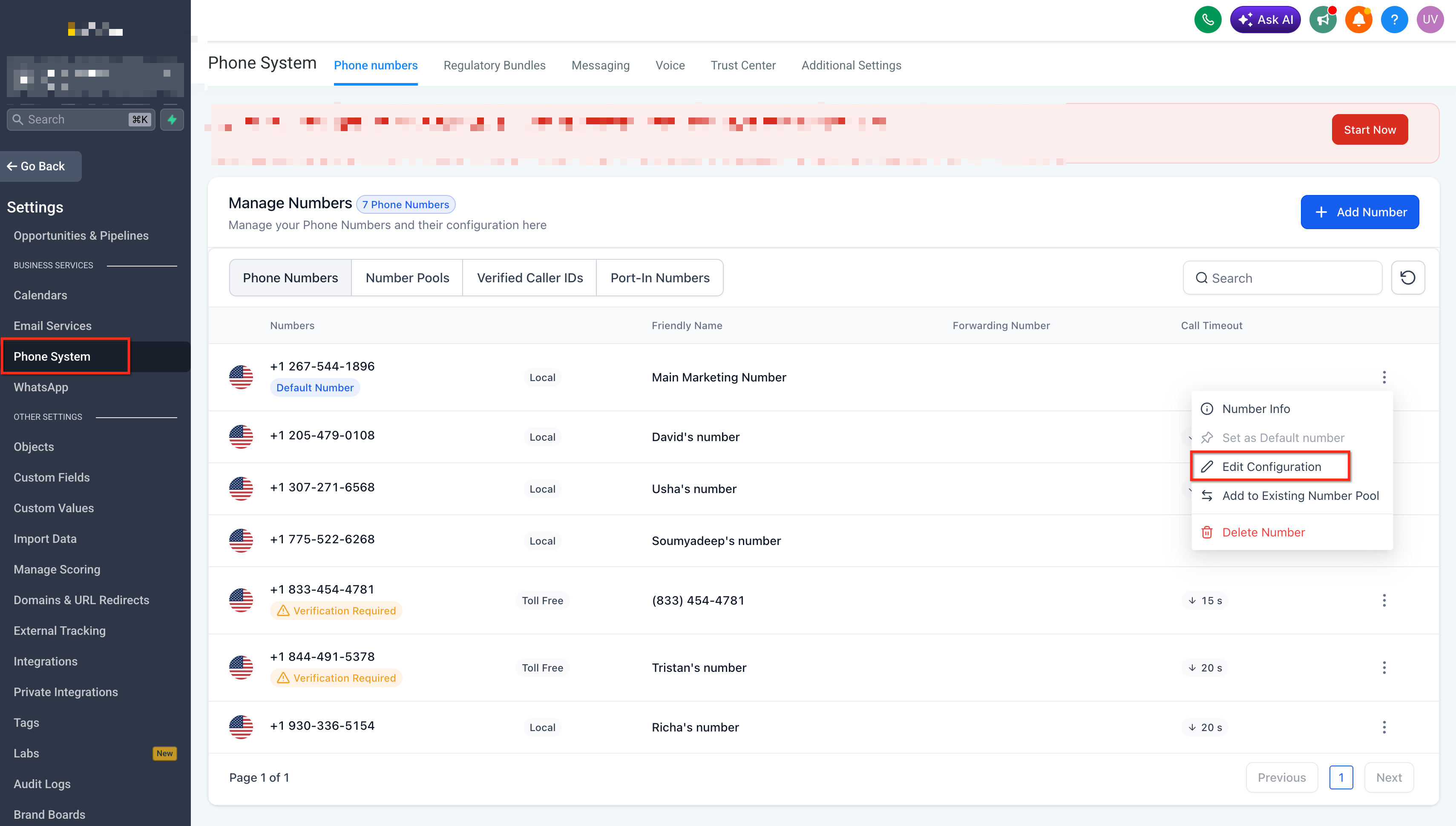
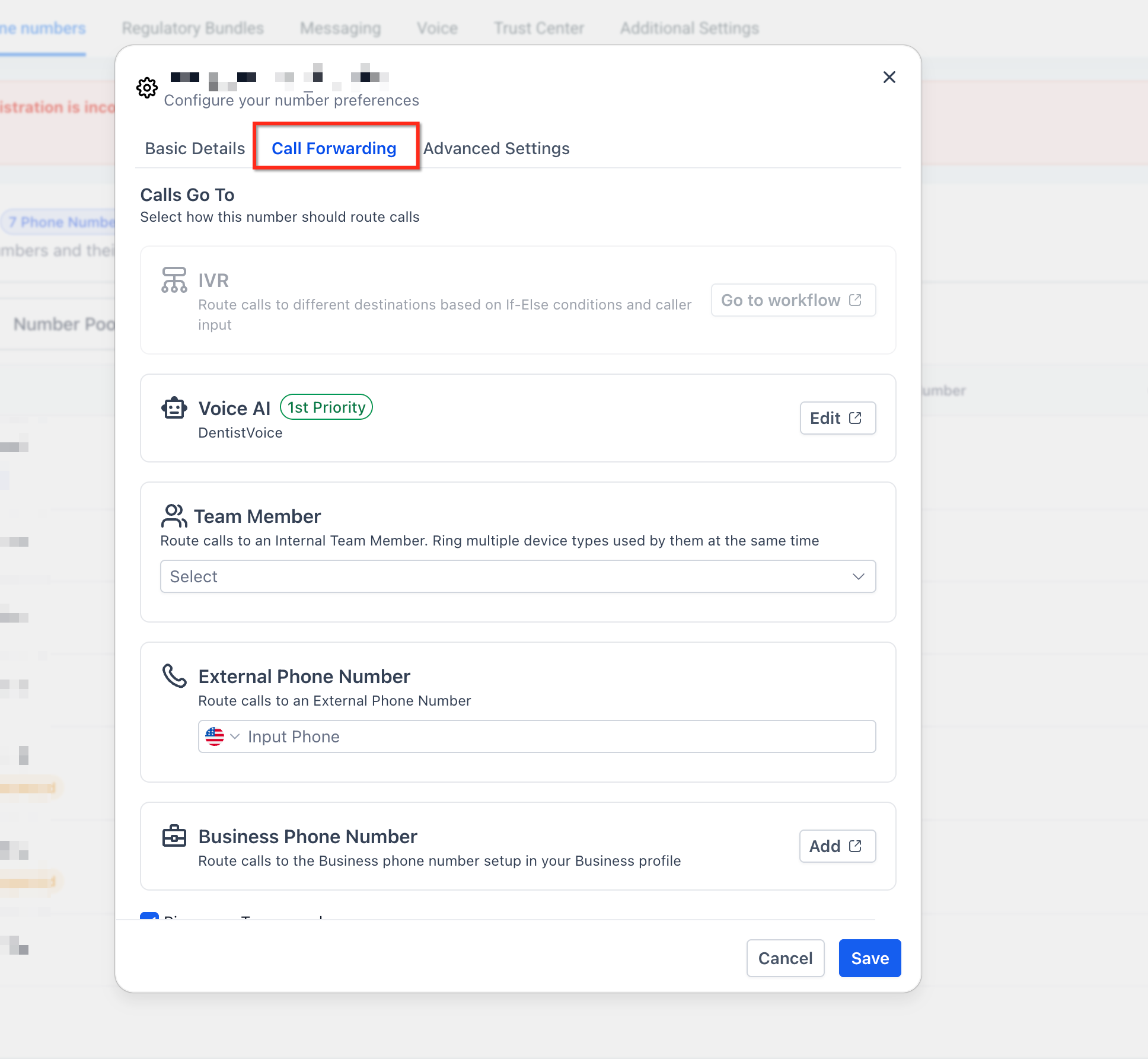
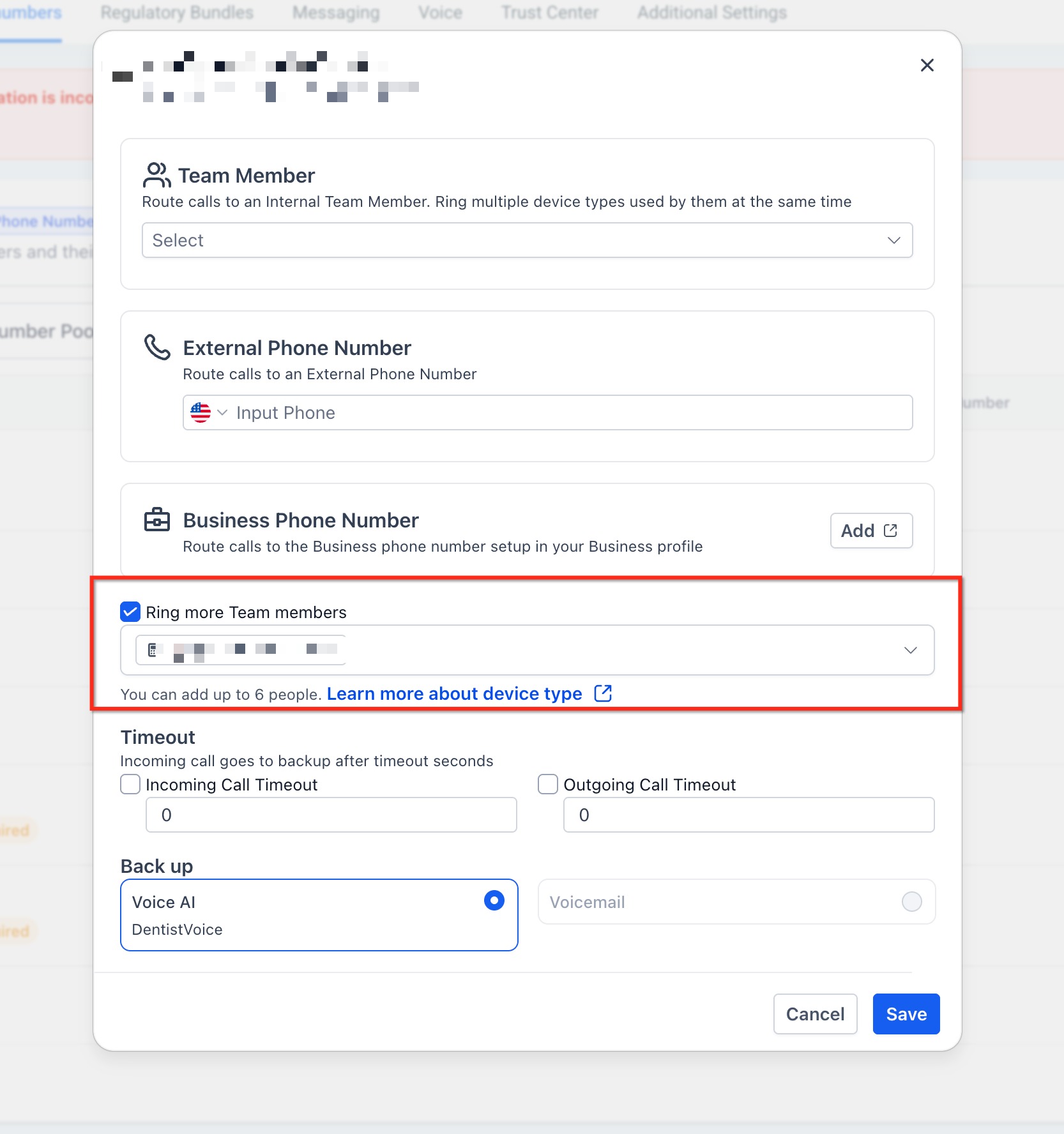
08Settings that matter
- Ring More Team Members. Enables simultaneous ringing of all selected users when a call arrives.
- Incoming Call Timeout. Determines how long the ring group rings before routing the call to the configured backup.
09Things to know before you rely on it
- You can add up to six additional team members to a ring group.
- Each HighLevel phone number supports only one ring group configuration.
- The number of ring groups you can create depends on your HighLevel plan.
10How it connects to the rest of HighLevel
- Set up ring groups for number pools Number pool ring groups
- Trigger workflows from ring group call events Call details workflow trigger
- Review phone system pricing and plan limits Phone system pricing
Michael's take

Missing a call often means a lost sale or unhappy customer. Ring groups let every inbound call hit several phones at once, so the first available person answers and the rest stop ringing. That simple shift can shave seconds off wait times and keep leads from slipping away.
The first thing I would get right is the Incoming Call Timeout. Set it long enough for your team to answer but short enough that a missed call still reaches voicemail or Voice AI. A quick test call confirms the behavior before you rely on it for daily traffic.