
01Who this is for
- Founders who need to automate appointment reminders without live calls, keeping client interruptions low.
- Marketing agencies that want to nurture leads at scale while delivering a consistent recorded message.
02Ringless voicemail, explained
Ringless Voicemail appears as an action inside the HighLevel workflow builder. When the workflow reaches this step, the platform initiates a call sequence that ends with the prerecorded audio being deposited in the recipient’s voicemail box. No live agent is involved and the contact’s phone does not ring.
The feature requires an active LC Phone or a connected Twilio number, a properly formatted MP3 or WAV file at 64 kbps, and documented consent for automated calls. It can be combined with any workflow trigger that supplies a valid phone number on the contact record.
Delivery depends on the recipient’s carrier, device, and voicemail settings, so successful drops are not guaranteed. Testing with a test contact before publishing is recommended.
03How businesses use ringless voicemail
- Dental practice. Upload a reminder recording about upcoming cleanings and add the Ringless Voicemail action to the post appointment workflow. The system will drop the reminder into each patient’s voicemail without a live call.
- Online course provider. Create a welcome message audio file and attach it to a workflow that runs when a new student enrolls. The prerecorded message is delivered to the student’s voicemail, reinforcing the onboarding sequence.
- Real estate agency. Add a voicemail drop with a pre recorded property tour invitation to a lead nurture workflow. The action sends the invitation to the lead’s voicemail after they request more information, provided consent was captured.
04The numbers and rules that matter
- Prerecorded audio must be MP3 or WAV exported at 64 kbps.
- Voicemail drop sending limits may increase as the account establishes usage history.
05Before you start
- An active LC Phone or Twilio number must be present in the subaccount.
- A pre recorded MP3 or WAV audio file at 64 kbps must be ready.
- Required consent for prerecorded or automated calls must be obtained.
- A workflow trigger that determines when the voicemail should be sent must exist.
- The contact record must contain a valid phone number.
- A test contact should be created for validation.
06How to set up and use ringless voicemail in HighLevel
Add ringless voicemail action to a workflow
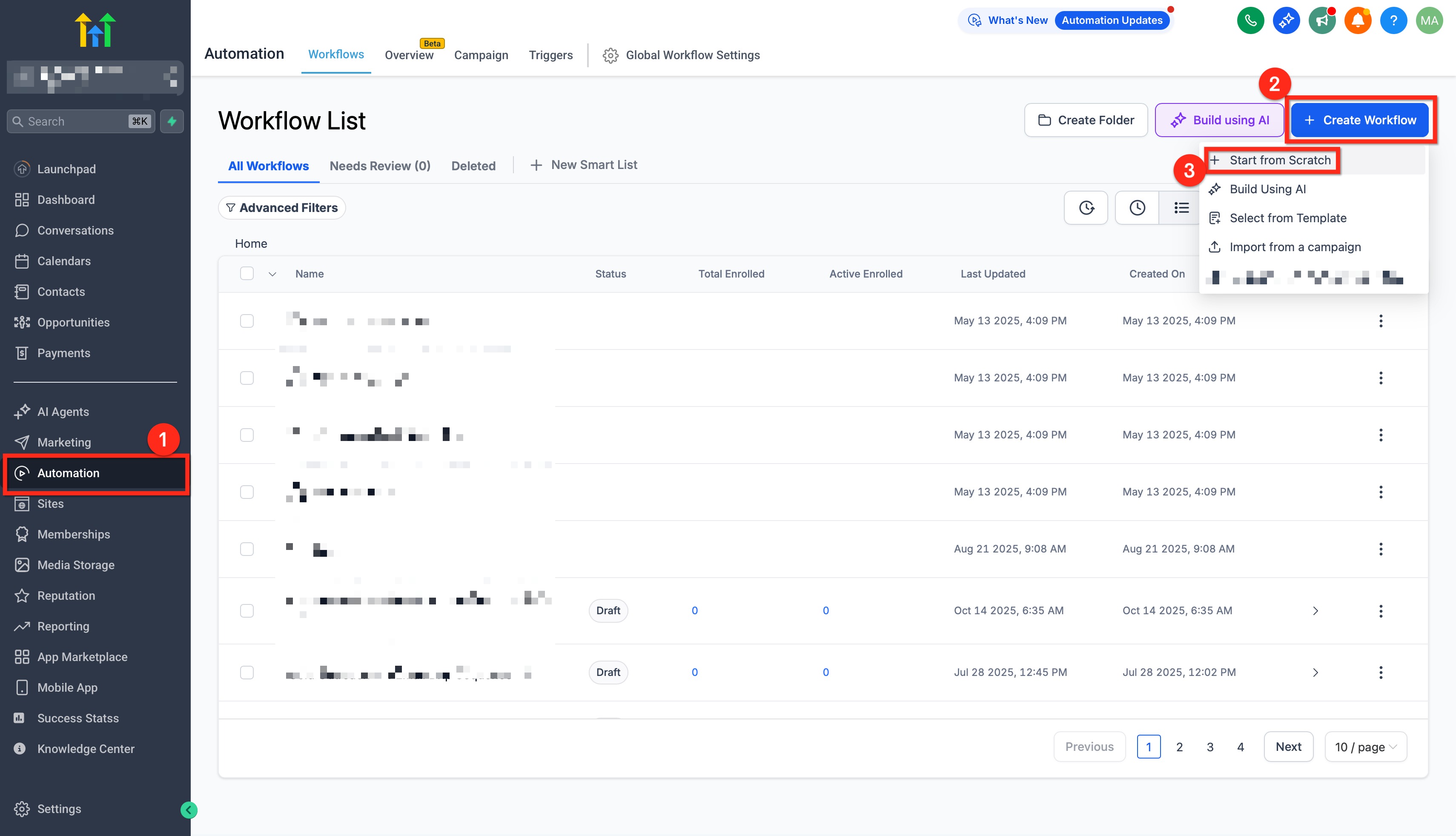
- Open Automation > Workflows and select the workflow to edit.
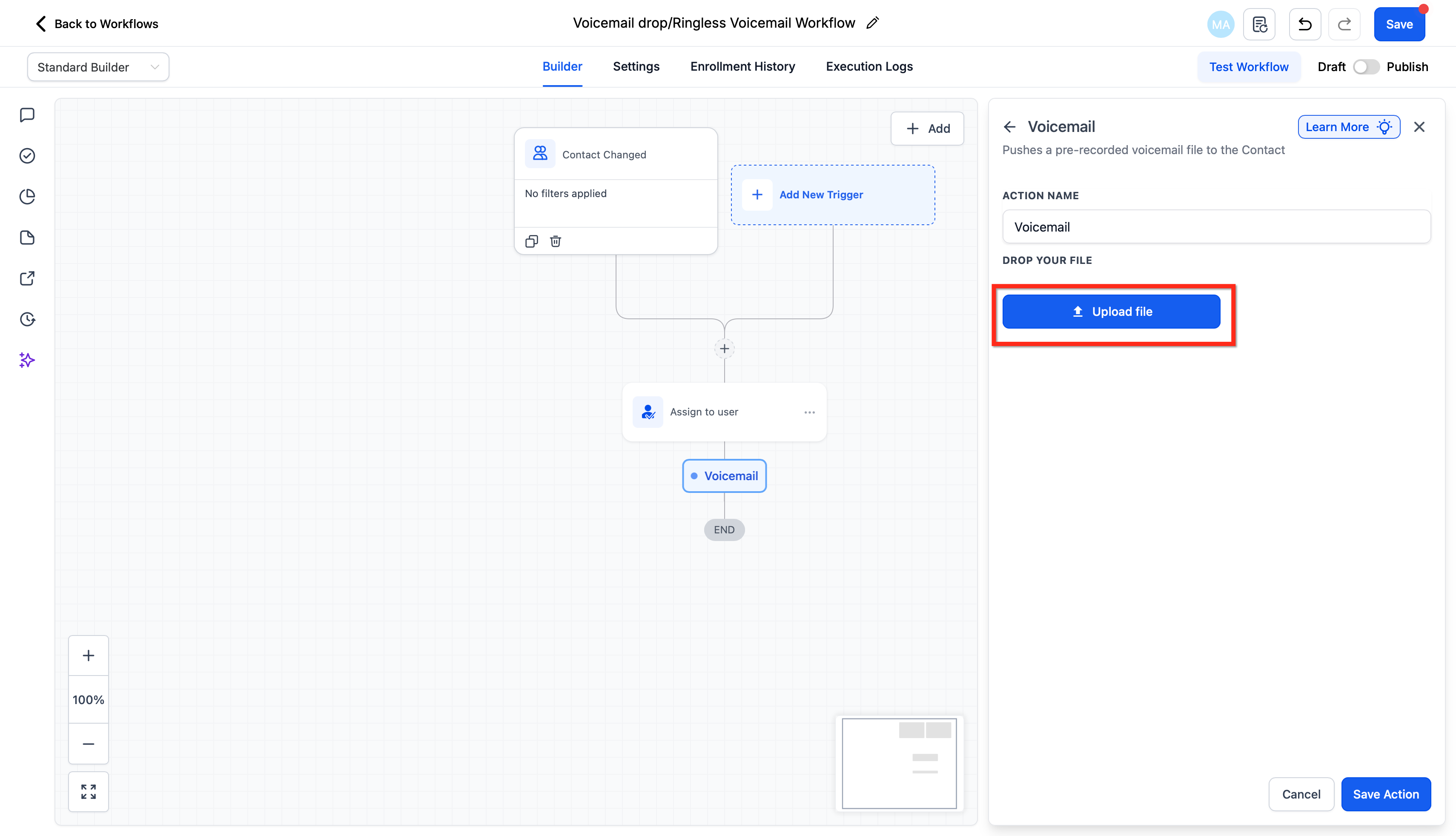
- Click the + button at the desired spot, choose Voicemail from the action list, and press Done.
- Optionally type a label in the Action Name field for internal reference.
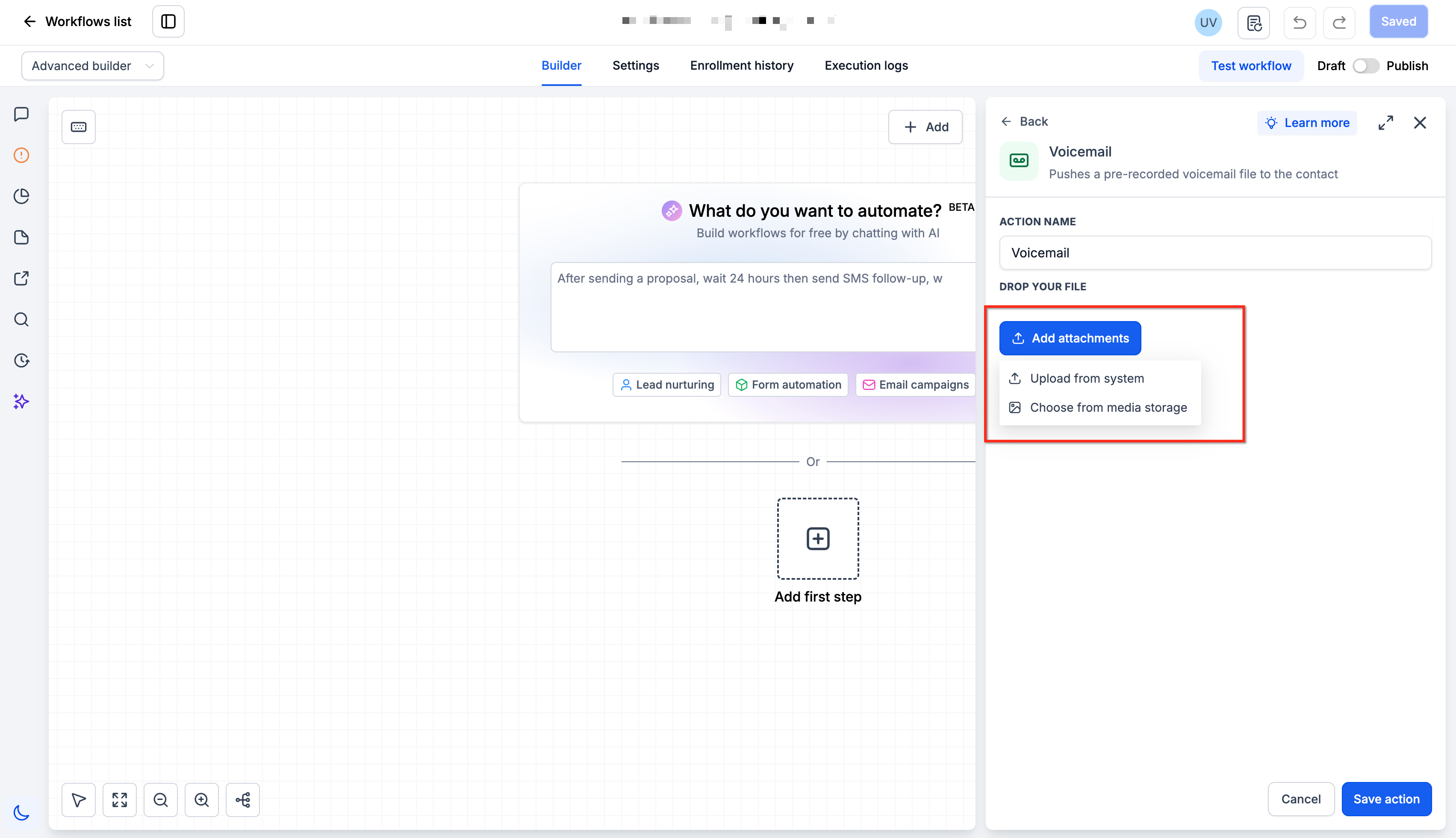
- Press Add Attachments to upload a new audio file or pick an existing one from the dropdown, confirming it is MP3 or WAV at 64 kbps.
- If needed, select a user to assign the contact to; leave blank when not required.
- Click Save to store the Voicemail action in the workflow.
07What it looks like in HighLevel
08Settings that matter
- Action Name. Provides a descriptive label for the voicemail step that appears in the workflow builder.
- Add Attachments. Allows uploading a new audio recording or selecting an existing one for the voicemail drop.
- Assign the Contact to a User. Optionally links the contact to a specific team member before the voicemail is sent.
09Things to know before you rely on it
- Delivery is not guaranteed because it depends on carrier and device behavior.
- Voicemail drop sending limits may increase with account usage; contact Support if the limit is reached.
- Audio files must be MP3 or WAV and exported at 64 kbps; other formats may fail.
10If something goes wrong
- Contact does not have a valid phone number. Verify the phone number field on the contact record and correct any errors.
- Workflow did not enrol the contact. Confirm that the workflow trigger fired and that the contact meets the trigger criteria.
- Voicemail action was not reached. Check the workflow path to ensure no conditions prevent reaching the Voicemail step.
- Audio file is not MP3 or WAV at 64 kbps. Re export the recording at 64 kbps in MP3 or WAV format, then re upload.
- Playback fails during test. Re upload a correctly formatted file and retest with the same contact.
- Destination voicemail is disabled. Confirm that the recipient’s phone number has voicemail enabled on the carrier side.
- Account has reached voicemail drop limit. Contact HighLevel Support to request additional capacity.
11How it connects to the rest of HighLevel
- Set up number pools for call tracking Call tracking number pools
- Make outbound calls with the web app softphone Outbound dialer
- Review phone system pricing and rebilling details Phone system pricing
Michael's take

Ringless voicemail feels like a small convenience that can become a real shift for businesses that rely on repeat follow ups without tying up staff. If you already have consented leads waiting for a reminder or a nurture touch, dropping a prerecorded message straight into their inbox keeps the brand tone consistent.
A health coaching service fits this well: After a client books a session, the workflow can automatically send a recorded reminder the day before, and later a brief reengagement note if they haven’t checked in. The key is to test with a real phone first, confirm the audio is clear at 64 kbps, and watch the workflow history for any missing triggers before you roll it out to the whole list.