
01Who this is for
- Agency owners who manage multiple client accounts and need to resolve delivery failures quickly.
- Small business Founders who send appointment reminders and must keep compliance with opt out rules.
- Marketing teams that run large SMS campaigns and must monitor daily caps and A2P 10DLC status.
02Error code and warning dictionary, explained
The dictionary is a reference that matches each LC Phone System error code to a concise description. When a message fails, the platform returns the code so the user can pinpoint why delivery did not succeed.
The list lives in the Phone System section of HighLevel’s help resources and is organized by error code number. For each entry you will see common causes, such as mis formatted numbers, carrier restrictions, or account suspension, and a set of recommended actions.
Because the codes cover both SMS and MMS, voice calls, and carrier level filtering, the guide helps you address a wide range of delivery obstacles without needing to contact support for every incident.
03How businesses use error code and warning dictionary
- Fitness studio. When a class reminder fails, the studio checks the error code. If it is 21211, they reformat the member’s phone number to E.164. If the code is 21610, they ask the member to text "START" to opt back in before resending.
- Real estate agency. The agency monitors 30023 daily cap alerts. Upon reaching the limit, they pause further outbound messages and contact support to discuss increasing the cap for their brand.
- Ecommerce retailer. If a promotional SMS returns 30034, the retailer verifies that the sending 10DLC number is linked to an approved A2P campaign and waits 24 hours before attempting another send.
04The numbers and rules that matter
- Phone numbers must be formatted in E.164: [+][country code][subscriber number].
- The daily message cap applies per Brand (per EIN) across all outbound SMS segments and MMS messages sent to T-Mobile networks (including Sprint and MetroPCS).
- LC Phone System stopped delivering voice, messaging, and email traffic to recipients in Iran starting March 15 2025.
- Toll Free numbers must be verified; messages on restricted toll free numbers are blocked effective Nov 8 2023, and messages on pending toll free numbers are blocked effective Jan 31 2024.
- A2P 10DLC numbers may need up to 24 hours after approval before they are fully registered and ready to send.
05How to set up and use error code and warning dictionary in HighLevel
Diagnose and resolve LC Phone System messaging errors
- Check error 21211, confirm the destination number is in E.164 format, uses the correct country code, and is not the same as the sender or a short code.
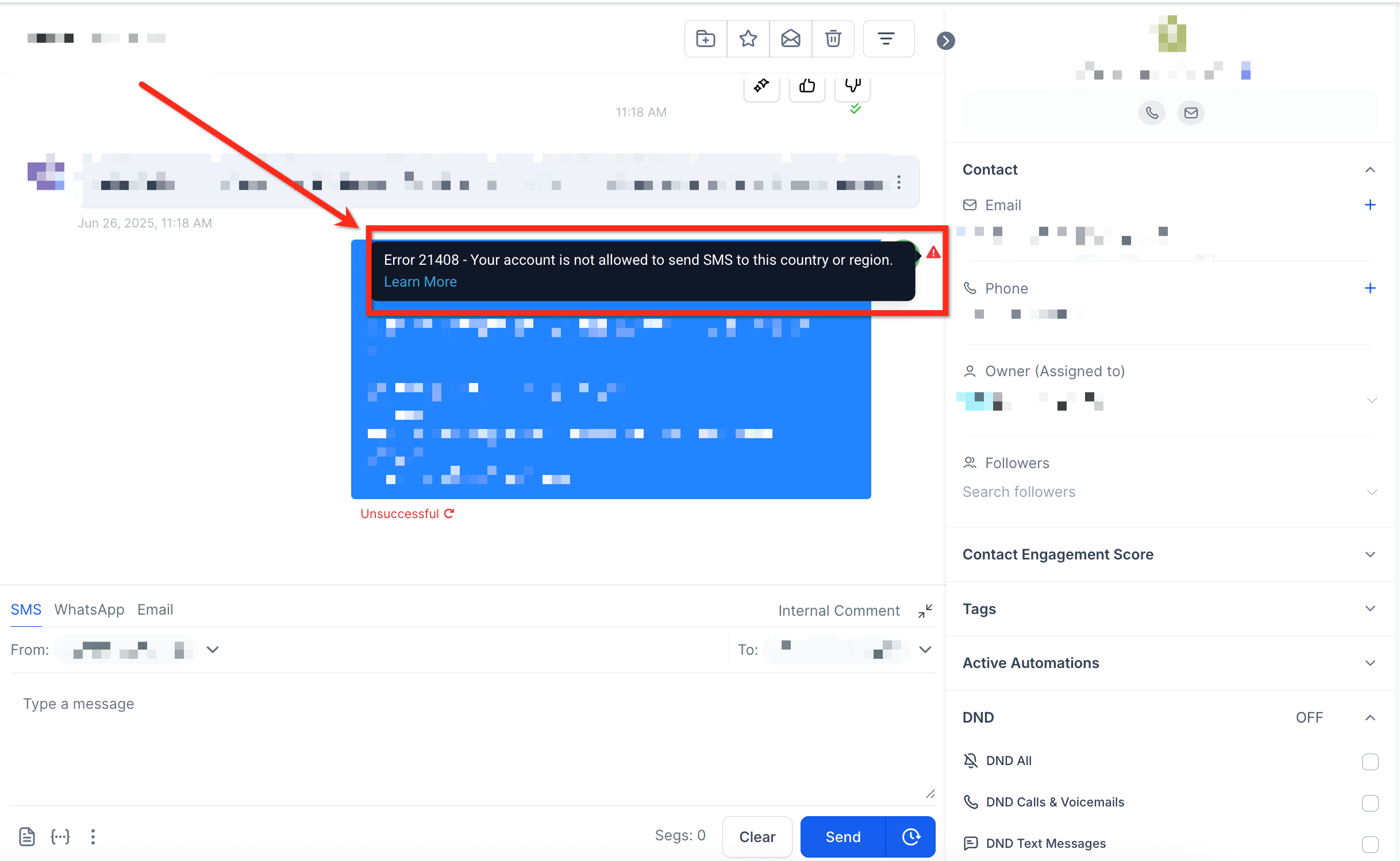
- Check error 21408, verify the target country or region is enabled for messaging in account settings; contact support to add a new region.
- Check error 21614, ensure the ‘To’ number is a mobile line, not a landline or an IoT format; use the Lookup API if needed.
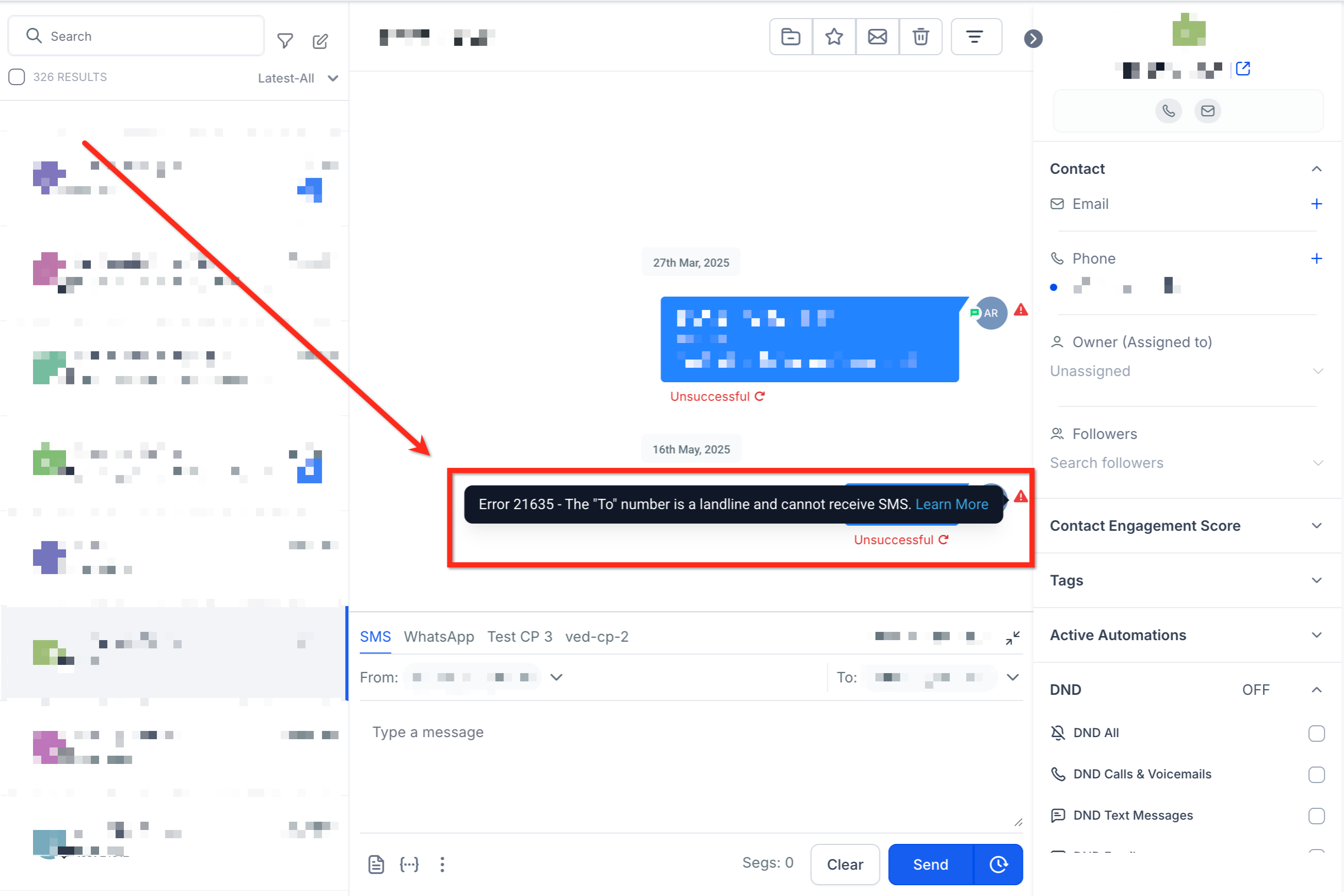
- Check error 21635, if the ‘To’ number is a landline, contact support to clarify the number type.
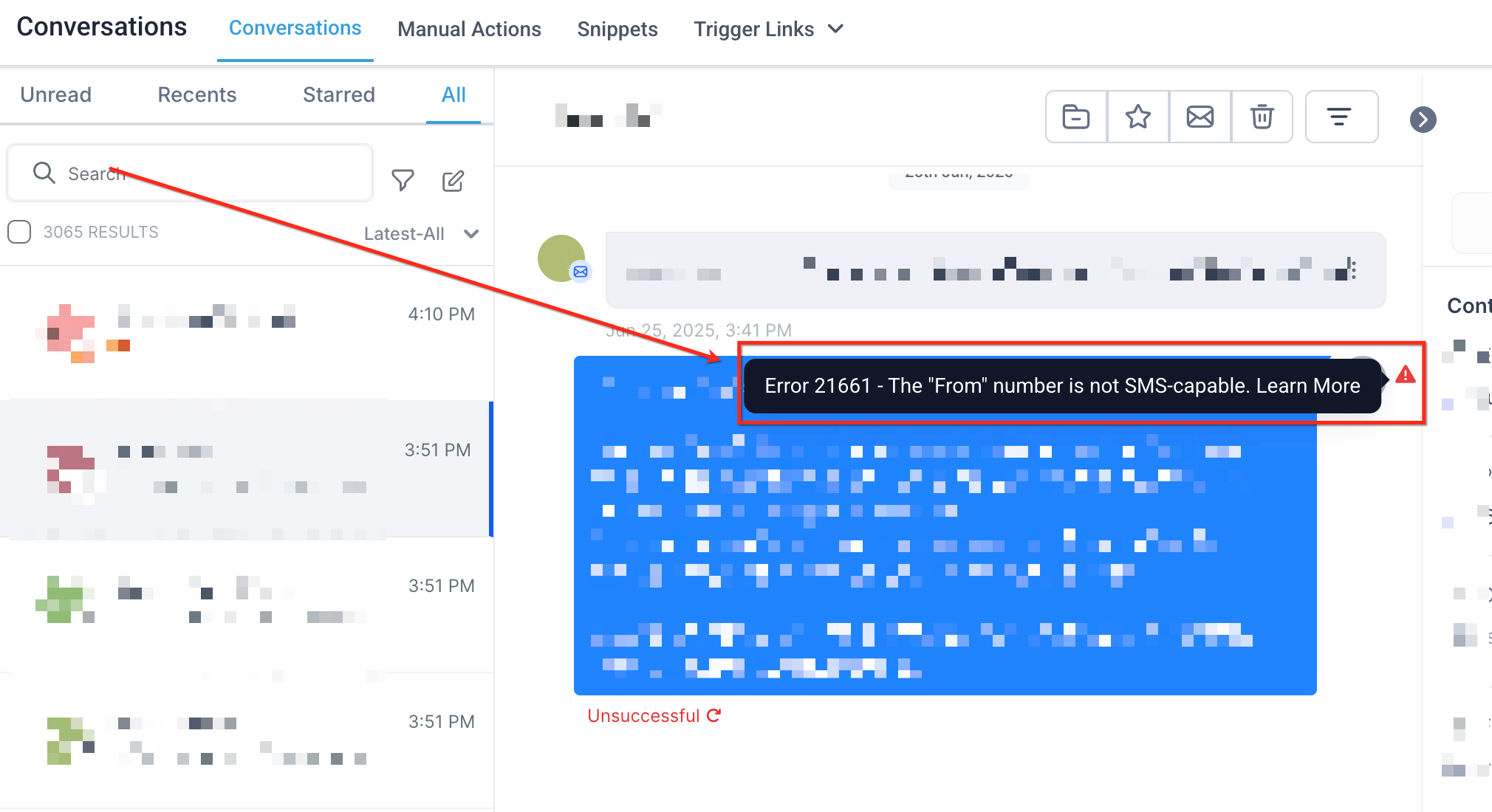
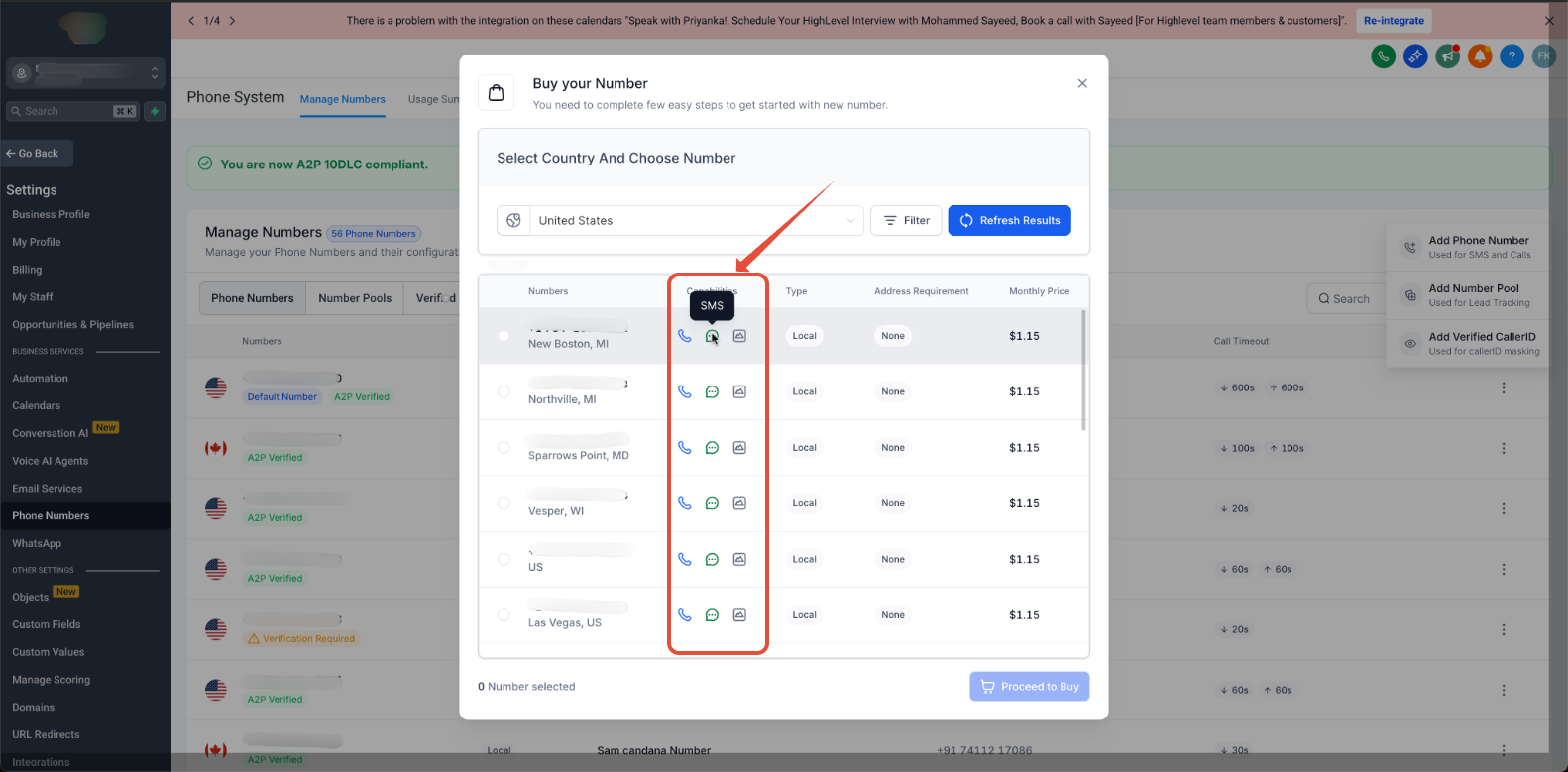
- Check error 21661, confirm the ‘From’ number is SMS capable by viewing it in Settings > Phone Numbers > Manage Number.
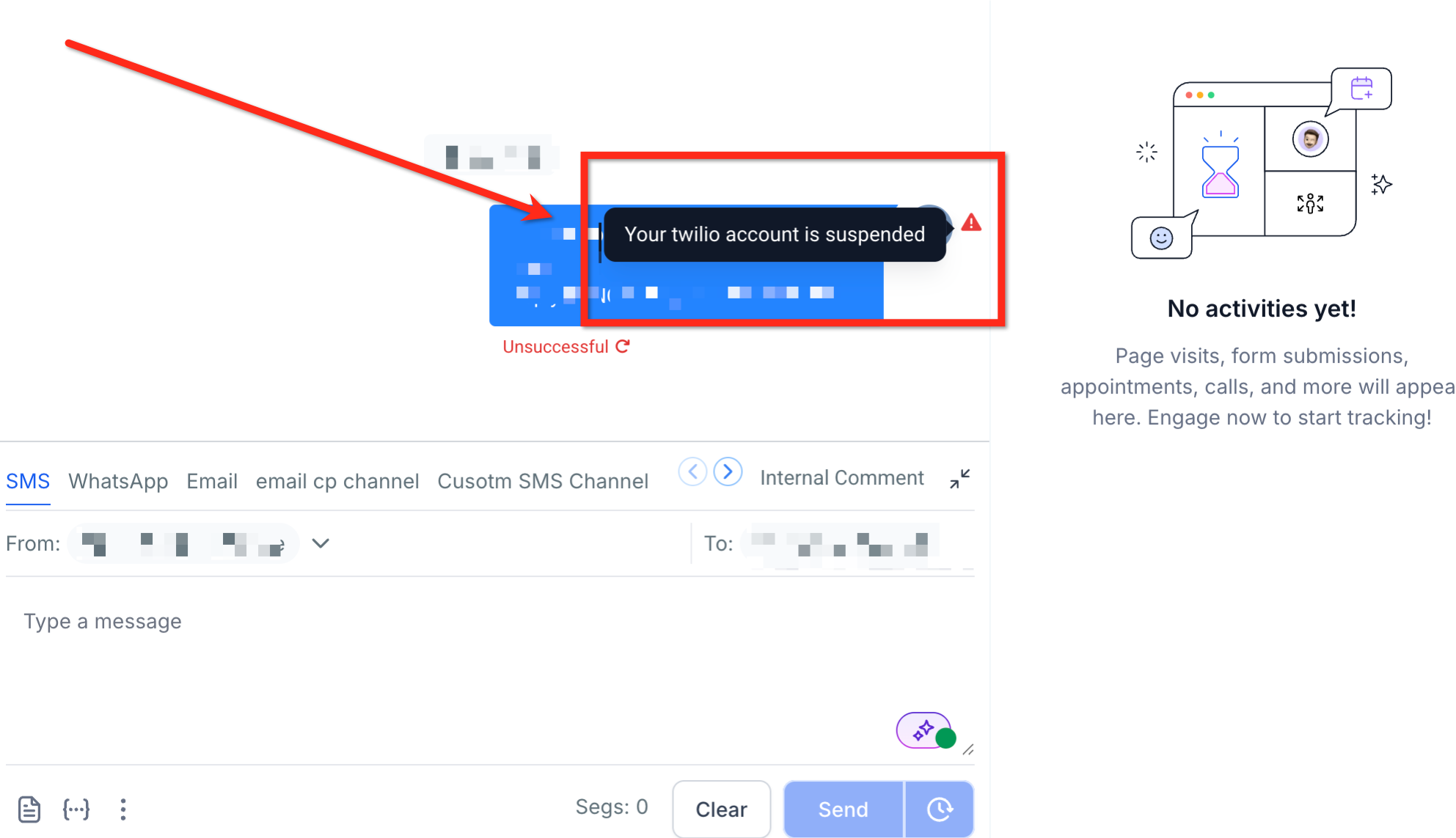
- Check error 30002, determine if the account was suspended for funds or policy violations; reach out to support.
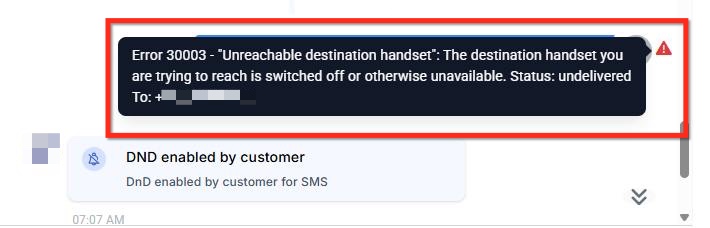
- Check error 30003, verify the device is powered on, has signal, and can receive SMS; retry after a short power cycle.
- Check error 30004, see if the destination is blocked, on a Do Not Call list, or has previously opted out; adjust lists accordingly.
- Check error 30005, confirm the number exists and is correctly formatted; double check for typos.
- Check error 30006, recognize the number may be a landline or on an unreachable carrier; consider using a mobile number instead.
- Check error 30007, review the message content for compliance with Lead Connector policy and carrier rules; modify if necessary.
- Check error 30008, try sending a shorter, plain text message; if the error persists, open a support ticket with examples.
- Check error 30011, note that incoming MMS is not supported in the recipient’s region; inform the sender of the limitation.
- Check error 30023, the daily outbound segment limit for the brand has been hit; contact support to discuss the cap.
- Check error 30032, verify the toll free number through the required verification process before sending in the US or Canada.
- Check error 21610, the recipient has opted out; request they text "START" to re enable messages.
- Check error 30033, a US A2P 10DLC campaign is suspended; contact support for details and remediation.
- Check error 30037, outbound messaging is disabled in account configuration; confirm the setting or request a change.
- Check error 21612, ensure both ‘To’ and ‘From’ numbers follow E.164 format and are allowed in the destination country.
- Check error 30034, verify the +1 10DLC number is linked to an approved A2P campaign and wait up to 24 hours after approval.
- Check error 30035, recognize the number is still being configured; allow the propagation period before sending.
- Check error 21606, confirm the ‘From’ number is SMS capable, properly formatted, and belongs to the sending account.
06What it looks like in HighLevel
07Things to know before you rely on it
- Daily message caps are applied per brand (per EIN) across all carriers and platforms.
- Toll free numbers must be verified before sending to US/Canada; unverified numbers are blocked.
- Messaging to Iran is disabled as of March 15 2025 due to regulatory changes.
- US A2P 10DLC numbers may require up to 24 hours after approval before they can send messages.
08If something goes wrong
- Invalid ‘To’ phone number (21211). Reformat the number to E.164, use the correct country code, and avoid sending to short codes or alphanumeric IDs.
- Account suspended (30002). Contact support to resolve funding or policy violations.
- Message filtered by carrier or policy (30007). Ensure content complies with Lead Connector’s Messaging Policy and with carrier regulations.
- Daily message cap reached (30023). Pause further sends and ask support to review the cap limit.
- Unverified toll free number (30032). Complete the toll free verification process as described in the support article.
09How it connects to the rest of HighLevel
- Manage your SMS capable numbers Phone number settings
- Configure opt out handling for SMS SMS compliance
- View pricing and rebilling details for the LC Phone System Phone system pricing
Michael's take

I then check the error list for daily caps or regional blocks and contact Support if I need clarification.