
01Who this is for
- Agency owners who run SMS campaigns need to restore phone access quickly to keep client communication flowing.
- Founders of SaaS businesses that rely on two factor authentication messages must resolve suspensions to maintain user login security.
- Marketing consultants who manage multiple client subaccounts benefit from a clear unsuspend request process to avoid service interruptions.
02Account suspensions, explained
When HighLevel detects non compliant messaging, high error rates, or billing discrepancies it may suspend the account's phone capabilities. The suspension blocks provisioning of new numbers and stops existing messaging flows. To lift the block you must submit a specific request to support that includes compliance evidence. The request process lives in the Settings area of the platform; you navigate to the Phone number section, gather the required details, and open a ticket. Support then contacts Twilio on your behalf to review the information and, if approved, reinstates the account's phone functions.
03How businesses use account suspensions
- Digital marketing agency. The agency follows the five step unsuspend request, providing the exact first SMS sent to leads and the URL of the opt in page. Support uses this data to verify compliance and restore the agency's ability to send campaign messages.
- SaaS startup. The startup extracts the first authentication message from its workflow, submits the required screenshots, and shares the sign up page URL. After the ticket is filed, the platform reviews the information and re enables two factor SMS delivery.
- Ecommerce retailer. The retailer gathers its promotional first text example and the consent form URL, then follows the step by step guide to create a support ticket. Once Twilio confirms compliance, the retailer regains the ability to send order updates via SMS.
04The numbers and rules that matter
- A good opt out rate is typically in the range of 0 to 1%.
- A good error rate is typically in the range of 0 to 6%.
05How to set up and use account suspensions in HighLevel
Request unsuspend
- Open Settings and select Phone number.
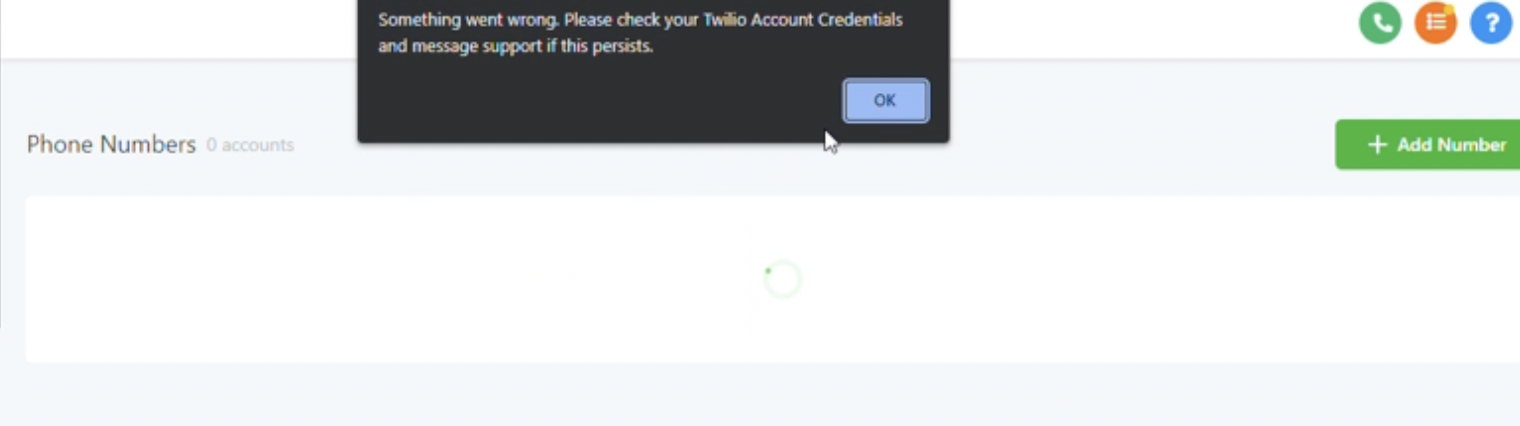
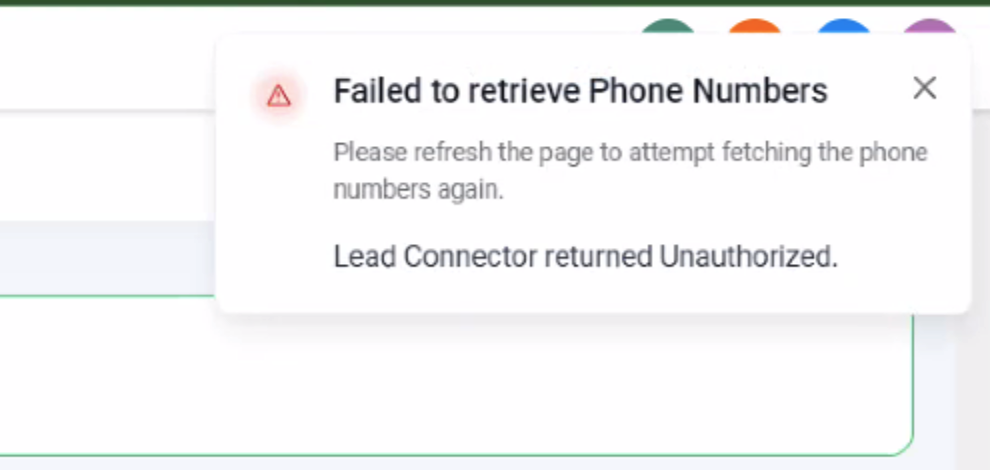
- Note any error messages such as Something went wrong, Failed to retrieve Phone Numbers, or Lead Connector returned Unauthorized.
- Copy the unsuspend template provided by HighLevel, fill in the required answers, attach relevant screenshots, and open a support ticket.
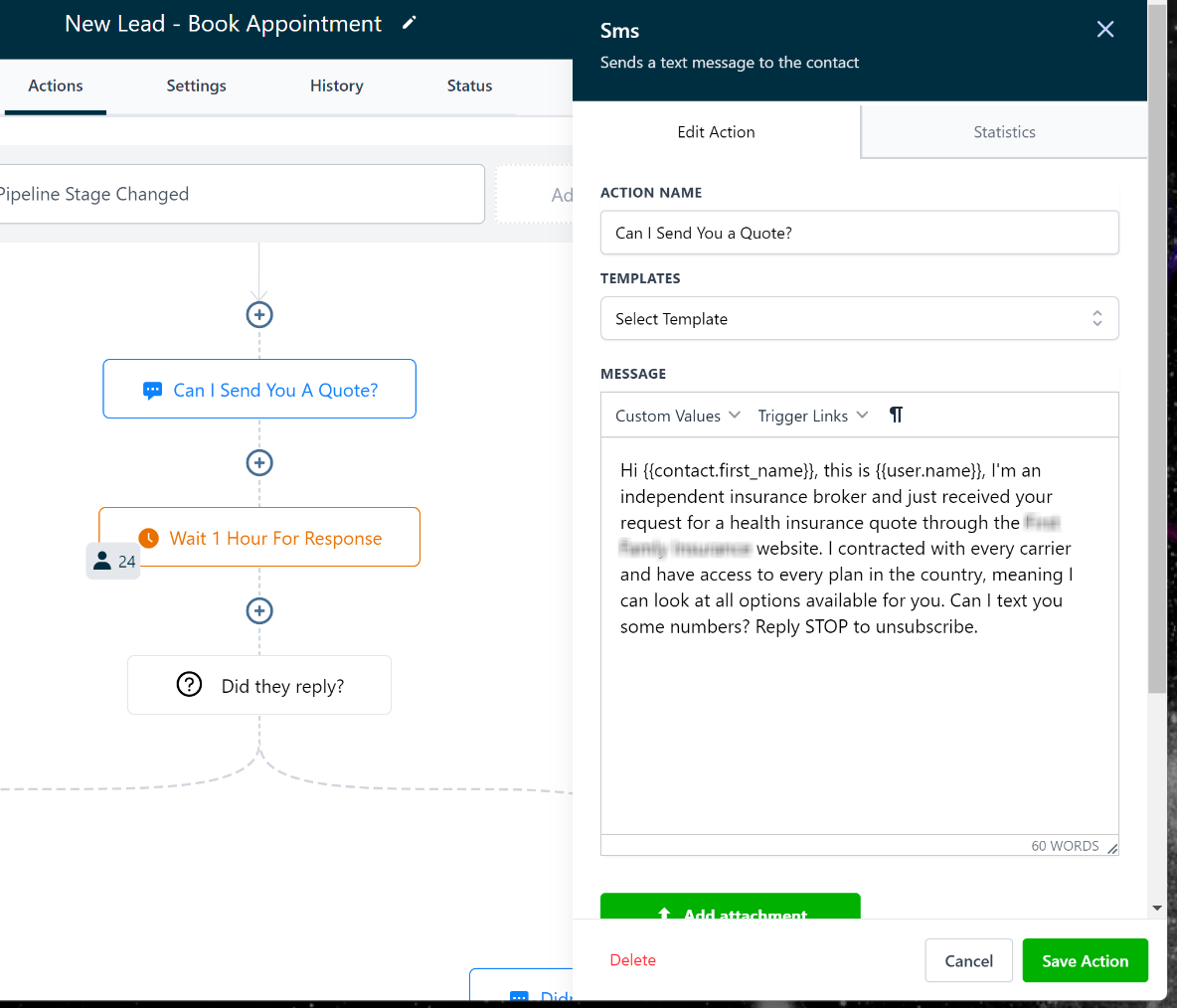
- Provide the exact first text message that leads receive after opting in, making sure it follows compliance guidelines.
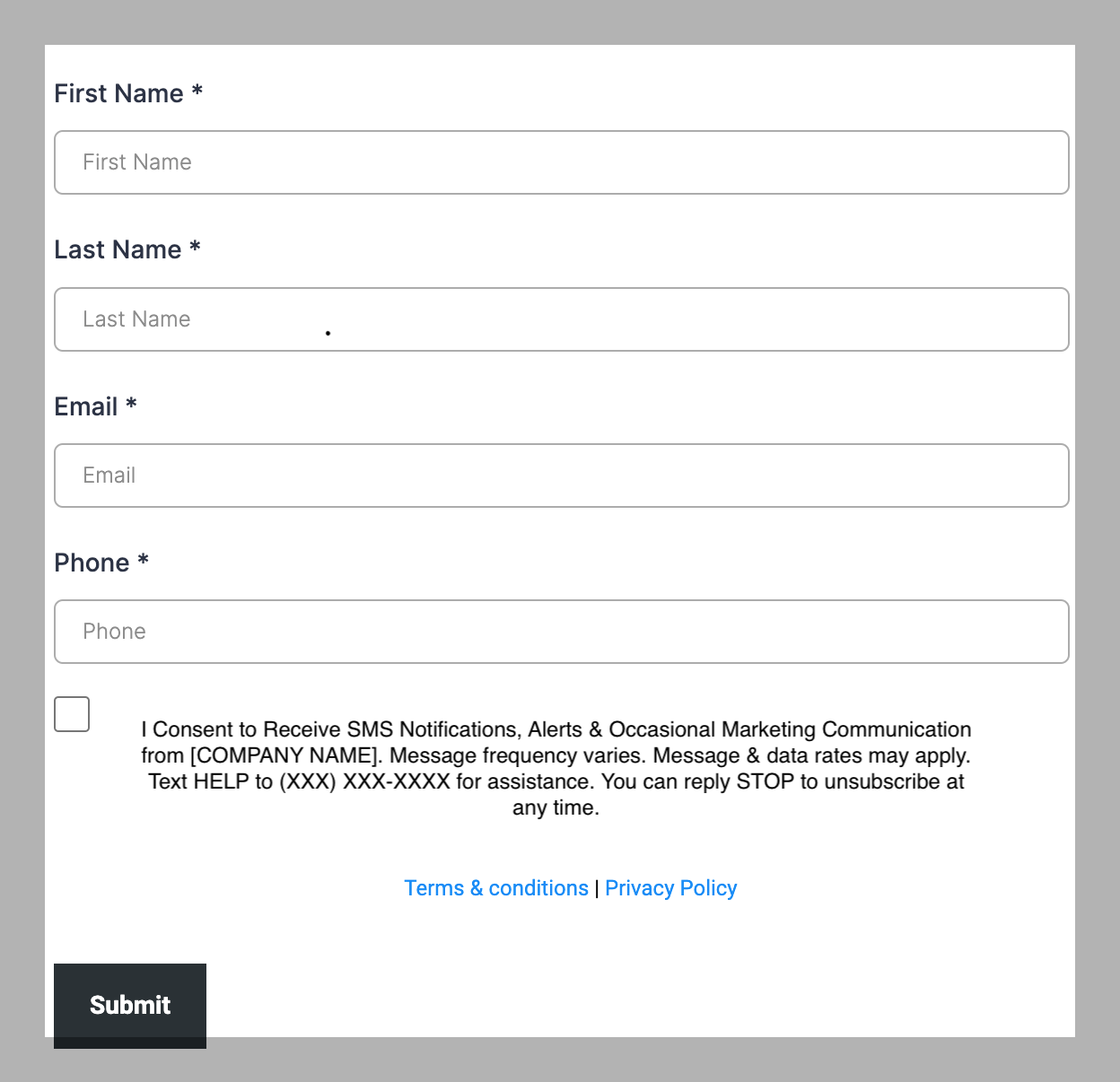
- Supply the web URL where leads submit their contact information and consent to receive SMS messages.
06What it looks like in HighLevel
07Settings that matter
- Phone number. Controls the display and management of the phone numbers linked to your HighLevel account, including provisioning and troubleshooting.
08Things to know before you rely on it
- High error rates above 6 % and high opt out rates above 1 % can trigger suspension.
- Identical or very similar messages sent from many numbers without justification are prohibited.
- After suspension, attempts to provision or recycle additional phone numbers will generate an error until the issue is resolved.
09If something goes wrong
- Something went wrong. Please check your Twilio account credentials and message support if this persists. Verify the Twilio credentials stored in your account and ensure they are correct.
- Failed to retrieve Phone Numbers - Please refresh the page to attempt fetching the phone numbers again.. Refresh the browser page and try again.
- Lead Connector returned Unauthorized.. Confirm that your Twilio account is properly connected and that the credentials have not expired.
10How it connects to the rest of HighLevel
- HighLevel’s LC Phone provides built in SMS and calling for agencies LC Phone overview
- HighLevel SMS compliance settings explain opt out and sender ID requirements SMS compliance guide
- HighLevel phone system pricing and rebilling details Pricing and billing
Michael's take

Account suspensions limit a small business’s ability to communicate with customers, especially when phone numbers are locked and campaigns stop. Fixing the compliance gaps and providing the required documentation is necessary to address the suspension.
Avoid sending the same promotional text to a bulk list without clear consent.