
01Who this is for
- Agency owners who manage client subaccounts and want direct control over phone routing through Twilio.
- Founders of SaaS platforms that use HighLevel for client communication but prefer their own Twilio integration.
02LC Phone System, explained
Disabling the LC Phone System stops HighLevel’s native telephony for the chosen subaccount. After the switch, Twilio becomes the default provider for calls and messages. The change is handled by HighLevel support once a request form is submitted.
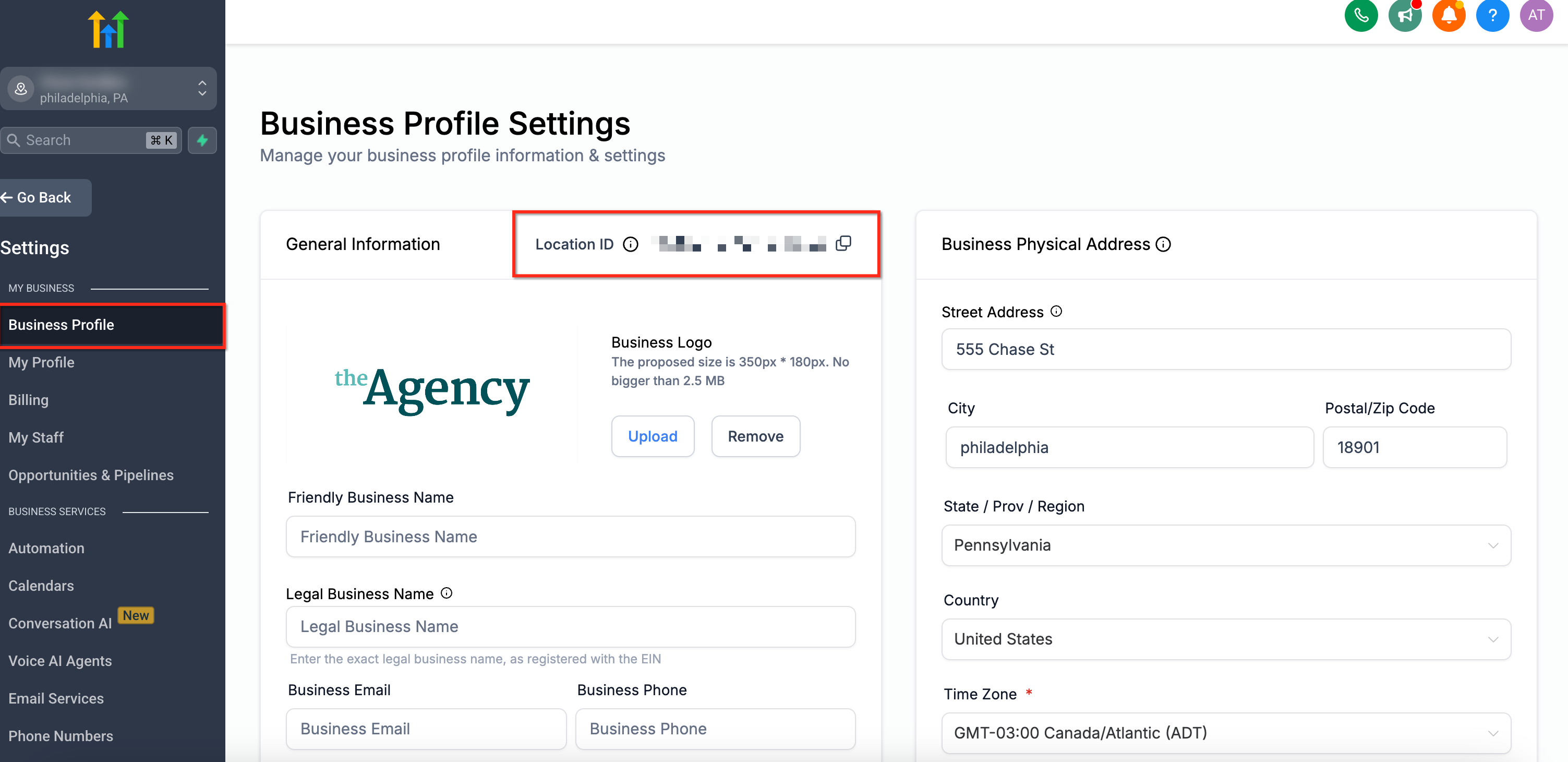
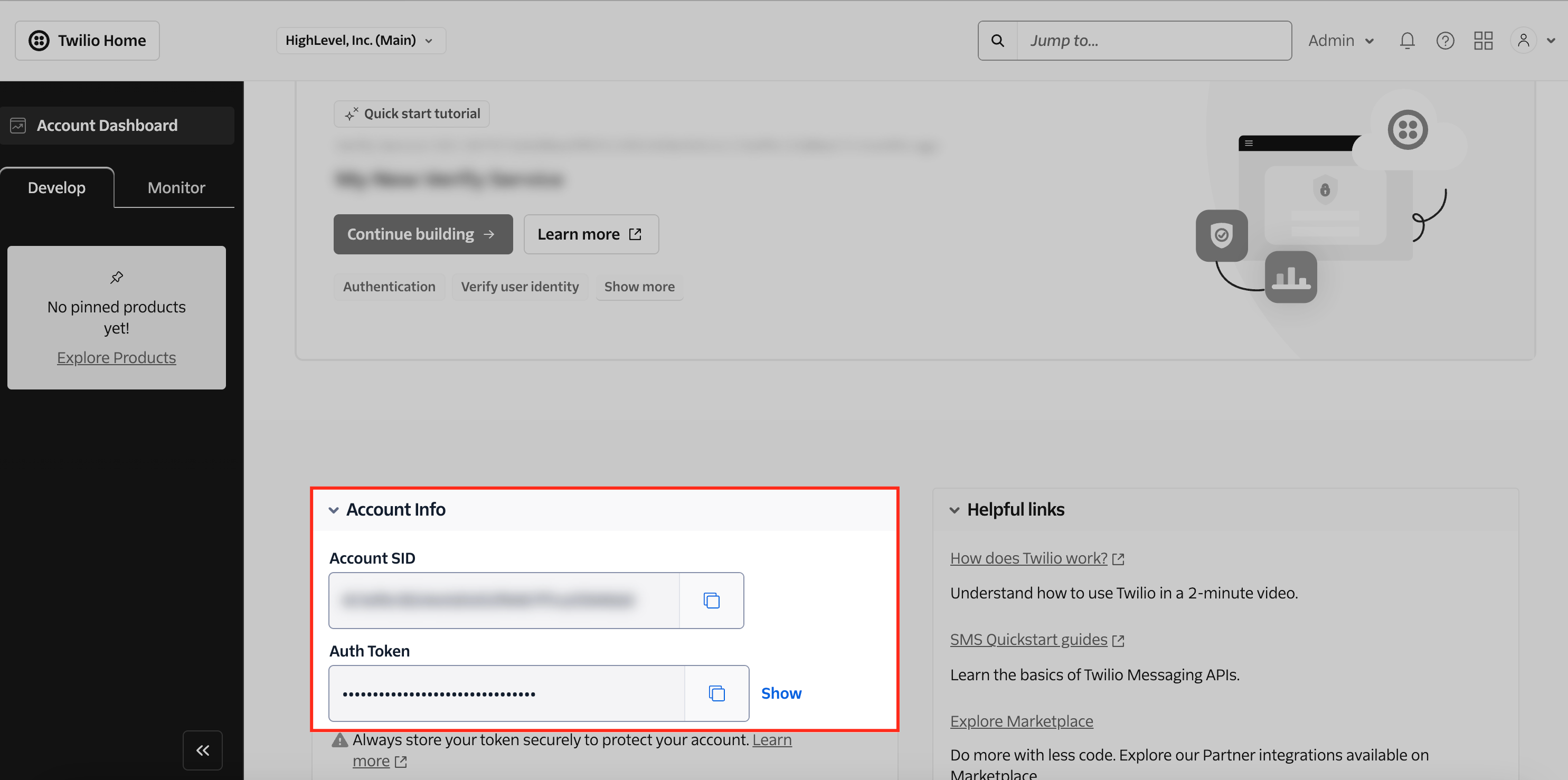
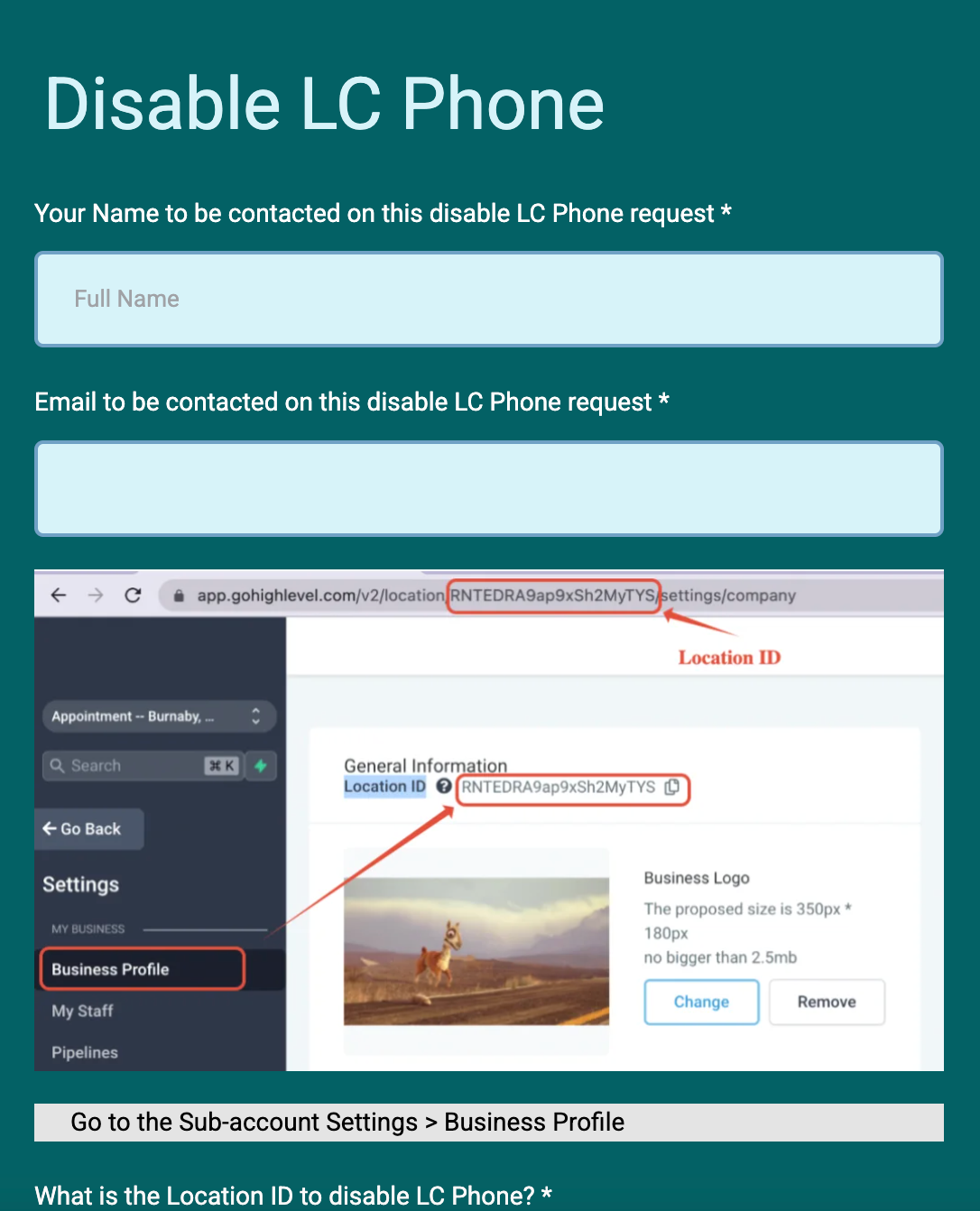
The feature lives in the platform’s account administration area. You locate the subaccount’s Location ID in Settings > Business Profile, collect your Twilio Account SID and Auth Token, then use the Disable LC Phone Form to send the request.
03How businesses use disable LC Phone System
- Digital marketing agency. The agency releases client phone numbers they wish to retain, gathers its Twilio credentials, and submits the disable form for each client subaccount, moving all calls to its Twilio account.
- Ecommerce startup. The startup skips number release if it does not need existing numbers, locates the Location ID for its sales subaccount, provides Twilio SID and token, and disables LC Phone to route order confirmations through Twilio.
- Consulting firm. The firm prepares a new Twilio account, copies the Location ID of the consulting subaccount, fills out the disable request, and lets HighLevel transition the subaccount’s phone service to Twilio.
04Before you start
- Have an active Twilio account with the Account SID and Auth Token ready.
- If you want to keep existing phone numbers, contact Twilio Support and have the numbers released before disabling LC Phone.
05How to set up and use disable LC Phone System in HighLevel
Disable LC Phone system for a subaccount
- Contact Twilio Support and request release of any numbers you want to keep.
- Verify that the numbers have been successfully released before moving forward.
- Open Settings > Business Profile, copy the subaccount’s Location ID.
- Log in to the Twilio Console and note the Account SID and Auth Token.
- Open the Disable LC Phone Form, enter the Location ID, Twilio SID, and Auth Token, then submit the form.
06What it looks like in HighLevel
07Settings that matter
- Sub, Account ID (Location ID). Identifies the specific subaccount whose LC Phone service will be disabled.
- Twilio Account SID. Provides HighLevel with the identifier for the Twilio account that will take over telephony.
- Twilio Auth Token. Authenticates the connection between HighLevel and the Twilio account.
08Things to know before you rely on it
- Each subaccount must be processed individually; you cannot disable LC Phone for multiple subaccounts in one request.
- If phone numbers are not released before disabling, they will be lost permanently.
- Processing time varies; you will receive confirmation after HighLevel completes the transition.
09If something goes wrong
- Phone numbers are lost after disabling LC Phone.. Release the numbers from LC Phone by contacting Twilio Support before submitting the disable request.
- Attempt to disable LC Phone for several subaccounts at once.. Submit a separate disable request form for each subaccount.
10How it connects to the rest of HighLevel
- HighLevel phone system pricing and rebilling guide Pricing guide
- HighLevel’s LC Phone: built in SMS and calling for agencies LC Phone overview
- HighLevel guide to migrating agency and subaccounts to LC Phone Migration guide
Michael's take

Switching from LC Phone to Twilio allows agencies to use their own Twilio account for direct control over phone services, and following the required steps helps avoid loss of numbers. The biggest risk is forgetting to release numbers before you turn off the built in system.