
01Who this is for
- Agency owners who want to eliminate third party telephony setup and keep billing within HighLevel.
- Agency team members needing instant SMS and call capability without technical integration.
02LC Phone System, explained
The LC Phone system is a proprietary telephony solution embedded in HighLevel. Once enabled, it provides native SMS sending and voice calling without any external service configuration. All communication flows through the platform’s interface, and usage appears on the built in billing dashboard.
Activation occurs in the account settings. After the single toggle is switched on, the system is ready to use; no keys, API credentials, or Twilio accounts are required. The platform also includes tools for managing opt out links, SenderID configuration, and real time error alerts to help maintain compliance and reputation.
Monitoring and cost control are built into HighLevel. Real time billing shows spend right away, and the system offers protections such as ramp up limits and error tracking to safeguard deliverability.
03How businesses use LC Phone System
- Digital marketing agency. The agency enables LC Phone in its account settings, then uses the built in SMS composer to launch campaign messages. It tracks each message’s cost on the billing dashboard and monitors delivery errors through the provided alerts.
- Agency managing client communications. The agency activates LC Phone, creates opt out links within messaging templates, and sends appointment reminders via SMS. Built in compliance tools ensure messages meet DND regulations without external configuration.
- Agency handling outbound calls. After turning on LC Phone, the agency uses the native call dialer to contact leads directly from the platform. Call activity and any associated fees appear right away in the usage view.
04The numbers and rules that matter
- Improved Deliverability: Includes SenderID, Opt Out links, and DND rules.
05Before you start
- Previously agencies had to create and configure a Twilio account to send SMS or make calls, adding friction during onboarding.
06How to set up and use LC Phone System in HighLevel
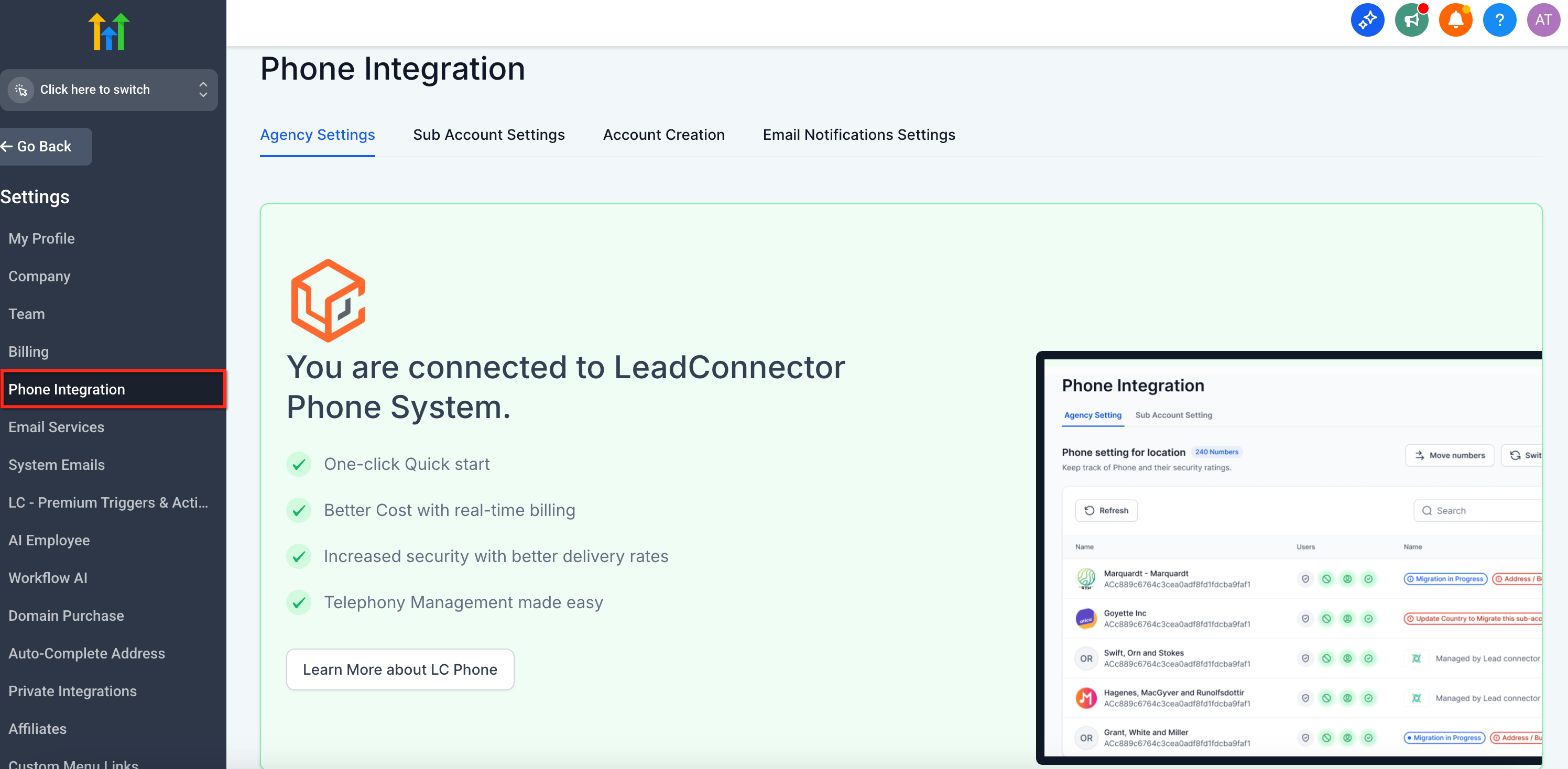
Activate LC Phone to start sending SMS and making calls
- Open the account settings, toggle the LC Phone option on, and the system becomes active immediately without additional configuration.
07What it looks like in HighLevel
08Settings that matter
- LC, Phone. Controls whether the native telephony service is enabled; turning it on activates SMS and call capabilities inside HighLevel.
09Things to know before you rely on it
- LC Phone is the default and recommended option, though Twilio remains supported for users who prefer it.
- Real time billing displays spend as it occurs within the HighLevel environment.
10How it connects to the rest of HighLevel
- Pricing details and how billing works for LC Phone Phone system pricing guide
- Step by step migration from Twilio to LC Phone Migrate to LC Phone
- Create regulatory bundles and addresses for subaccounts Regulatory bundle guide
Michael's take

LC Phone is a small convenience that can feel like a real shift for agencies tired of juggling Twilio accounts. The native setup eliminates a whole layer of technical work and gives you instant access to SMS and calling right inside HighLevel.
A boutique marketing agency that runs dozens of client campaigns benefits most. With one click they get compliance tools, real time cost visibility and a smoother onboarding experience for new clients.