
01Who this is for
- Agency owners who manage client subaccounts benefit by receiving early alerts before carriers block numbers.
- Marketing teams that run bulk SMS campaigns gain a safeguard that pauses high risk sending while they fix list or content issues.
02Phone messaging quality monitoring, explained
The platform records how many contacts reply with STOP and how many messages carriers filter as spam. These metrics are calculated over a moving seven day window, but only after the subaccount has sent at least 500 SMS in that period. Young accounts (less than seven days of history) and mature accounts have different warning and restriction thresholds.
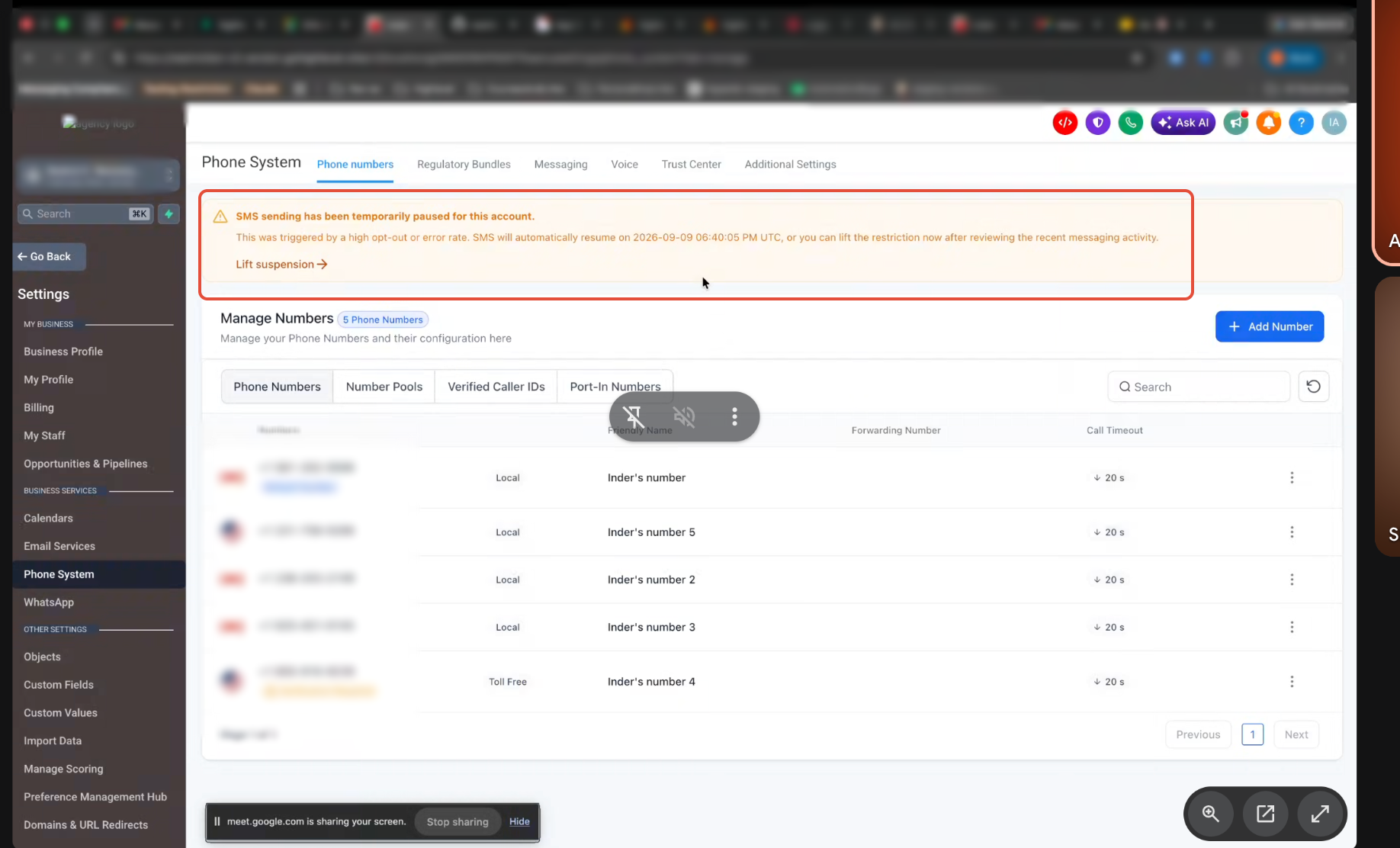
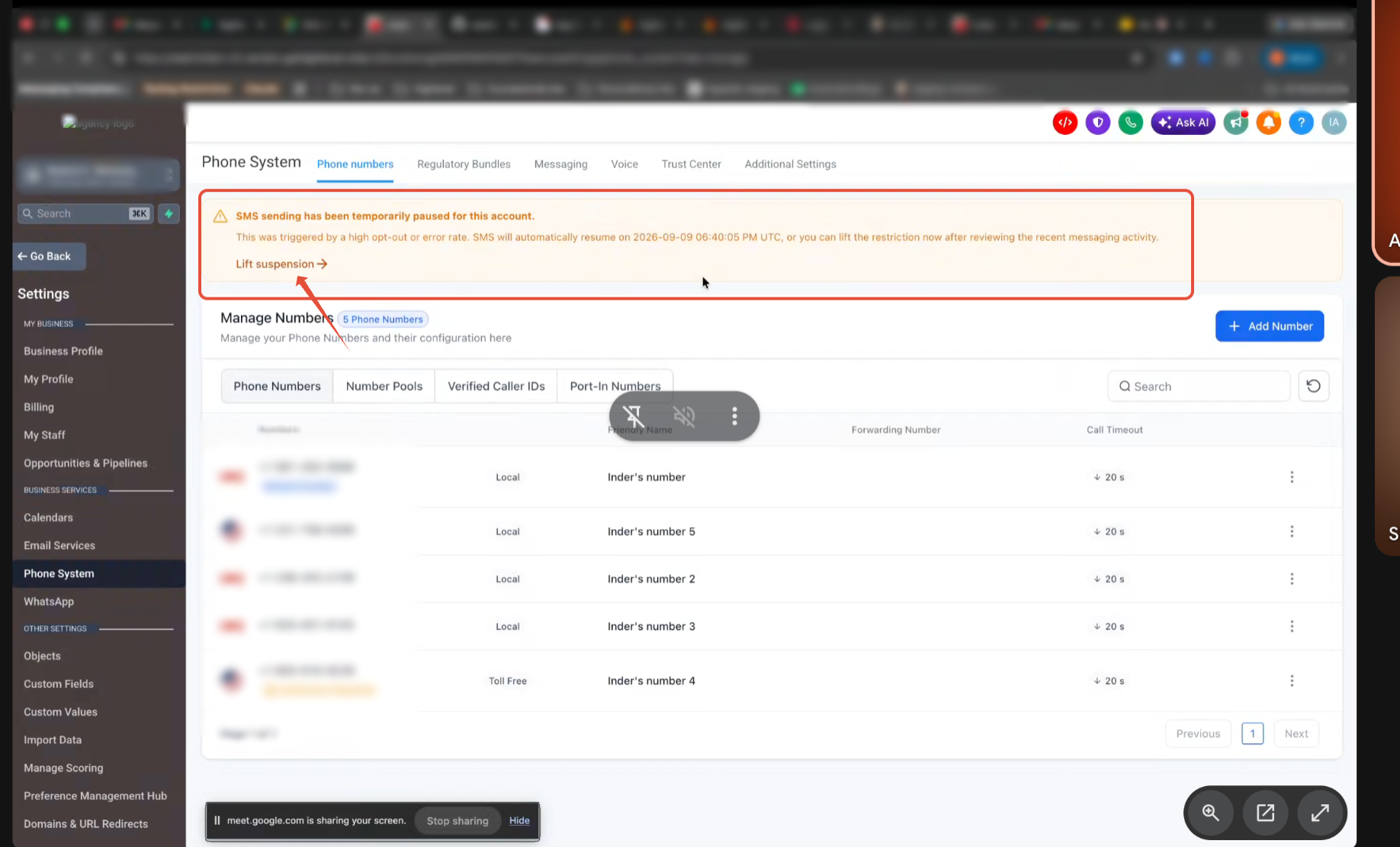
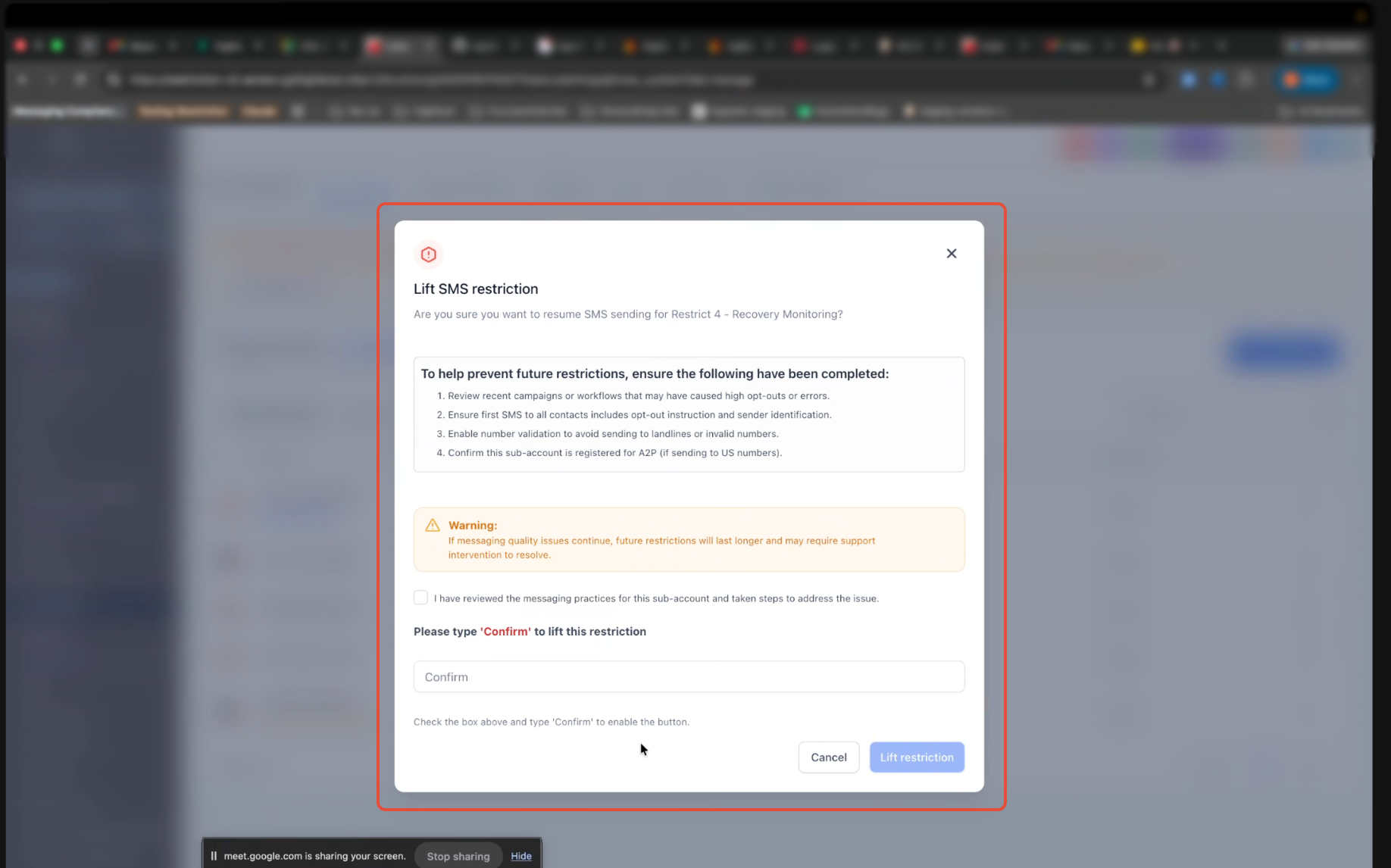
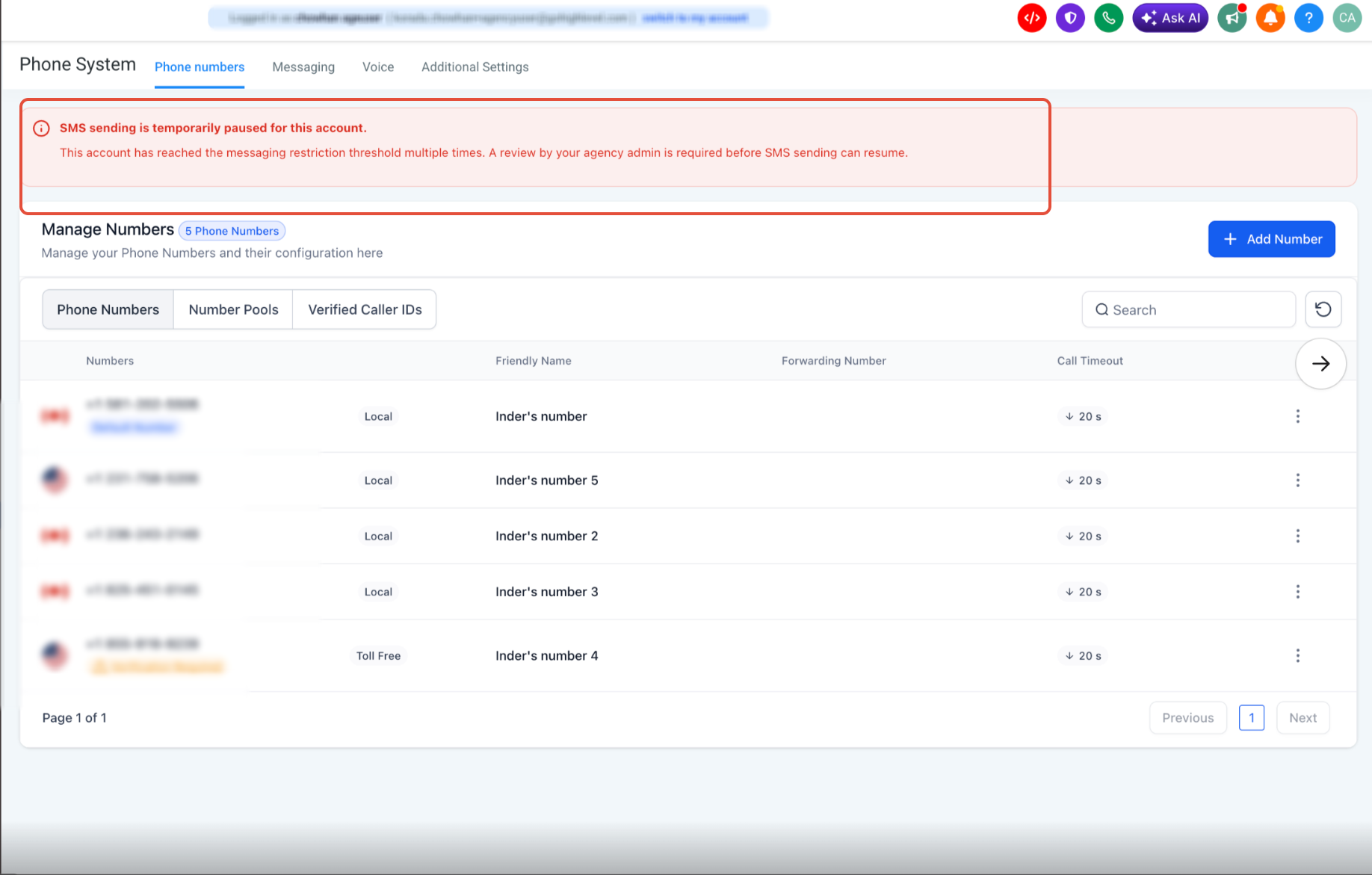
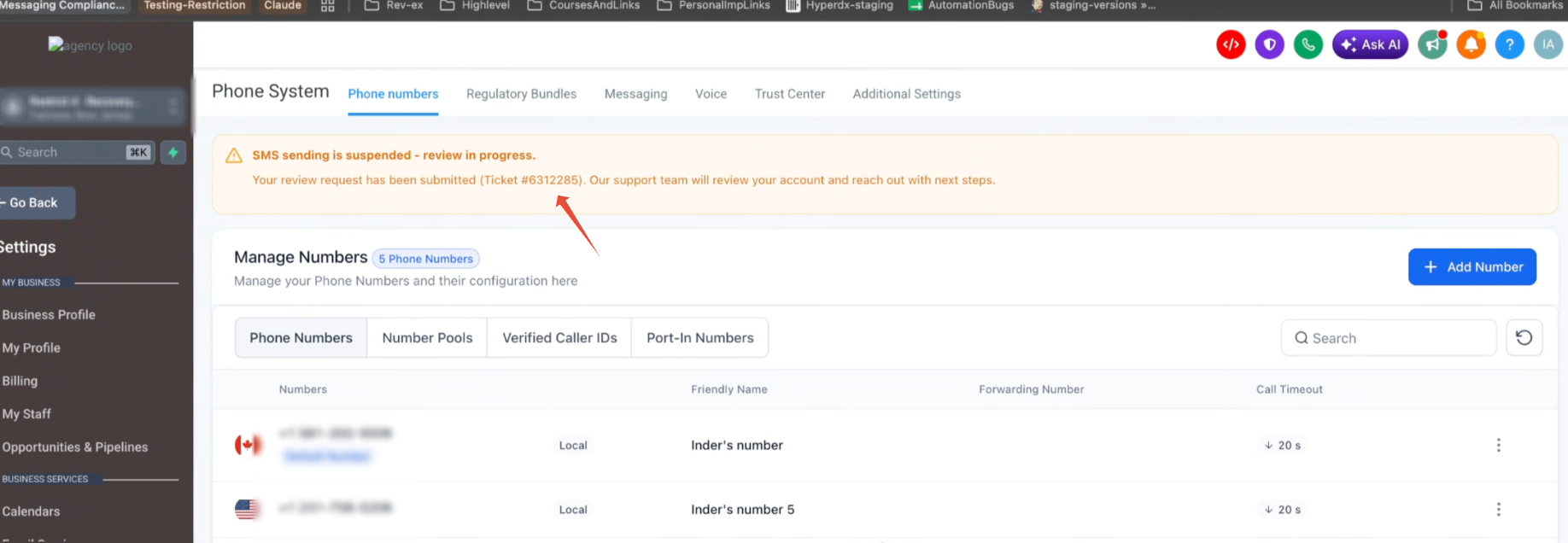
When a warning threshold is crossed, the system emails the agency owner and admins. No messaging is stopped at this stage. If a restriction threshold is reached, bulk, workflow and campaign SMS are paused for 12 hours for the first restriction, or 24 hours for a relapse. The pause can be ended early by an agency owner or admin from the subaccount’s phone settings.
During a restriction, one to one replies in Conversations, missed call text back and RCS messages continue to work. Bulk actions, workflow SMS steps and campaigns remain paused until the restriction ends or is lifted.
03How businesses use phone messaging quality monitoring
- Digital marketing agency. The agency monitors opt out and carrier filter rates for each client subaccount. If a warning appears, the agency pauses the offending bulk campaign, adjusts the messaging, and lets the pause expire or lifts it early after fixing the issue.
- Ecommerce retailer. The retailer watches the Error 30007 rate while sending promotional texts. When the rate approaches the warning level, the retailer updates the message content to reduce promotional language and resumes sending after the pause clears.
- Healthcare clinic. The clinic uses the manual review option when an exceptionally high opt out rate triggers a restriction. They submit the Messaging Quality Review form so Support can evaluate consent and messaging practices before bulk sending resumes.
04The numbers and rules that matter
- Standard temporary pauses now last 12 hours.
- Young subaccount warning at opt out rate ≥ 3%.
- Young subaccount restriction at opt out rate ≥ 10%.
- Young subaccount warning at Error 30007 rate ≥ 10%.
- Young subaccount restriction at Error 30007 rate ≥ 50%.
- Mature subaccount warning at opt out rate ≥ 4%.
- Mature subaccount restriction at opt out rate ≥ 6%.
- Mature subaccount warning at Error 30007 rate ≥ 15%.
- Mature subaccount restriction at Error 30007 rate ≥ 25%.
- Relapse warning at opt out rate ≥ 4%.
- Relapse restriction at opt out rate ≥ 10%.
- Relapse warning at Error 30007 rate ≥ 15%.
05Before you start
- You must be an agency owner or agency admin to lift a restriction early.
- A manual review must not be open before attempting a self lift.
- Only one self lift can be performed each 24 hour period.
06How to set up and use phone messaging quality monitoring in HighLevel
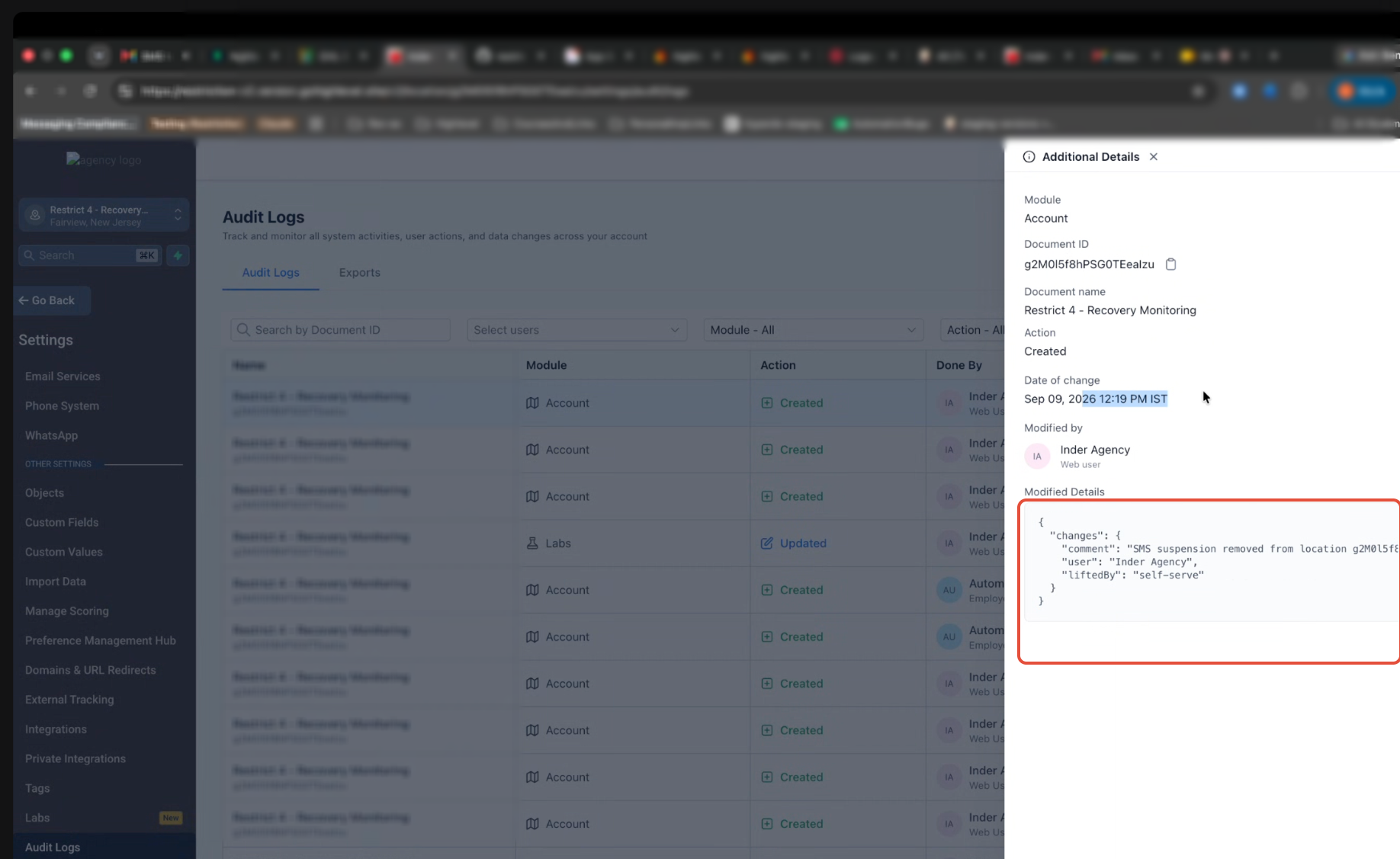
Lift restriction yourself
- Open the affected subaccount in HighLevel.
- Select Settings from the subaccount menu.
- Choose Phone.
- Use the self lift control to end the restriction early.
Request a manual review
- Open the affected subaccount in HighLevel.
- Select Settings from the subaccount menu.
- Click Phone Numbers.
- Submit the Messaging Quality Review form.
07What it looks like in HighLevel
08Settings that matter
- Phone. Provides the control that lets an agency owner or admin end a temporary SMS restriction before its automatic expiry.
- Phone Numbers. Hosts the Messaging Quality Review form used to request a manual review when restrictions are severe.
09Things to know before you rely on it
- Warning and restriction thresholds differ for young (under 7 days) and mature (7 days or more) subaccounts.
- A restriction lasts 12 hours for the first pause and 24 hours for a relapse, unless lifted early.
- Self lift can be used only once per 24 hours and is unavailable while a manual review is open.
- Metrics are evaluated only after the subaccount has sent at least 500 SMS in a rolling 7 day window.
- RCS messages are excluded from both calculations and restriction enforcement.
- Shorter pause durations are being rolled out to a selected group of subaccounts as part of a phased evaluation.
10How it connects to the rest of HighLevel
- Read the full LC - Phone Messaging Policy for consent and opt out requirements. Messaging policy
- See how to avoid carrier filtering errors that affect the Error 30007 rate. Prevent carrier filtering
- View the restriction history for any subaccount. Restriction history
Michael's take

What happens if my bulk SMS suddenly stops? The system is watching two things: How many contacts hit STOP and how many carriers label your messages as spam. When those numbers climb past set limits, HighLevel pauses bulk sends for a short time and emails you. It gives you a chance to fix the list or the message before carriers block your numbers.
If I were in a tight spot, I’d pause any campaign that’s driving the high opt out rate, clean the contact list and then either wait for the automatic 12 hour pause to end or lift it myself if I’m an admin. Knowing the exact thresholds lets you stay ahead of the warning and keep your numbers trusted.