
01Who this is for
- Customer support teams that need an immediate response for after hours calls, to keep callers engaged.
- Sales groups handling high call volumes, who want to acknowledge missed leads without manual callbacks.
- Service based businesses that rely on text communication to schedule appointments after missed calls.
02Missed Call Text Back, explained
The feature monitors inbound calls. When a call exceeds the ring timeout without being answered, HighLevel sends a predefined SMS to the caller. The message can include merge fields such as the contact’s name.
The text is sent from the number the caller dialed if that number can send SMS. If not, the system falls back to a previously used contact number, the default outbound number, or any other eligible messaging number in the location. This logic runs automatically once the feature is enabled.
Settings for the feature live under Settings > Phone System > Voice > Voicemail & Missed Call Text Back > Missed Call Text Back. Voicemail options also let you set the ring timeout and upload a custom greeting.
03How businesses use Missed Call Text Back
- Dental practice. When a patient calls after clinic hours, the practice uses Missed Call Text Back to send an appointment booking link right away. The message comes from a verified local number, so the patient receives it even if the original line cannot send SMS.
- Real estate agency. Agents receive many inbound calls. If a prospect calls and the line is busy, the agency’s automated text provides a direct link to property listings and encourages the prospect to reply, keeping the lead warm.
- Home service company. Calls for emergency repairs often come outside business hours. The company configures a text that confirms receipt of the call and offers a quick reply option, reducing the chance a caller hangs up.
04The numbers and rules that matter
- SMS messages count toward your phone messaging usage limits.
- Number selection order: 1) the number the customer called if it is eligible to send SMS; 2) a number you’ve successfully messaged this contact from before; 3) your default outbound number; 4) another eligible messaging number available in the location.
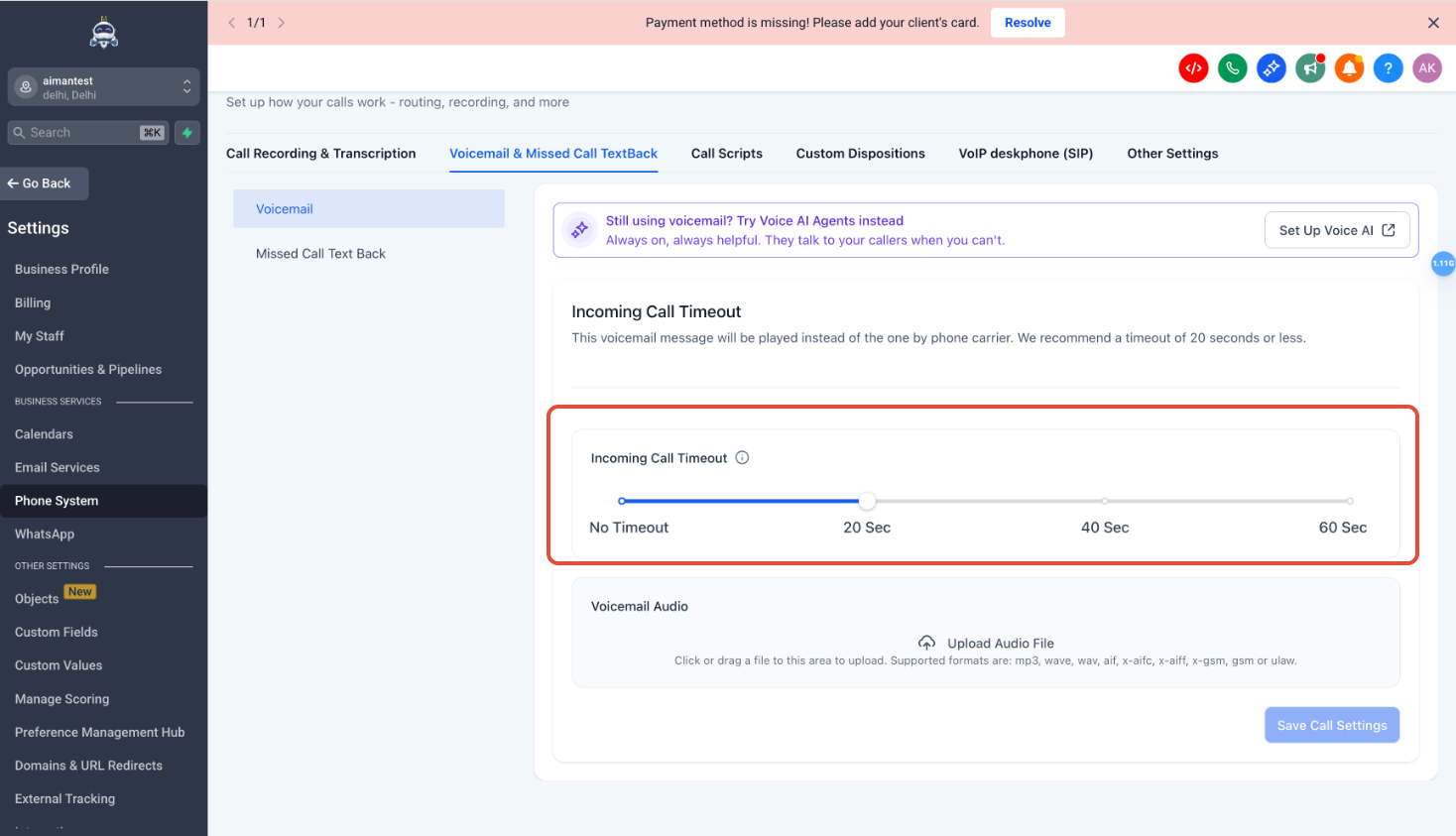
- Incoming call timeout slider recommends 10 to 20 seconds.
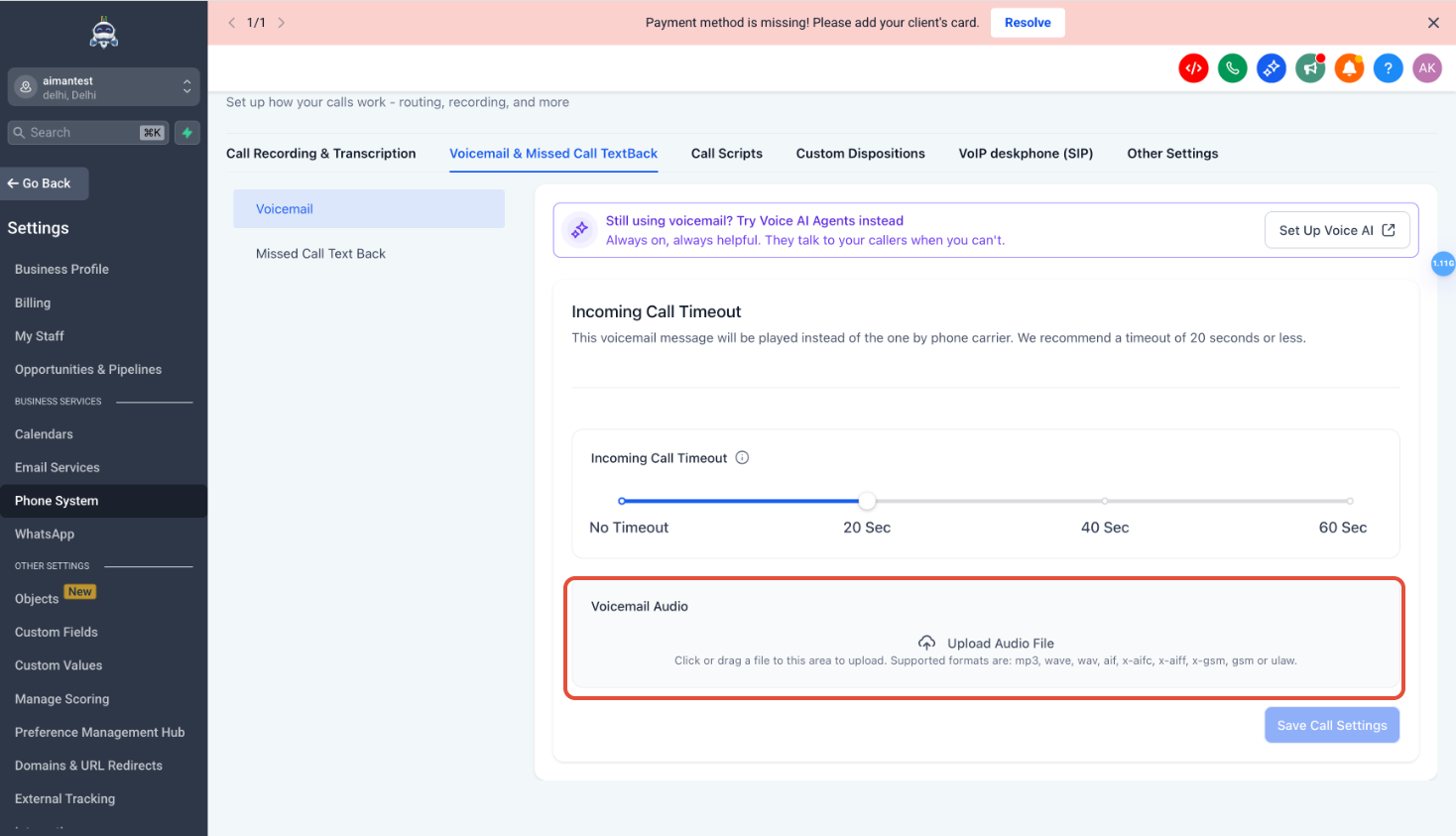
- Voicemail audio can be uploaded in mp3, wav, or a similar format.
05Before you start
- At least one phone number in the location must be verified and eligible to send SMS.
06How to set up and use Missed Call Text Back in HighLevel
Enable and configure Missed Call Text Back
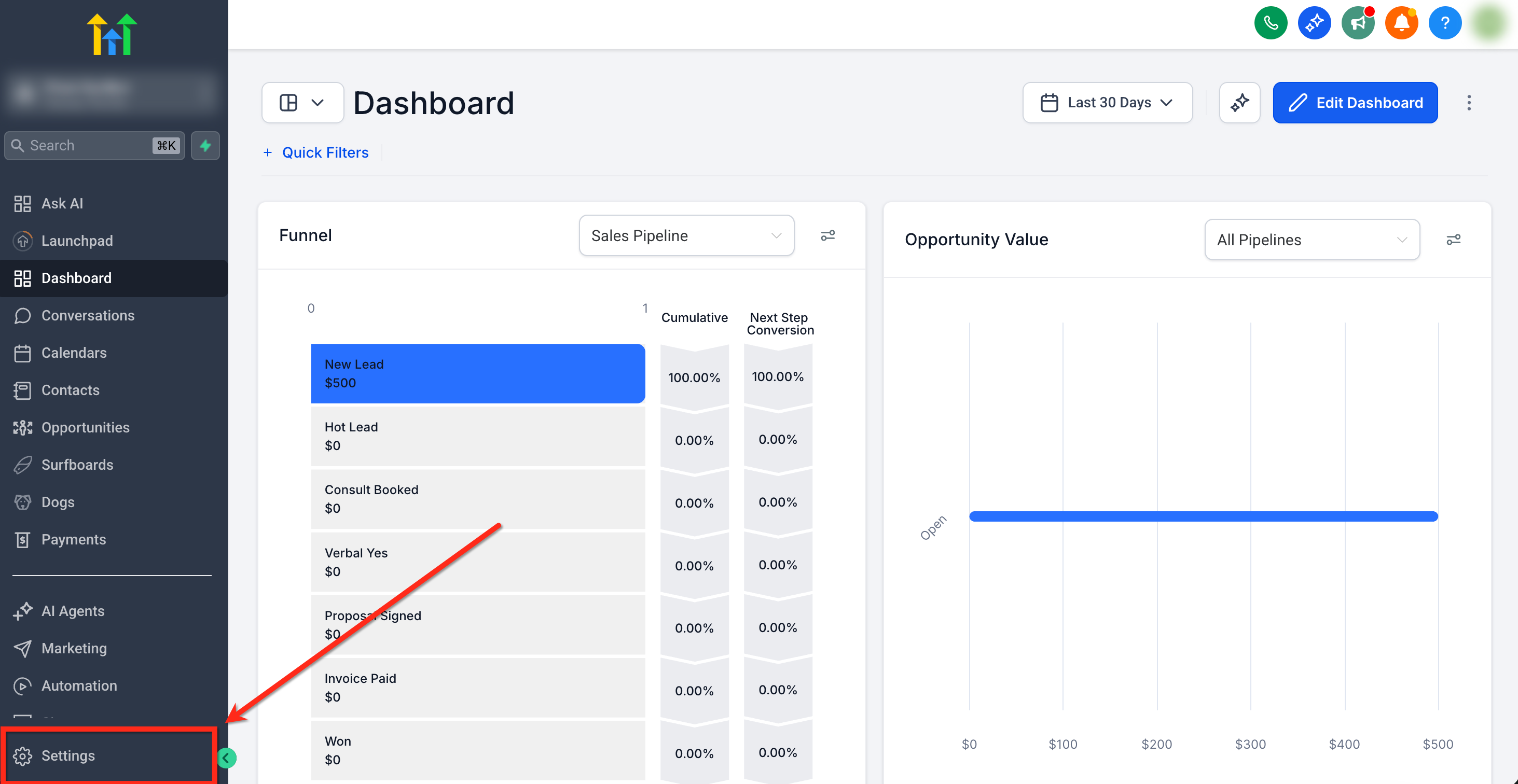
- Open Settings in the subaccount by clicking Settings in the bottom left corner.
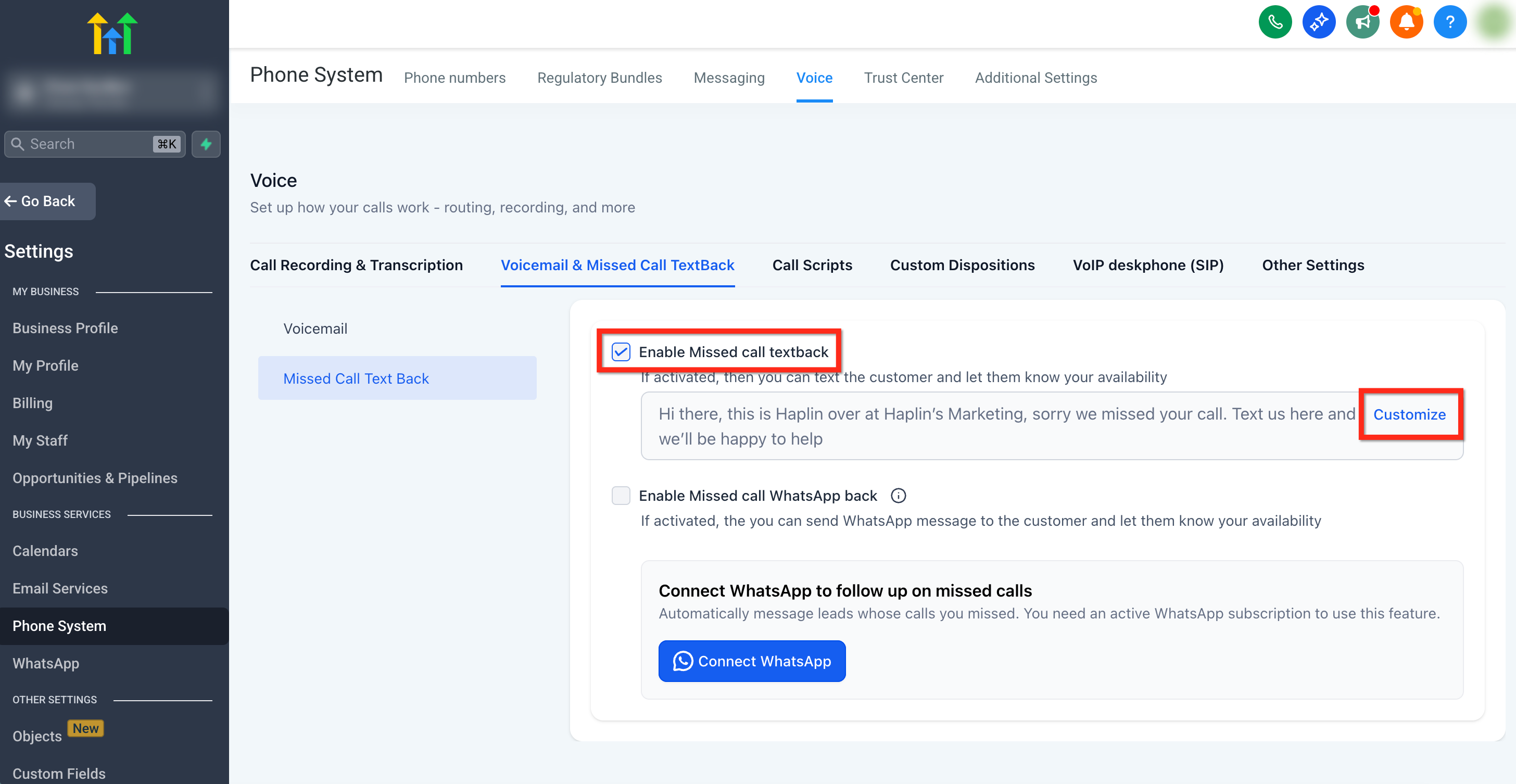
- In Settings, select Phone System from the left menu, then choose Voice at the top, open Voicemail & Missed Call Text Back, and click Missed Call Text Back.
- Check the box labeled Enable Missed Call Text Back and click Customize.
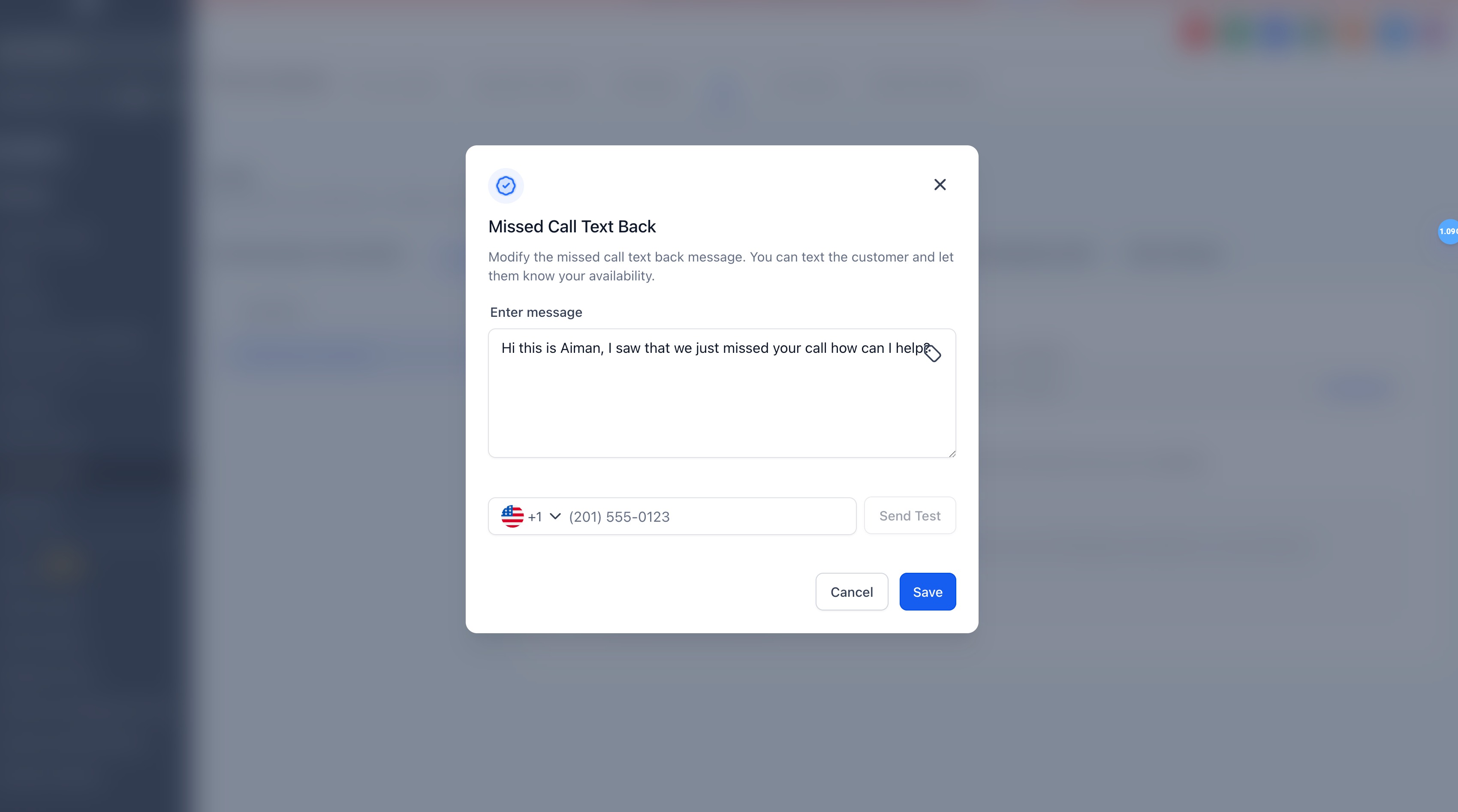
- In the popup, type the SMS content in the Enter message field and insert any merge fields using the custom tag icon.
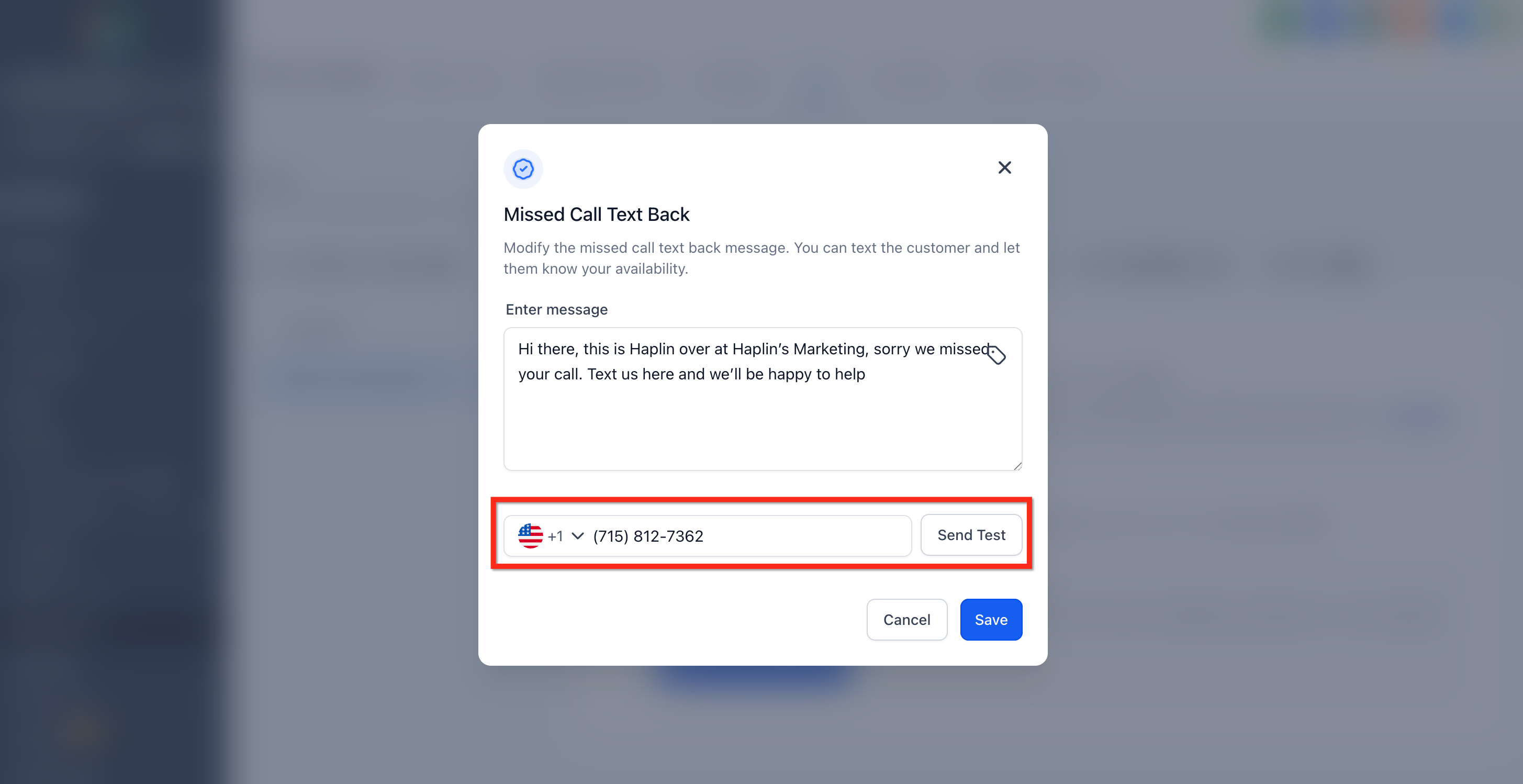
- Enter a number in the test field, send a test message, review the result, then click Save to activate the feature.
07What it looks like in HighLevel
08Settings that matter
- Enable Missed Call Text Back. Turns the automatic SMS response on or off for missed inbound calls.
- Enter message. The text that will be sent to callers when a call is missed.
- incoming call timeout. Controls how many seconds the phone rings before the system treats the call as missed.
- voicemail audio file. Allows uploading a custom greeting that plays instead of the carrier’s default voicemail.
09Things to know before you rely on it
- SMS messages sent by Missed Call Text Back count toward your phone messaging usage limits.
- If the contact has Do Not Disturb enabled, no text will be sent regardless of number selection.
- When no eligible sending number exists, the attempt is logged in the conversation with a failure reason.
- The feature works only with SMS; WhatsApp follow up requires the separate Missed Call WhatsApp Back feature.
10If something goes wrong
- No text is received after a missed call. Verify that at least one number in the location is SMS eligible and properly verified. Check the contact’s DND settings and ensure messaging limits have not been exceeded.
- Text arrives from an unexpected number. Confirm that the original dialed number cannot send SMS. The system will automatically use the next eligible number, which is expected behavior.
11How it connects to the rest of HighLevel
- Review phone messaging compliance and best practices. Messaging policy
- Learn how to troubleshoot SMS delivery problems that may affect missed call texts. SMS troubleshooting
- Check the pricing guide to understand messaging usage limits and costs. Pricing guide
Michael's take

Missed Call Text Back is a straightforward way to keep callers engaged when you can’t answer the phone.
If you don’t handle after hours calls or have very low call volume, you can probably skip it.