
01Who this is for
- Agency owners who need to budget messaging expenses can see the exact cost per text before sending.
- Ecommerce businesses that send order updates can calculate expenses to set accurate pricing for notifications.
02SMS and MMS costs, explained
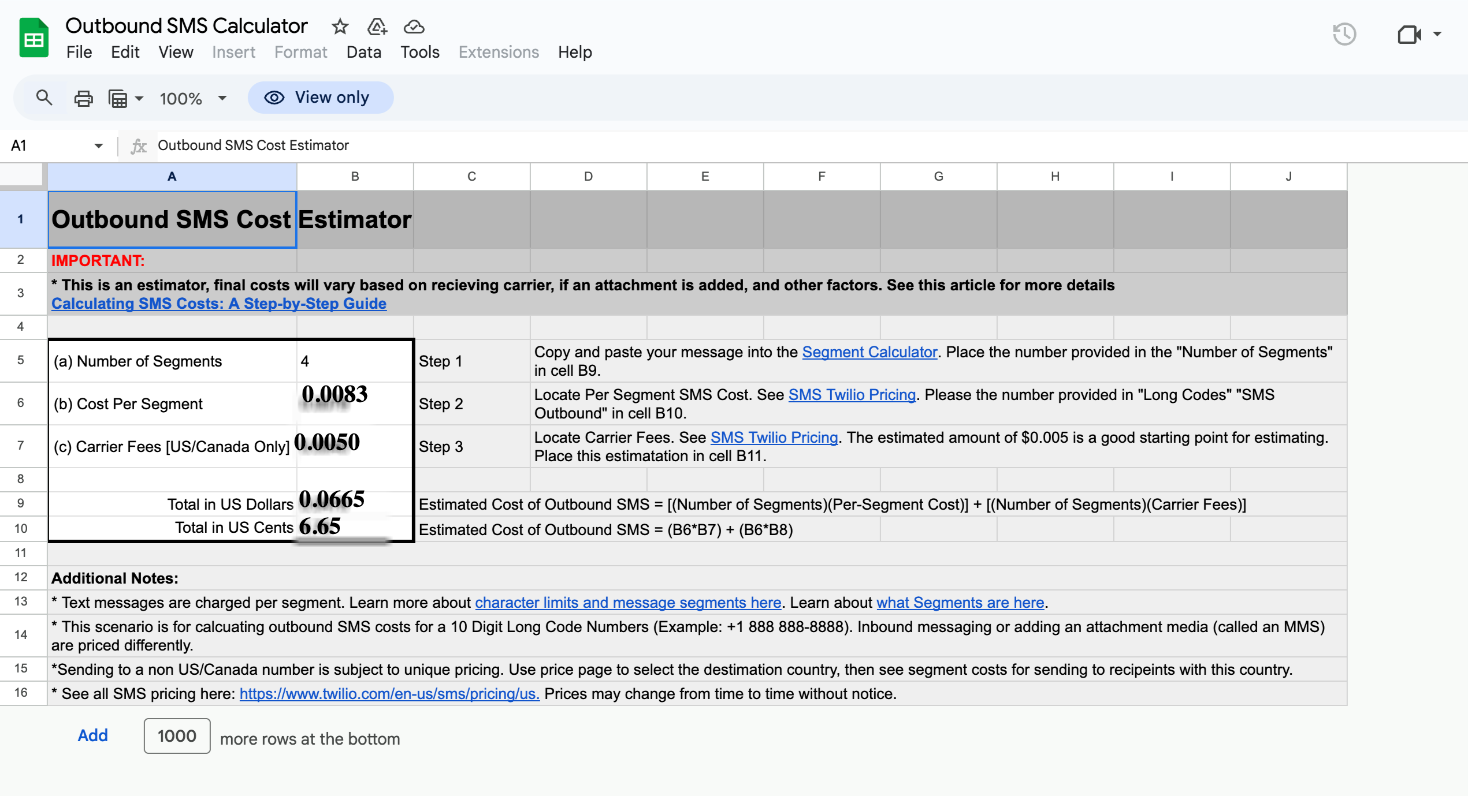
The cost estimator is a calculation tool inside HighLevel that uses the number of message segments, the per segment price for the destination country and any carrier surcharge. It multiplies the segment count by both rates and then adds the results. The estimator works for a single outbound message sent from a US number to another US number, but the same steps can be used for other countries by selecting the appropriate pricing.
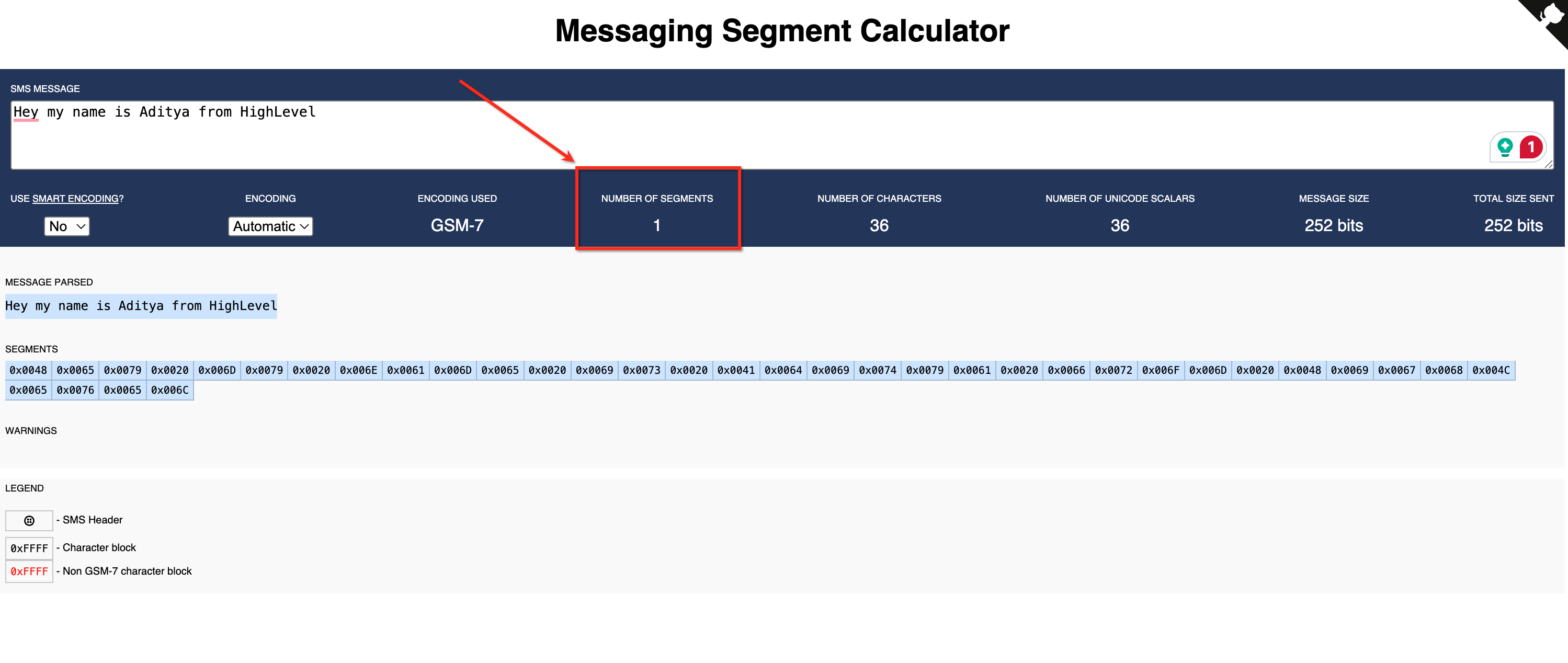
To use it, first determine how many segments your text occupies with the Messaging Segment Calculator. Next look up the per segment price on the SMS Pricing page for the destination country. Then find the carrier fee, using an approximate value if the exact carrier is unknown. Finally multiply and add the numbers according to the formula provided by HighLevel.
03How businesses use SMS and MMS costs
- Real estate agency. The agency drafts a property alert message, pastes it into the Segment Calculator, notes the segment count, checks the US per segment rate on the pricing page, applies the carrier fee estimate and calculates the cost before sending alerts to leads.
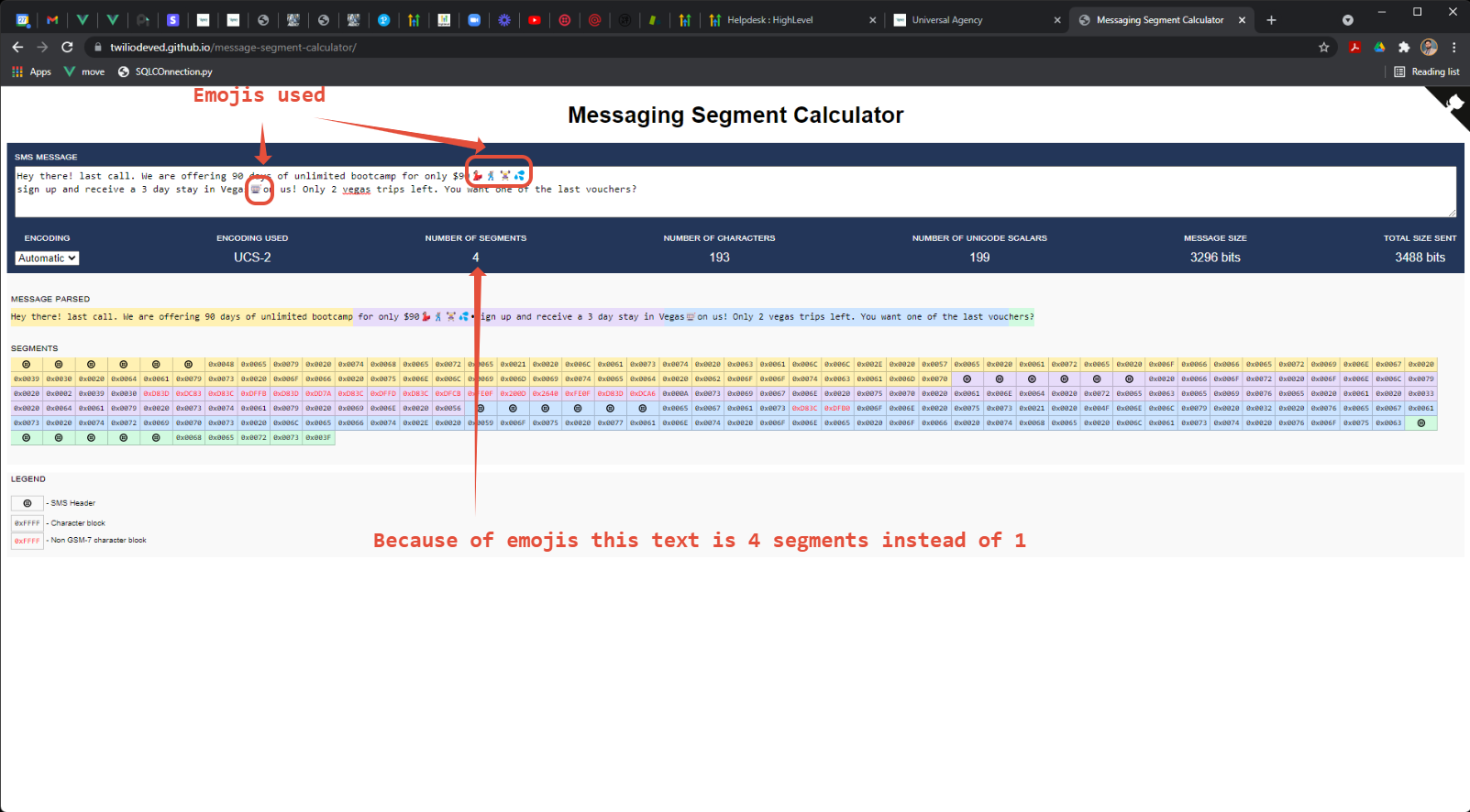
- Dental practice. The practice creates an appointment reminder text, uses the calculator to see if emojis have increased the segment total, references the per segment cost for the patient’s state, adds the carrier fee and determines the expense of each reminder.
- Fitness studio. The studio writes a promotional offer, runs it through the Segment Calculator, looks up the per segment price for the target country, includes the carrier fee estimate and computes the cost before scheduling the campaign.
04The numbers and rules that matter
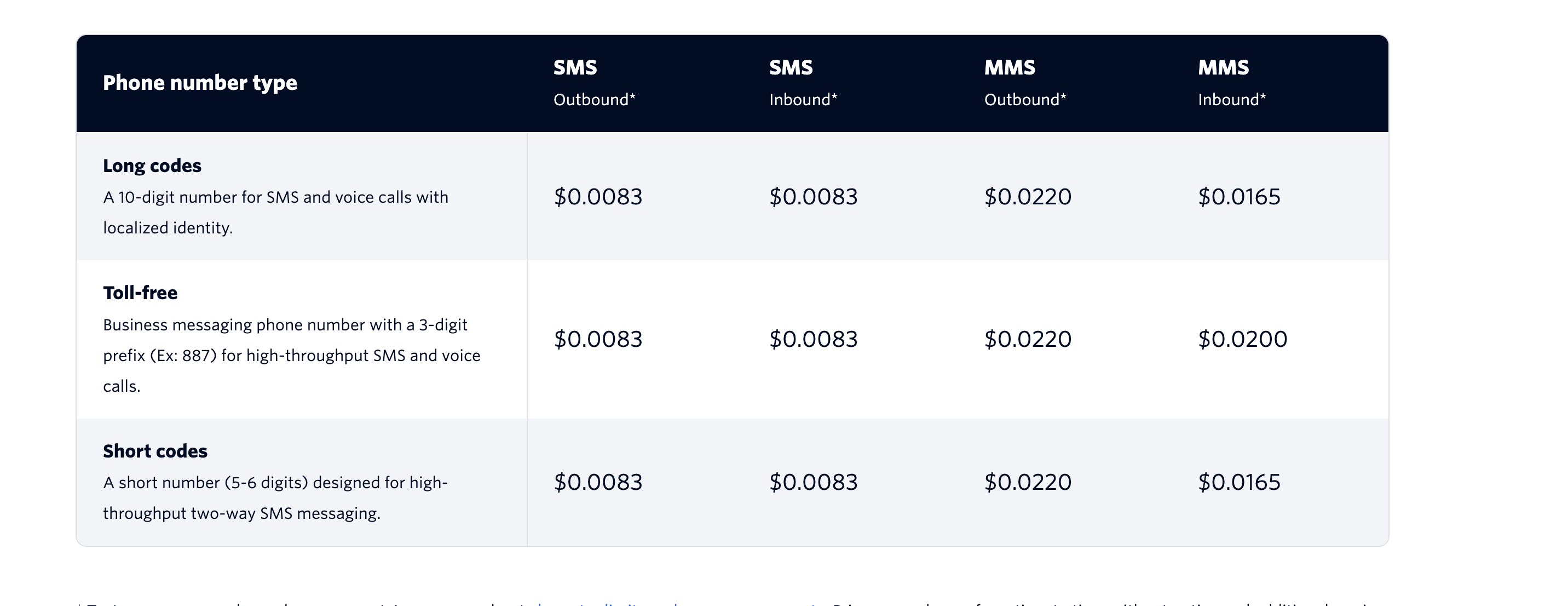
- $0.0083 per segment for outbound SMS on a long code (example) (per HighLevel's help center, checked November 2026).
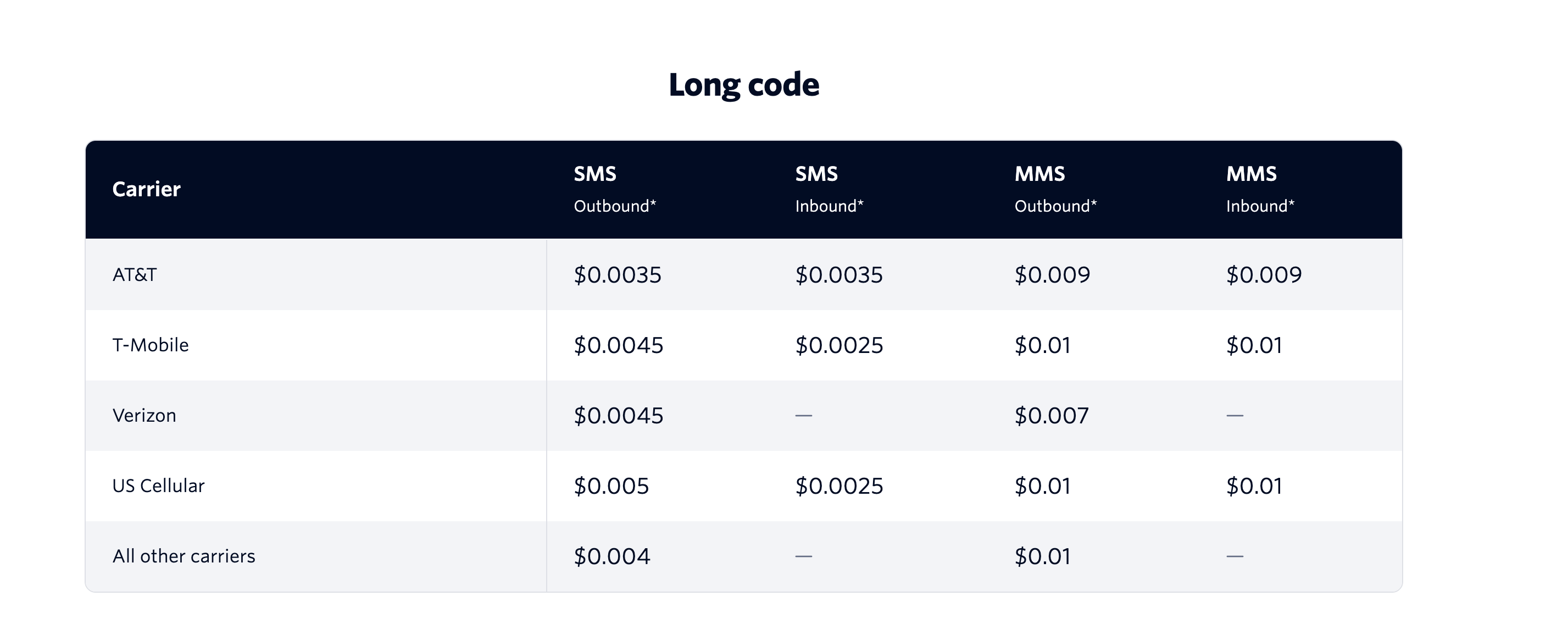
- ≈$0.005 carrier fee per segment (approximate highest charge) (per HighLevel's help center, checked November 2026).
- $0.02 per segment for outbound MMS (example) (per HighLevel's help center, checked November 2026).
- $0.01 per segment MMS carrier fee (example) (per HighLevel's help center, checked November 2026).
- Up to 10 media files per MMS, total size up to 5 MB.
- GSM 7 encoding: 160 characters per segment.
- Unicode/UCS 2 encoding: 70 characters per segment.
05How to set up and use SMS and MMS costs in HighLevel
Estimate outbound SMS cost
- Copy the text you plan to send and paste it into the Messaging Segment Calculator to view the segment count.
- Open the SMS Pricing page, select the destination country and locate the per segment cost under SMS/MMS Pricing (example $0.0083 per segment per HighLevel's help center, checked November 2026).
- Scroll to the Carrier Fees section and note the fee for a typical carrier; if unknown, use the approximate $0.005 value (per HighLevel's help center, checked November 2026).
- Multiply the segment count by the per segment cost, multiply the segment count by the carrier fee, then add the two results to get the estimated expense.
06What it looks like in HighLevel
07Things to know before you rely on it
- A single SMS can contain up to 160 characters with GSM 7 encoding; Unicode messages are limited to 70 characters per segment.
- MMS messages may include up to ten media files with a total size of up to 5 MB; larger files are turned into a short link instead of being sent.
- The calculation example assumes a US to US outbound message; international rates and carrier fees may differ.
08How it connects to the rest of HighLevel
- Review carrier specific pricing details on the SMS pricing page. SMS pricing guide
- Learn how to avoid carrier filtering that can affect delivery and cost. Prevent SMS filtering
- Set up compliance options for opt out handling and sender ID. SMS compliance settings
Michael's take

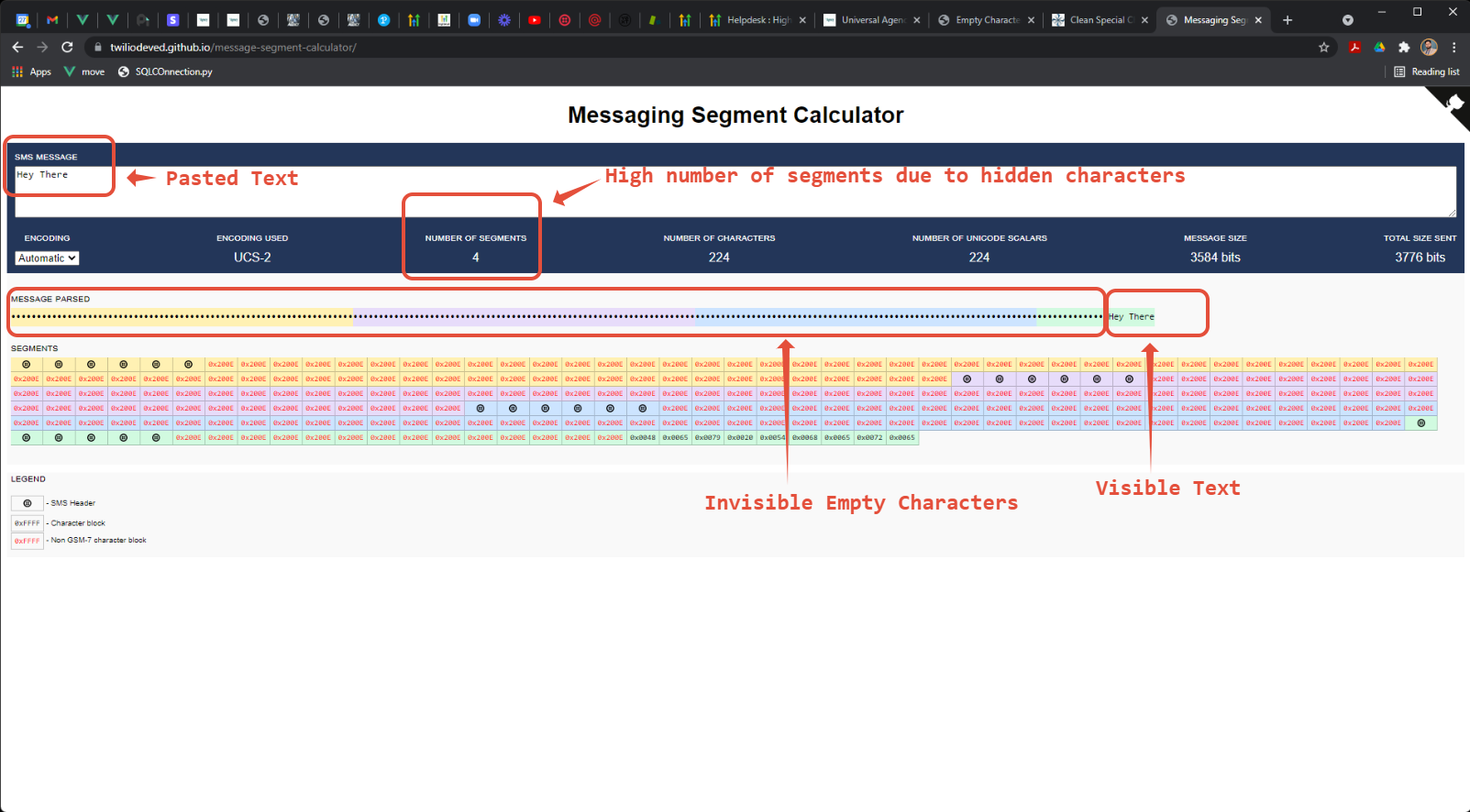
Messy message costs can quickly drain a budget, especially when hidden characters or emojis silently push a text into multiple segments. The first thing I would get right is making sure every draft runs through the Segment Calculator so I see exactly how many segments I’m paying for.
From there, I’d trim any extra formatting and keep the copy plain. That simple step usually cuts the cost per message in half and gives a clear picture for budgeting larger campaigns.