
01Who this is for
- Founders who need to protect deliverability and avoid sending to opted out contacts.
- Agency owners managing multiple client subaccounts and wanting consistent error handling.
02SMS delivery errors, explained
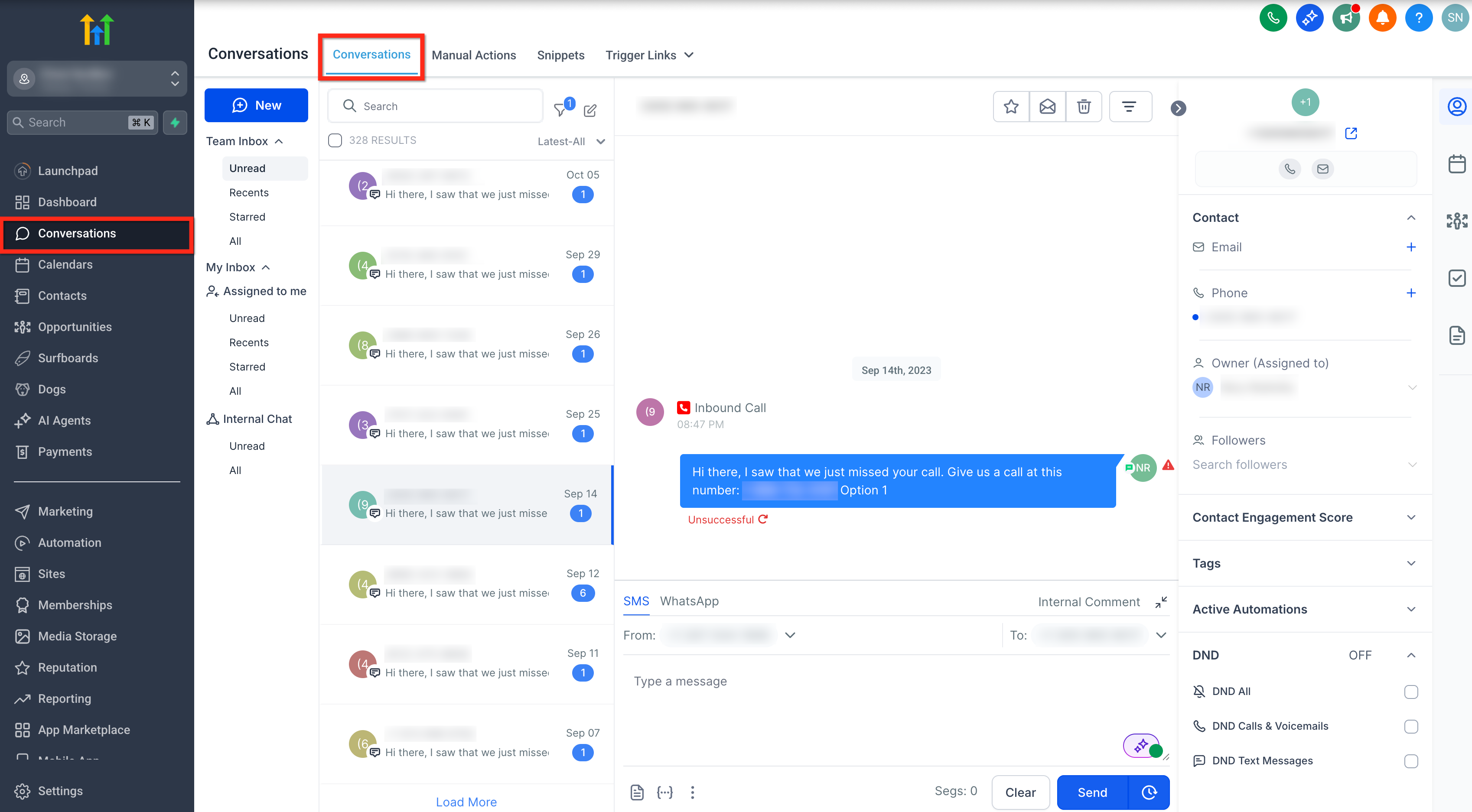
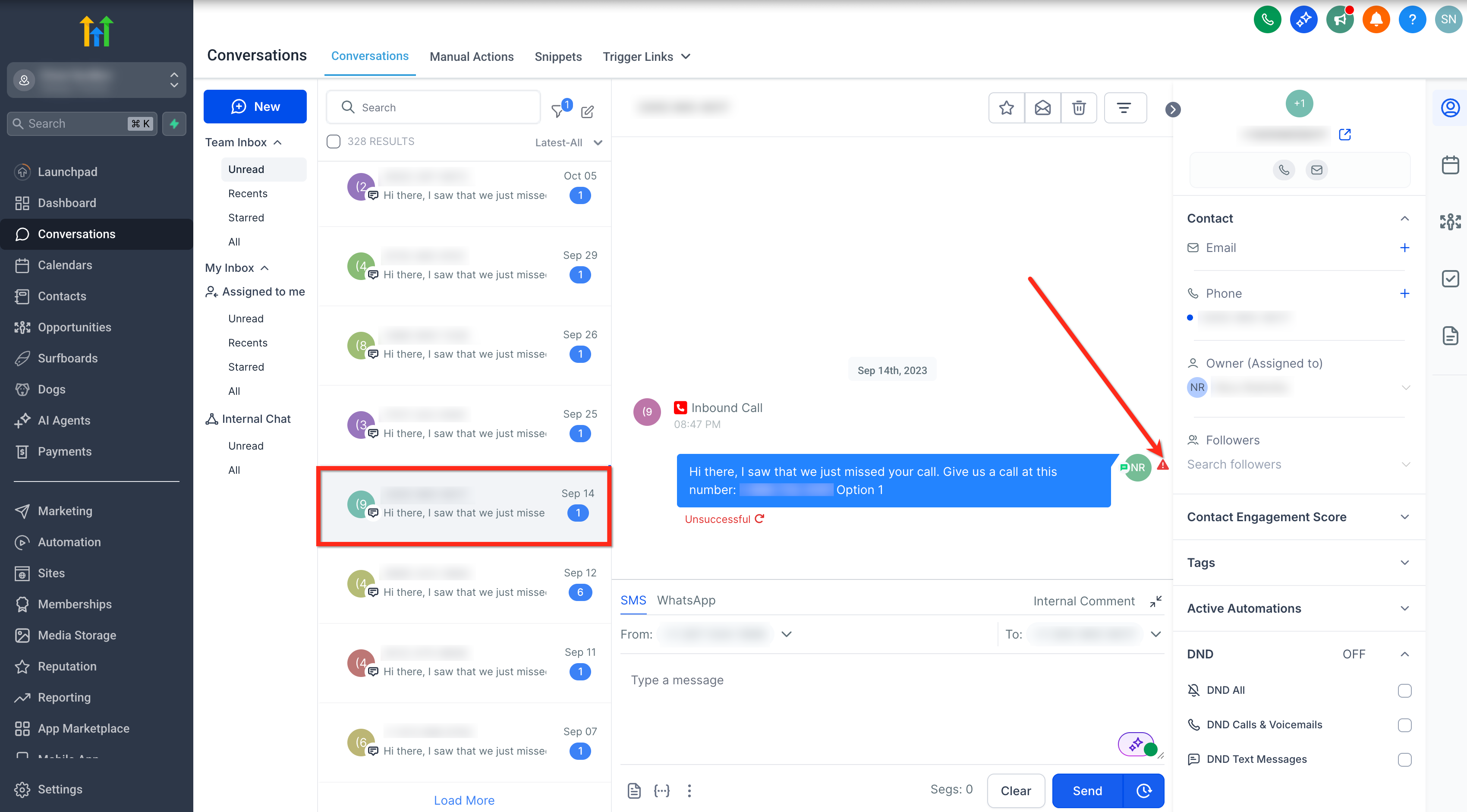
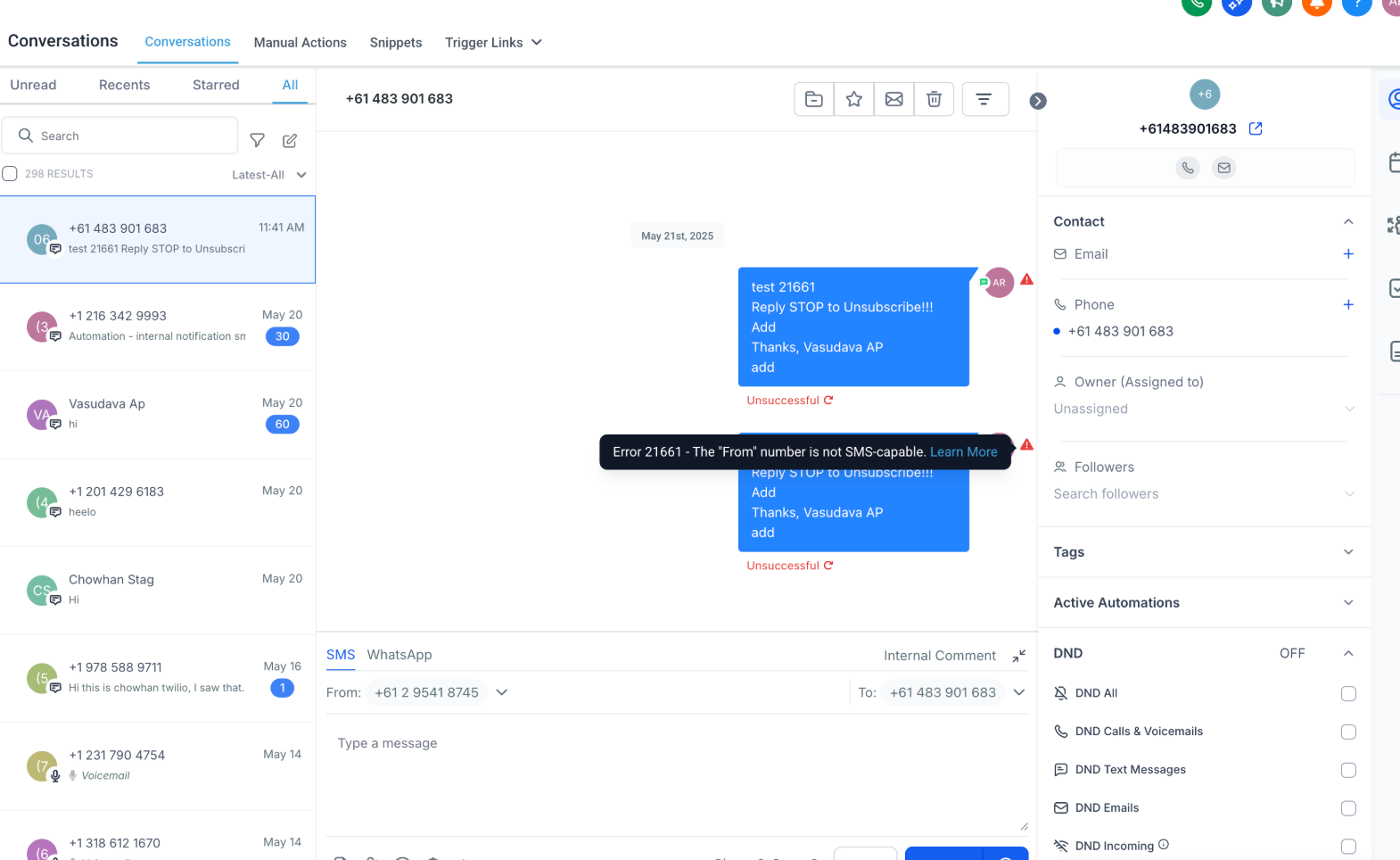
The feature shows an error explanation next to any outbound SMS or MMS that did not deliver. The inline warning displays a short description and a numeric code that points to the cause, whether it is a recipient problem, sender configuration, carrier filter, or account restriction. This information lives inside the Conversations screen of the HighLevel platform.
HighLevel also offers a workflow trigger called Messaging Error - SMS. When an outbound message returns a selected error code, the trigger fires, allowing you to add actions such as internal notifications, tagging, or branching logic. The trigger is configured in Automation > Workflows and can be limited to specific codes like 30007 or 21610.
03How businesses use common SMS delivery errors
- Dental practice. The practice opens the failed reminder in Conversations, records the error code, and updates the patient’s phone number if the code indicates an invalid format. A workflow then tags the contact when a 21610 opt out error occurs, preventing future reminders until the patient re opts in.
- Real estate agency. Agents view a bounced property alert, note a 30007 filtering error, and modify the message content to remove prohibited URLs. An automation using the Messaging Error - SMS trigger sends a Slack alert to the team whenever that error repeats, so they can adjust campaigns quickly.
- Ecommerce store. The store checks a failed order confirmation, sees error 30034 indicating the sender is not linked to an approved A2P campaign, and links the number to the correct campaign. A workflow tags the contact with “SMS failed, registration” so the order team can follow up manually.
04The numbers and rules that matter
- Attachment size limit for MMS is approximately 500 KB.
- Error 30023 indicates a daily message cap has been reached.
- Error 30034 may require up to 24 hours after campaign approval for carrier activation.
05How to set up and use common SMS delivery errors in HighLevel
Identify and record an SMS error
- Navigate to Conversations.
- Search for the contact whose outbound message failed.
- Open the conversation that contains the failed entry.
- Locate the message marked Unsuccessful.
- Hover over or click the red warning icon to view error details.
- Write down the numeric error code shown in the details pane.
Set up automatic SMS error monitoring
- Open Automation and select Workflows.
- Create a new workflow or edit an existing one.
- Add the trigger called Messaging Error - SMS.
- Insert an Error Code filter to limit the trigger to a specific code.
- Choose the desired error code (for example 30007, 21610, or 30034).
- Add the actions you want (notification, tag, etc.) and publish the workflow.
06What it looks like in HighLevel
07Settings that matter
- Messaging Error - SMS. Defines the workflow trigger that runs when an outbound SMS returns a delivery error.
- Error Code filter. Limits the trigger to fire only for the selected numeric error codes.
08Things to know before you rely on it
- Do not resend a failed message repeatedly without first fixing the underlying cause.
- Workflows that react to errors should incorporate logic that avoids blind retries.
- When an error persists across multiple contacts, collect at least three recent examples before contacting Support.
09If something goes wrong
- Recipient number is invalid or incorrectly formatted.. Correct the phone number and ensure it follows E.164 format: +[country code][number].
- Message filtered by carrier (error 30007).. Review the content, remove prohibited elements, and confirm consent before resending.
- Sending number not registered for A2P (error 30034).. Link the number to an approved A2P campaign and allow up to 24 hours for carrier activation.
10How it connects to the rest of HighLevel
- Review SMS compliance policies and opt out handling. SMS compliance settings
- Follow the full SMS delivery troubleshooting checklist. SMS troubleshooting checklist
- Read best practices for SMS deliverability and carrier restrictions. SMS deliverability best practices
Michael's take

SMS delivery errors are worth the time you spend fixing because a single bad number or consent slip can choke your whole campaign and hurt your reputation. Get the code, correct the issue, and you keep your messages flowing.
Avoid the mistake of hammering the same failed message back out without first understanding why it failed.