
01Who this is for
- Founders who need to secure phone number purchases early, preventing onboarding bottlenecks.
- Agency managers overseeing multiple subaccounts, to keep each account compliant before registration.
- Compliance officers in regulated industries, to ensure identity checks meet legal standards.
02KYC verification, explained
KYC verification in HighLevel uses Persona as the identity verification provider. It checks a single person’s government issued ID and a live selfie, then flags the subaccount as verified. The verification status can be reused for later eligible phone number purchases and applicable compliance steps.
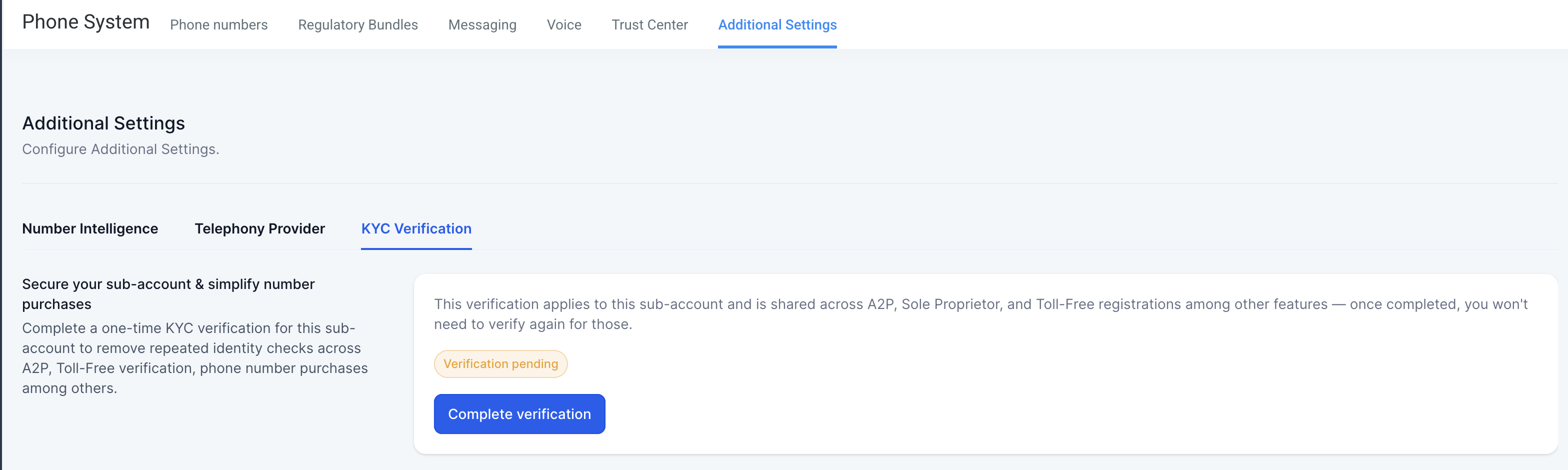
The verification flow lives inside a subaccount. From Subaccount Settings you reach Phone System, then Additional Settings, and finally KYC Verification where you start the process. During the flow you upload a clear image of an original ID and take a live selfie. Once submitted, the system updates the status, typically within 24 hours.
Persona verification does not replace other compliance requirements such as A2P 10DLC, Toll Free verification, CNAM, or SHAKEN/STIR. It solely confirms the identity of the account holder.
03How businesses use KYC verification
- Digital marketing agency. The agency opens the KYC verification screen in each client subaccount, uploads the client’s passport, and records a live selfie. After approval, the agency can immediately order eligible numbers for campaigns without waiting for additional checks.
- Insurance brokerage. The brokerage’s compliance team initiates verification for each broker’s subaccount, provides the broker’s driver’s license photo and selfie, and then reuses the verified identity when applying for toll free numbers for client communications.
- Healthcare provider network. A network admin triggers verification for each practice’s subaccount, captures the practice manager’s national ID and live selfie, and uses the verified status to satisfy regulatory requirements before registering any new medical line numbers.
04The numbers and rules that matter
- Limited number of verification attempts per subaccount.
- Verification typically completes within 24 hours.
- Supported documents include passport, national ID card, and driver's license.
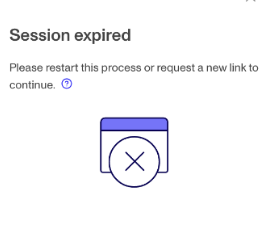
- Session status may remain "Pending" up to 24 hours after a "Session Expired" error.
05Before you start
- A subaccount must exist within the HighLevel platform.
06How to set up and use KYC verification in HighLevel
Complete Persona verification
- Open Subaccount Settings, then go to Phone System > Additional Settings > KYC Verification > Complete Verification.
- Click the button to start the verification flow.
- Upload a clear photo of a supported government issued ID as prompted.
- Capture a live selfie of the same person and submit the information.
- Keep the browser tab open and avoid refreshing or navigating away until all steps finish.
07What it looks like in HighLevel
08Settings that matter
- KYC Verification. Controls the start of the Persona identity verification flow for the selected subaccount.
09Things to know before you rely on it
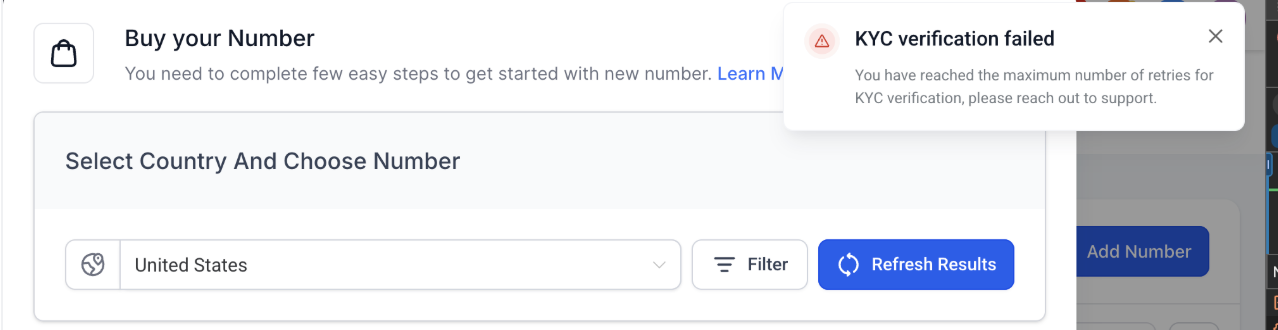
- You have a limited number of verification attempts; exceeding the limit requires a support review.
- If the browser tab is closed or refreshed before completion, the session expires and the status stays "Pending" for up to 24 hours.
- Only original, unexpired government issued IDs are accepted; electronic copies or screenshots are rejected.
- Supported ID types vary by country and may include passport, national ID card, or locally issued driver’s license.
10If something goes wrong
- "Session Expired" error during verification. Do not close, refresh, or leave the browser tab until all steps finish. If the status remains "Pending" after 24 hours, submit a support ticket.
- Verification fails repeatedly and attempts run out. Check that the ID image is clear, uncropped, and matches account details exactly, then contact support for a case review.
11How it connects to the rest of HighLevel
- HighLevel phone system pricing and billing guide Pricing guide
- HighLevel’s LC Phone: built in SMS and calling for agencies LC Phone overview
- HighLevel guide to preparing and fixing A2P 10DLC campaigns A2P 10DLC best practices
- Start a 30 day HighLevel trial Free trial
- The HighLevel Founder Plan Founder Plan
Michael's take

Getting stuck on a compliance hold can freeze your phone number rollout. The first thing I would get right is making sure the ID photo is crystal clear, well lit, and matches the account details exactly.
Once that’s set, I’d run through the whole Persona flow in one sitting on a stable connection, keeping the tab open from start to finish. If the session ever expires, I’d just wait the 24 hour window before raising a ticket.