
01Who this is for
- Founders of startups that rely on SMS reminders, need consistent consent documentation to avoid rejection.
- Agency owners managing multiple client brands, must ensure each brand’s website and policies match the campaign submission.
- Small retailers sending promotional texts, benefit from a clear checklist to align sample messages with the selected use case.
02A2P 10DLC campaigns, explained
The A2P 10DLC campaign feature lets you register a brand and a messaging campaign within the HighLevel phone system. You provide a brand identity, select a use case such as marketing or customer care, write a campaign description, add sample messages and link to your opt in flow, website, privacy policy and terms.
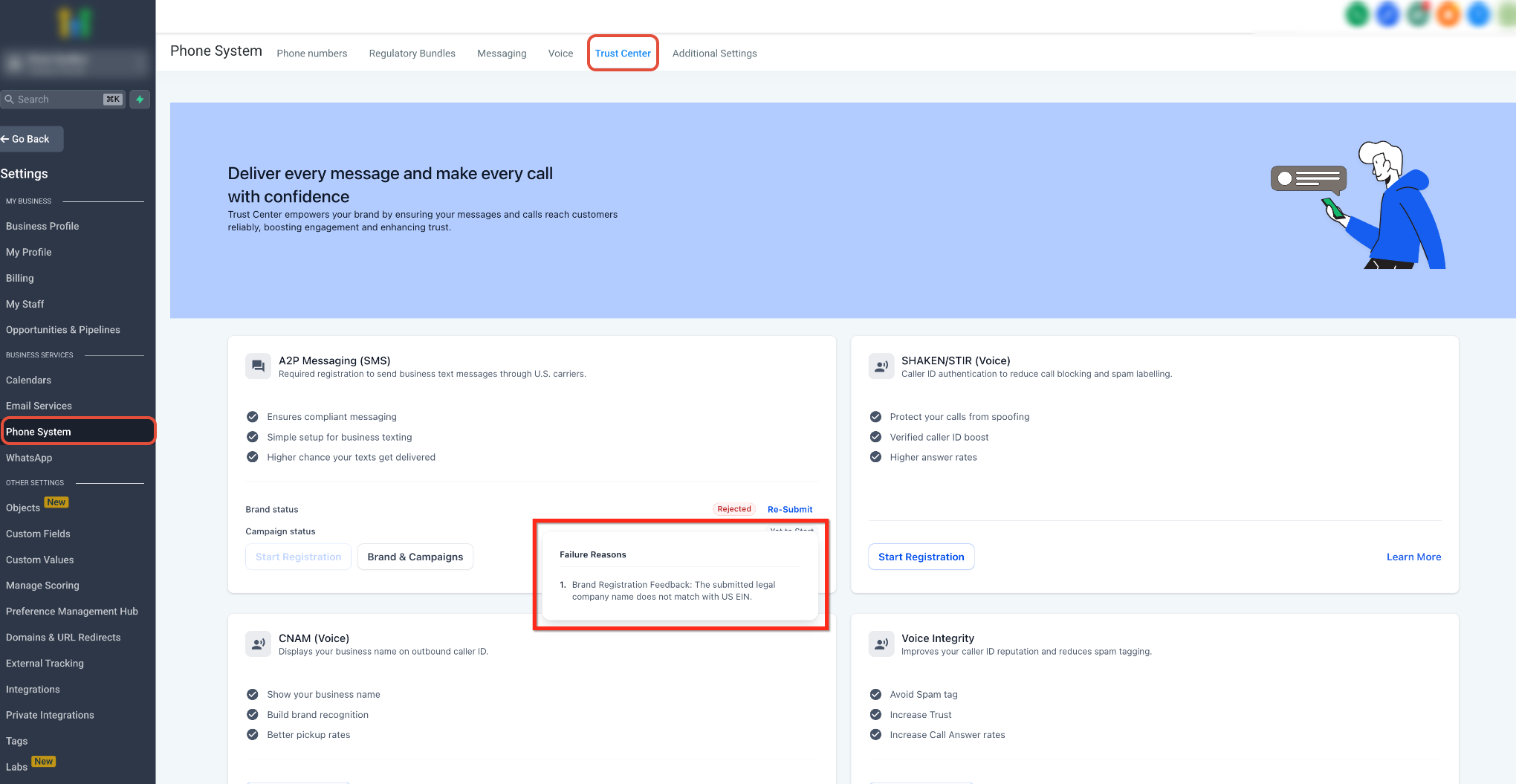
All the information is reviewed by carriers and registration partners. The platform stores the data under Settings > Phone System > Trust Center, where you can view, edit (subject to field locks) and resubmit a campaign after a rejection.
03How businesses use A2P 10DLC campaigns
- Dental practice. The practice creates a brand for its clinic, selects the "Appointment Reminders" use case, and writes a description stating that patients receive SMS reminders after opting in through the online booking form. Sample messages include the clinic name, appointment date placeholders and a STOP instruction. The practice also links its privacy policy page.
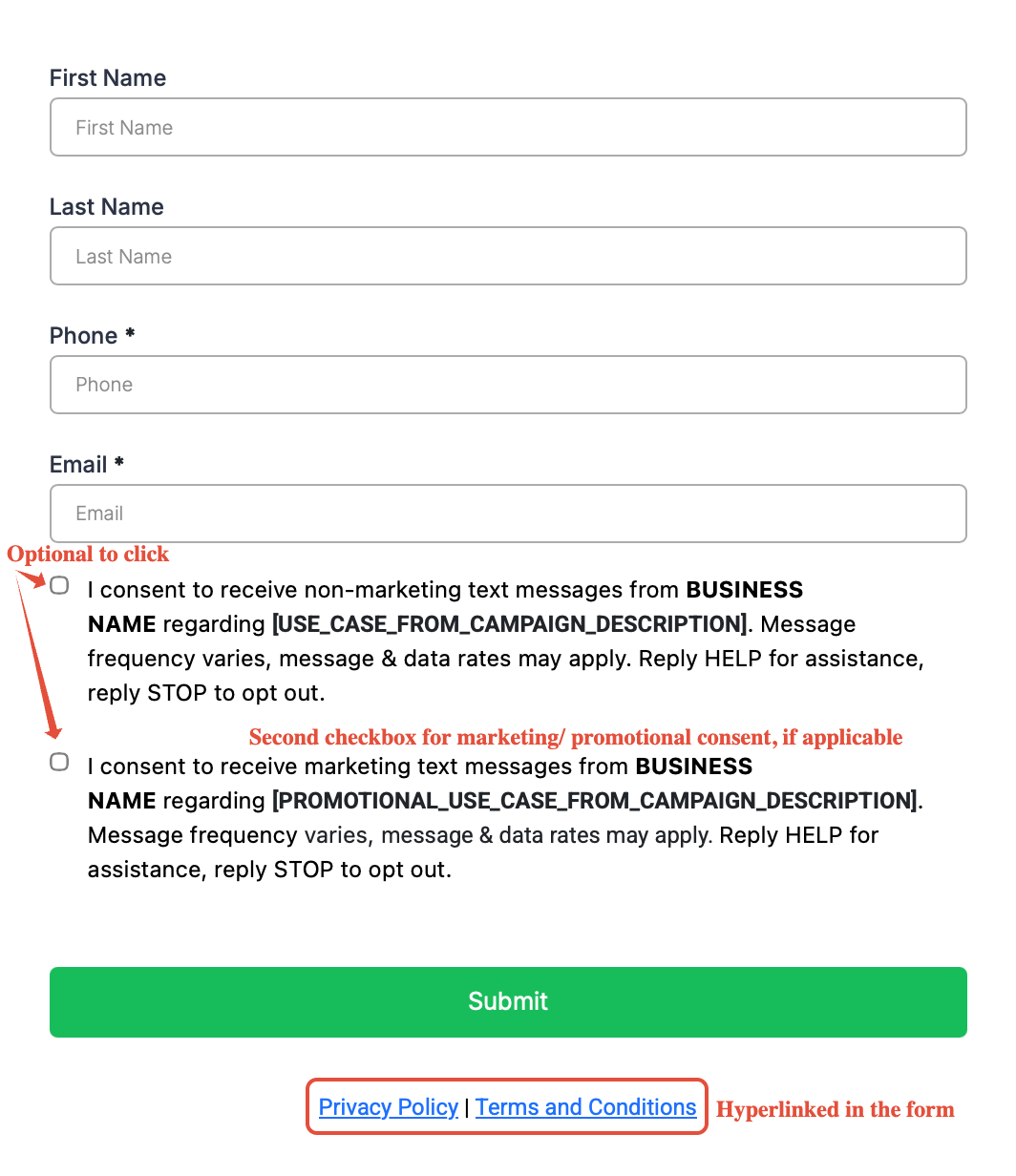
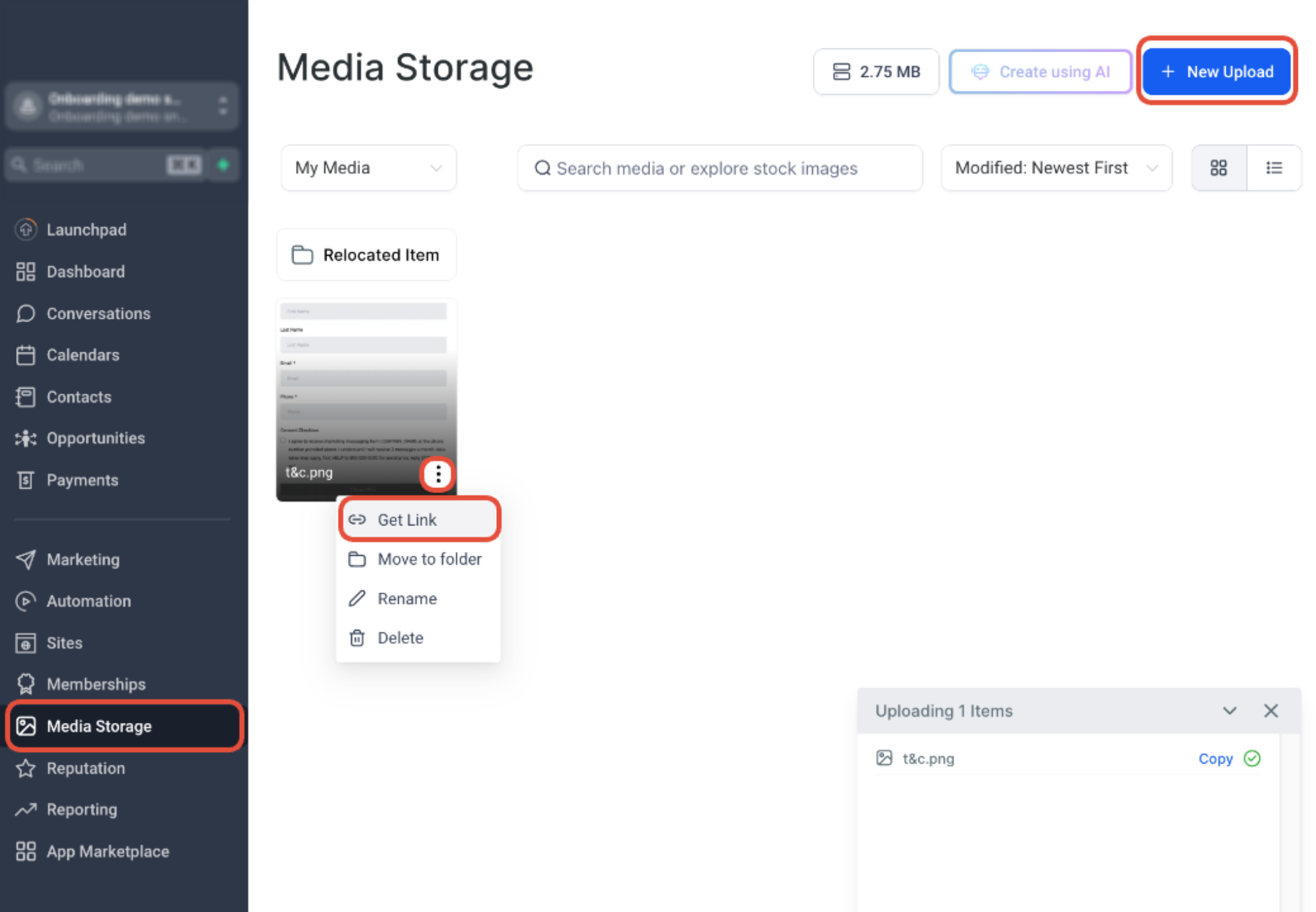
- Ecommerce retailer. The retailer registers a brand, chooses the "Promotional" use case and drafts a description that explains customers will receive discount offers after checking a marketing consent box on the checkout page. Sample messages contain the store name, discount code placeholder and opt out language. The retailer uploads a screenshot of the consent checkbox as verifiable proof.
- Fitness studio. The studio sets up a brand, selects the "Customer Care" use case and describes that members get class reminders and membership updates via SMS. Sample messages show the studio name, class time placeholder and a STOP option. The studio verifies that its website, privacy policy and terms are publicly accessible and match the campaign details.
04The numbers and rules that matter
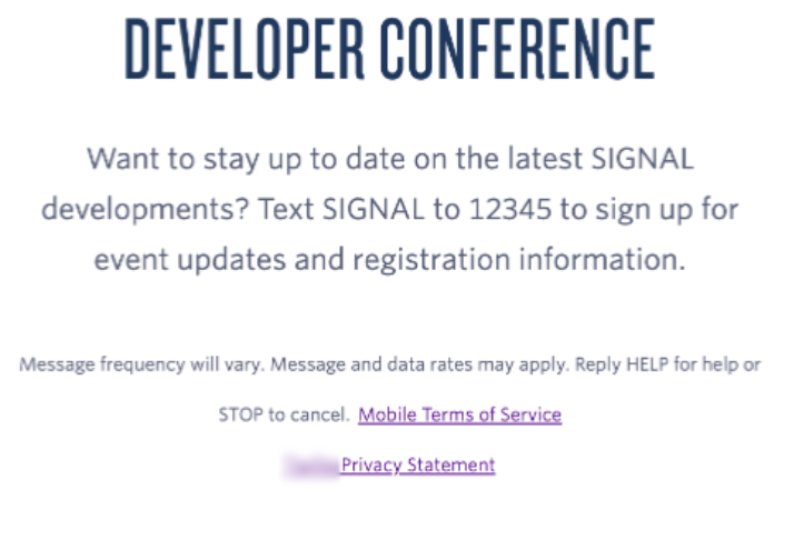
- Sample messages must include the business name, realistic content, opt out language, and placeholders such as [First Name].
05How to set up and use A2P 10DLC campaigns in HighLevel
Prepare your A2P campaign for approval
- Open Settings > Phone System > Trust Center.
- Select the A2P Messaging card and click Brand & Campaigns.
- Confirm the Brand entry matches the business that will send the messages.
- Pick a Campaign Use Case that reflects the intended messaging purpose.
- Compose a Campaign Description that lists the sender, recipients, purpose and consent method.
- Add realistic sample messages that align with the chosen use case.
- Verify that the opt in flow, website, Privacy Policy and Terms & Conditions are correct.
- Check for any mismatched names, URLs, messaging purposes or consent language before submitting.
Handle a campaign rejection
- Open Settings > Phone System > Trust Center.
- Open your A2P Brand and Campaign information.
- Locate the rejected Campaign.
- Review the displayed failure or rejection reason.
- Open any available required fix information.
- Correct the identified issue.
- Review the complete Campaign again before resubmitting.
06What it looks like in HighLevel
07Settings that matter
- Trust Center. Central location where brands and campaigns for A2P 10DLC are created and managed.
- A2P Messaging card. Provides quick access to the Brand & Campaigns interface for setting up A2P campaigns.
- Brand & Campaigns. Section where you define brand details, select use cases, write descriptions, add sample messages and upload opt in proof.
08Things to know before you rely on it
- Following the checklist improves submission quality but does not guarantee approval; final decisions are made by carriers and registration partners.
- Some campaign fields may be locked during resubmission; if a locked field needs changing, a new campaign must be created.
- Restricted and forbidden message categories are not allowed even if the use case is selected.
09If something goes wrong
- Campaign is rejected after vetting. Open the Trust Center, view the rejection reason, correct the highlighted issue, then review the entire campaign for consistency before resubmitting.
10How it connects to the rest of HighLevel
- Step by step guide to A2P campaign registration A2P campaign registration guide
- Details on A2P 10DLC registration fees and monthly charges A2P fees guide
- Best practices for A2P 10DLC brand approval Brand approval best practices
- HighLevel pricing and plans for phone system features Pricing page
Michael's take

A2P 10DLC campaigns are a tool for businesses that use text messages to book appointments, send reminders or notify customers.
Skipping the consent proof step and assuming reviewers can see what you see is a mistake.