
01Who this is for
- Founders of ecommerce stores need compliant opt in forms to send order updates without carrier rejections.
- Agency owners handling multiple client brands must follow DBA and subdomain rules to keep each client’s A2P registration valid.
- Small businesses using appointment reminders must separate marketing and non marketing consent to meet carrier requirements.
02A2P registrations, explained
The A2P 10DLC registration process ensures that any SMS traffic sent from a HighLevel phone number complies with U.S. carrier mandates. It requires the business to prove legitimate sender identity, obtain clear consent, and provide transparent messaging details.
The compliance checks are performed on the opt in forms, consent checkboxes, privacy policy, terms and conditions, and any subdomains used for registrations. HighLevel’s phone system sends the messages, but the registration itself is managed outside the platform through carrier admin portals, using the information you supply in your forms and legal pages.
All required elements live inside the forms and website pages you use with HighLevel. The platform does not enforce the wording automatically; you must add the exact text, links, and clauses as described to pass carrier review.
03How businesses use A2P registration
- Dental practice. Create an intake form that asks for a phone number and includes two unchecked boxes, one for marketing promotions and one for appointment reminders, using the exact wording supplied. Add visible links to the practice’s privacy policy and terms at the bottom of the form.
- Online boutique. Add a marketing consent checkbox with the required text that mentions special offers, include the brand name that matches the CP 575/147C filing, and ensure the checkbox is not pre selected. Link the boutique’s privacy policy and terms in the footer.
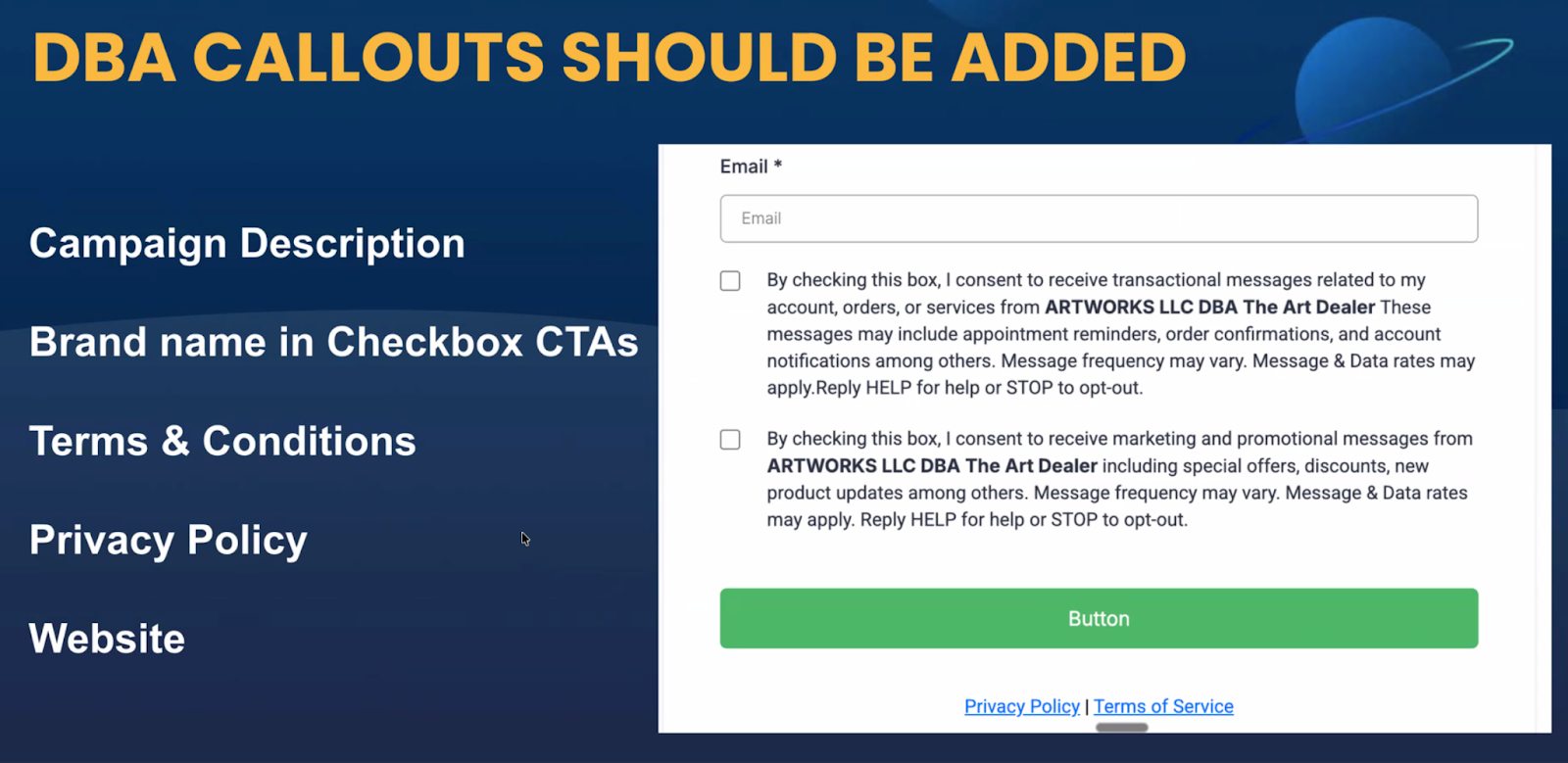
- Home service company using a DBA. When the legal entity differs from the brand shown to customers, include a DBA statement in the campaign description and make sure the website, privacy policy, terms and consent boxes all reflect the legal name and the DBA name.
04Before you start
- An opt in form on your website with a phone number field.
- A brand registration submitted to carriers that includes the legal business name.
- Privacy Policy and Terms & Conditions pages that contain the required language and match the submitted brand information.
05How to set up and use A2P registration in HighLevel
Complete A2P 10DLC registration compliance steps
- Do not make SMS consent required when a phone number field is mandatory; keep consent separate.
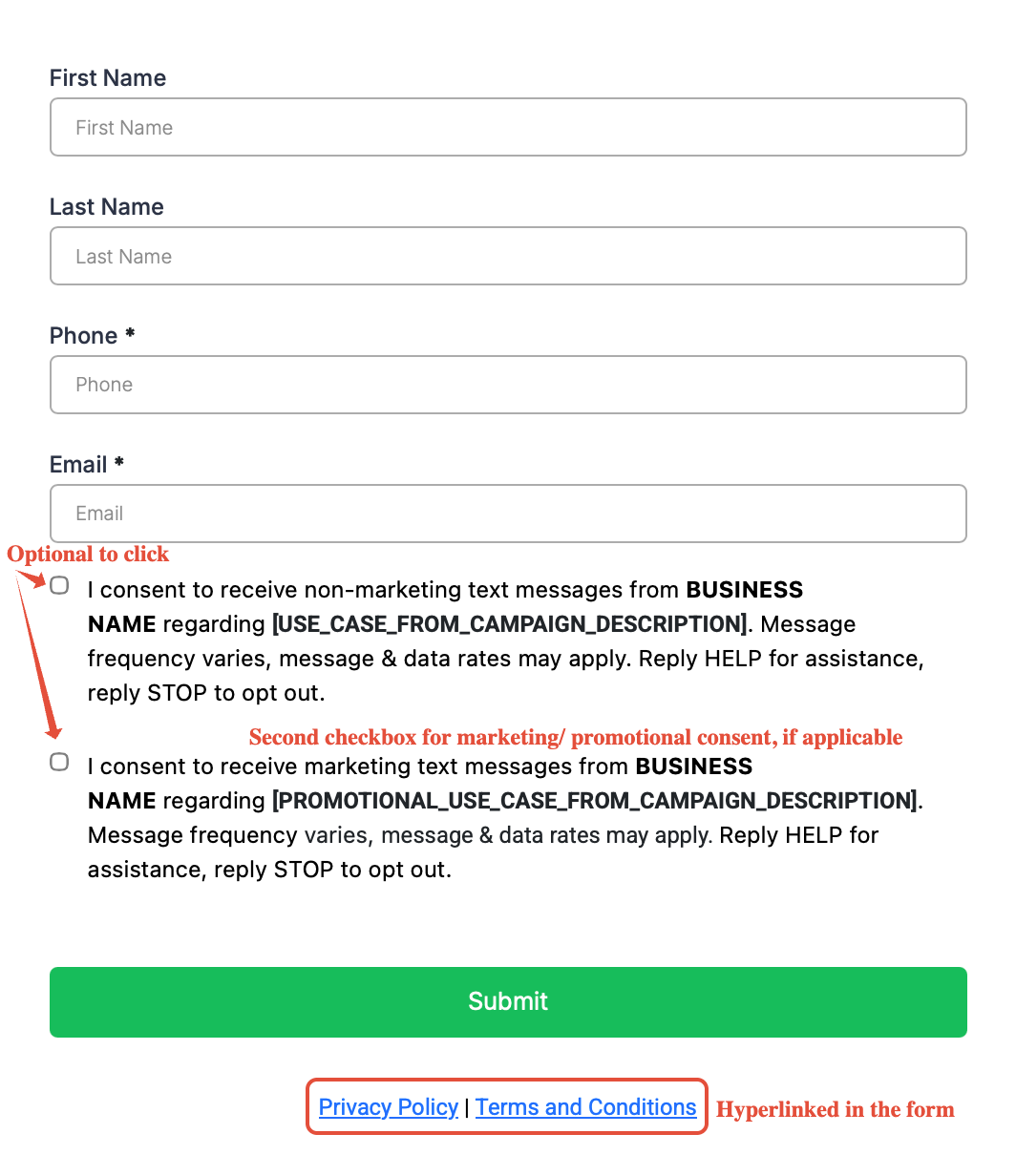
- Add two distinct consent checkboxes with the exact marketing and non marketing text provided by carriers.
- Match the business name used in the checkbox text to the name on the CP 575/147C document.
- Leave all consent checkboxes unchecked by default; users must select them manually.
- Keep consent checkboxes optional even if the phone number field is required for submission.
- Place clear links to the Privacy Policy and Terms & Conditions in the footer of every form.
- Ensure the footer links are visible and not hidden by pop ups or other design elements.
- Make campaign descriptions match the wording used in the corresponding consent checkbox.
- If operating under a DBA, add a DBA statement in the campaign use case description and align it across the website.
- When using a subdomain, verify that the subdomain reflects the primary brand and that users can discover it through email, social or navigation.
- Complete the subdomain readiness checklist: brand match, clear discovery path, and proper CTIA and use case disclosures.
- Insert the exact non sharing clause into the Privacy Policy.
- Include required clauses in the Terms of Service: business identity, opt out and support instructions, carrier liability, message frequency, and a link to the Privacy Policy.
- Ensure the Privacy Policy and Terms do not mention affiliation, selling or buying of leads.
- Confirm that all contact information in the Privacy Policy and Terms matches what was submitted in the Brand Registration.
- Review the sample privacy policy and terms pages for reference, then customize them for your business.
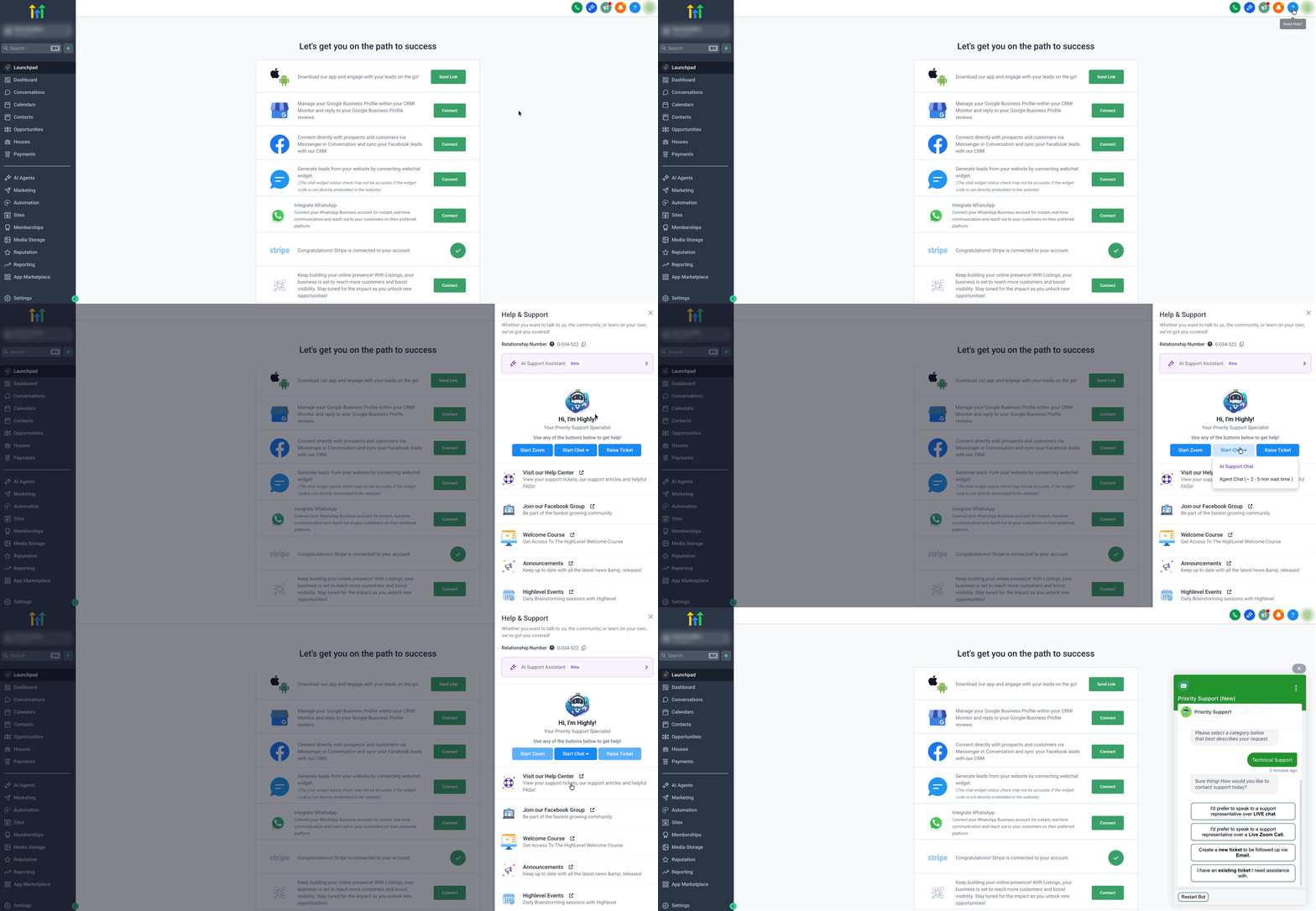
- Submit the A2P registration and, if needed, ask for help via the Help button in the upper right corner.
06What it looks like in HighLevel
07Things to know before you rely on it
- Carrier registration is mandatory for any business sending A2P SMS in the United States.
- Consent checkboxes must use the exact wording specified and cannot be pre checked.
- Consent boxes remain optional even if the phone field is required.
- Privacy Policy and Terms & Conditions links are required in the footers of all forms.
- The business name in consent text must match the name on the CP 575/147C filing.
- If a DBA is used, the DBA statement must appear in the campaign description and on the site.
- Subdomains may be used only if they clearly relate to the primary brand and are discoverable.
08How it connects to the rest of HighLevel
- What is A2P 10 DLC: Brand and Campaign Registration A2P 10DLC basics
- A2P 10DLC Brand Approval Best Practices Brand approval guide
- A2P campaign registration step by step in HighLevel Campaign registration guide
Michael's take

If you’re sending any SMS to U.S. customers, carriers require you to follow the exact consent and legal wording they mandate, otherwise the registration will be rejected.
My first step is to copy the two consent texts verbatim into the opt in form, make sure the boxes are unchecked by default, add the required Privacy Policy and Terms links at the bottom, and then verify that the form submits without hidden requirements before sending it for carrier review.