
01Who this is for
- Call center supervisors, they get a uniform way to log call results for reporting.
- Sales managers, they can see which calls were qualified or need follow up without manual notes.
- Mobile sales reps, they can select an outcome directly from the app after each call.
02Custom dispositions for voice calls, explained
Custom dispositions are labels that agents choose after a supported voice call. Only one label can be attached to a call, and the chosen label is stored with the call record. The platform uses the internal ID of the disposition, so renaming it does not affect existing automations.
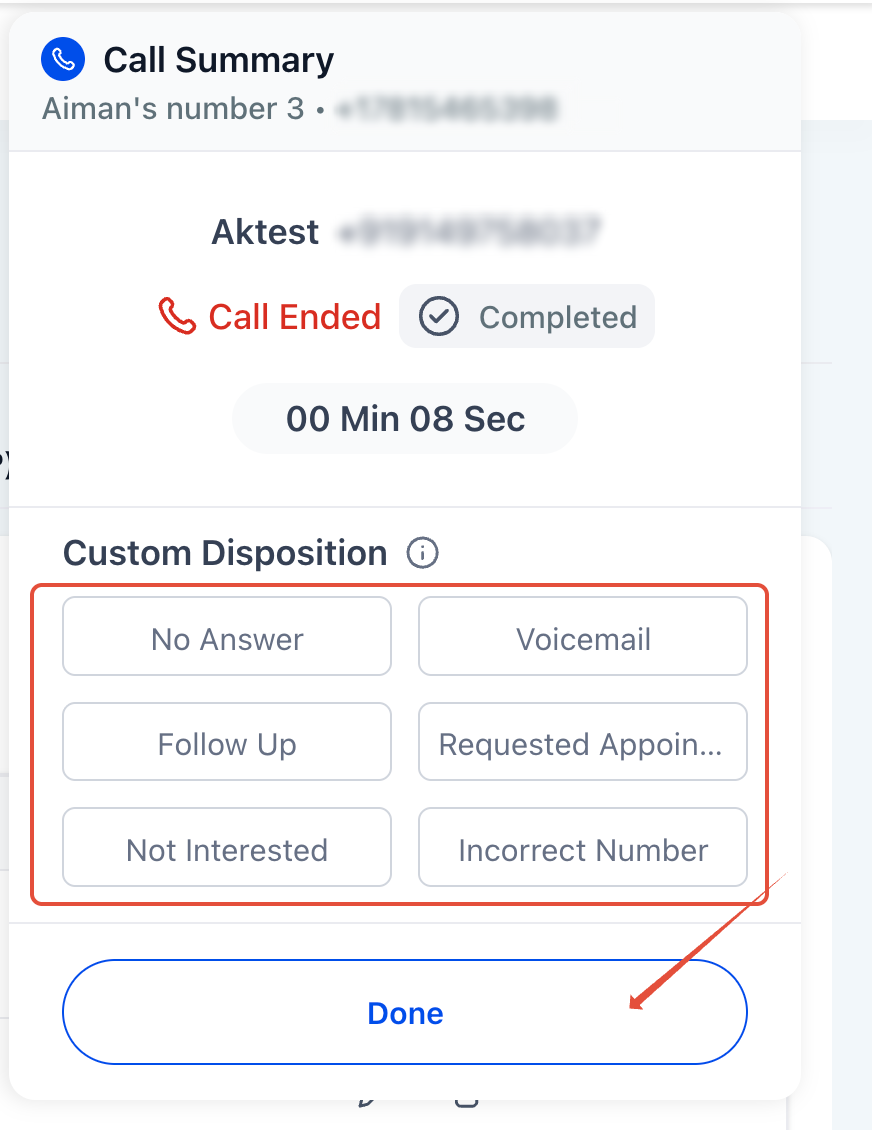
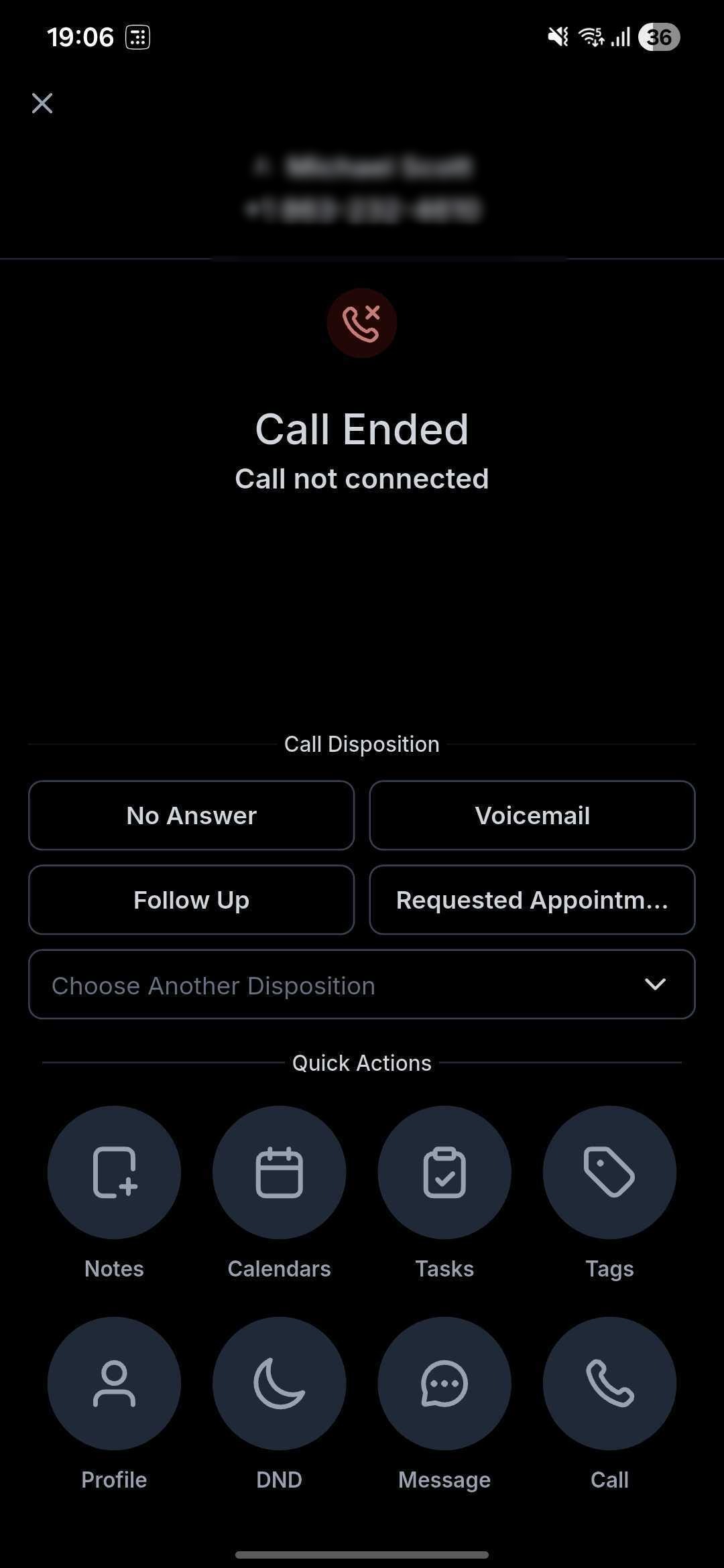
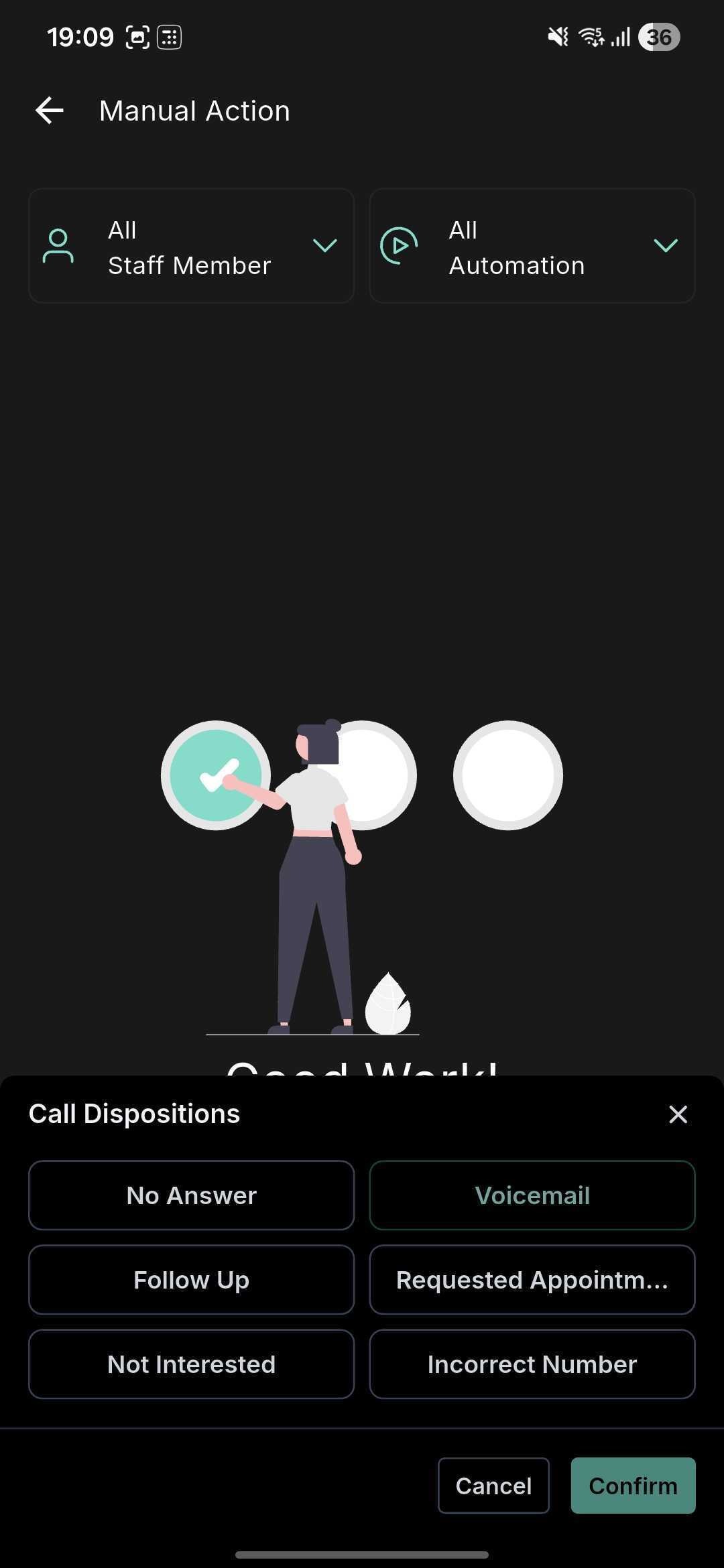
Dispositions appear on the post call screen in the web app and in the HighLevel, LeadConnector, and white labeled mobile apps. Users pick a disposition, the system saves it, and any workflow that uses the Call Details trigger with a Custom Disposition filter can act on it.
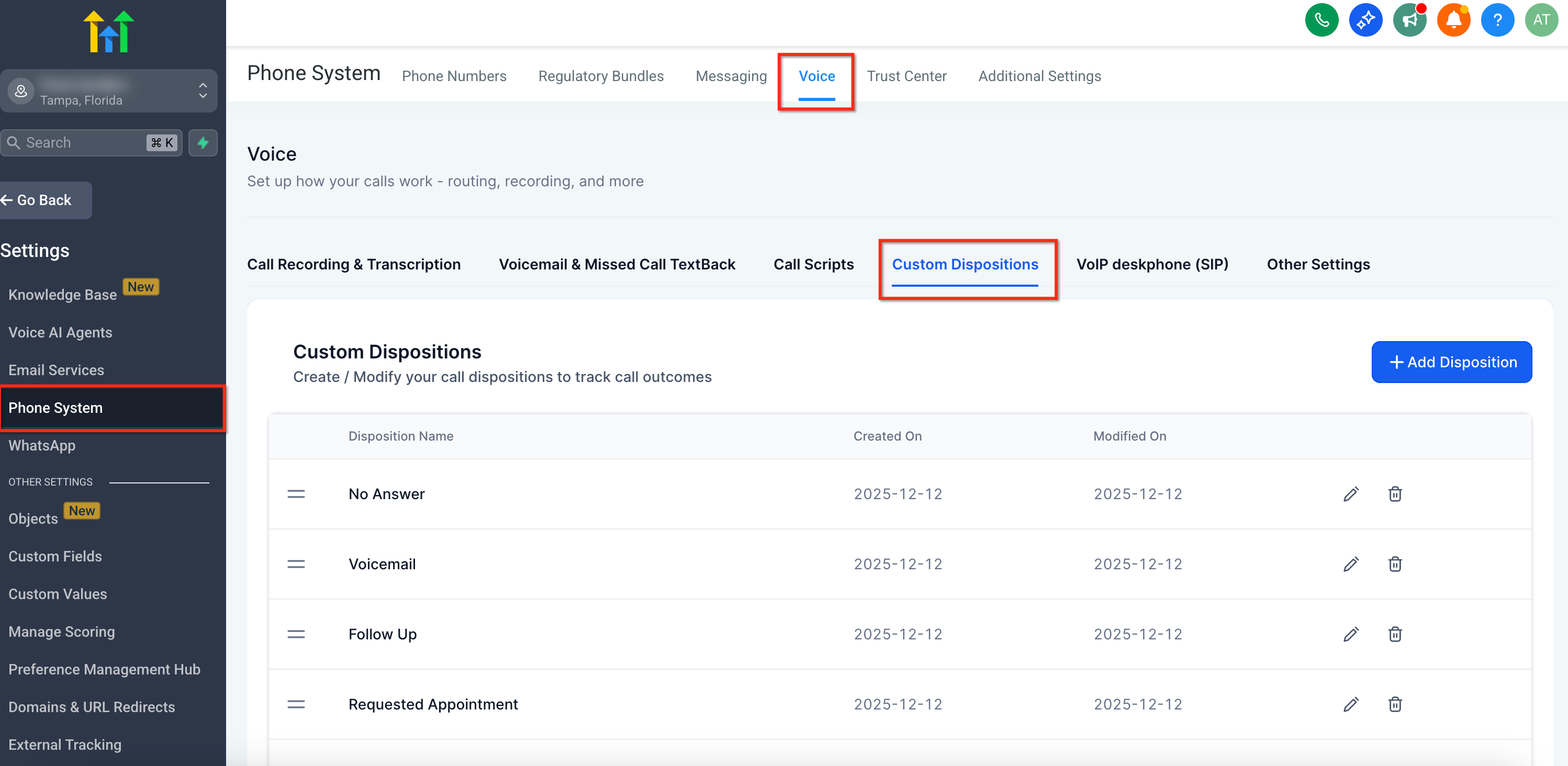
The settings for dispositions live under Settings > Phone System > Voice > Call Dispositions. Subaccount admins create, edit, reorder, or delete up to ten dispositions for their subaccount. Users can only select from the list that the admin has defined.
03How businesses use custom dispositions for voice calls
- Real estate brokerage. An office admin creates dispositions like "Schedule Showing" and "Not Interested". After each prospect call, agents select the appropriate outcome. A workflow then sends a follow up email only when "Schedule Showing" is chosen.
- Dental practice. The practice manager defines dispositions such as "New Patient" and "Reschedule Appointment". The front desk picks a disposition after each call, and a workflow automatically creates a reminder task for the selected outcome.
- IT services firm. A sales director adds dispositions like "Qualified Lead" and "Needs Quote". When a rep ends a call, they select the appropriate label, triggering a workflow that assigns the lead to the correct sales pipeline stage.
04The numbers and rules that matter
- Each subaccount can have up to 10 dispositions.
- Only one disposition can be selected per call.
- Supported in HighLevel, LeadConnector, and whitelabeled mobile apps on iOS and Android.
05Before you start
- You must have admin rights in the subaccount to create or edit dispositions.
- The subaccount can contain a maximum of ten custom dispositions.
06How to set up and use custom dispositions for voice calls in HighLevel
Create and manage custom dispositions
- Open Settings and navigate to Phone System > Voice > Call Dispositions.
- Review the list of dispositions that already exist for the subaccount.
- Add a new disposition or modify an existing one as required.
- Drag items to reorder the list in the order you want agents to see them.
- Save the changes to apply the new configuration.
Select a custom disposition after a call
- Finish the voice call in the web or mobile app.
- On the post call screen, tap the disposition that best matches the call outcome.
- The system records the selected disposition with the call record.
07What it looks like in HighLevel
08Settings that matter
- Call Dispositions. Controls the list of custom outcomes agents can choose after a call.
09Things to know before you rely on it
- Each subaccount can hold up to ten custom dispositions.
- Only one disposition may be selected for a single call.
- Nested or sub dispositions are not supported.
- Calls answered on a personal number or desk phone do not show the disposition picker.
10How it connects to the rest of HighLevel
- Phone system pricing and billing details Phone system pricing
- All phone system features overview Phone system features
- Configure workflows with the Call Details trigger Call Details workflow
Michael's take

Custom dispositions sound useful, but the biggest mistake is treating them as a mandatory step for every call. Inconsistent use can lead to messy data and broken automations, especially if you delete a disposition that a workflow still expects.
When you get the habit of selecting a clear label right after a call, the upside is huge. It gives your team a shared language for outcomes and powers follow up actions without extra manual work.