
01Who this is for
- Founders who want to keep their branded number on marketing assets while using HighLevel’s AI calling.
- Small agencies that need a single inbound number for multiple team members without buying new lines.
02Call forwarding, explained
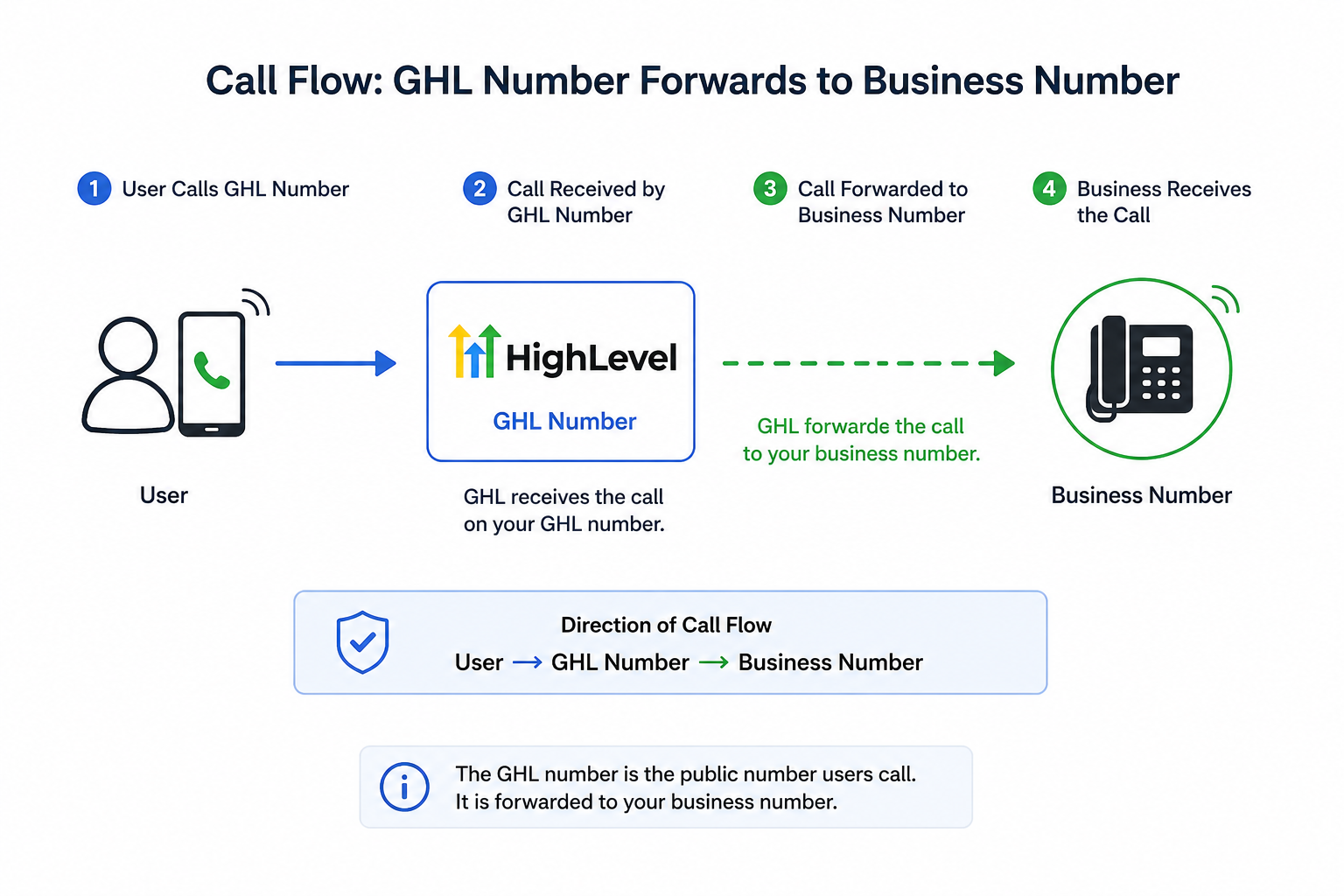
When forwarding is active, every inbound call to the original phone is automatically redirected to the HighLevel number you specify. HighLevel receives the call and processes it with its Voice AI capabilities. The forwarding rule is managed by the carrier, so the original device continues to make outbound calls as usual.
03How businesses use call forwarding
- Dental practice. The office forwards its main reception line to a HighLevel number so that the practice’s AI can schedule appointments and record notes. Staff dial the carrier’s forwarding code, enter the HighLevel number, and confirm the tone.
- Real estate brokerage. Agents keep their personal cell numbers on listings but forward calls to a HighLevel line where the AI qualifies leads and routes qualified prospects to the appropriate agent.
- Ecommerce store. Customer support uses the store’s existing toll free number, forwards it to a HighLevel number, and lets the platform log every call, provide transcripts, and trigger follow up automations.
04The numbers and rules that matter
- *72 forwards all calls to the HighLevel number.
- *71 forwards missed calls to the HighLevel number.
- *73 deactivates call forwarding.
- *21 forwards calls to the HighLevel number.
- #21# deactivates AT&T-Mobile forwarding.
- **21*1+number# forwards all calls on T-Mobile.
- **61*1+number# forwards missed calls on T-Mobile.
- ##21# deactivates all call forwarding on T-Mobile.
- ##61# deactivates missed call forwarding on T-Mobile.
- *92 forwards missed calls on other carriers.
- *93 deactivates missed call forwarding on other carriers.
05Before you start
- A HighLevel phone number must already be assigned in the account.
- Confirm that the forwarding number, user phone number, and Business Profile phone number do not create a circular route.
06How to set up and use call forwarding in HighLevel
Set up forwarding on Verizon Wireless
- Dial *72 followed by the HighLevel phone number.
- Press Call.
- Listen for the confirmation tone or message.
- To turn off forwarding later, dial *73.
Set up forwarding on AT&T Mobile
- Dial *21 followed by the HighLevel phone number.
- Press Call or Send.
- Wait for the confirmation tone.
- To deactivate, dial #21#.
Set up forwarding on AT&T Business landline
- Dial *72 on the landline and listen for the dial tone.
- Enter the HighLevel phone number.
- Wait for the confirmation tone; the system will call the forwarded number and activation occurs when the forward to party answers.
- To deactivate, dial *73.
Set up forwarding on T Mobile
- To forward all calls, dial **21*1 followed by the HighLevel phone number and then #.
- To forward missed calls, dial **61*1 followed by the HighLevel phone number and then #.
- Press Call.
- To deactivate all calls forwarding, dial ##21#.
- To deactivate missed calls forwarding, dial ##61#.
Set up forwarding on Xfinity Mobile
- Dial *72 followed by the HighLevel phone number.
- Press Call.
- Listen for the confirmation tone.
- To turn off forwarding, dial *73.
Set up forwarding on Spectrum Mobile
- Dial *72 followed by the HighLevel phone number.
- Press Call and wait for the confirmation tone.
- To deactivate, dial *73.
Set up forwarding on other carriers
- To forward all calls: dial *72, listen for the dial tone, enter the HighLevel phone number, and wait for the confirmation tone.
- To deactivate all calls forwarding, dial *73.
- To forward missed calls: dial *92, listen for the dial tone, enter the HighLevel phone number, and wait for the confirmation tone.
- To deactivate missed calls forwarding, dial *93.
07What it looks like in HighLevel
08Things to know before you rely on it
- A redirect loop occurs if Number A forwards to Number B and Number B routes back to Number A; this can cause endless call redirection.
- International forwarding depends on the carrier’s capabilities and may not be supported.
09If something goes wrong
- Calls repeatedly reconnect or appear multiple times in Conversations.. Disable call forwarding, then verify that none of the numbers in the forwarding chain route back to the original number before re enabling.
10How it connects to the rest of HighLevel
- Phone dialer overview Phone dialer
- HighLevel phone system pricing and rebilling guide Pricing guide
- HighLevel’s LC Phone: built in SMS and calling for agencies LC Phone
Michael's take

Most people set up forwarding and forget to check the routing path, ending up with a loop that bounces calls back and forth. I would verify that the HighLevel number, the forwarding number, my user line, and any business profile number are all distinct and not feeding each other before I flip the switch.
Once I’m sure there’s no loop, I enable the carrier code, test with a second phone, and watch the call flow in Conversations. A quick test confirms the Voice AI is answering and the call isn’t replaying, giving me confidence that my existing number can stay on the front of my marketing while HighLevel handles the inbound traffic.