
01Who this is for
- Founders of agencies that manage many client phone numbers benefit because the bundle adds caller context and avoids wasted SMS attempts.
- Small business owners using the platform for inbound calls gain early warning of possible spam callers and see caller names when contacts lack them.
02Number Intelligence, explained
Number Intelligence groups three checks, Spam Detection, Name Lookup, and Number Validation, into one configurable option. Spam Detection and Name Lookup examine incoming U.S. calls, while Number Validation runs before the first outbound SMS to any destination worldwide. The feature lives inside the Phone System area of the Settings menu.
When enabled, HighLevel marks suspicious incoming calls as “Spam Likely,” adds available caller name data to call logs, and prevents the first SMS from being sent if the destination fails validation. All three functions share a single on/off switch; they cannot be toggled individually.
03How businesses use Number Intelligence
- Digital marketing agency. The agency turns on Number Intelligence for each client subaccount so inbound calls from unknown numbers show a spam label and name information, while outbound campaigns skip numbers that cannot receive SMS.
- Healthcare clinic. The clinic enables the bundle to see caller names for patients calling from new numbers and to avoid sending appointment reminders to invalid mobile numbers.
- Ecommerce store. The store activates Number Intelligence to filter spam calls and to ensure promotional SMS messages are only sent to numbers that can receive them.
04The numbers and rules that matter
- Spam Detection: $0.005 per applicable test (per HighLevel's help center, checked November 2026).
- Name Lookup: $0.01 per applicable lookup (per HighLevel's help center, checked November 2026).
- Number Validation: $0.005 per applicable validation (per HighLevel's help center, checked November 2026).
05How to set up and use Number Intelligence in HighLevel
Set up Number Intelligence
- Log in to the applicable HighLevel subaccount.
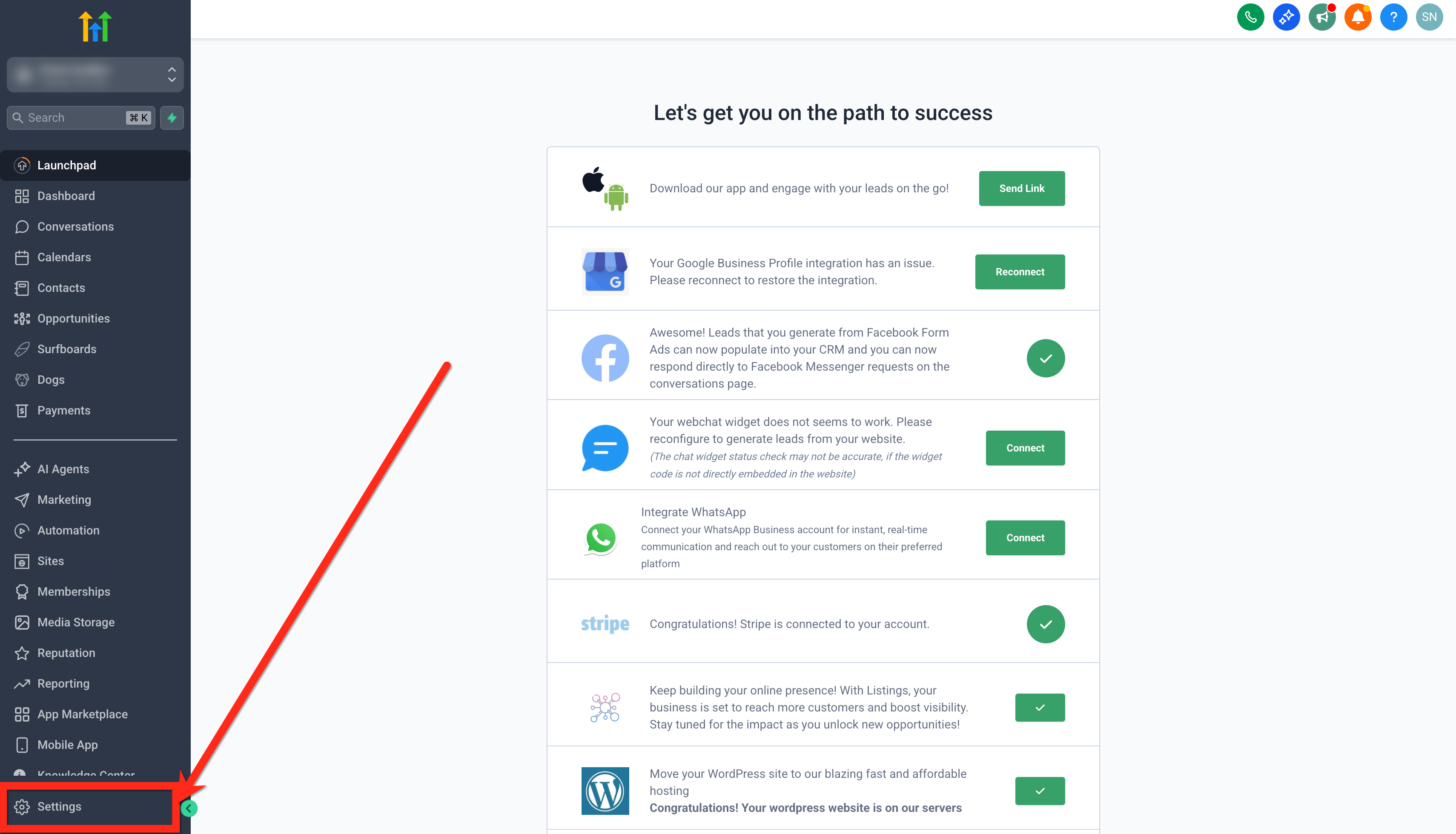
- Navigate to Settings.
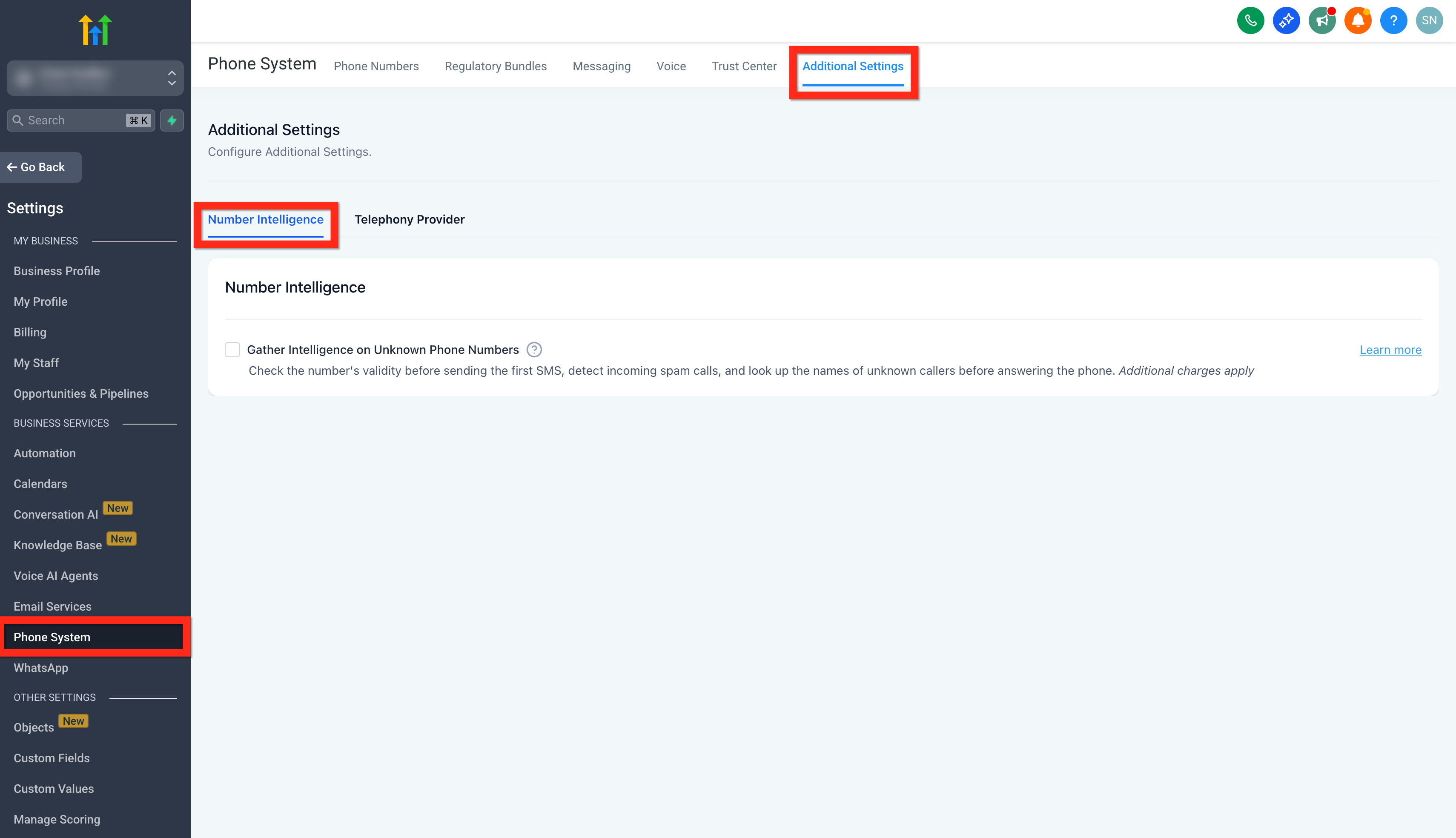
- Select Phone System.
- Open Additional Settings > Number Intelligence.
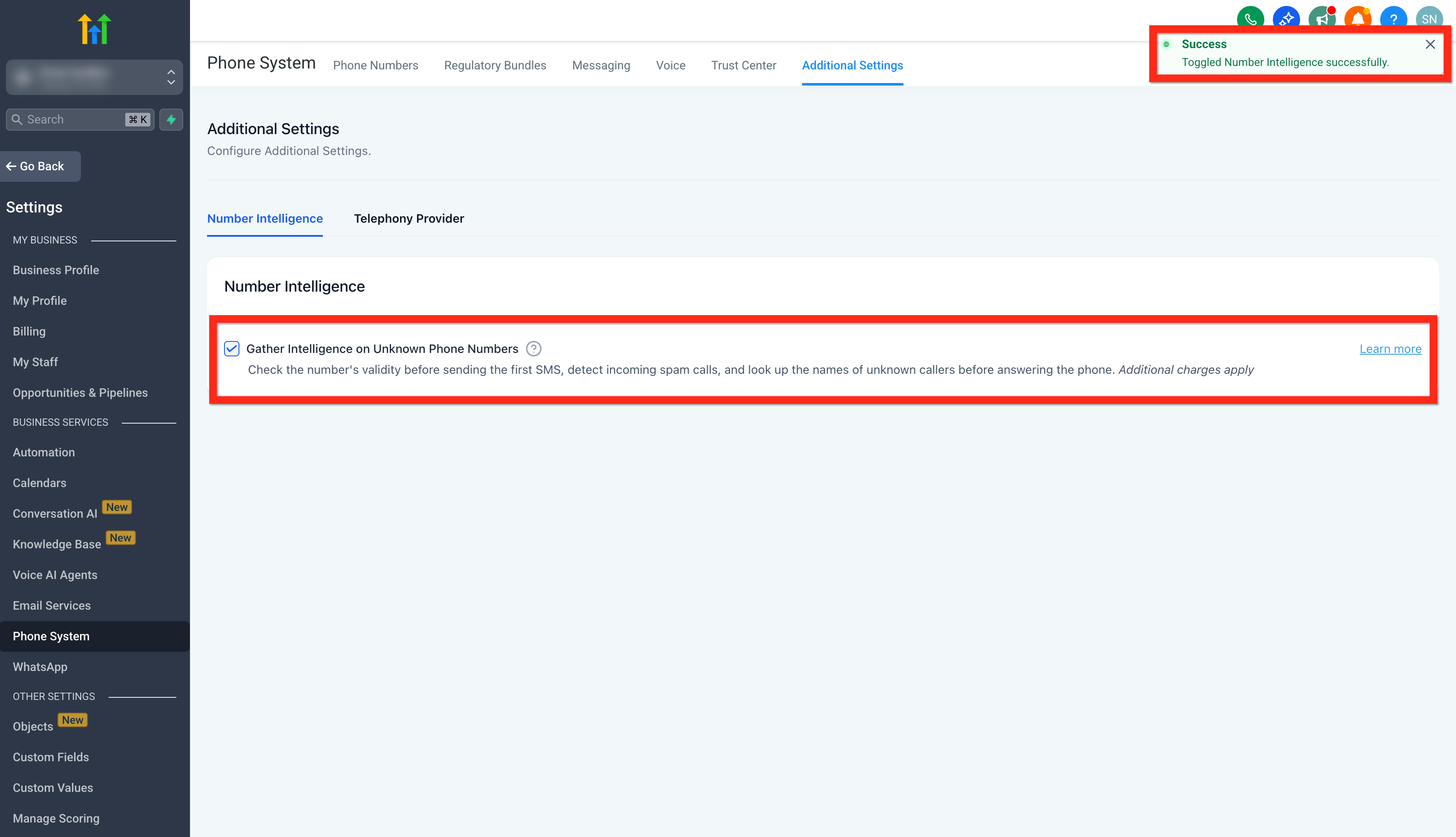
- Find the Gather Intelligence on Unknown Phone Numbers option.
- Choose to enable Number Intelligence or clear it to disable the bundle.
- Save the changes if prompted.
06What it looks like in HighLevel
07Settings that matter
- Gather Intelligence on Unknown Phone Numbers. Controls the activation of the entire Number Intelligence bundle, turning on spam detection, name lookup, and SMS validation together.
08Things to know before you rely on it
- The bundle can only be enabled or disabled as a whole; individual functions cannot be toggled separately.
- Spam Detection and Name Lookup apply only to applicable incoming U.S. calls, while Number Validation works worldwide.
- Pricing is usage based: $0.005 per spam detection test, $0.01 per name lookup, and $0.005 per number validation; format lookups for calls are free (per HighLevel's help center, checked November 2026).
09How it connects to the rest of HighLevel
- See the full pricing details for the Phone System. Phone System Pricing & Billing
- Learn how agencies can set default phone preferences for new subaccounts. Default Phone Preferences
- Start a 30 day trial to explore Number Intelligence and other features. 30 day trial
Michael's take

Number Intelligence provides useful context to help avoid unnecessary calls and SMS.
Don’t forget that you can’t turn the three checks on or off separately.