
01Who this is for
- Agency owners, they can lower the volume of manual cancellation requests by granting clients self service rights for eligible add on plans.
- Subaccount managers, they gain direct access to view and cancel their own resold subscriptions without needing agency assistance.
- Consultants managing client HighLevel accounts, they keep billing transparent while allowing clients to handle their own add on cancellations.
02In App Cancellation for Reselling Subscriptions, explained
The In App Cancellation feature adds a self service option for subaccount users to end eligible resold add on subscriptions. It provides a single place to manage those plans.
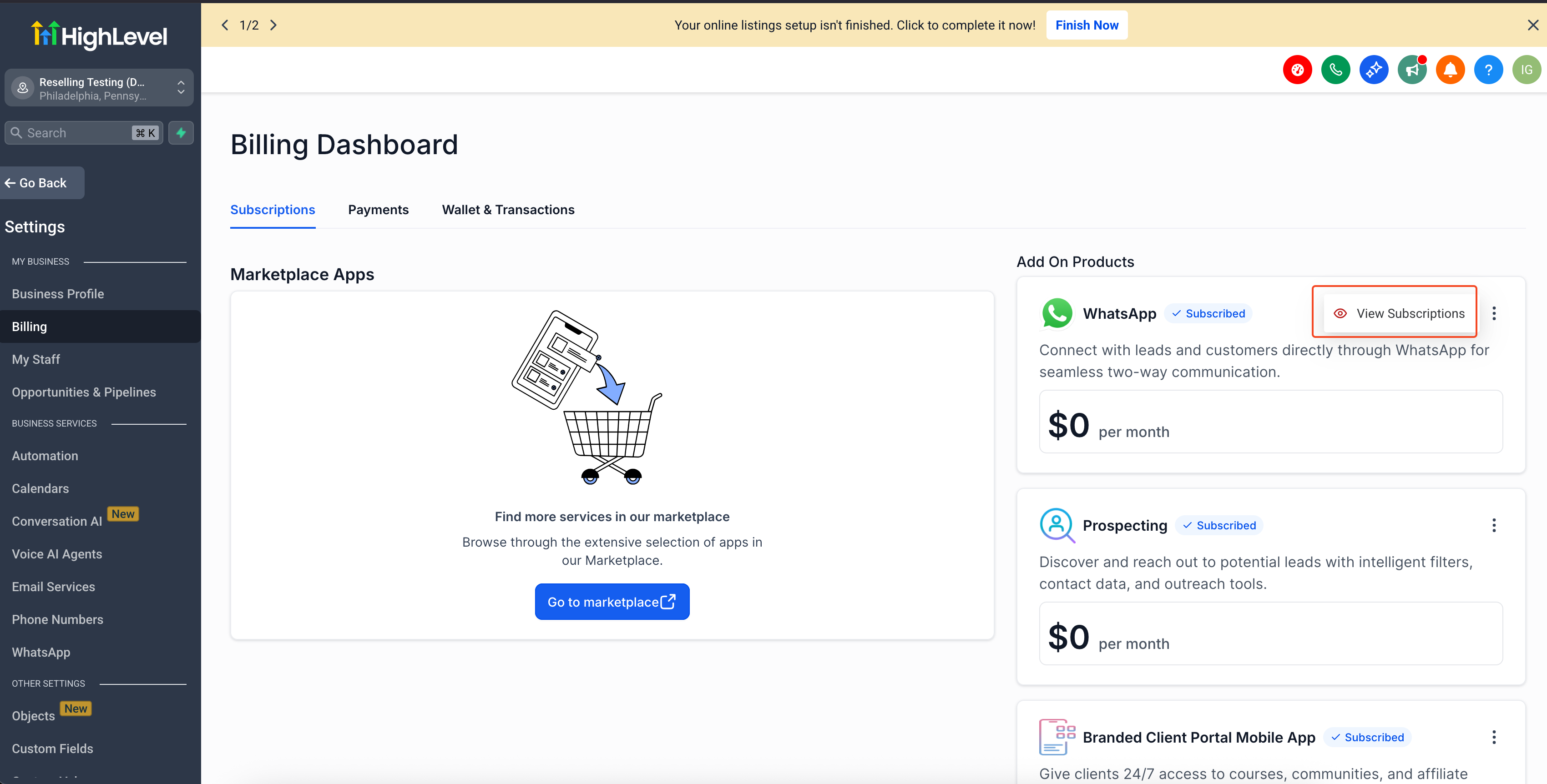
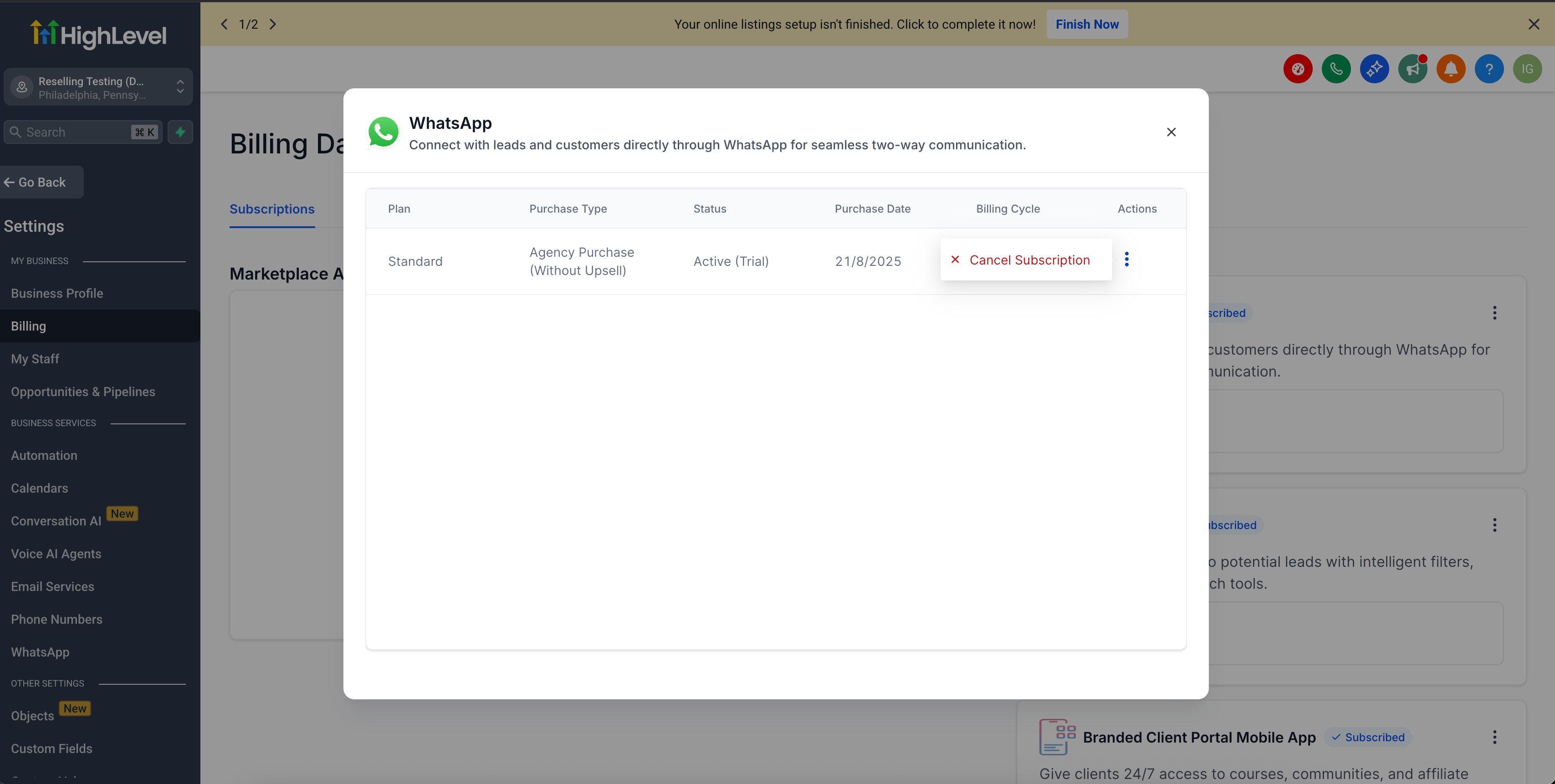
The option appears in Settings > Billing > Subscriptions. Selecting a subscription shows key fields, plan, purchase type, status, purchase date and billing cycle, so the user can confirm they are acting on the correct item.
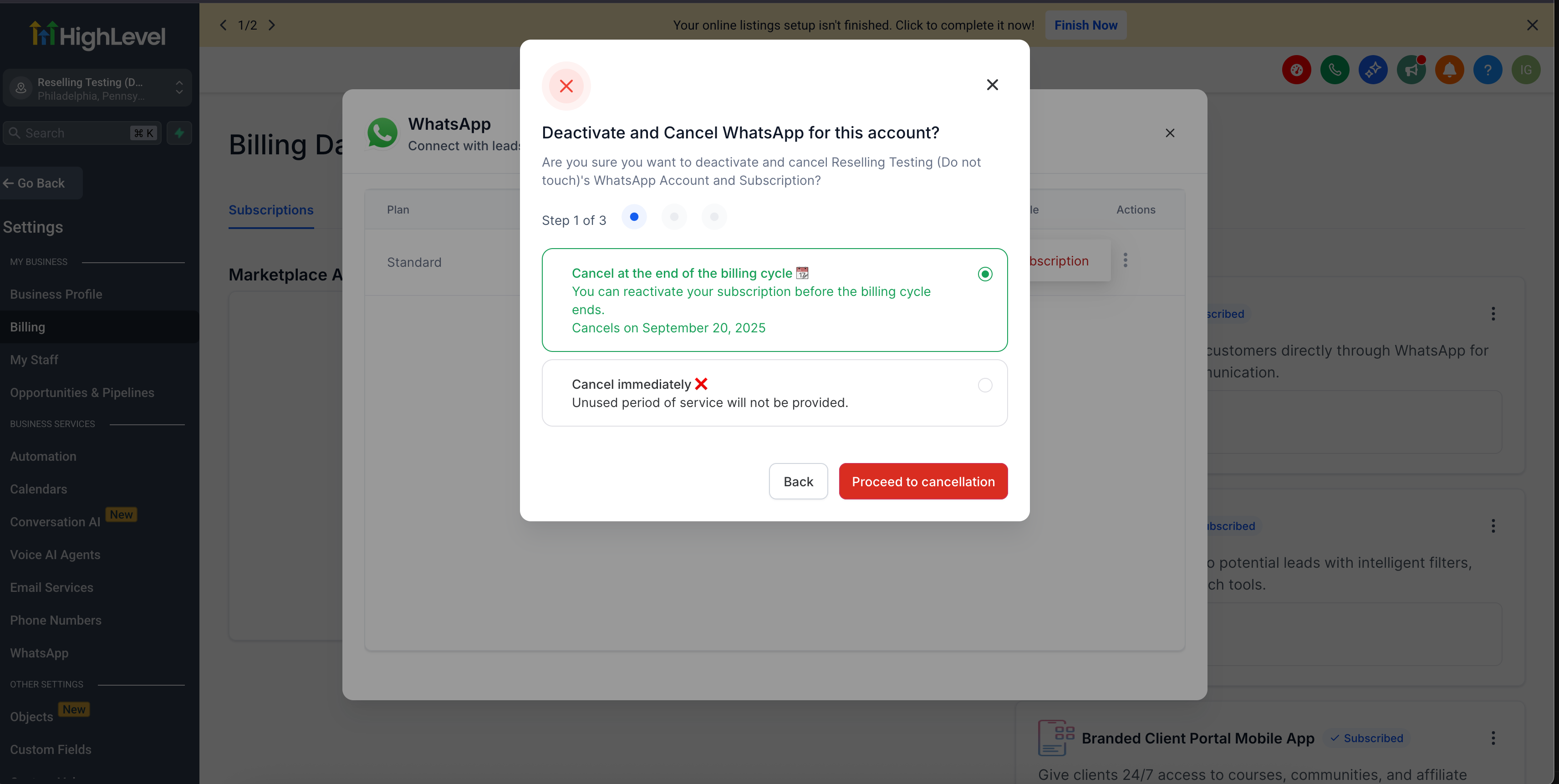
When the user starts the unsubscribe flow, a unified modal guides them through the steps, offers timing choices such as immediate cancellation or cancellation at the end of the billing cycle, and may allow reactivation before the effective date.
03How businesses use In App Cancellation for Reselling Subscriptions
- Digital marketing agency. The agency enables client subaccounts to open Settings > Billing > Subscriptions, view each resold add on, and cancel directly. This reduces the number of agency only tickets for subscription changes while keeping the client experience consistent.
- SaaS consulting firm. Consultants configure client subaccounts with billing access, allowing clients to select a resold integration, review its plan details, and use the unsubscribe modal to stop the service either immediately or at cycle end.
- Real estate brokerage using HighLevel add ons. Brokerage staff log into their subaccount, navigate to Settings > Billing > Subscriptions, locate the listings add on, verify its purchase date and billing cycle, then cancel through the guided modal, optionally reactivating before the cancellation takes effect.
04Before you start
- User must be signed into the correct subaccount.
- User must have access to the subaccount Billing area.
- User must be viewing an active, eligible reselling subscription.
05How to set up and use In App Cancellation for Reselling Subscriptions in HighLevel
Cancel a reselling subscription
- Open the desired subaccount in HighLevel.
- Navigate to Settings > Billing > Subscriptions.
- Find the subscription you want to manage.
- Click the three dot menu next to that subscription.
- Select View Subscription.
- Review the displayed plan, purchase type, status, purchase date and billing cycle.
- Start the cancellation flow from the subscription details screen.
- Follow each prompt shown in the unsubscribe modal.
- Choose the offered cancellation timing option, if one appears.
- Confirm the cancellation to schedule it.
- After confirming, review the subscription status and effective cancellation date if shown.
- If the subscription supports it, use the reactivation option before the effective date.
06What it looks like in HighLevel
07Things to know before you rely on it
- Only eligible reselling subscriptions show a cancel option.
- The option is hidden for inactive subscriptions or when the user lacks Billing access.
- This feature does not apply to SaaS plan cancellations, full subaccount cancellations, or agency side billing actions.
- Some subscriptions may allow reactivation before the effective cancellation date.
08If something goes wrong
- Cancellation option is not visible. Confirm the subscription is eligible and active, ensure you are in the correct subaccount, and verify you have access to the Billing area.
09How it connects to the rest of HighLevel
- Details on what appears on the Subscriptions page Subscriptions page overview
- Automation triggers for subscription refunds Refund triggers
- How to pause and resume subscriptions Pause/resume guide
Michael's take

Can my clients cancel the add on services I sell them without emailing me every time? Absolutely. With In App Cancellation for Reselling Subscriptions, they log into their subaccount, open Settings > Billing > Subscriptions, and pull the plug on any eligible add on themselves. It saves you from a flood of cancellation tickets and gives them confidence that they’re editing the right plan because all the key details are displayed up front.
If I were setting this up, I’d first double check that my subaccount users actually have Billing access, then walk through a test cancel on a low risk add on. Seeing the unified modal in action lets you confirm the timing options and whether reactivation is available before you roll it out to all clients.