
01Who this is for
- Founders of subscription based businesses who need control over collection after a declined payment.
- Product managers handling recurring services who want consistent retry behavior for all customers.
- Finance teams that must decide whether unpaid accounts remain active or are cancelled automatically.
02Failed payment retries, explained
The feature adds automatic retry logic for subscription payments that fail. You can decide how many times the platform will re attempt the charge and the number of days between each attempt. After the last retry you may keep the subscription in an unpaid state or have the system move it to cancelled.
When a payment fails, the system follows the configured schedule, waiting the defined gap before each new attempt. Changes to the retry settings apply to both new subscriptions and those already in a retry cycle. If all retries are exhausted, the chosen final status is applied without further manual action.
The configuration lives under Payments > Settings > Subscription in the HighLevel interface.
03How businesses use failed payment retries
- Online fitness platform. The business sets three retry attempts with a three day gap, then chooses to cancel the membership if all attempts fail. This ensures members who cannot pay are removed automatically.
- Digital magazine publisher. The publisher defines two retries spaced five days apart and keeps the subscription unpaid after failure, allowing the subscriber to resolve the issue before losing access.
- SaaS startup. The startup configures a single retry after one day and enables automatic cancellation, streamlining the handling of failed payments for all active accounts.
04The numbers and rules that matter
- Up to 3 retries can be configured.
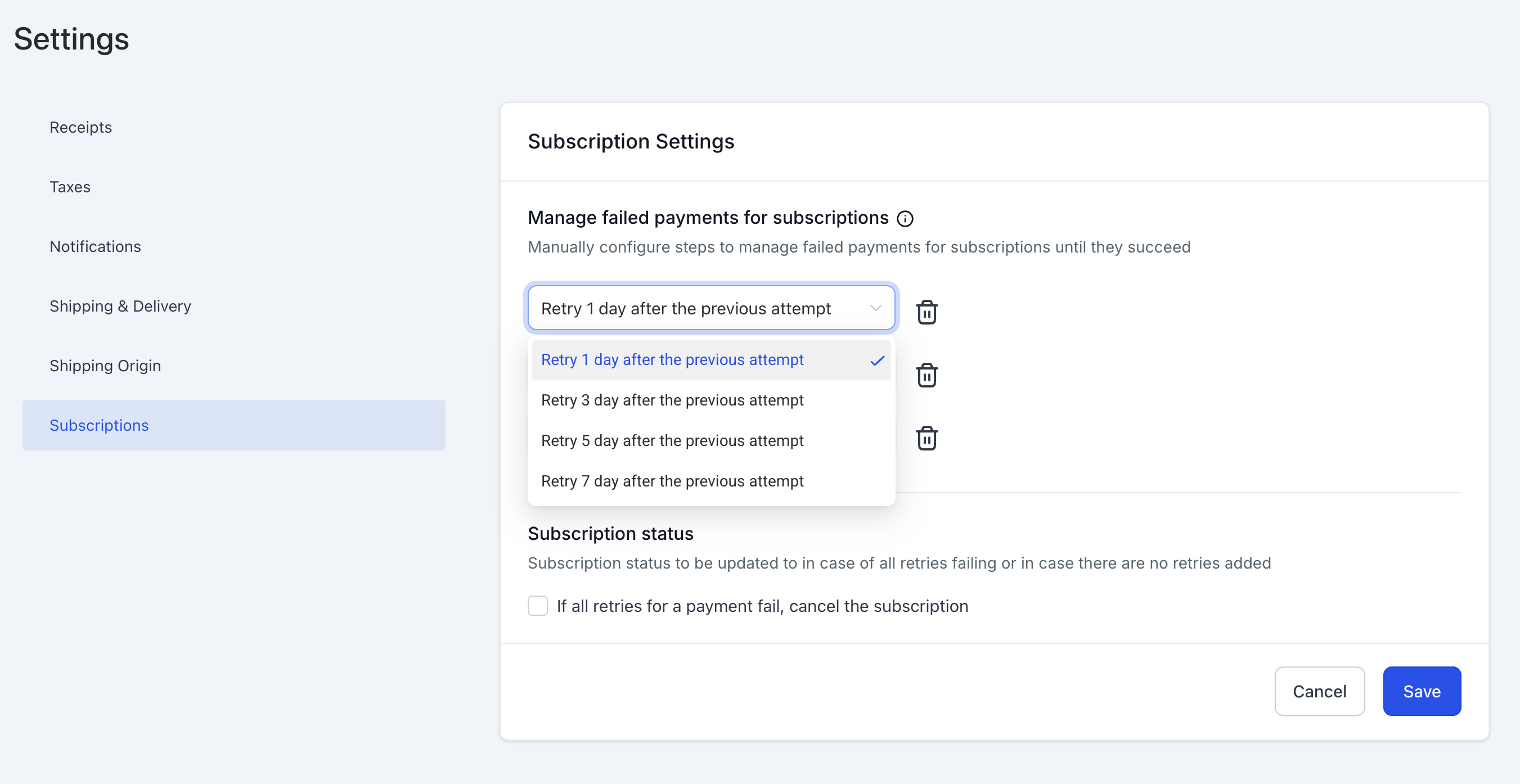
- Retry gaps can be 1, 3, 5, or 7 days.
- Default setup is 3 retries with a 1 day gap.
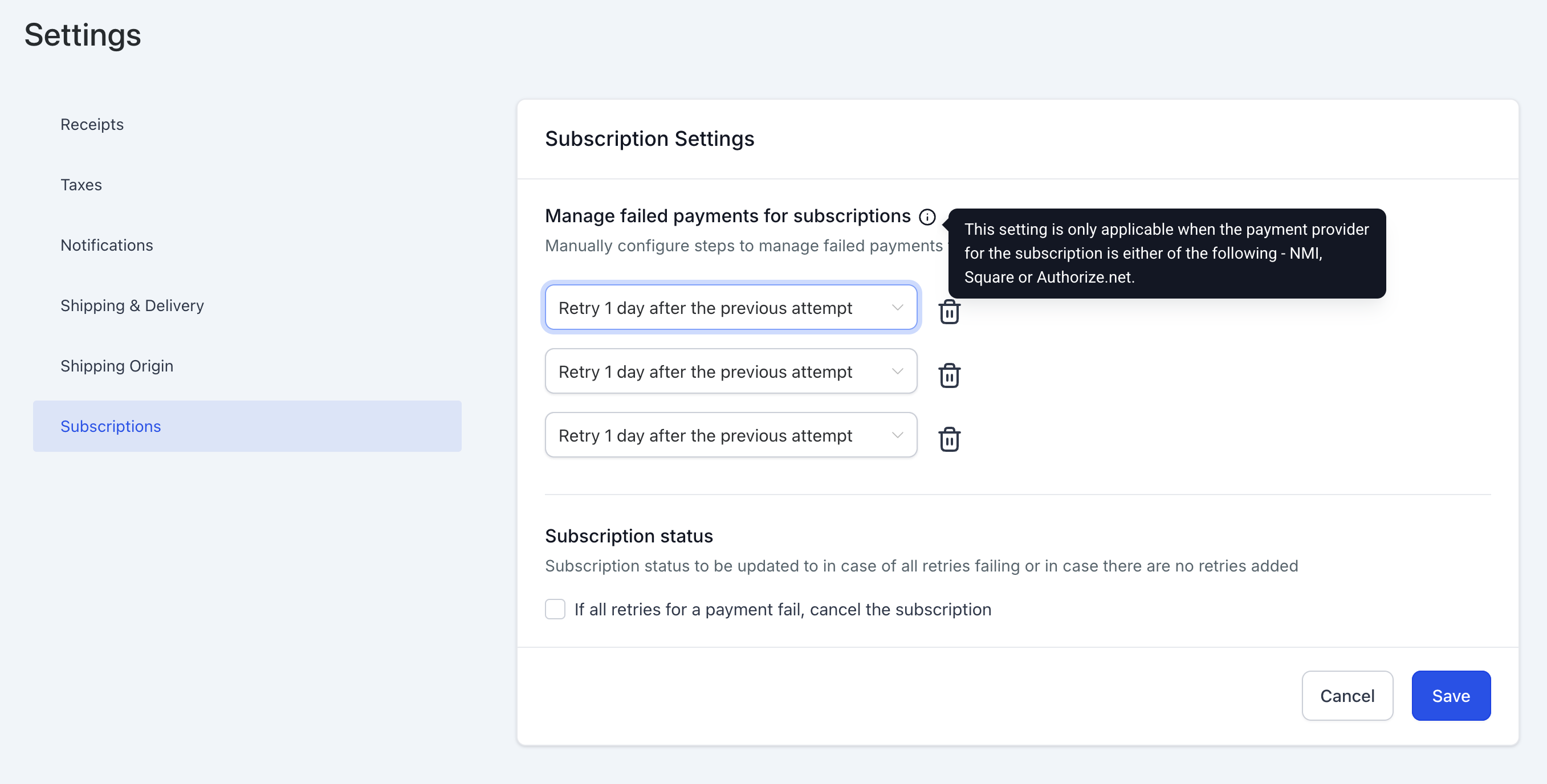
- Supported payment providers: NMI, Authorize.net, Square.
05How to set up and use failed payment retries in HighLevel
Configure failed payment retries
- Open Payments > Settings > Subscription in the HighLevel menu.
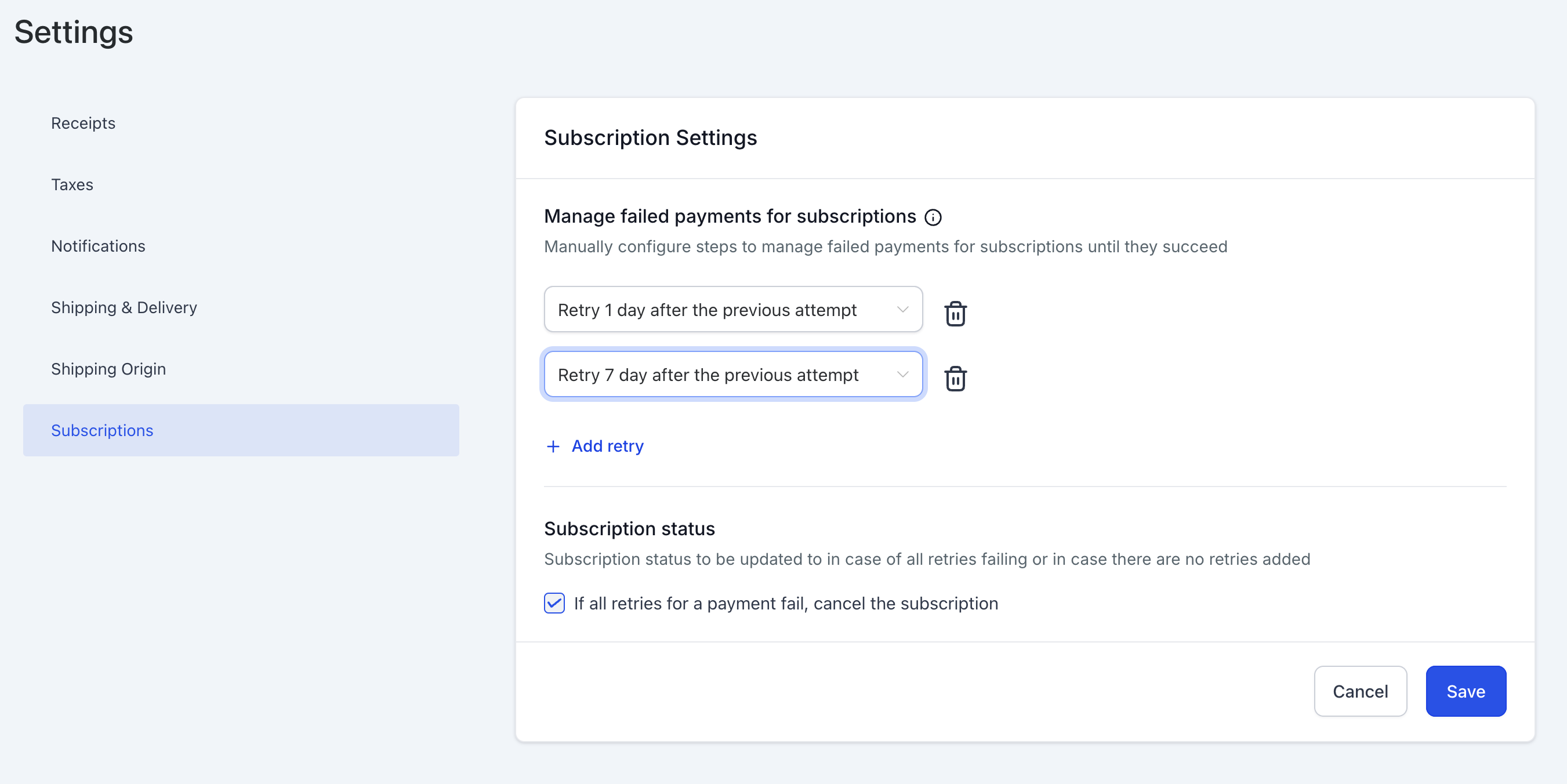
- Select the desired number of retry attempts, up to three.
- Choose a gap of 1, 3, 5, or 7 days between each retry.
- Toggle the option to automatically cancel a subscription after all retries fail.
- Click Save to apply the new configuration.
06What it looks like in HighLevel
07Settings that matter
- Number of retries. Controls how many times the system will try to charge a failed subscription payment.
- Retry gaps. Sets the number of days the platform waits between each retry attempt.
- Automatically cancel subscription on final failure. Determines whether a subscription moves to a cancelled state after all retries have failed.
08Things to know before you rely on it
- You can configure a maximum of three retry attempts.
- Allowed gap intervals are limited to 1, 3, 5, or 7 days.
- The feature works with NMI, Authorize.net, and Square payment providers.
- By default the system uses three retries with a one day gap.
09How it connects to the rest of HighLevel
- Read more about subscription listings and capabilities. Subscriptions page overview
- Learn how automation can trigger actions on subscription events. Subscription automation triggers
- Discover how to pause and resume subscriptions when needed. Pause and resume subscriptions
Michael's take

Skipping the retry configuration can leave you chasing unpaid accounts and manually handling cancellations, which wastes time and risks revenue loss. Without a clear fallback, a failed charge may sit in limbo and frustrate both you and your customer.
When you set up automated retries, you give customers a chance to fix a declined card while keeping the subscription alive. The option to autocancel after the final attempt also helps you keep your active list tidy, so you can focus on growth rather than cleanup.