
01Who this is for
- SaaS Founders, because they need to react automatically to subscription status changes and refunds.
- Membership site owners, because they can send tailored messages when members start, activate, or cancel plans.
- Ecommerce businesses that sell recurring products, because they can adjust fulfillment workflows based on payment refunds.
02Subscription and refund triggers, explained
The platform now includes two new triggers, Subscription and Refund, under the Payments automation options. The Subscription trigger fires when a subscription is created, when it moves from trial to active, or when it is cancelled. The Refund trigger fires whenever a payment is processed as a refund.
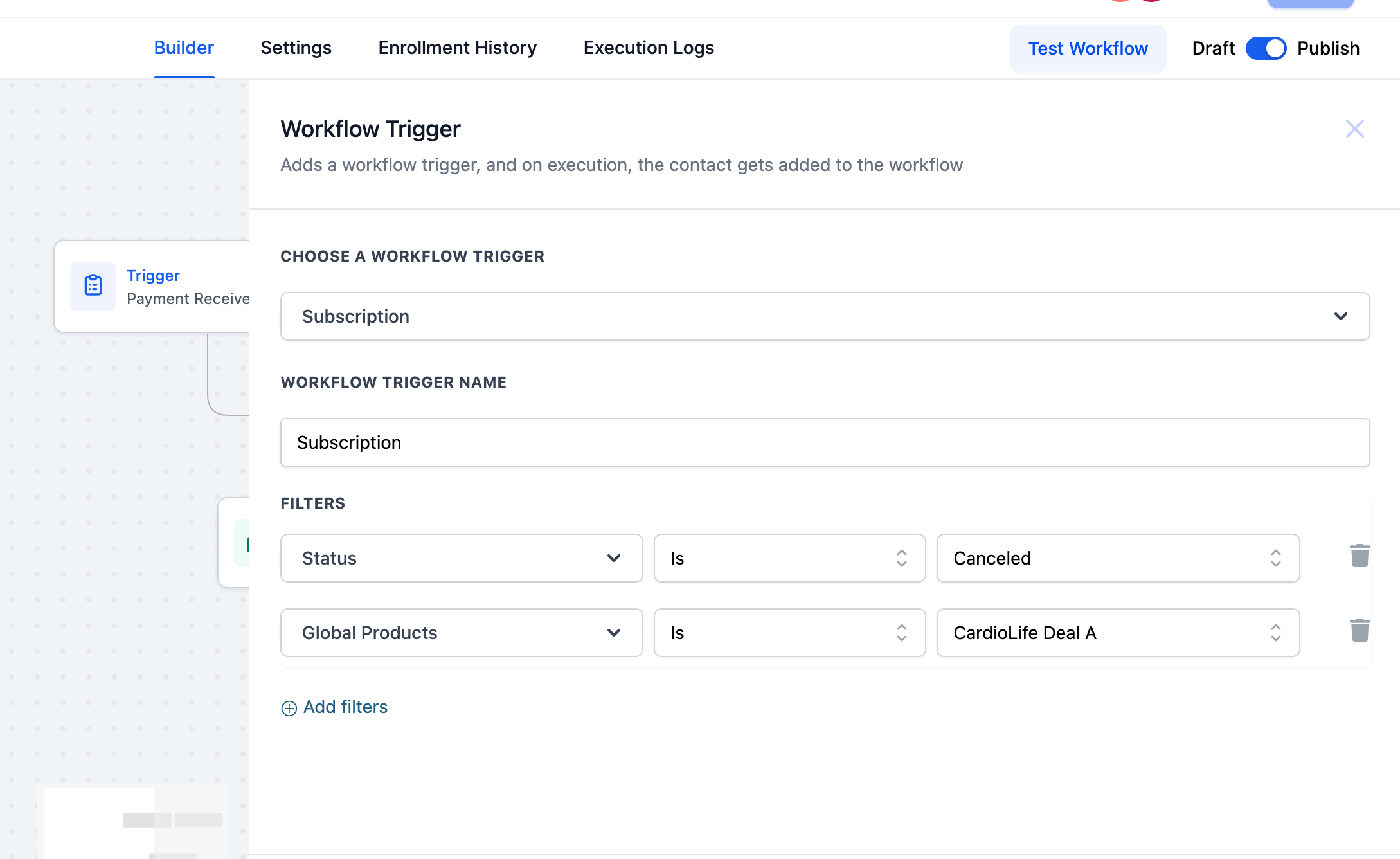
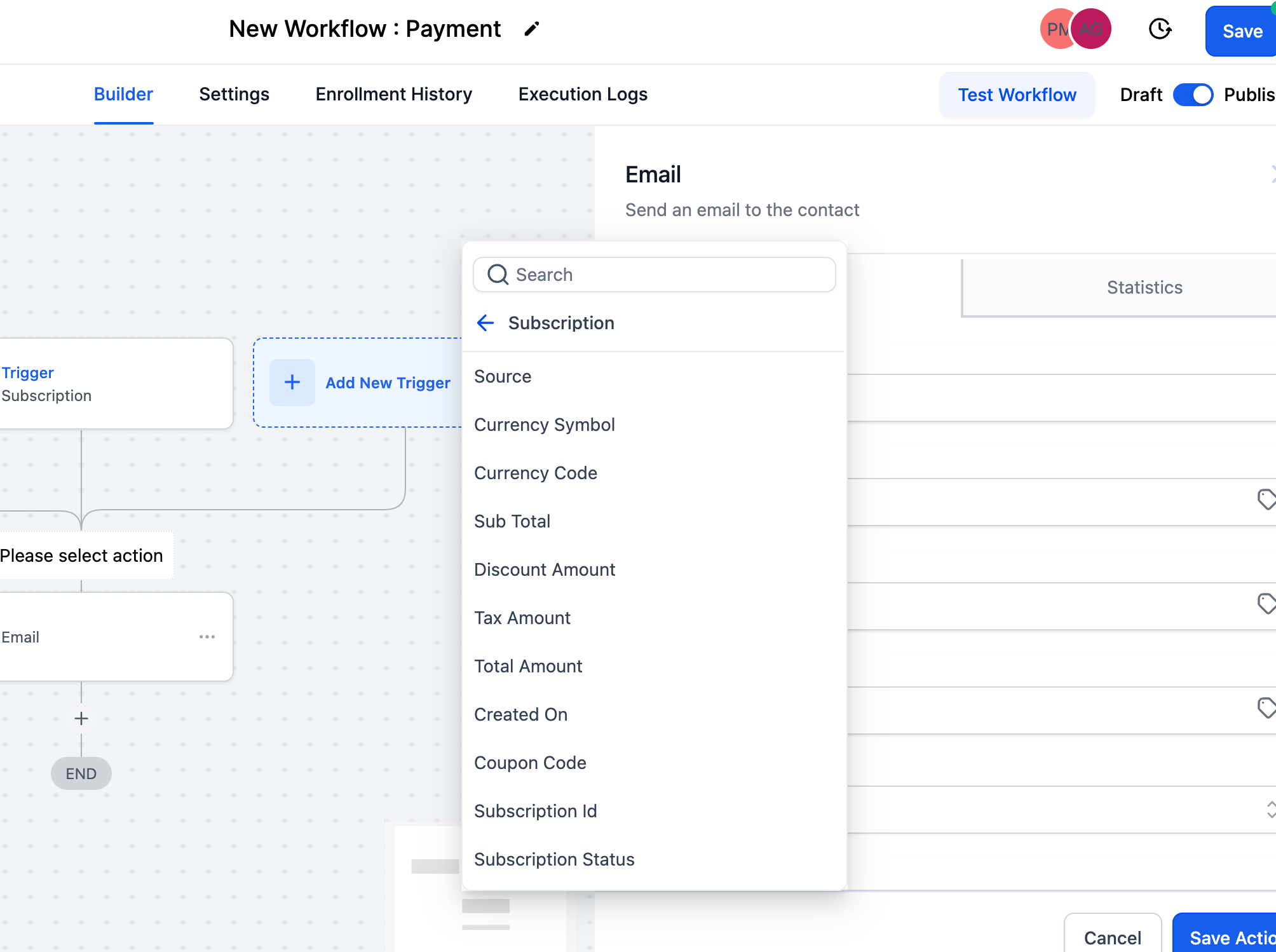
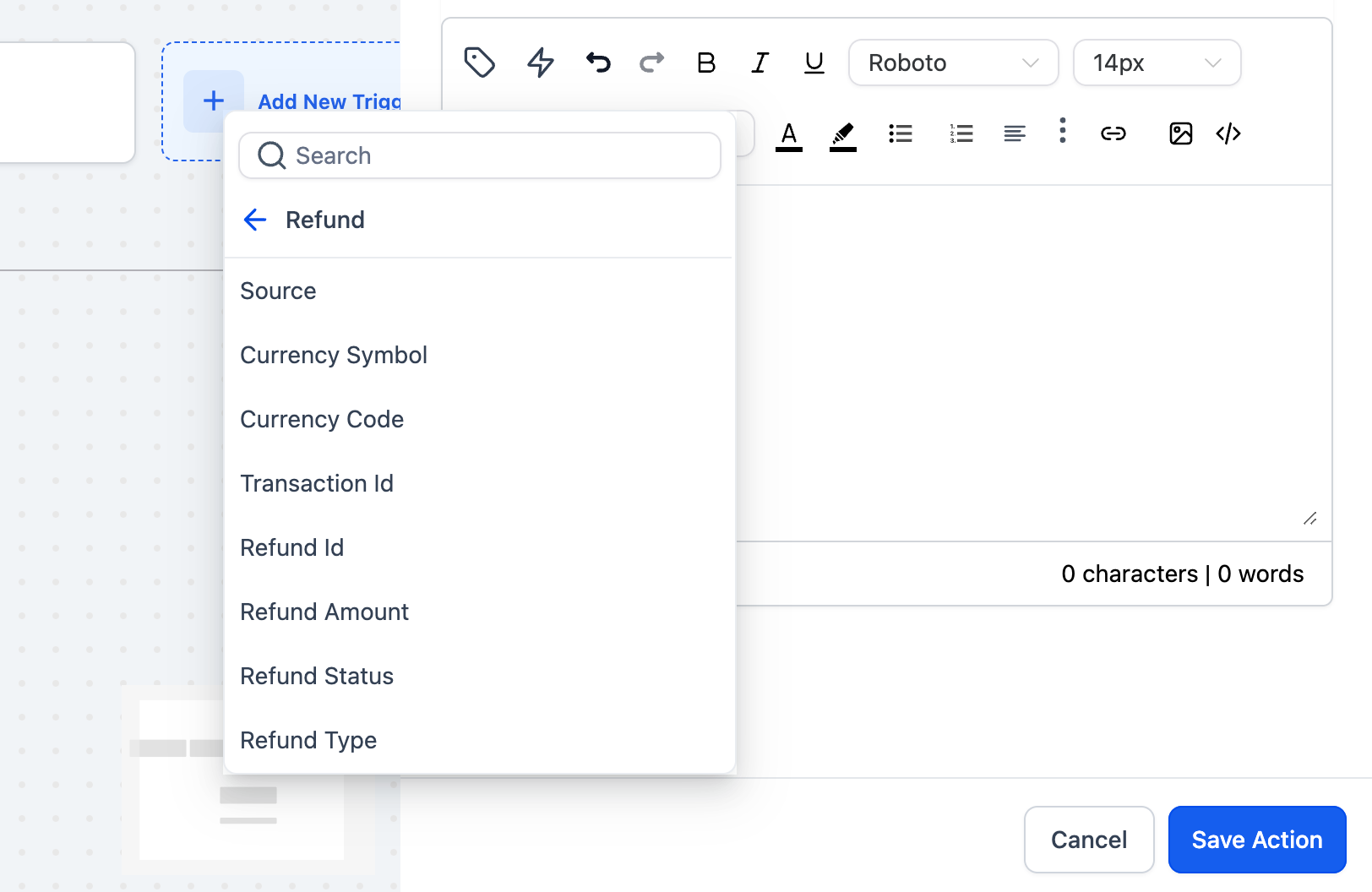
Both triggers expose filters and custom values. Subscription status filters let you add IF conditions based on a subscription’s current state or the product attached to it. Refund custom values provide details such as success or failure, full or partial amount, and the refund source, enabling branching inside workflows.
These triggers work with Stripe, Authorize.net, and NMI integrations found under Payments > Integrations. For PayPal, the Subscription trigger only runs at creation time, with additional capabilities slated for future release.
03How businesses use subscription and refund triggers
- SaaS startup. Create a workflow that starts when a new subscription is created to welcome the user and assign them to a cohort. Add a branch for when the subscription moves from trial to active to unlock premium features. Use a final branch for cancellations to trigger a win back email.
- Online fitness membership. Set up a refund workflow that activates on a refund attempt. Check if the refund succeeded and whether it is full or partial, then send a personalized notification to the member. Use the refund amount custom value to offer a discounted re join link.
- Subscription box service. Employ the subscription status filter to segment customers by product type. When a specific box product is cancelled, automatically pause the next shipment order. When the subscription becomes active, schedule the first delivery task.
04How to set up and use subscription and refund triggers in HighLevel
Set up a workflow using the Subscription trigger
- Select the Subscription trigger for when a subscription is created.
- Add a condition for when the subscription moves from trial to active.
- Add a condition for when the subscription is cancelled.
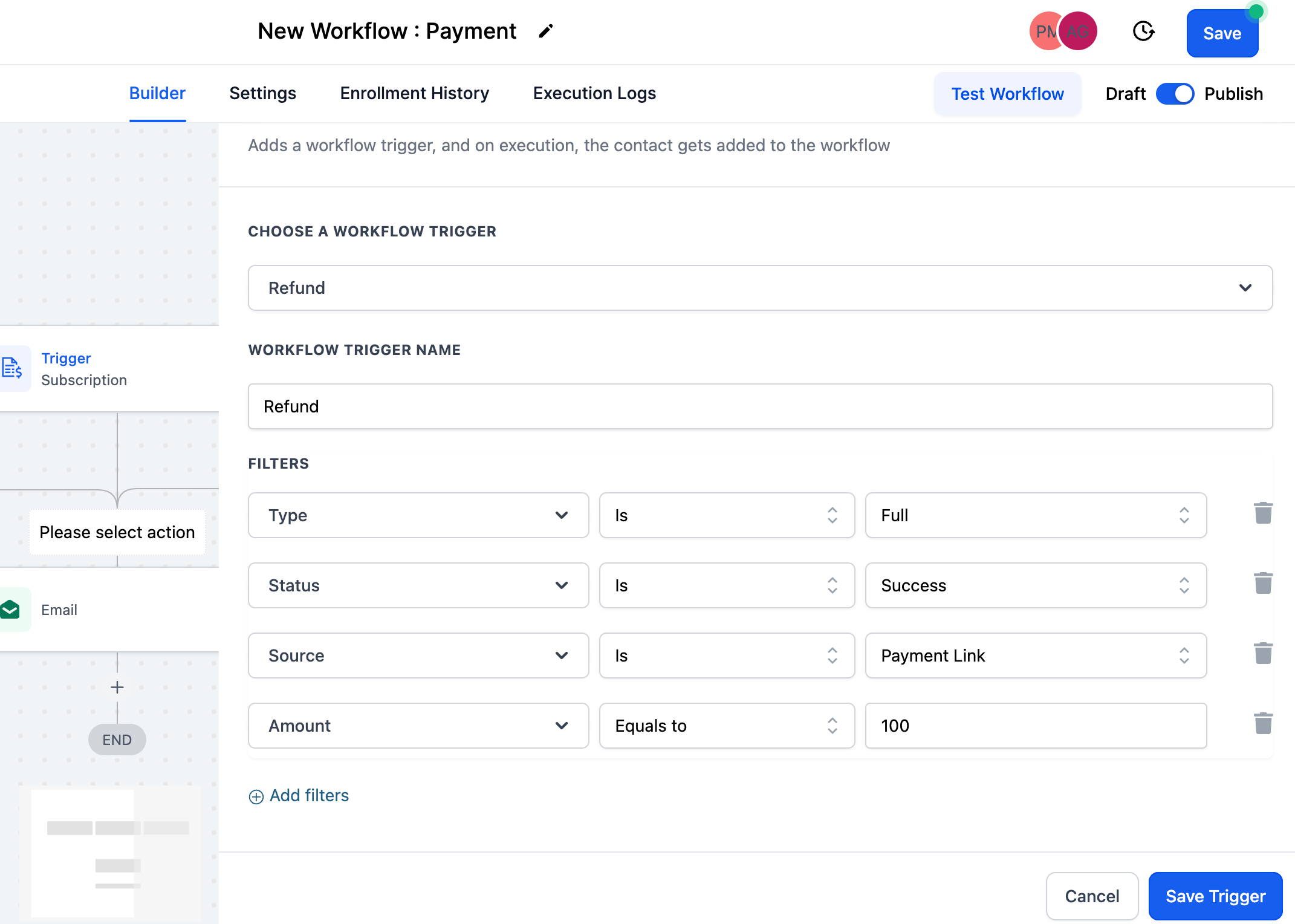
Set up a workflow using the Refund trigger
- Choose the Refund trigger to capture a refund attempt.
- Branch based on whether the refund succeeded or failed.
- Branch based on whether the refund is for the full amount or a partial amount.
- Branch based on the refund amount or its source.
05What it looks like in HighLevel
06Settings that matter
- Subscription status filters. Control which subscription states (created, trial > active, cancelled) cause a workflow to fire.
- Payments custom values. Provide subscription related data such as status and product for use inside automation conditions.
- Refund custom values. Expose details about a refund, including success flag, full or partial amount, and source, for branching logic.
07Things to know before you rely on it
- The Refund trigger works with Stripe, Authorize.net and NMI integrations only.
- For PayPal, the Subscription trigger fires only when a subscription is created; further actions are not yet supported.
- Full PayPal functionality for both triggers is planned for a future release.
08How it connects to the rest of HighLevel
- Explore how subscriptions are listed and managed in HighLevel Subscriptions page
- Learn about handling failed payment retries in subscription settings Failed payment retries
- Review HighLevel pricing and plan options Pricing
Michael's take

Wondering how to keep your team in the loop when a customer’s subscription changes or a refund is processed? The subscription and refund triggers give you a simple way to start a workflow exactly at those moments, whether it’s moving a new lead into a welcome sequence or alerting support after a failed refund.
If I were setting this up, I’d first make sure my Stripe or Authorize.net integration is active, then add a subscription trigger to flag trial to active moves. From there, a refund trigger can feed the right amount and status into a notification template so no one misses a critical update.