
01Who this is for
- Customer support teams can give clients a billing break without ending their service, keeping the account active.
- Billing managers can adjust invoice processing during a pause, ensuring drafts or voids match their accounting workflow.
- Agency owners can retain subscription records while giving clients flexibility, avoiding the need to recreate subscriptions later.
02Pause and resume subscriptions, explained
The feature temporarily interrupts the recurring billing cycle of an eligible subscription without deleting it, marking it as paused while scheduled invoices are handled according to the chosen behavior.
During a pause, invoices are either left in draft status for later review or marked as void, based on the selected option.
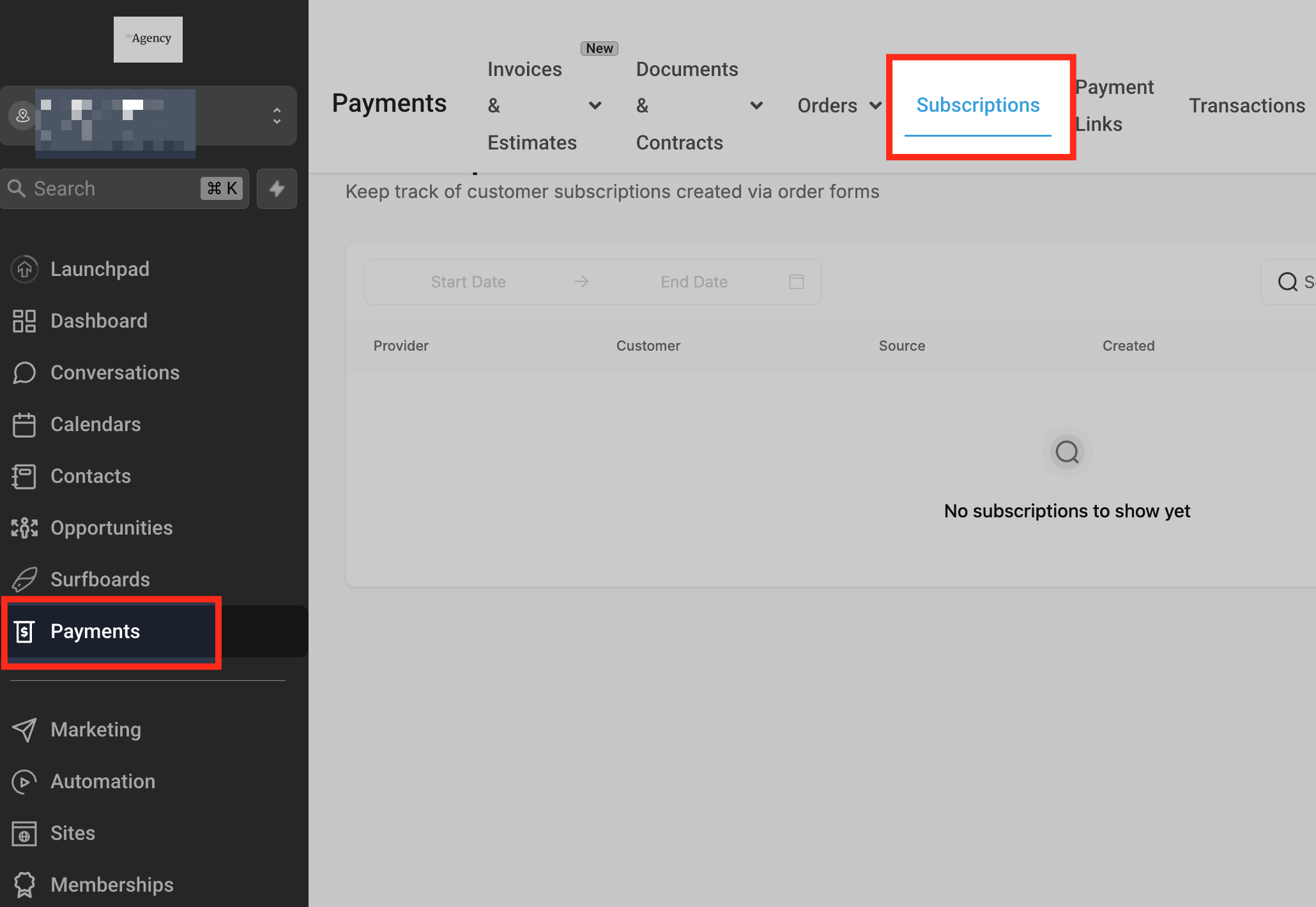
Pause and Resume controls are located in the Payments > Subscriptions area of the platform, accessed from the appropriate subaccount.
03How businesses use pause and resume subscriptions
- SaaS startup. When a customer requests a temporary hold on their plan, the staff selects the subscription, chooses a custom date pause, and sets invoices to Draft. They later resume the subscription when the client is ready to reactivate service.
- Fitness studio. If a member is on vacation, the manager pauses the membership indefinitely, selects Mark as void for upcoming invoices, and manually resumes the subscription after the member returns.
- Online education platform. During a semester break, administrators pause student subscriptions with an indefinite pause, keep invoices as Draft, and reactivate the billing cycle at the start of the new term.
04The numbers and rules that matter
- Export fields include Last paused on date, Resumed on date, Pause end date.
05Before you start
- The subscription must appear under Payments > Subscriptions in the selected subaccount.
- The user must have the required Subscriptions permissions in the Payments module.
- The payment provider for the subscription must support pause and resume actions.
- The subscription’s current status must allow the pause or resume operation.
06How to set up and use pause and resume subscriptions in HighLevel
Pause a subscription
- Open the target subaccount.
- Navigate to Payments > Subscriptions.
- Find the subscription you want to pause.
- Open the three dot menu attached to that subscription.
- Select the pause action that appears.
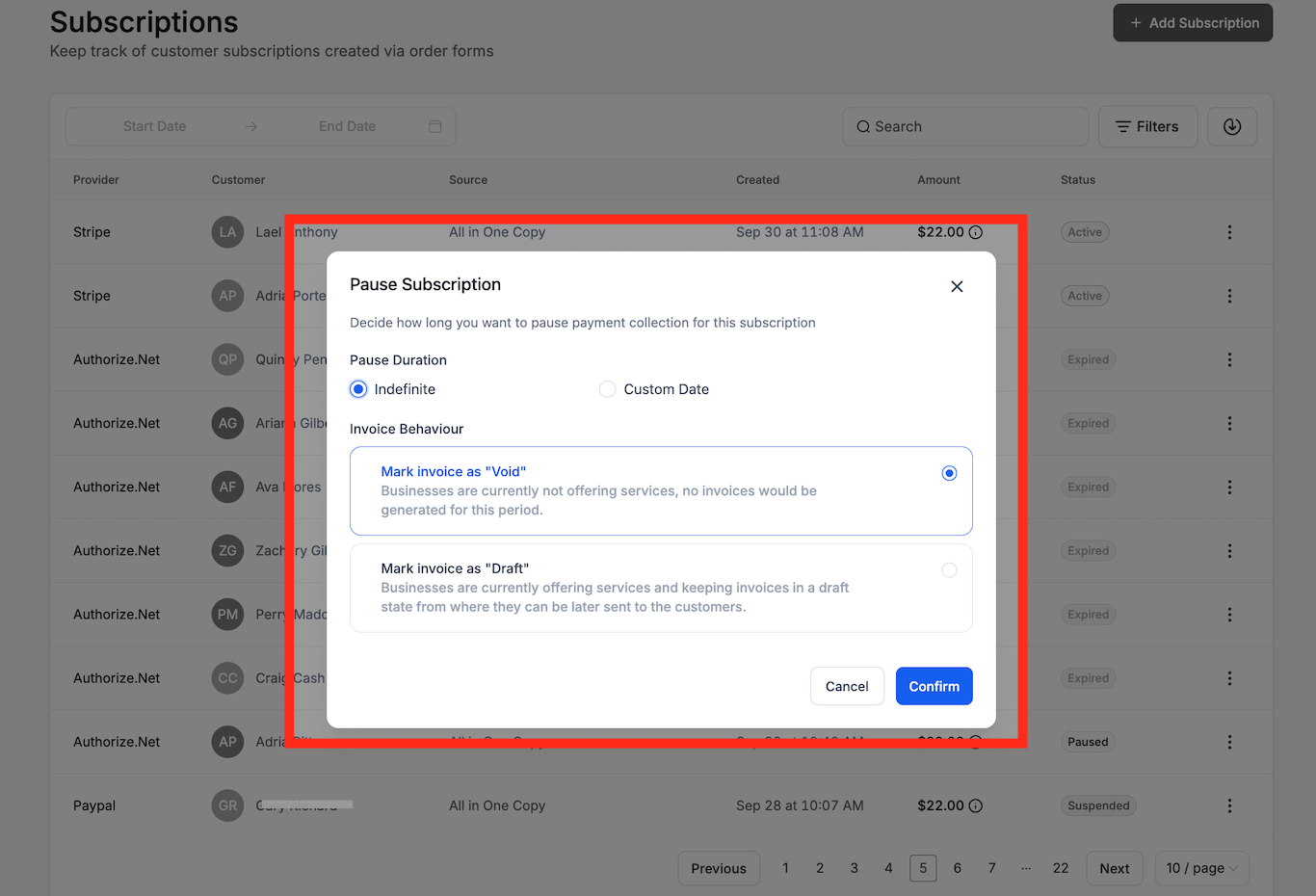
- Choose either Indefinite or Custom Date for the pause length.
- Pick the invoice handling option, Draft or Mark as void.
- Review the selections and confirm the pause.
Resume a subscription
- Open the target subaccount.
- Navigate to Payments > Subscriptions.
- Locate the subscription that is currently paused.
- Open its three dot menu.
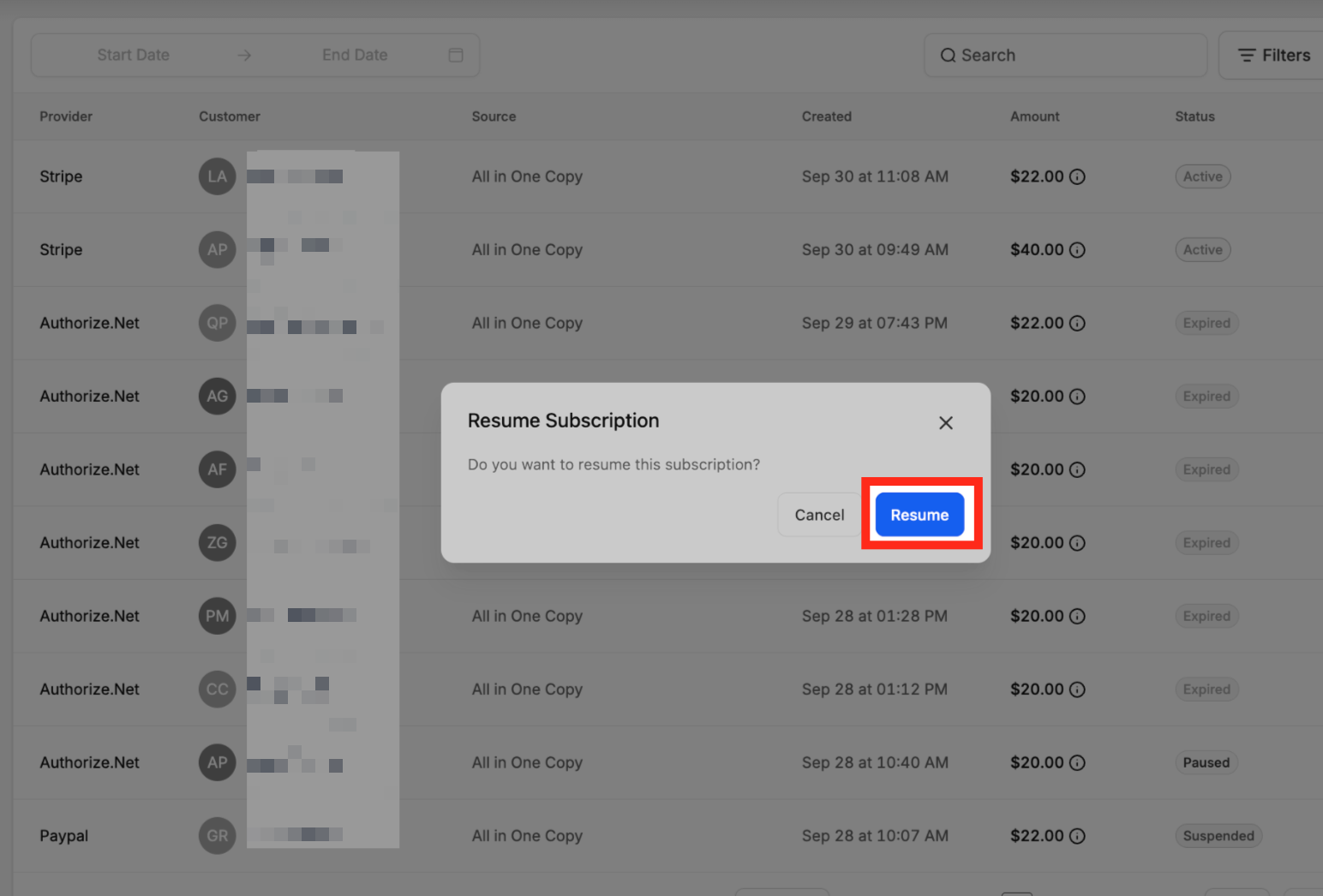
- Select the Resume option.
- Review the confirmation prompt and confirm to restart billing.
07What it looks like in HighLevel
08Settings that matter
- Pause duration. Determines whether the pause continues until manually resumed (Indefinite) or ends on a specific date (Custom Date).
- Invoice behavior. Specifies how scheduled invoices are treated during a pause, either kept as Draft or marked as void.
- Subscriptions permissions. Controls which users can view or perform pause and resume actions within the Payments module.
09Things to know before you rely on it
- Support for pause and resume varies by payment provider; not all providers allow these actions.
- The current subscription status can restrict the availability of pause or resume controls.
- Only users with the appropriate Payments permissions can manage subscription lifecycle actions.
- An indefinite pause never resumes automatically; it requires a manual resume.
10If something goes wrong
- Pause or Resume option is missing for a subscription. Verify that the subscription’s payment provider supports the action, check that its status permits the change, and confirm the user has the necessary Subscriptions permissions.
11How it connects to the rest of HighLevel
- Learn what appears on the Subscriptions page Subscriptions page overview
- Automation triggers for subscriptions and refunds Subscription automation
- Configure failed payment retries in subscription settings Failed payment retries
Michael's take

Pause and resume subscriptions feel like a small convenience that can avoid the hassle of cancel and recreate when a client needs a short breather. It’s most useful for service based businesses that bill month to month and want to keep the relationship intact while giving the customer a billing break.
If I were setting this up, I’d pause a client’s membership during a seasonal shutdown and pick the Draft invoice option so I can review any pending charges before they reopen. I’d double check the user’s Payments permissions and the provider’s support for pause actions beforehand to avoid surprise gaps.