
01Who this is for
- Online retailer can collect cash at delivery without a card processor.
- Restaurant with pickup orders allows staff to log cash or card payments on site.
- Service provider with in person appointments enables payment at the time of service.
02Manual payment methods, explained
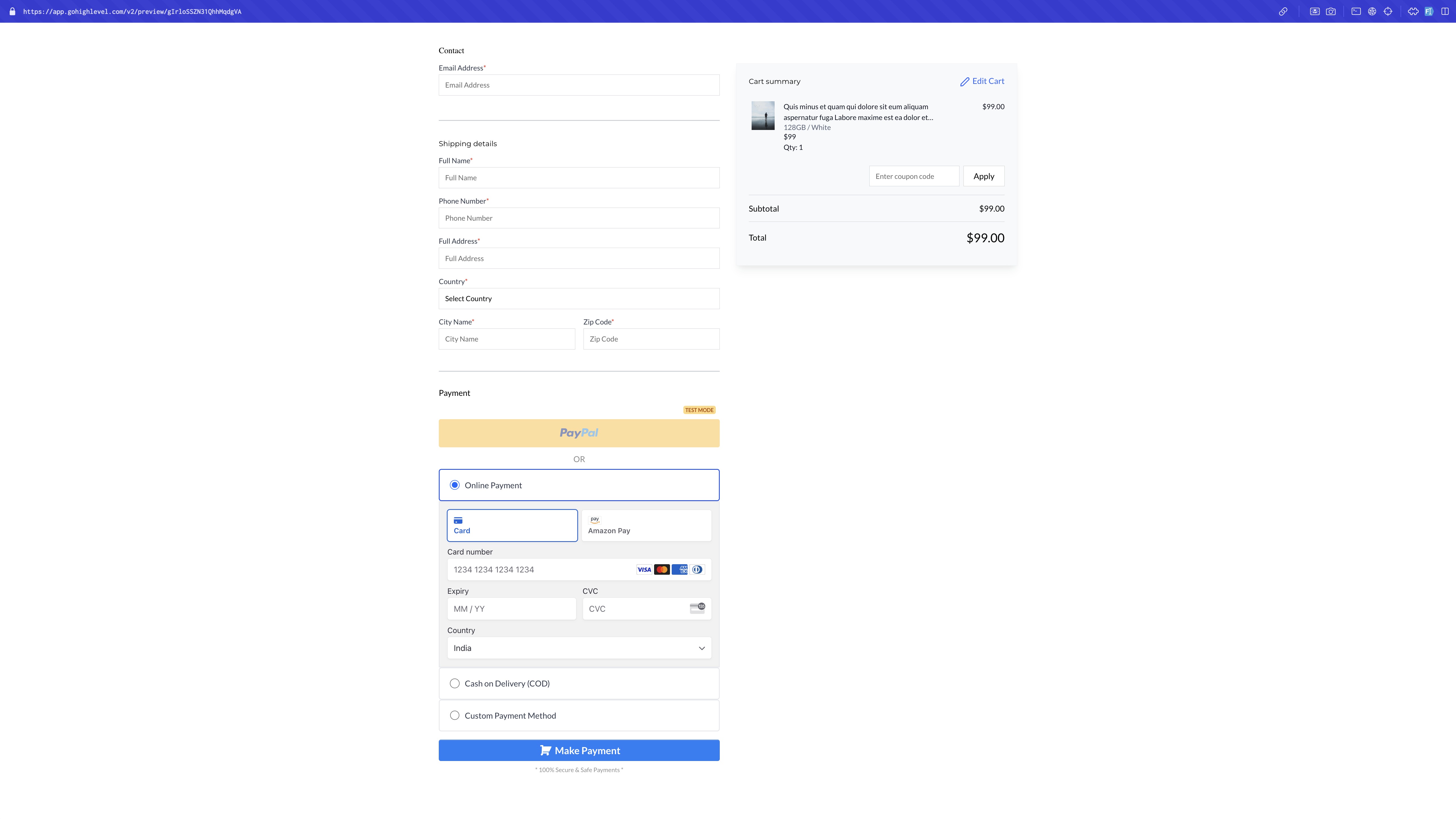
The manual payment feature adds an offline option to the checkout flow. Store owners can define Cash on Delivery or create a custom method and attach optional instructions or messages that buyers see at checkout. The option appears only when it is enabled for the relevant checkout type.
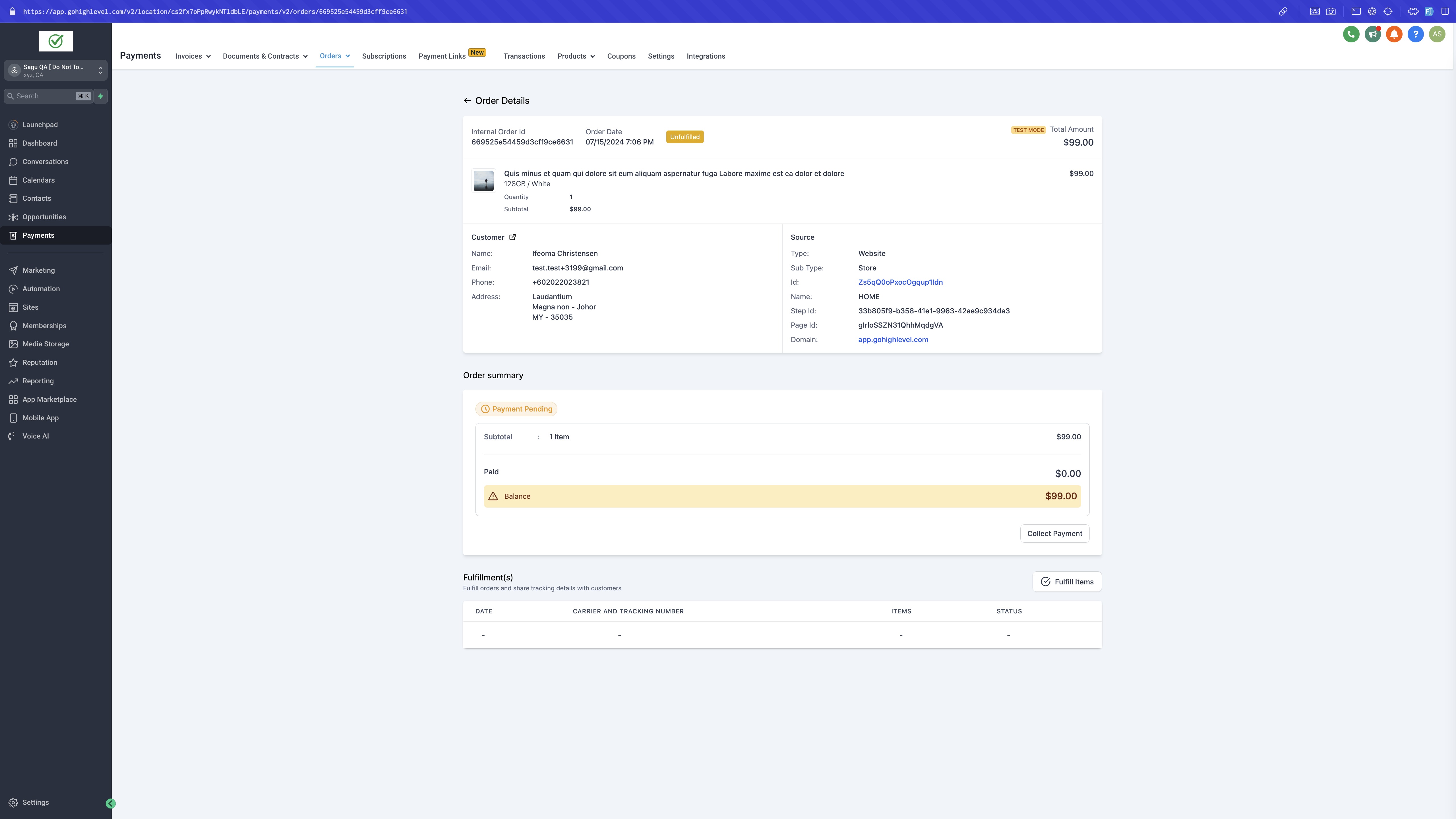
When an order is placed using a manual method, the platform does not process any transaction automatically. After the seller receives payment, they open the order record, select “Collect Payment,” choose the payment mode, add optional notes, and confirm. The order status updates to paid and cannot be reverted.
03How businesses use manual payment method
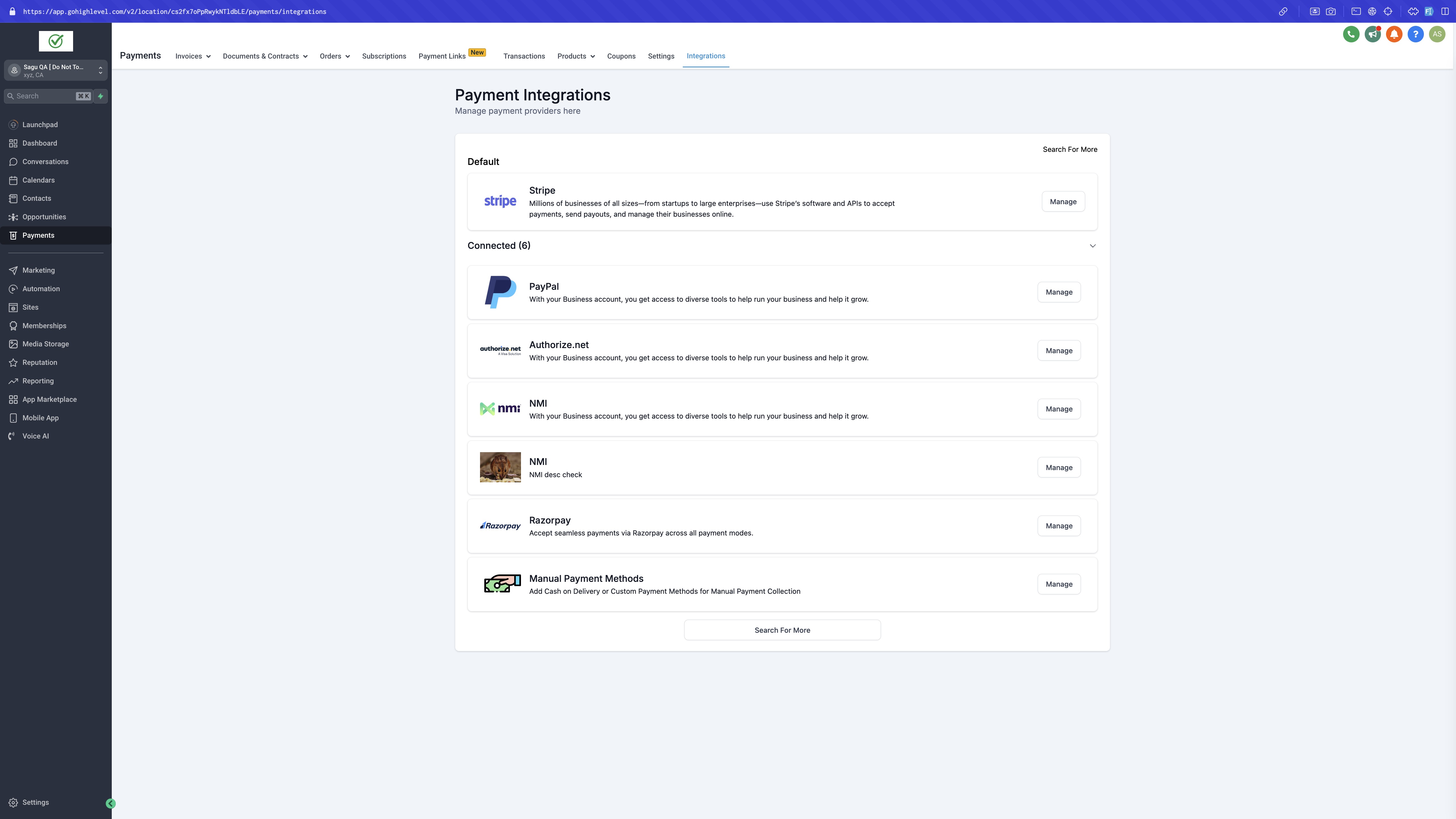
- Online retailer. The retailer adds a Cash on Delivery method in Payment > Integrations > Manual Payment Methods, enables it for the ecommerce store, and saves. When a customer checks out, they select the option and the retailer records the cash received later via the Collect Payment button.
- Restaurant with pickup orders. The restaurant creates a Custom Payment Method describing acceptable offline payments, enables it for Order Forms, and publishes the checkout page. After a pickup order, staff open the order, click Collect Payment, select the appropriate payment mode, and confirm the payment.
- Service provider with in person appointments. The provider sets up both Cash on Delivery and a Custom Payment Method, activates them for Order Forms, and includes clear payment instructions. After the appointment, they record the payment in the order details, selecting the payment mode and adding notes if needed.
04Before you start
- A payment integration must already be connected in the current version.
05How to set up and use manual payment method in HighLevel
Manual payment method setup
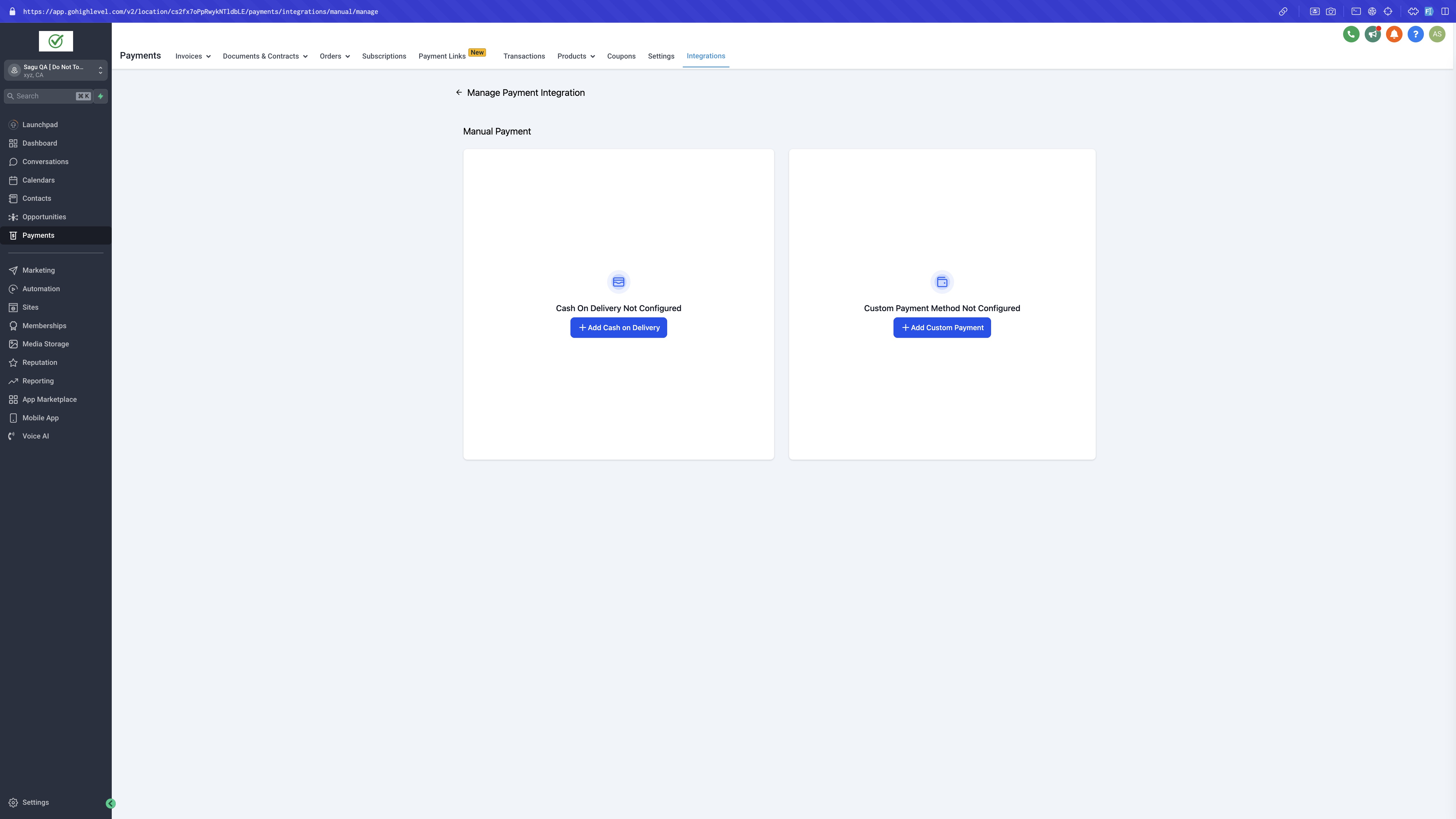
- Go to Payment > Integrations > Manual Payment Methods.
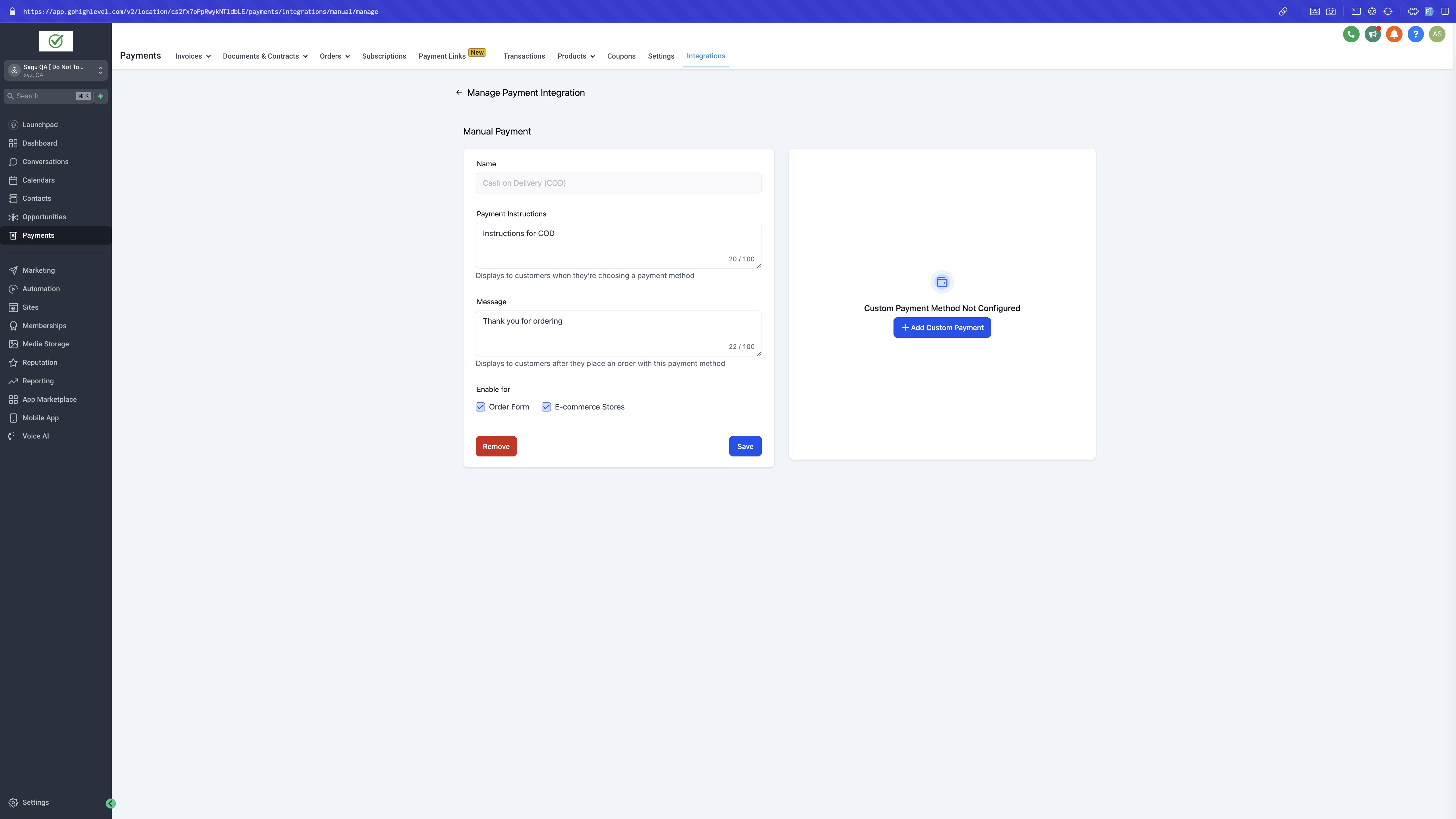
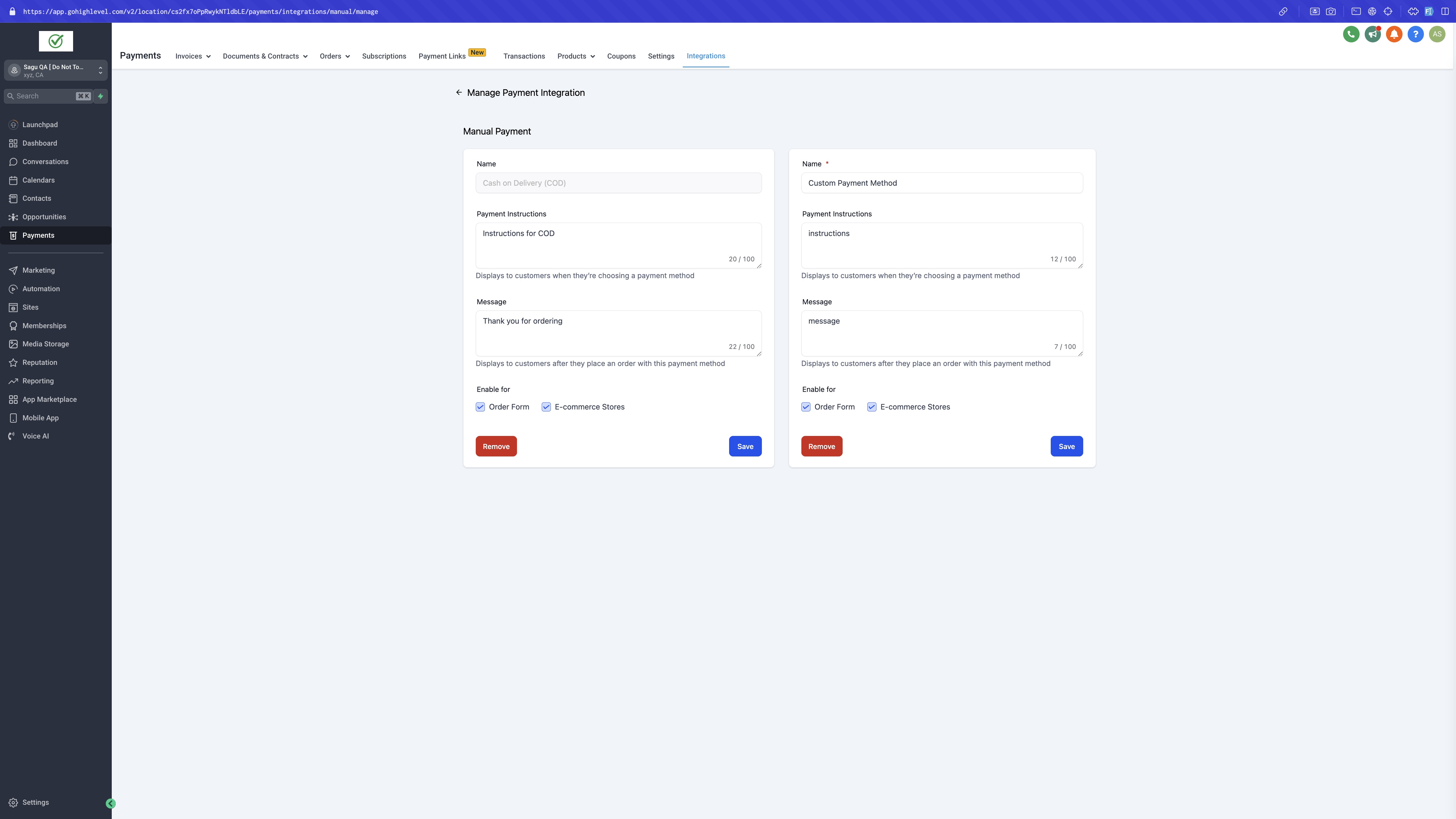
- Select either Cash on Delivery or add a new Custom Payment Method.
- Enter optional Payment Instructions and Messages for buyers.
- Choose to enable the method for Order Forms, ecommerce Stores, or both.
- Click Save to apply the new manual payment option.
Collect payment flow
- Open Payment > Orders.
- Select the order that used a manual payment method.
- Click the “Collect Payment” call to action.
- Pick the appropriate Payment Mode from the dropdown list.
- Add optional notes describing how the payment was received.
- Confirm the action so the order status changes to paid.
06What it looks like in HighLevel
07Settings that matter
- Payment Instructions. Text shown to buyers that explains how they should pay offline.
- Messages. Additional optional text displayed at checkout alongside the instructions.
- Enable for Order Form. Determines whether the manual method appears on Order Form checkout pages.
- Enable for Ecommerce Stores. Determines whether the manual method appears on ecommerce store checkout pages.
- Payment Mode. Dropdown used when recording a collected payment to indicate the payment method used.
08Things to know before you rely on it
- Manual payment methods can be added only when a payment integration is already connected.
- If the order contains a recurring product, the manual option will not appear at checkout.
- Once an order is marked as paid, the status cannot be changed back.
- The method will not show on the checkout page unless it is enabled for the specific Order Form or ecommerce store.
- Both Cash on Delivery and a Custom Payment Method can be set up at the same time.
09How it connects to the rest of HighLevel
- Learn how to sell products on order forms with other payment providers. Other payment providers
- Set up automatic sales receipts that can be sent after marking an order as paid. Automatic sales receipts
- Manage full or partial refunds for orders processed with other payment methods. Refund management
Michael's take

The first thing I’d lock in is the checkout enable flag. Make sure the manual method is turned on for the store or order form so it actually appears to buyers.
From there I’d test a single order, record the payment, and watch the status change.