
01Who this is for
- Founders of ecommerce businesses that sell online, because they can activate region specific methods such as Sepa Direct Debit or FPX.
- Marketing managers handling order forms, because they can choose which methods appear to match the checkout flow.
- Finance directors using invoicing, because they can align available methods with client payment preferences.
02Payment methods, explained
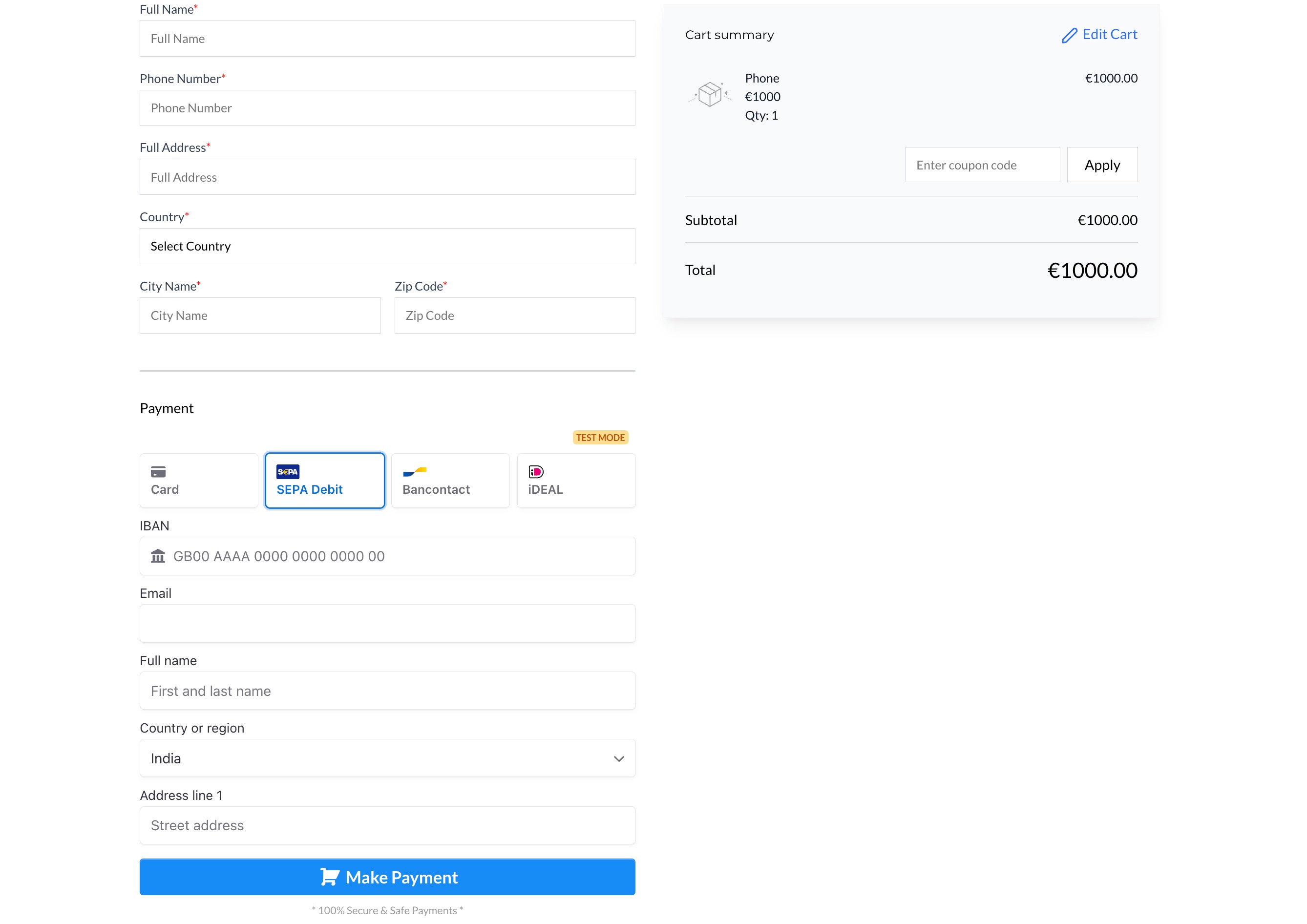
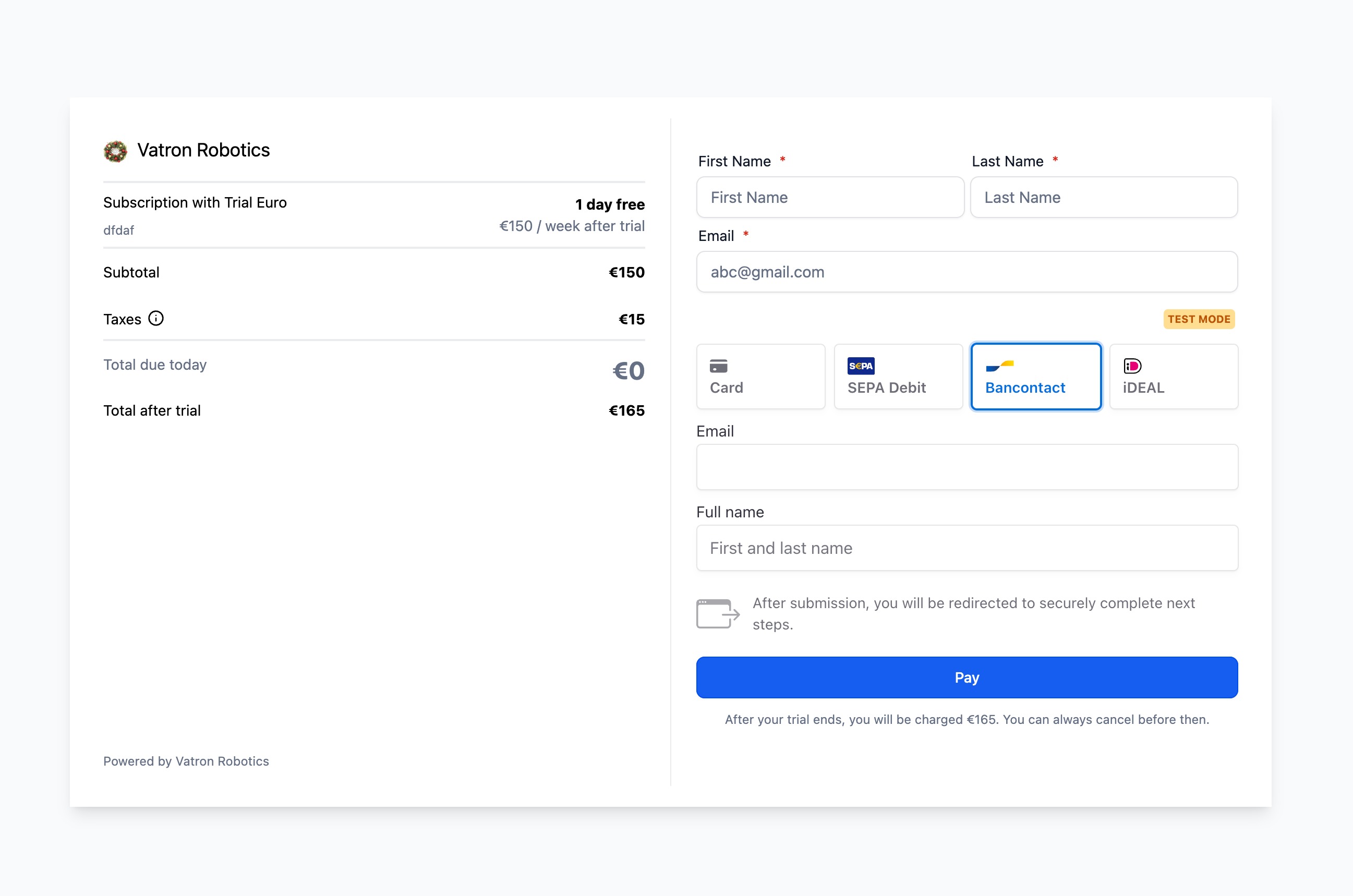
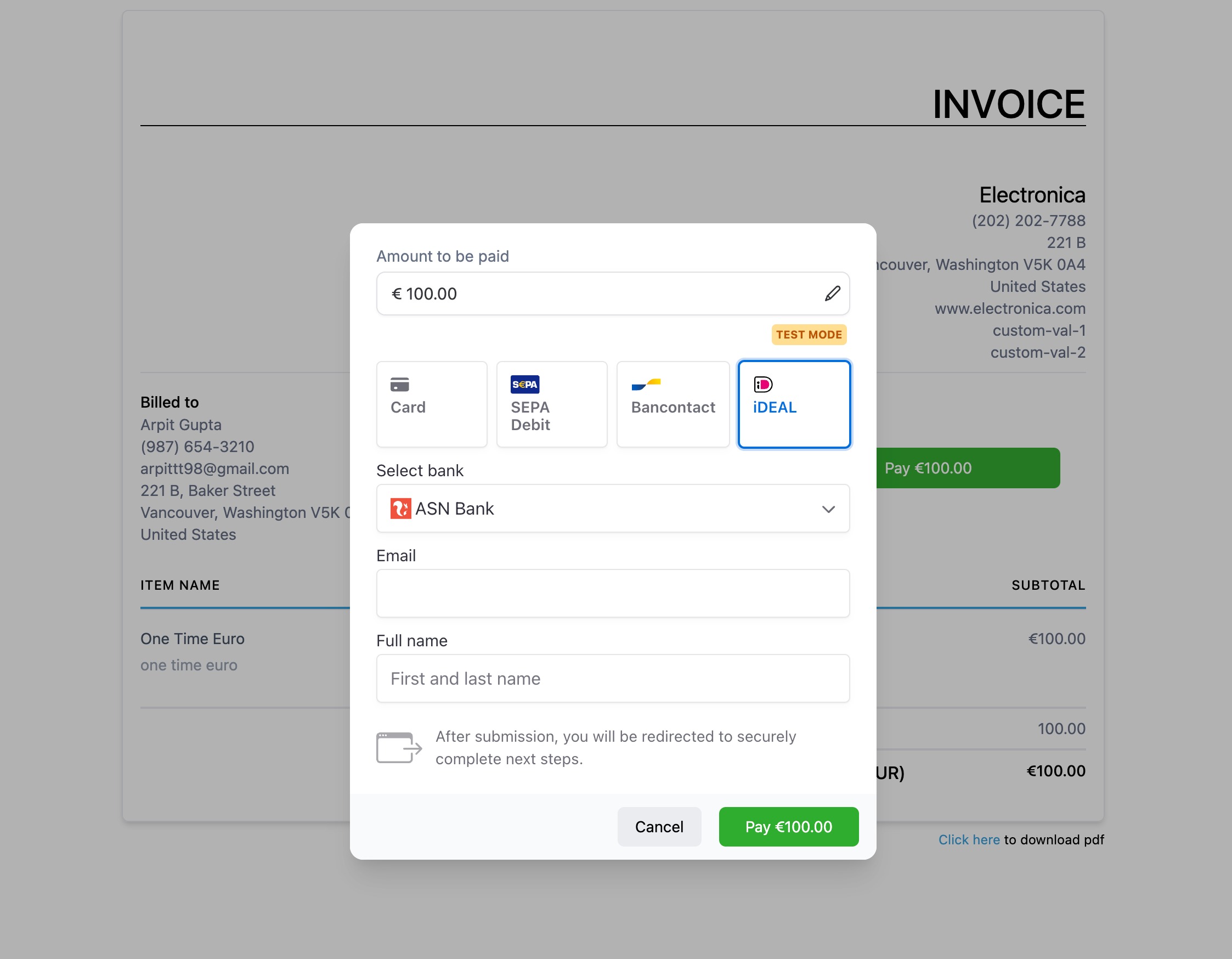
When Stripe is set as the default payment provider, HighLevel pulls the list of supported methods, cards, Apple Pay, Google Pay, ACH Direct Debit, and many local options, and displays them where payments are collected. The methods appear automatically on invoices, order forms, payment links and online stores.
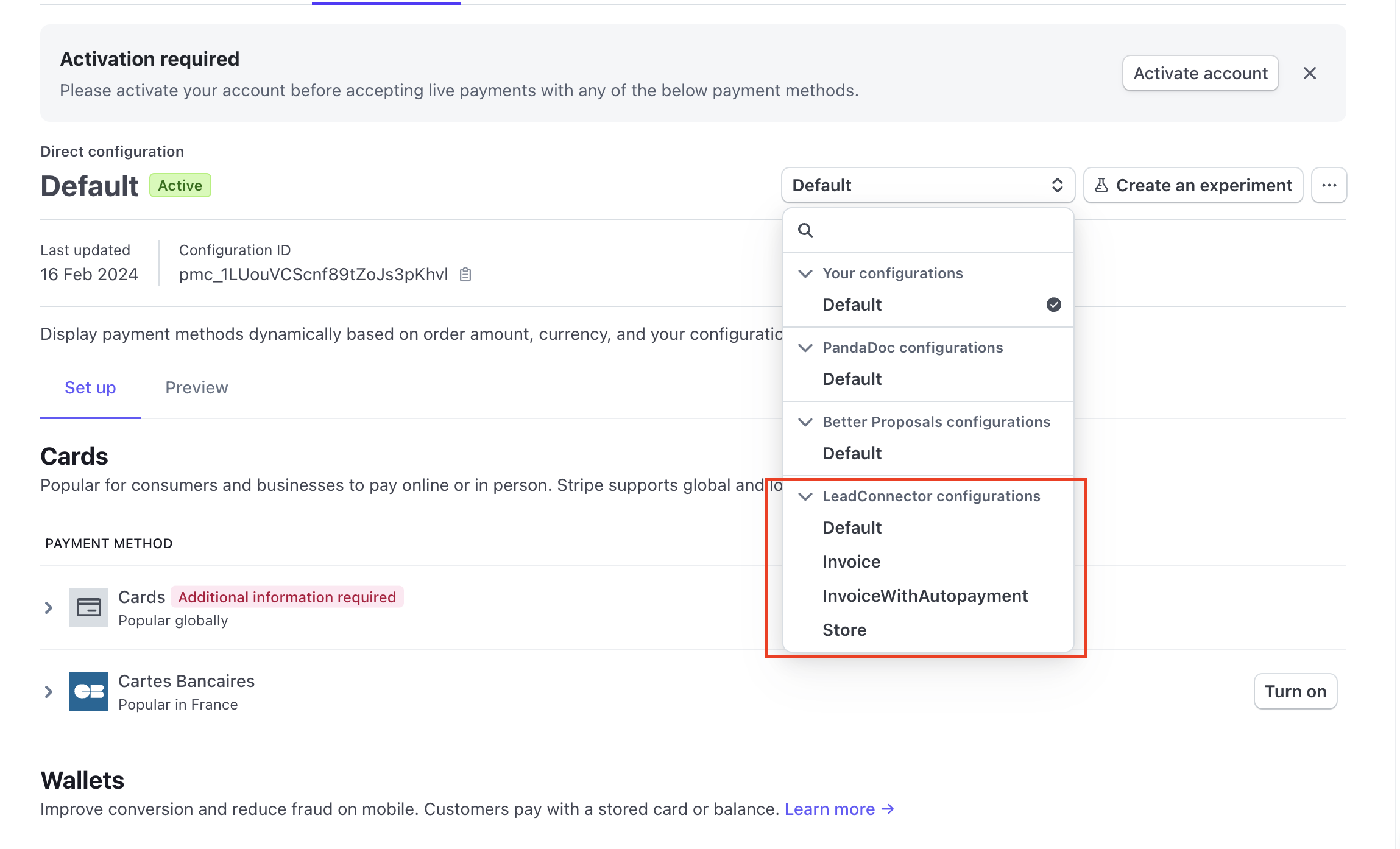
To control which methods are shown, subaccount users open their Stripe dashboard, go to Settings > Connect > Payment methods > Your account, and select the appropriate LeadConnector configuration from the dropdown. Each configuration corresponds to a channel type and can be edited independently.
Four configurations exist: Invoice, InvoiceWithAutopayment, Store and Default. Each has a set of methods turned on by default, but users may toggle any method on or off within the chosen configuration.
03How businesses use payment methods
- Online retailer. The retailer opens the Stripe dashboard, selects the Store configuration and enables Apple Pay, GrabPay and local methods like FPX. Customers then see those options on the storefront checkout.
- Service provider issuing invoices. The provider edits the Invoice configuration, turning on ACH Direct Debit. Clients receiving one time or recurring invoices can pay directly from their bank accounts.
- Subscription based SaaS company. The SaaS team updates the InvoiceWithAutopayment configuration to keep only cards, Apple Pay and Google Pay active, ensuring recurring billing uses supported methods.
04The numbers and rules that matter
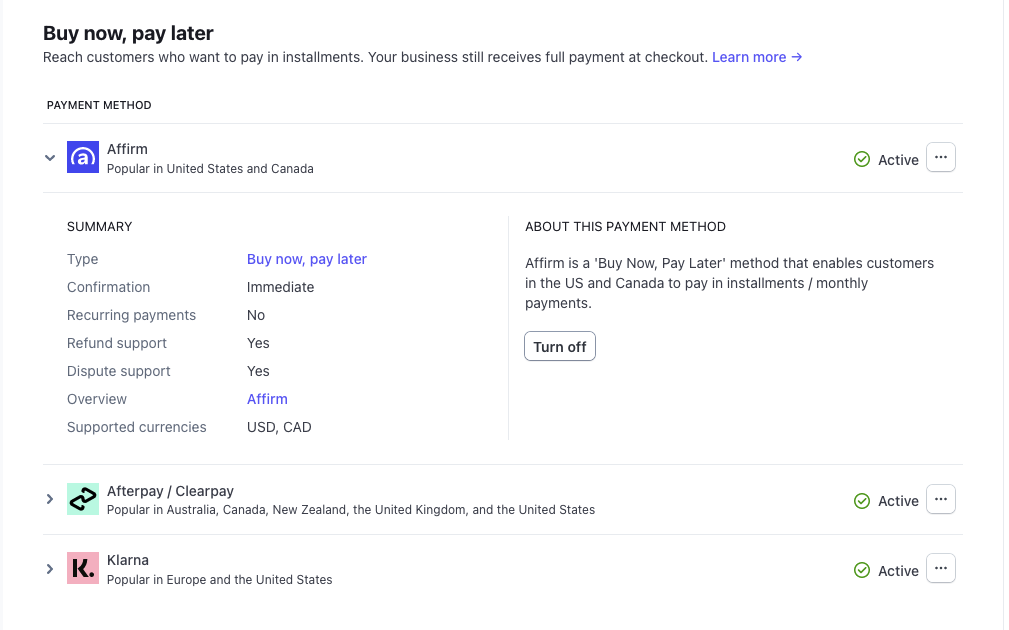
- Supported payment methods: Cards, Apple Pay (requires registered domains), Google Pay, ACH Direct Debit, Affirm (requires shipping address), Klarna (requires shipping address), AfterPay (requires shipping address), Bancontact, Ideal, Sepa Direct Debit, Link (requires registered domains), Amazon Pay, Revolut Pay, CashApp, GrabPay, Zip, BACS Direct Debit, BECS Direct Debit (AU), FPX.
05Before you start
- Stripe must be connected as the default payment provider in HighLevel.
06How to set up and use payment methods in HighLevel
Turn a Stripe payment method on or off in HighLevel
- Log into the Stripe dashboard as a subaccount user.
- Navigate to Settings > Connect > Payment methods > Your account.
- Choose the LeadConnector option from the platform dropdown.
- Select the configuration (Invoice, InvoiceWithAutopayment, Store, or Default) you want to edit.
- Find the desired payment method in the list and toggle it on or off.
07What it looks like in HighLevel
08Settings that matter
- LeadConnector configuration dropdown. Selects which HighLevel channel configuration (Invoice, InvoiceWithAutopayment, Store, Default) you are editing.
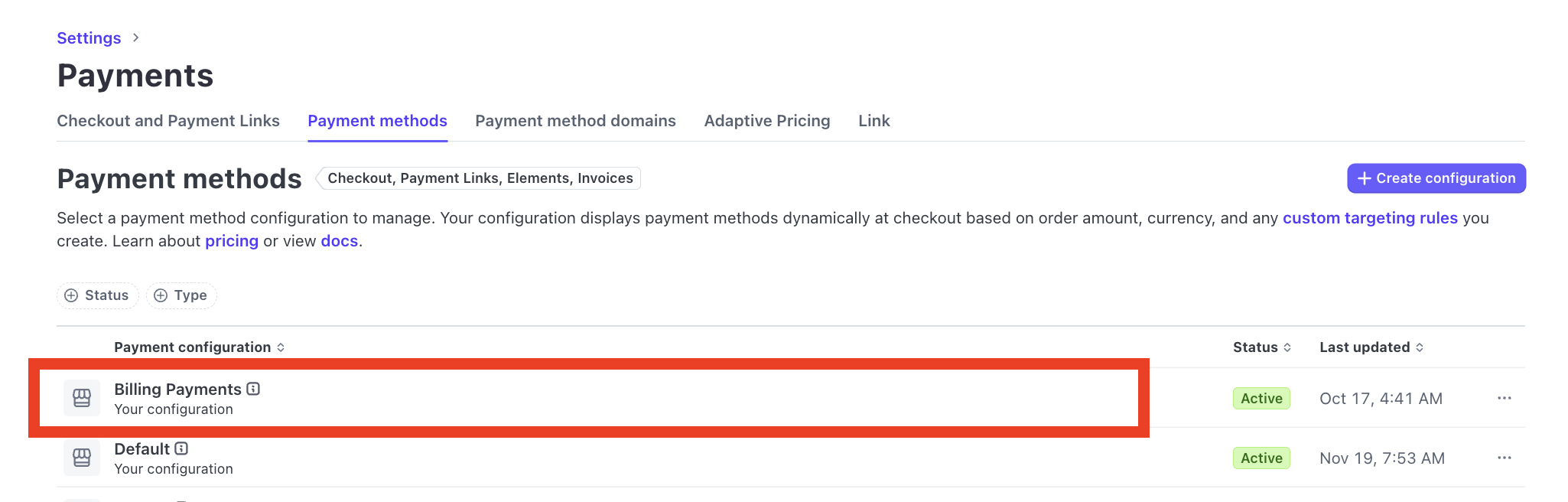
- Billing Payment Methods (Stripe Settings). Controls which methods can be used for subscription billing and must be enabled alongside LeadConnector settings.
09Things to know before you rely on it
- Only businesses with Stripe as their payment provider can use this feature.
- Some payment methods may appear blocked until HighLevel enables them for all connected accounts.
- Changes can take a few days to propagate, so availability may vary between accounts.
10How it connects to the rest of HighLevel
- See which payment providers are available for order forms Payment providers for order forms
- Learn how to add Apple Pay and Google Pay to order forms Apple Pay & Google Pay guide
- Review HighLevel pricing and plan options HighLevel pricing
Michael's take

I find it useful to first verify that the Stripe dashboard shows the LeadConnector configurations, then enable the regional options that matter to my audience.
Turning on local methods like iDeal for Dutch customers or Bancontact for Belgium can help increase conversions.