
01Who this is for
- Digital product creators, can bundle a course purchase with a monthly membership for a smoother checkout.
- Fitness studio owners, can sell a class package together with a recurring membership in one link.
- Service agencies, can combine a one time setup fee with an ongoing subscription for clients.
02Payment links for multiple products, explained
Payment Links in HighLevel combine several offerings, both one time and recurring, into a single checkout experience. The link displays products in separate groups, allowing multiple selections for one time items and a single selection for recurring items. Settings let you control quantities, gather phone numbers and addresses, enable coupons, set branding, and define post purchase redirects.
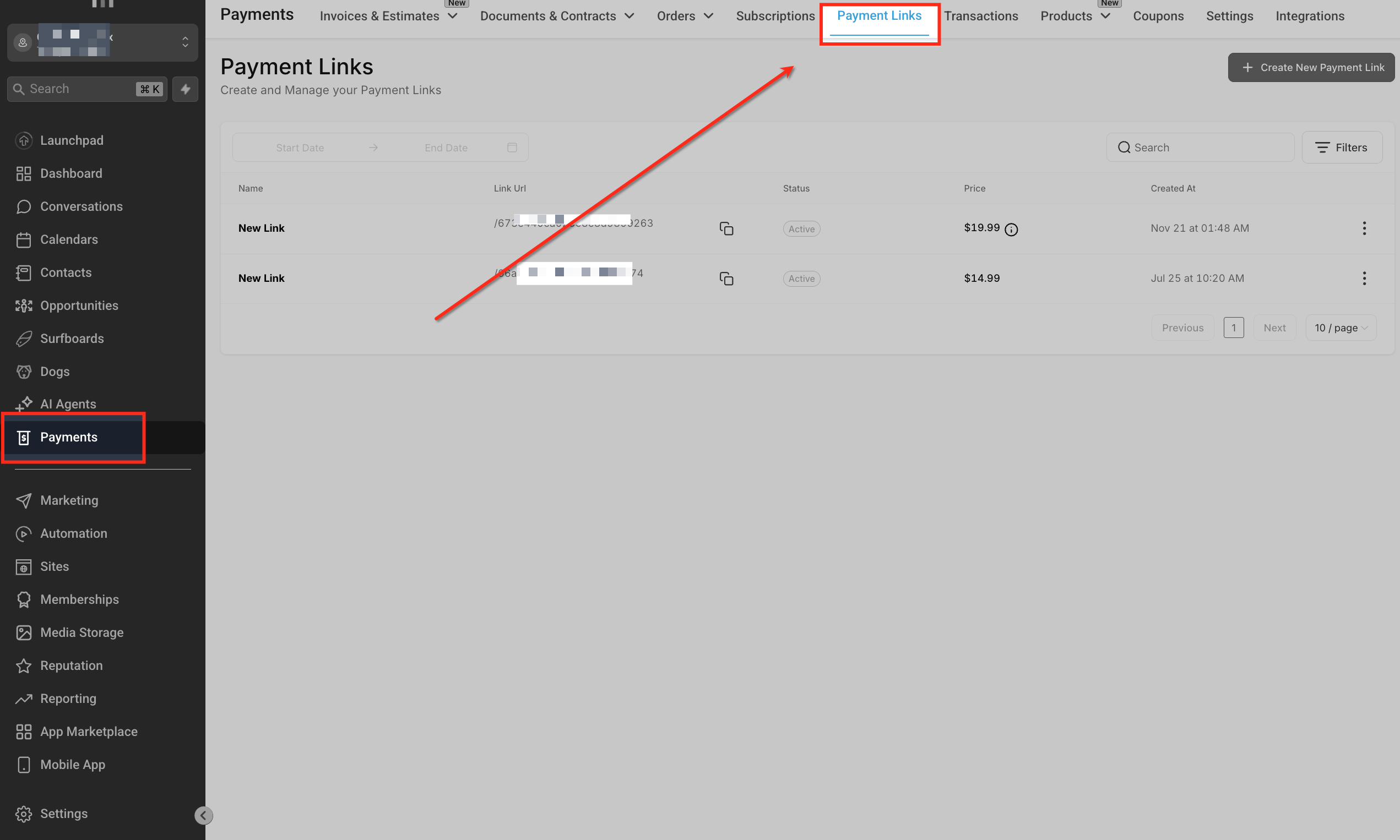
The feature lives under the Payments tab. From Payments > Payment Links you can create, edit, and publish links. All configuration happens on the link editor screen, where you add products, toggle options, and customize the checkout appearance before sharing the generated URL.
03How businesses use payment links for multiple products
- Online course platform. Add a course as a one time product and a membership as a recurring product. Enable quantity selection for the course, require phone numbers for support, and set a custom thank you URL after purchase.
- Fitness studio. Create a link that includes a bundle of class passes (one time) and a monthly membership (recurring). Activate coupon codes for promotions and collect addresses for mailing physical passes.
- SaaS subscription provider. Combine a setup fee with a subscription plan in the same link. Use the test payment mode to verify the flow, then switch to live mode for real customers.
04The numbers and rules that matter
- No limit on the number of one time products that can be added.
05How to set up and use payment links for multiple products in HighLevel
Create payment link for multiple products
- Open Payments > Payment Links in the left menu.
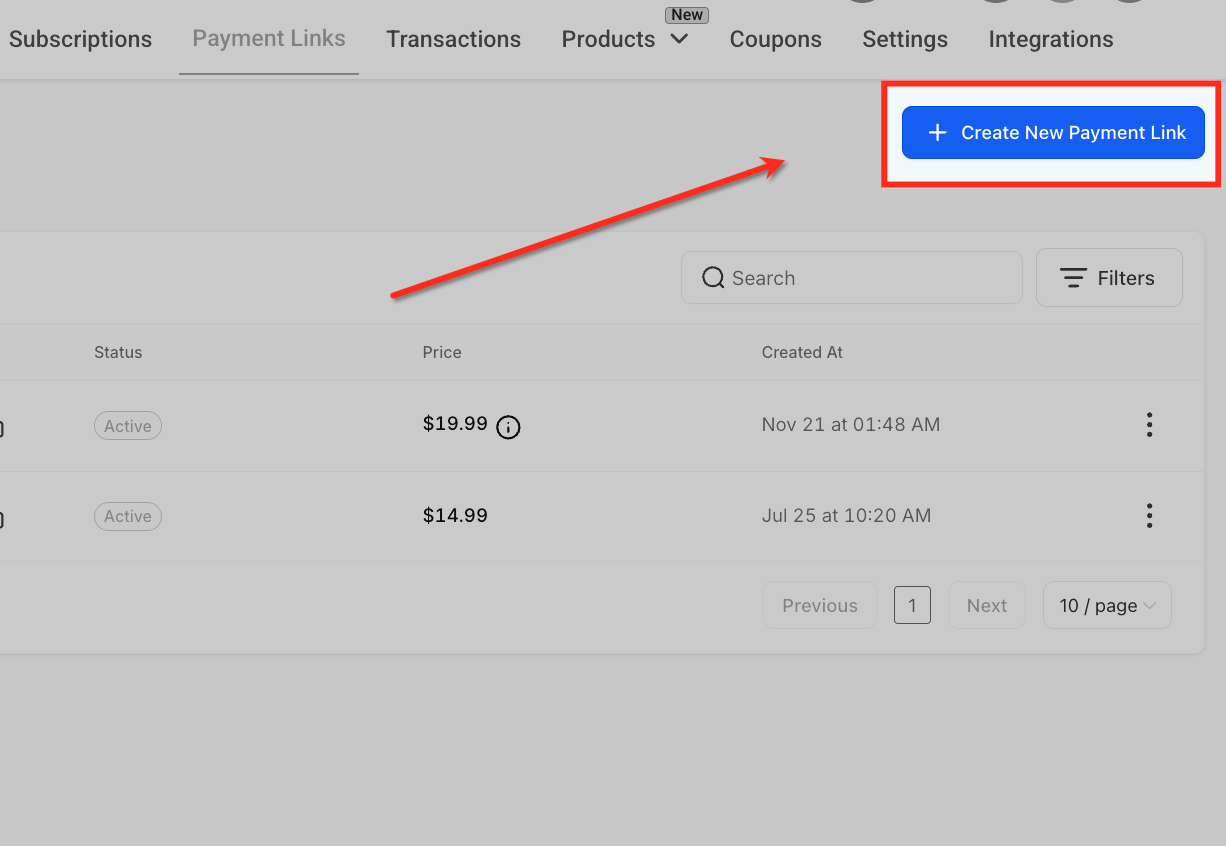
- Click the + Create New Payment Link button.
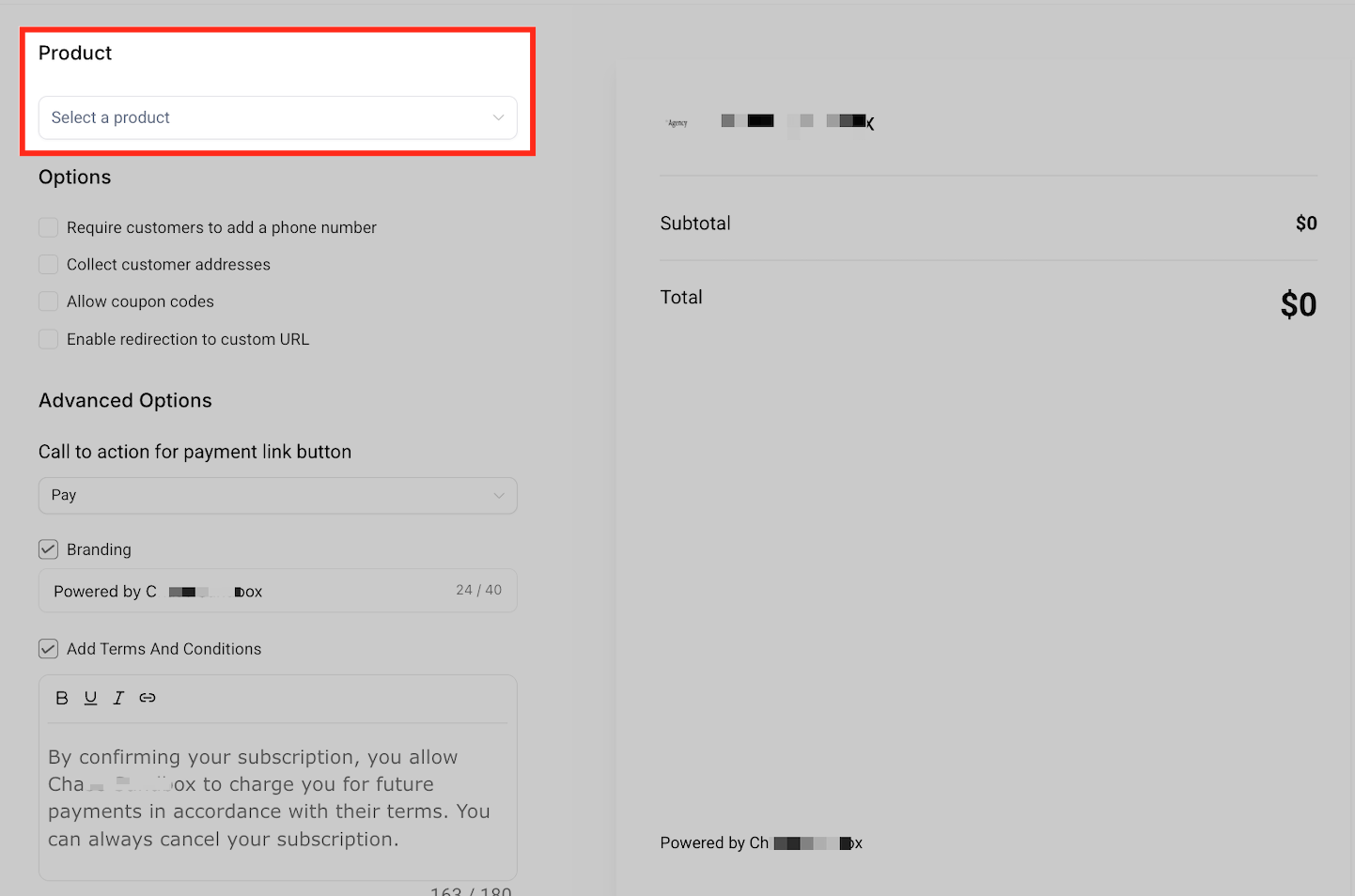
- Select the first product from your library.
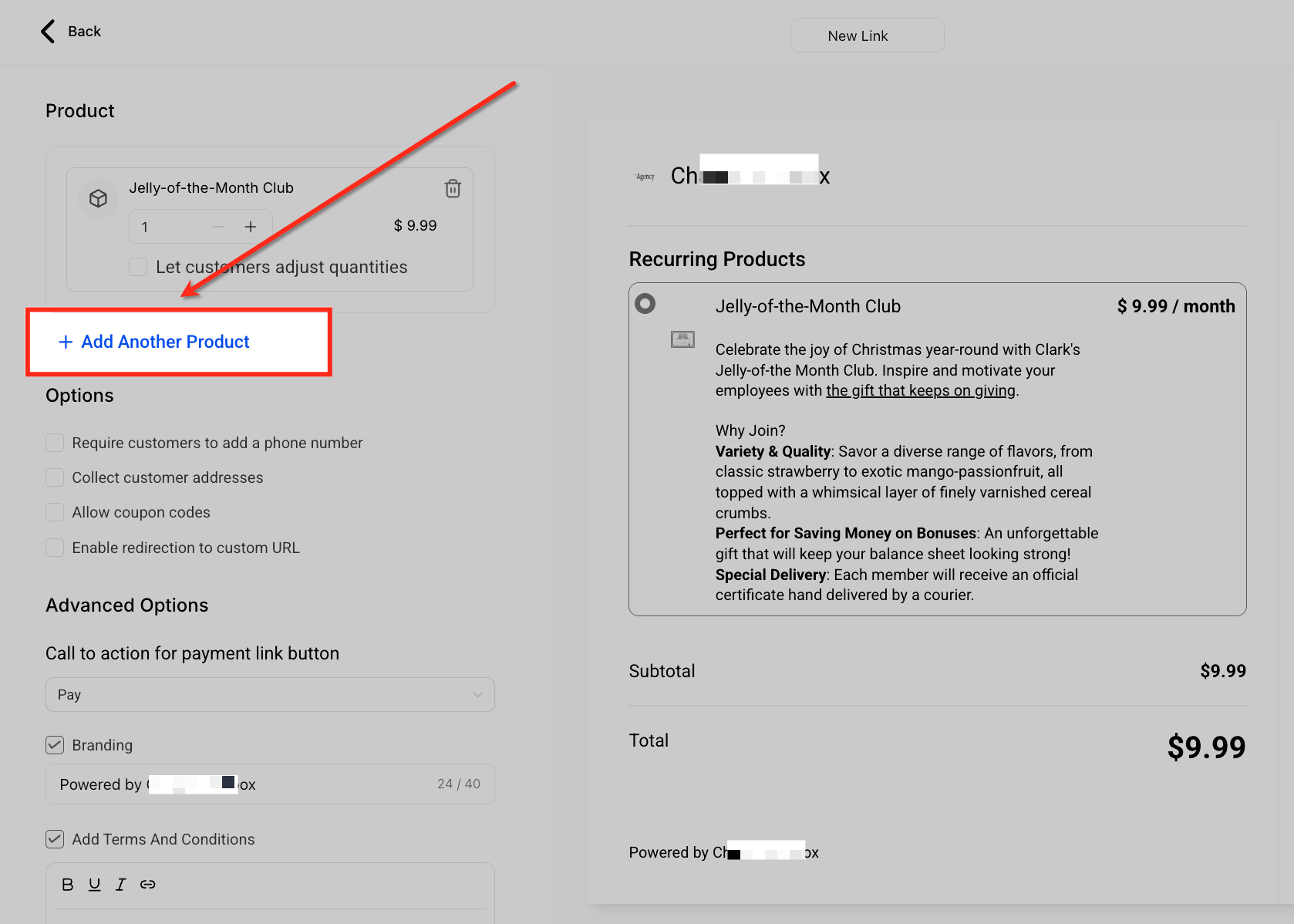
- Click the + Add Another Product button to add more items.
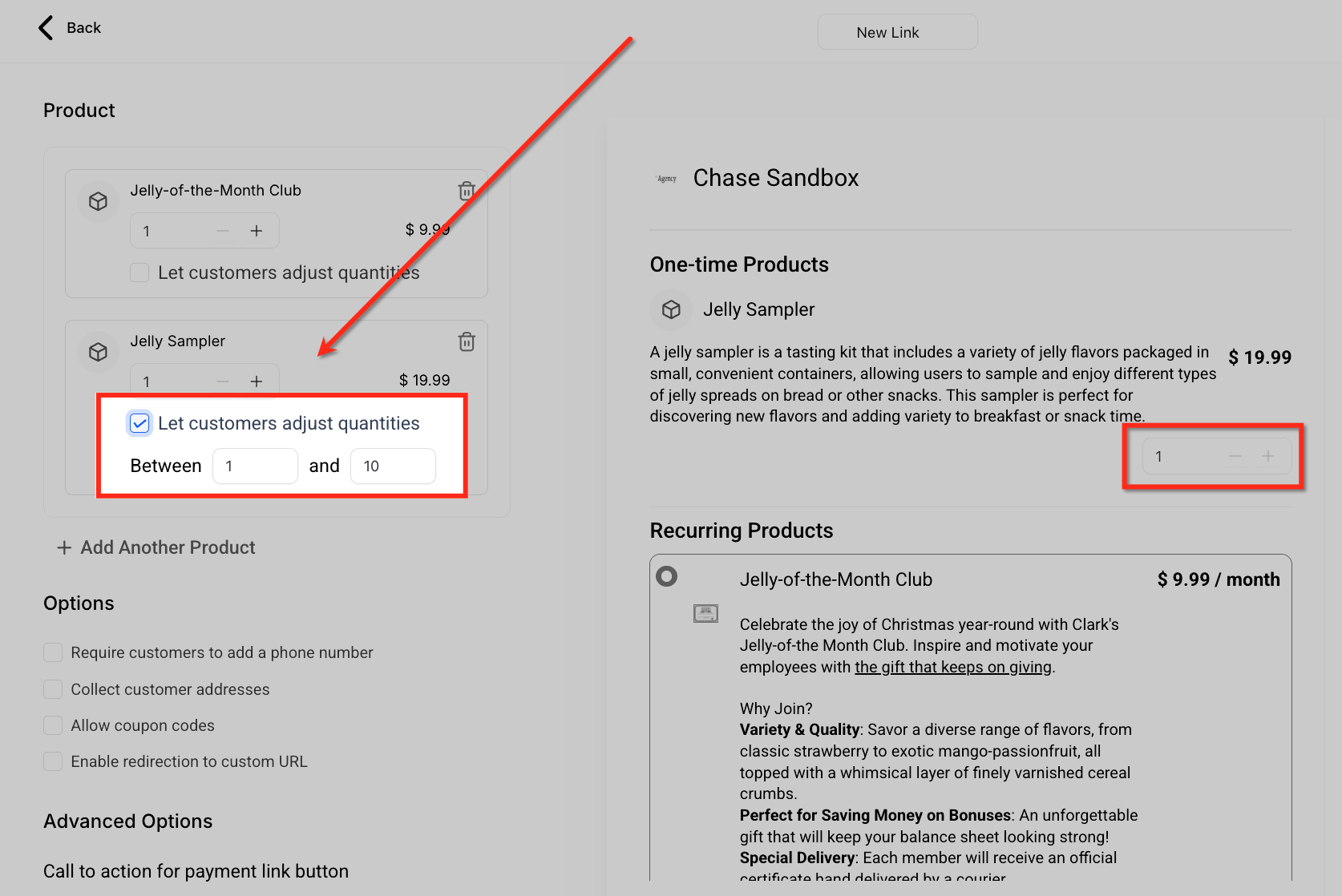
- Check the Let customers adjust quantities box.
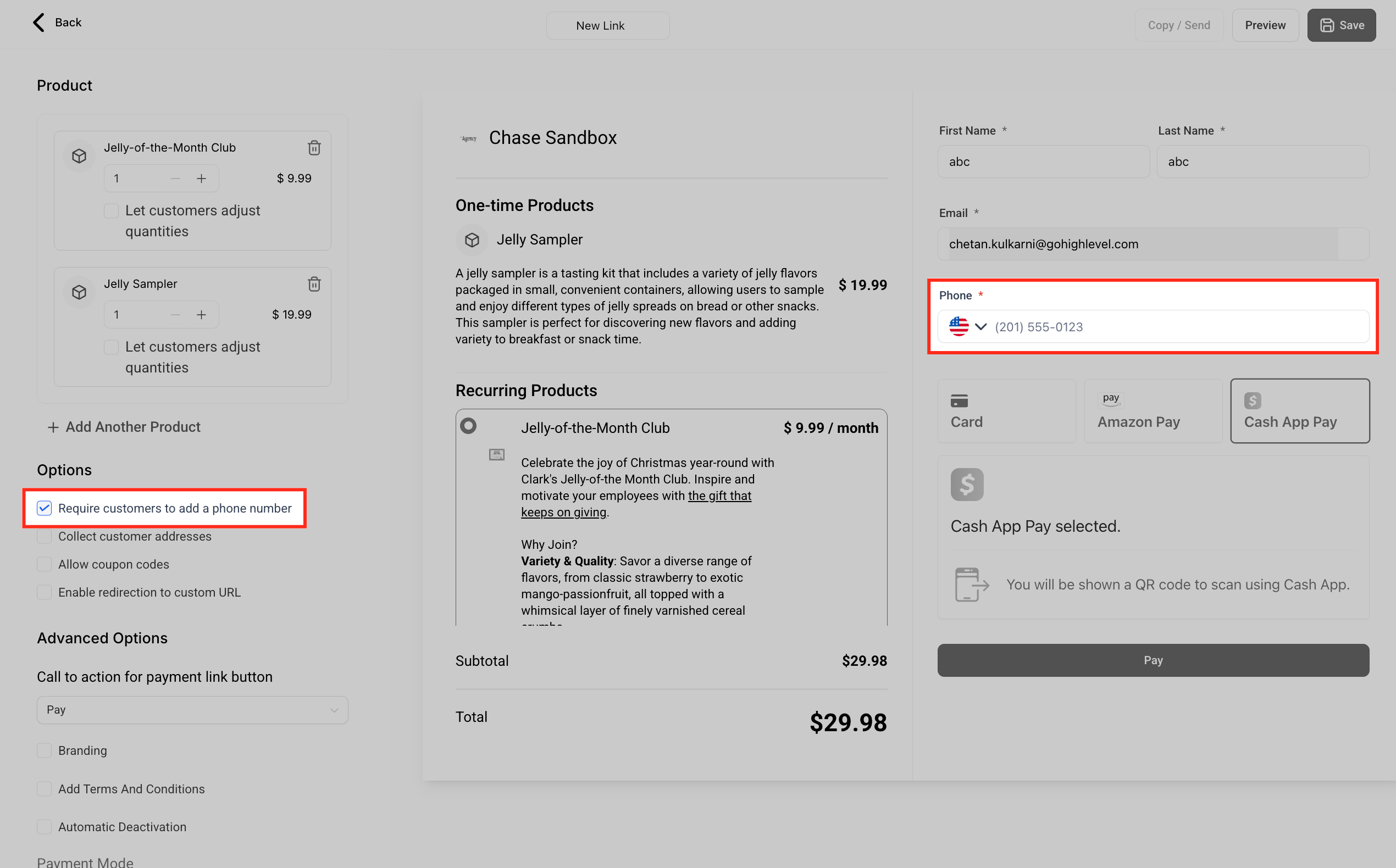
- Check the Require customers to add a phone number box.
- Check the Collect customer addresses box.
- Check the Allow coupon codes box.
- Enable the Enable redirection to custom URL option and set the URL.
- Choose a label from the Call to action for payment link button dropdown.
- Enable the Branding option and edit the powered by text.
- Enable the Add Terms and Conditions option and enter the required text.
- Set a date in the Automatic Deactivation field.
- Toggle the Payment Mode to Test or Live as needed.
- Enter a descriptive name for the payment link at the top of the screen.
- Click the Preview button to review the checkout page before sharing.
- Click the Copy / Send button to open sharing options.
- Select whether to copy a standard link or generate a personalized link, then send it to contacts if desired.
- Click the Save button to publish the payment link.
06What it looks like in HighLevel
07Settings that matter
- Let customers adjust quantities. Allows buyers to choose how many units of a one time product they want.
- Require customers to add a phone number. Makes the phone field mandatory on the checkout form.
- Collect customer addresses. Shows address fields so you can capture shipping or billing details.
- Allow coupon codes. Displays a field for customers to enter discount codes at checkout.
- Enable redirection to custom URL. Sends customers to a specified page after payment, with option for new tab or same tab.
- Call to action for payment link button. Lets you set the label on the checkout button, such as Pay, Book, or Donate.
- Branding. Adds a custom “Powered by” line on the checkout page.
- Add Terms and Conditions. Shows legal or policy text below the payment button for customers to review.
- Automatic Deactivation. Defines a date after which the payment link stops working.
- Payment Mode. Switches between Test (simulated payments) and Live (real transactions).
08Things to know before you rely on it
- There is no limit to the number of one time products you can add to a link.
- Coupon codes can be applied at checkout and affect eligible items in the cart.
- Products appear grouped under One time Products and Recurring Products for clear separation.
- Custom button text updates only after the checkout page is refreshed.
- Test mode simulates payments and does not process actual transactions.
09How it connects to the rest of HighLevel
- How to set up a standard payment link in HighLevel payment links guide
- Import Stripe subscription products for use in payment links Stripe import
- Customize payment link colors to match your brand brand colors
Michael's take

When you bundle a subscription with a one time digital download, the added convenience often covers the time you spend setting it up. Customers enjoy a smoother checkout, and you reduce the number of separate links you need to track.
If you’re only selling a single product with no upsell or crosssell opportunity, the extra steps to configure quantity limits, coupons, and redirects may outweigh the benefits. In that case, a simple single product payment link is more efficient.