
01Who this is for
- Retail store owners can accept gift cards at the point of sale without needing a computer, speeding up checkout.
- Spa and wellness providers can apply a gift card toward services and tips, keeping the payment flow on the mobile device.
- Restaurant managers can split a bill between a gift card and cash or card, allowing flexible payment options for diners.
02Gift cards, explained
Gift Card Redemption is a payment method inside the HighLevel mobile app. Staff choose the Gift Card option, enter or scan a code, and the app validates the balance before applying it to the transaction. The feature works for POS sales, invoice payments, and order processing.
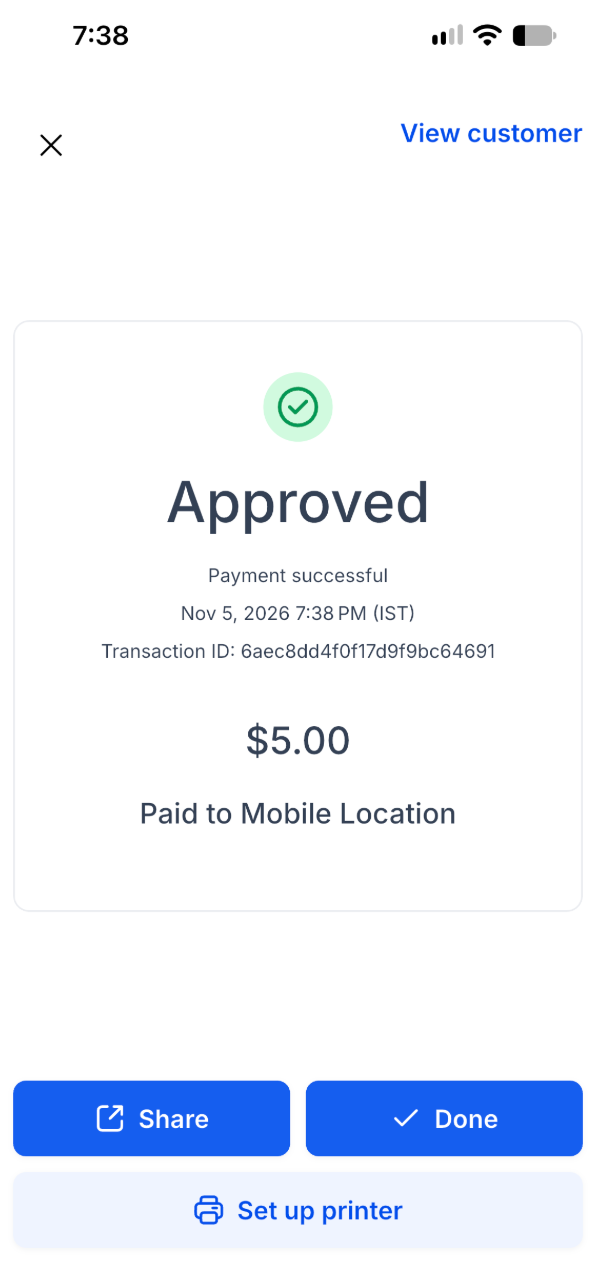
When the card covers the entire amount, the payment is completed with a single tap. If the balance is lower than the total, the app lets the user apply the card and then collect the remaining amount with another method. All details appear on the success screen, in transaction records, and on printed receipts.
The feature is available on iOS and Android devices running app version 4.27.0 or later. Users need payment collection permission; no extra gift card permission is required.
03How businesses use gift cards
- Retail boutique. A sales associate opens the HighLevel app, starts a POS payment, selects Gift Card, scans the customer's QR code, and either completes the purchase with the card alone or adds a cash tap to finish a partial payment.
- Day spa. The therapist enters a service invoice, chooses Gift Card, manually types the code, applies the balance toward the treatment fee, and then uses the card balance to cover the tip portion of the payment.
- Restaurant. During a table checkout, the server selects Gift Card, scans the patron's code, applies the available amount, taps Continue, and collects the remaining balance with a card reader before confirming the transaction.
04The numbers and rules that matter
- Requires mobile app version 4.27.0 or later.
- Available for payments through POS, invoices, and orders.
- Only one gift card can be applied per payment.
05Before you start
- The mobile app must be version 4.27.0 or newer.
- The device must run iOS or Android.
- The staff member must have payment collection access.
06How to set up and use gift cards in HighLevel
Redeem a gift card in the HighLevel mobile app
- Open the HighLevel mobile app.
- Initiate a payment through POS, an invoice, or an order.
- For a POS payment, add products or enter the amount, then proceed to payment selection.
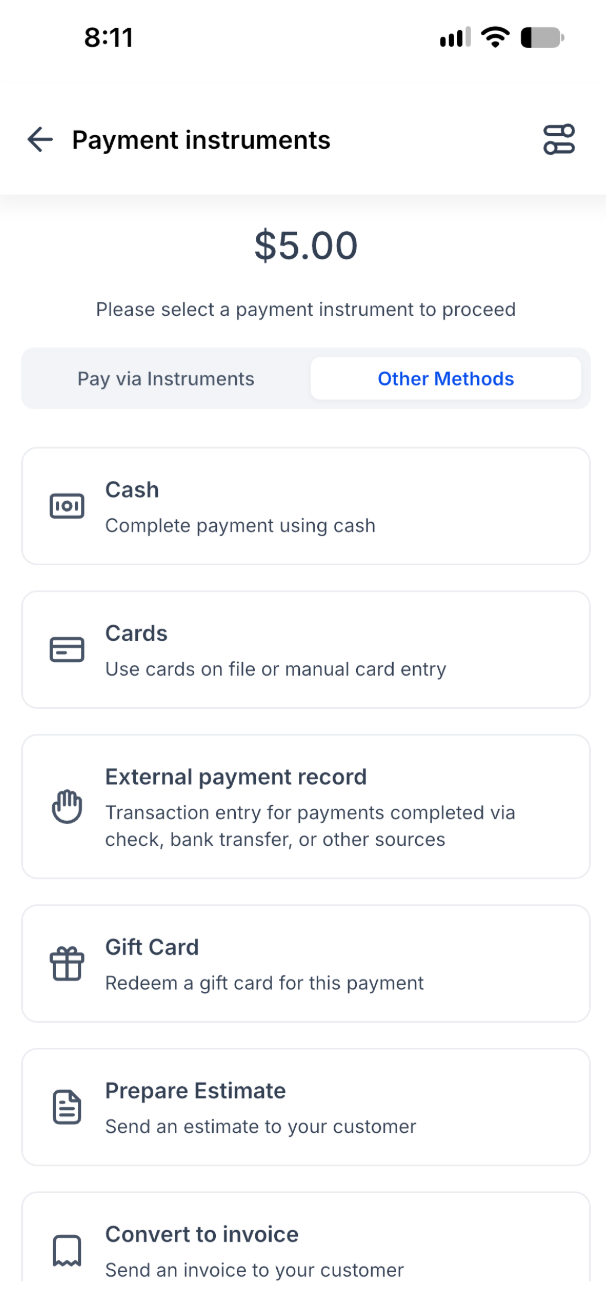
- On the Payment instruments screen, open Other Methods.
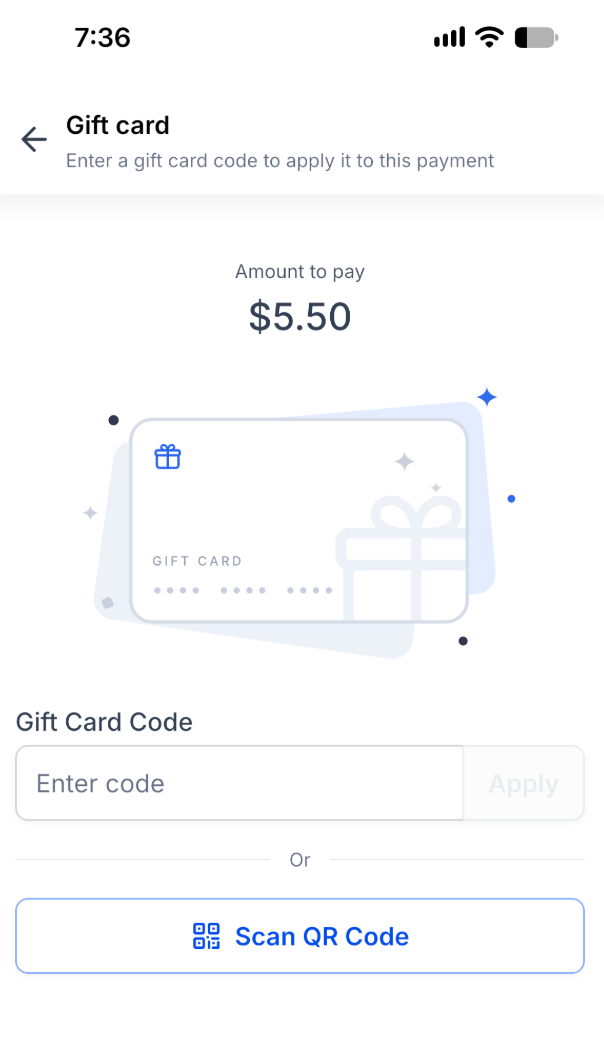
- Choose Gift Card to display the amount due, code entry field, and QR scanner.
- Ask the customer for the gift card code or QR code, then either type the code and tap Apply or tap Scan QR Code and scan the card.
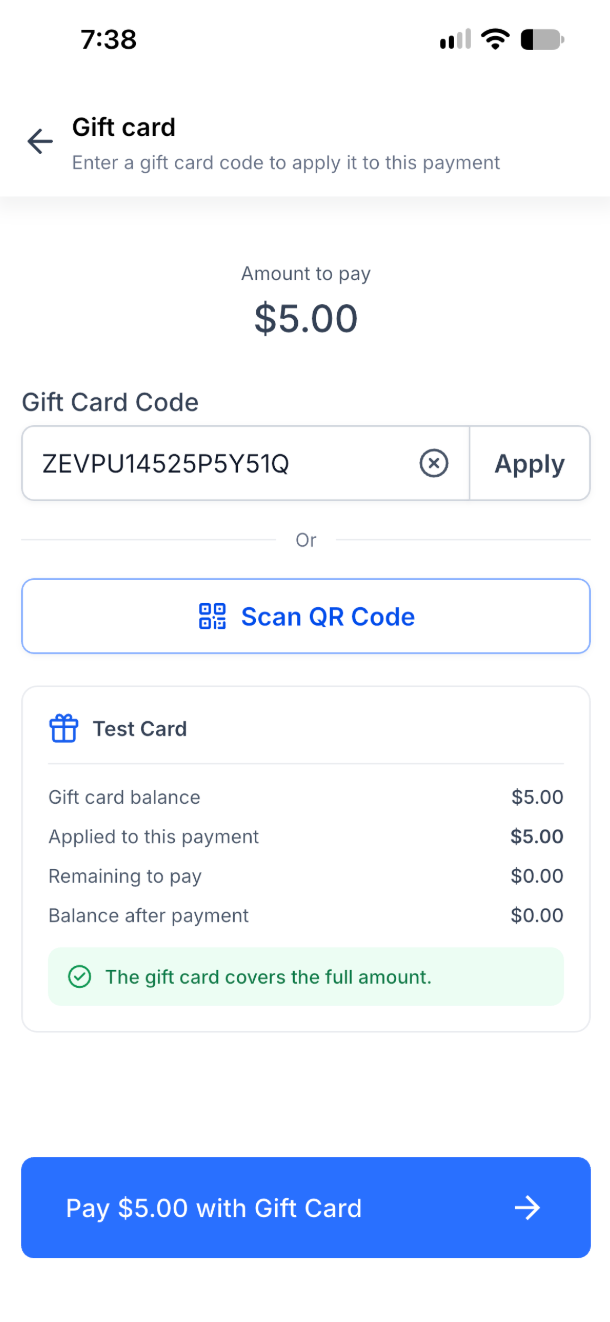
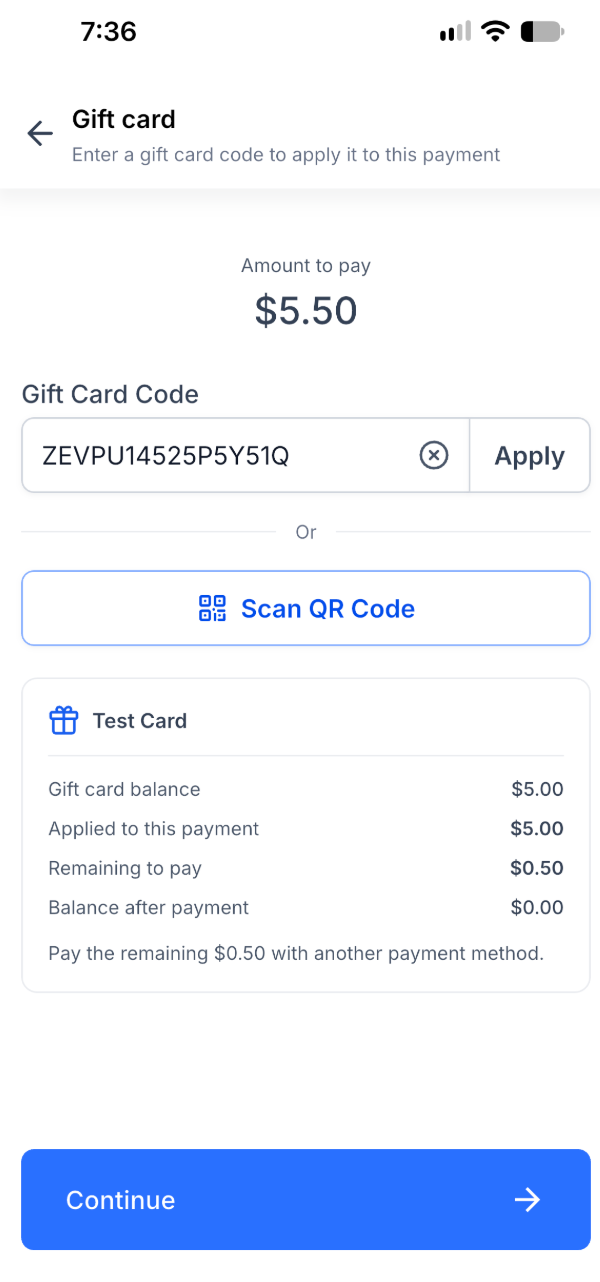
- Review the displayed balance, applied amount, remaining amount, and balance after redemption.
- If the card covers the total, tap Pay [amount] with Gift Card to finish the checkout.
- If the card only covers part of the total, tap Continue, select a second payment method (Tap to Pay, card reader, card, cash, or external record), collect the remainder, and complete checkout.
07What it looks like in HighLevel
08Things to know before you rely on it
- The feature works only on iOS and Android devices with app version 4.27.0 or later.
- Only one gift card can be applied to a single payment; it cannot be swapped or combined with another card.
- Gift cards must be valid and have an available balance to be accepted.
- Tip amounts can be covered by the gift card up to the card’s remaining balance.
- For partial payments, the gift card balance is deducted only after the additional payment method succeeds.
09If something goes wrong
- Incorrect gift card code entered. HighLevel shows "Gift card not found or has no balance". Verify the code and try again.
- QR code scanner does not open. Enable camera access for the HighLevel app in the device Settings or enter the code manually.
- Attempt to use more than one gift card on a payment. HighLevel allows only one gift card per payment. Use another payment method for the remainder.
- Need to replace an already applied gift card. The applied gift card cannot be swapped during that payment; start a new transaction if a different card is required.
- Partial payment is cancelled before completion. The gift card balance is not charged if the remaining payment is not successfully collected.
10How it connects to the rest of HighLevel
- Create and sell gift cards in HighLevel Gift card creation
- Track gift card performance and analytics Gift card dashboard
- View HighLevel pricing and plans Pricing
Michael's take

Can I really take gift cards on the go without a laptop? Absolutely. The mobile redemption flow lets you scan or type a code, see the balance, and apply it right there at the register, an invoice or an order. It works on both iOS and Android as soon as you’re on version 4.27.0, so you don’t need to flip a computer open.
If I were setting this up, I’d give my front desk team the payment collection role and then walk them through a quick full payment test. That confirms the scanner works and the balance updates before you start using it with real customers.