
01Manual payment retries, explained
Manual payment retries give you a way to collect an unpaid subscription payment without leaving HighLevel. You can start a manual attempt from the subscription’s payment details when the subscription has an Unpaid or Past due payment.
You choose a saved card or add a new one, decide if that card should handle future recurring charges, and then charge the card. The feature works with supported payment providers and helps reduce involuntary churn.
02How businesses use manual payment retries
- Recover failed payments. When a subscription shows an Unpaid or Past due status, you can manually retry the payment from the Subscriptions page. This gives you another chance to collect revenue without using an external collection process.
- Use a different payment method. During the retry process you may select an existing saved card or add a new card. This lets you bypass a card that previously failed.
- Update future payments. By enabling the Use this card for future payments option, the chosen card becomes the default for subsequent recurring charges on that subscription.
- Reduce involuntary churn. Providing a manual retry option gives customers an extra opportunity to settle missed payments, helping keep the subscription active without needing a separate collection workflow.
03The numbers and rules that matter
- Supported payment providers: NMI, Authorize.Net, Square, Mercado Pago.
- Up to 3 unsuccessful retry attempts using the same card.
- 24 hour cooldown after three unsuccessful attempts with the same card.
04How to set up and use manual payment retries in HighLevel
Manually retry a failed subscription payment
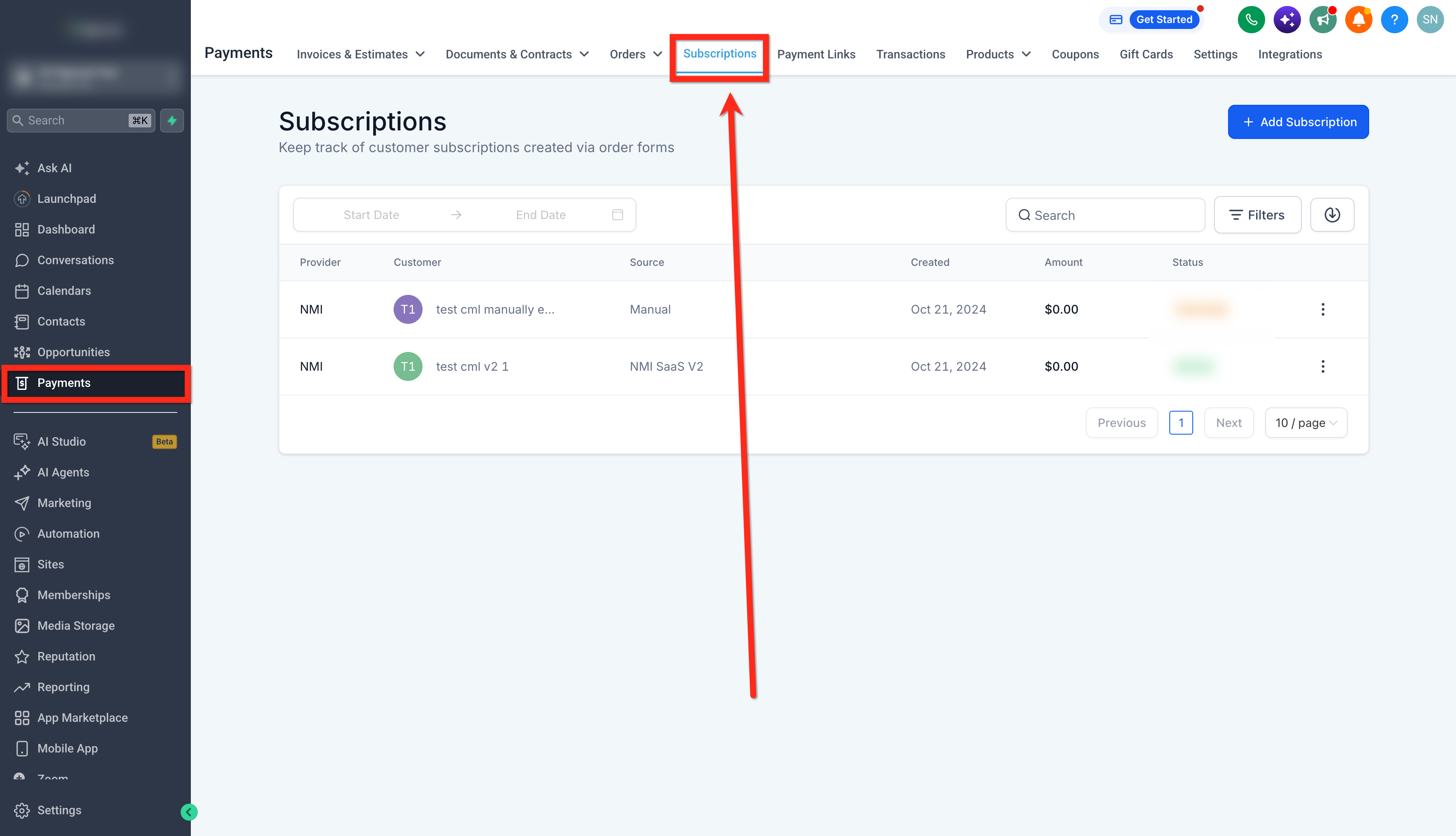
- Go to Payments > Subscriptions.
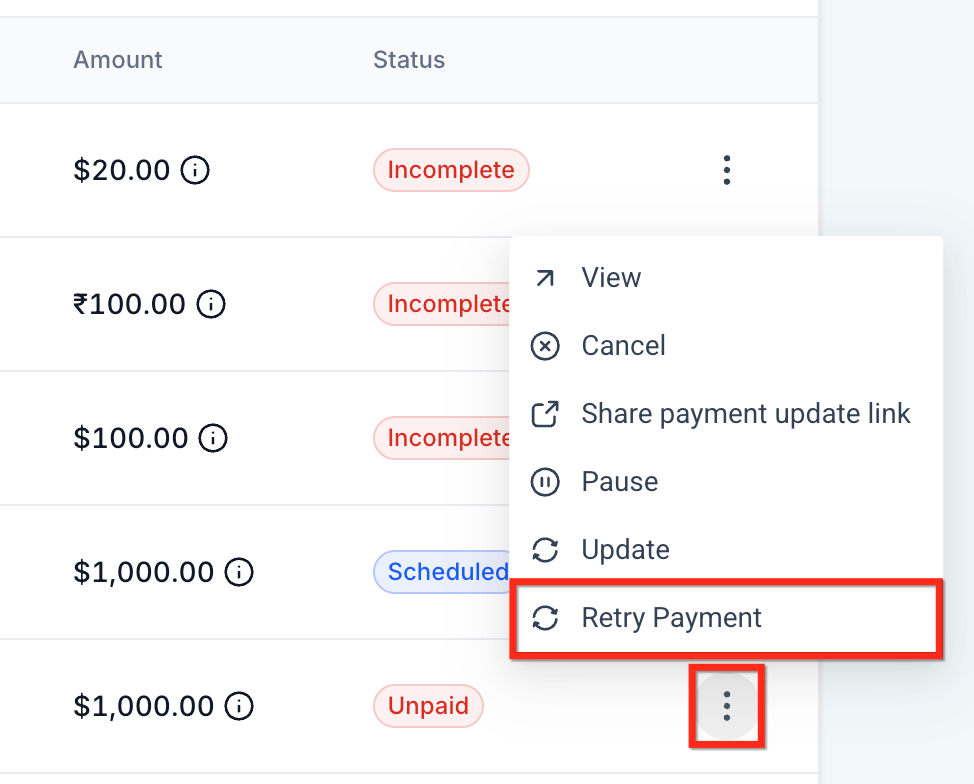
- Locate the applicable failed payment and open its Actions menu.
- Click Retry Payment.
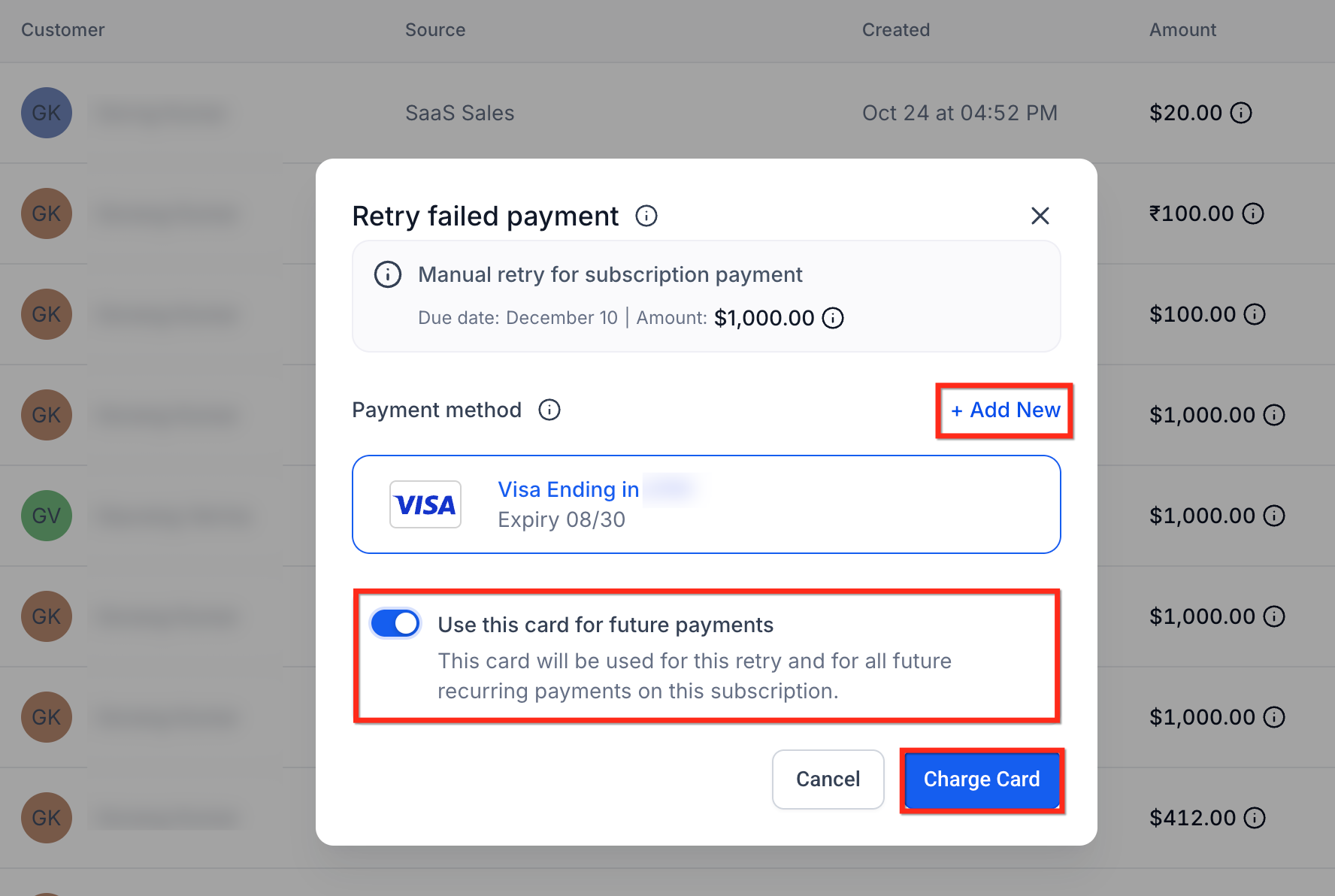
- Review the payment information displayed in the Retry failed payment window.
- Select a saved card or click + Add New to add another card.
- Enable Use this card for future payments if you want the selected card to be used for this retry and future recurring payments on the subscription.
- Click Charge Card to retry the payment.
05What it looks like in HighLevel
06Settings that matter
- Use this card for future payments. When enabled, the selected card will be used for the current retry and for all future recurring charges on the subscription.
07Things to know before you rely on it
- You can make up to 3 unsuccessful retry attempts using the same card.
- After three unsuccessful attempts, a 24 hour cooldown applies before that card can be retried.
- HighLevel displays a localized warning when another retry with the card is not yet available.
Michael's take

I can try a missed subscription charge without leaving HighLevel. I open the subscription, click retry, pick a saved card or add a new one, and charge it right there.
First I’d confirm the subscription uses a supported provider (NMI, Authorize.Net, Square, or Mercado Pago). Then I’d use the manual retry option to see the card switch feature work before rolling it out to other past due members.